
FREE
Loading…
Colorize black-and-white manga pages, comic pages and line art online. Upload a page, pick a style, and in about 20 seconds you get it back in full color with every line, panel and speech bubble exactly where it was drawn.
Last updated:
Seven real results from this colorizer, unretouched. Each original page was drawn for this page, so no published manga is shown. The quoted line is exactly what was in the color notes box.
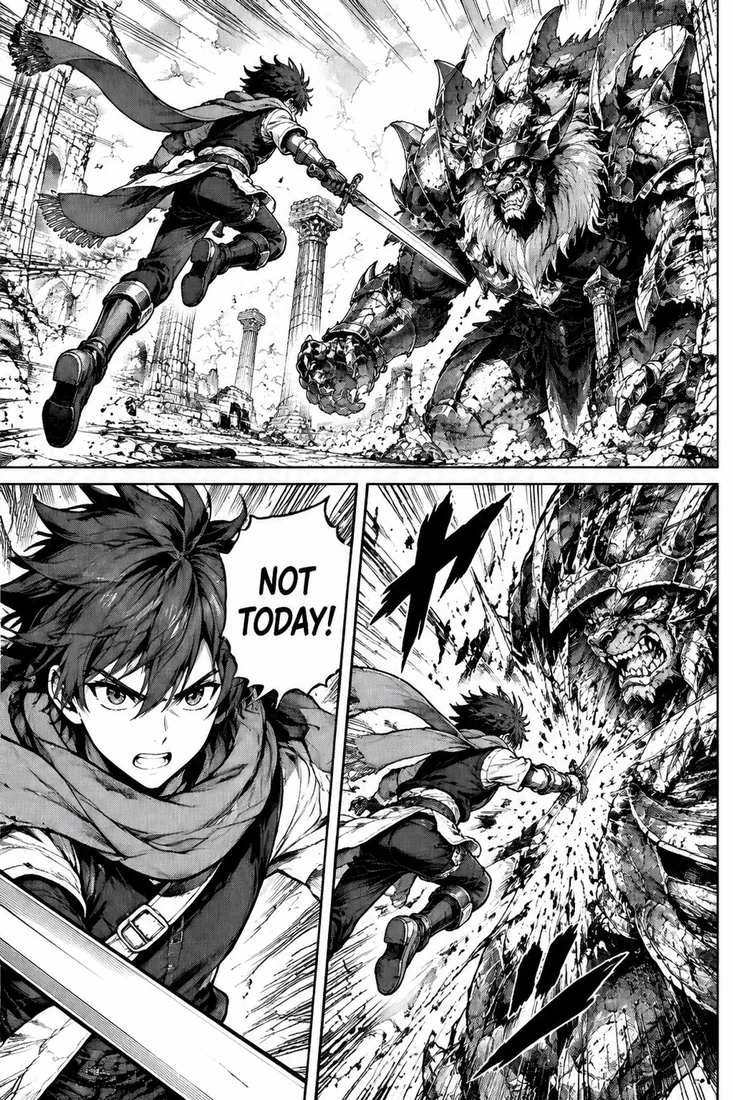
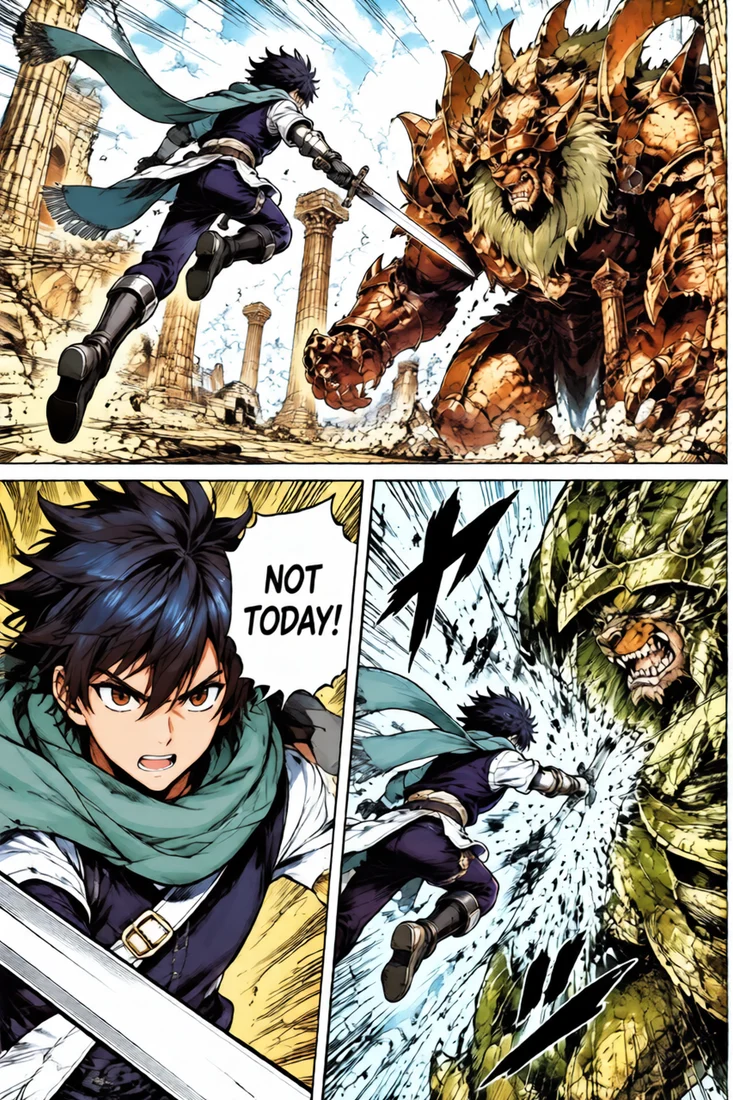
Dense action pages are the hardest test for a manga colorizer, because speed lines, debris and impact effects sit on top of the characters. This three-panel fight page went in with heavy screentone and came back with a blue-haired swordsman, a teal scarf and a bronze armored beast.
Every speed line and the "NOT TODAY!" bubble are where the artist drew them. The screentone dots became smooth shading, which is what printed color pages do instead of dots.
Style: Vibrant
“Bright, saturated colors with strong contrast, like a magazine color spread.”
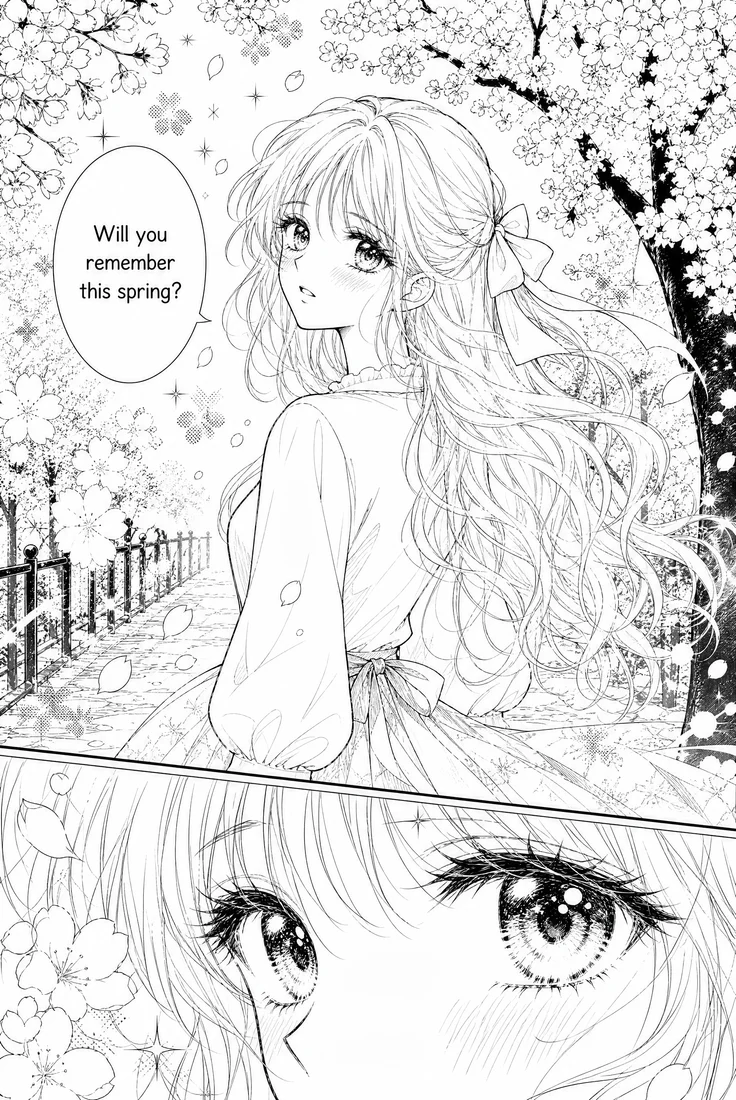
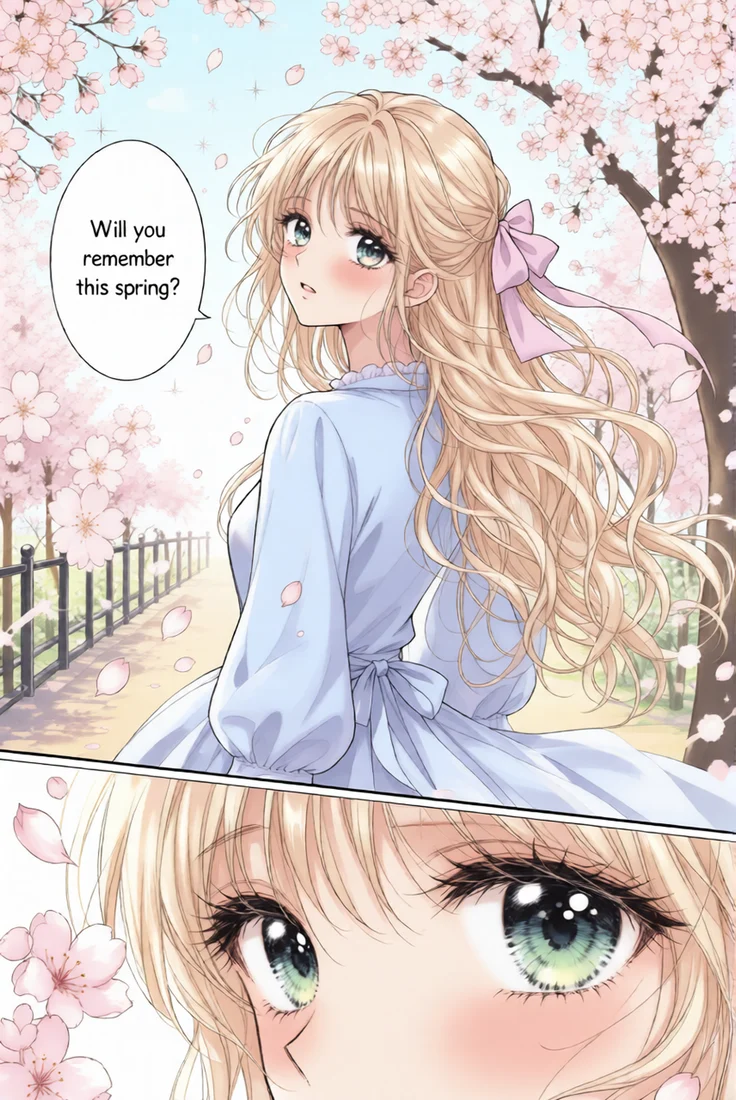
Shoujo pages lean on decorative screentones: flower patterns, sparkles and soft gradients behind the characters. The Soft pastel style turned them into pink cherry blossoms and a pale spring sky while keeping the close-up of the eyes sharp.
The model picked blonde hair, green eyes and a pale blue dress on its own. If your character has set colors, add them as notes or upload a colored picture of her as a reference.
Style: Soft pastel
“Soft pastel palette with gentle gradients.”
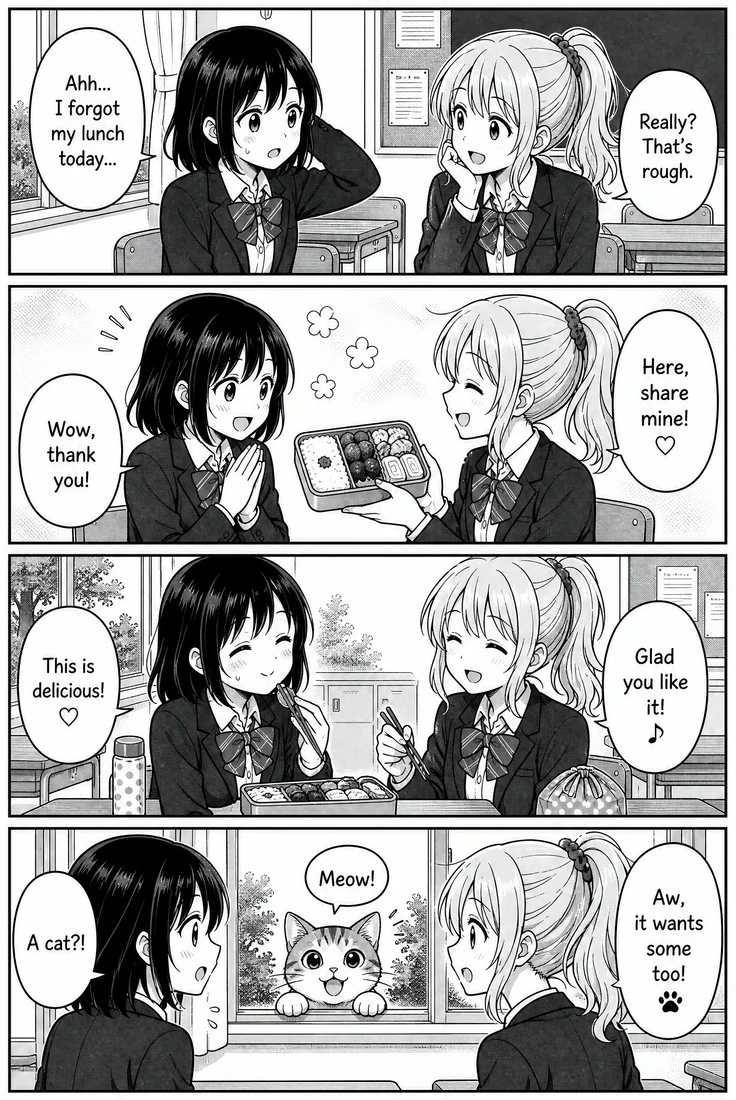
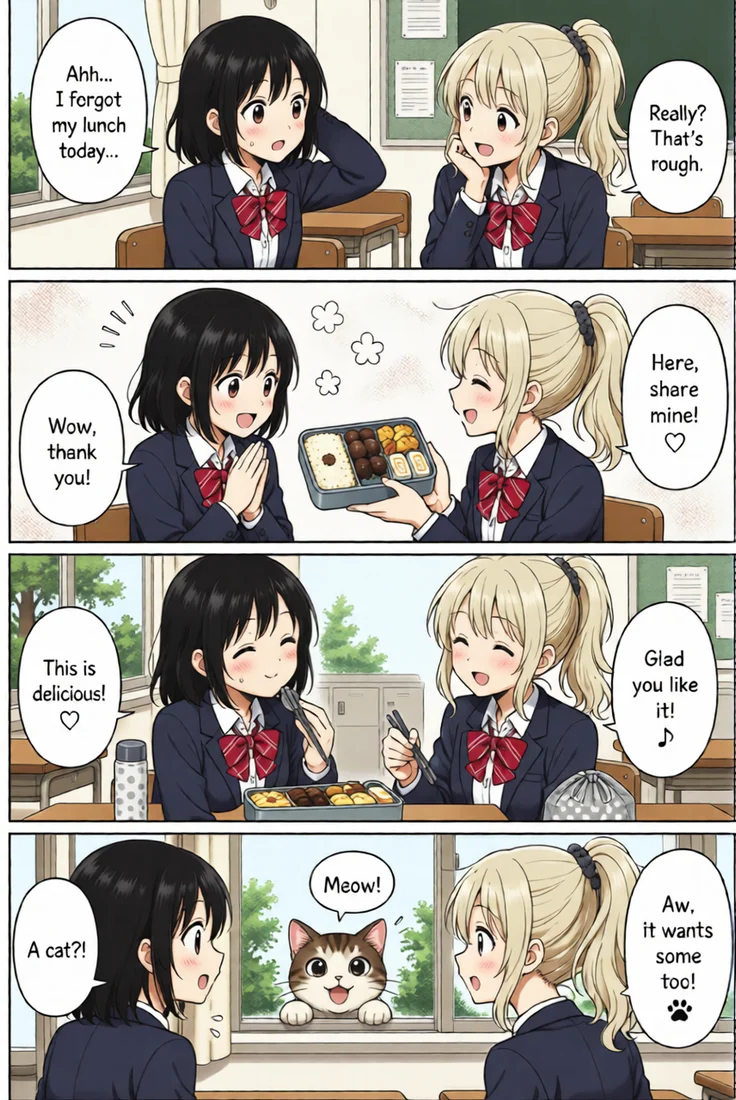
A yonkoma strip repeats the same two characters four times, so a colorizer has to give them the same colors in every panel. Both girls keep the same hair, navy blazers and red bows from the first panel to the last.
All nine speech bubbles stay white with black lettering, including the small heart and music-note marks. The bento, the classroom and the cat at the window are colored without anything being redrawn.
Style: Anime colors
“Clean anime colors with cel shading and soft highlights.”
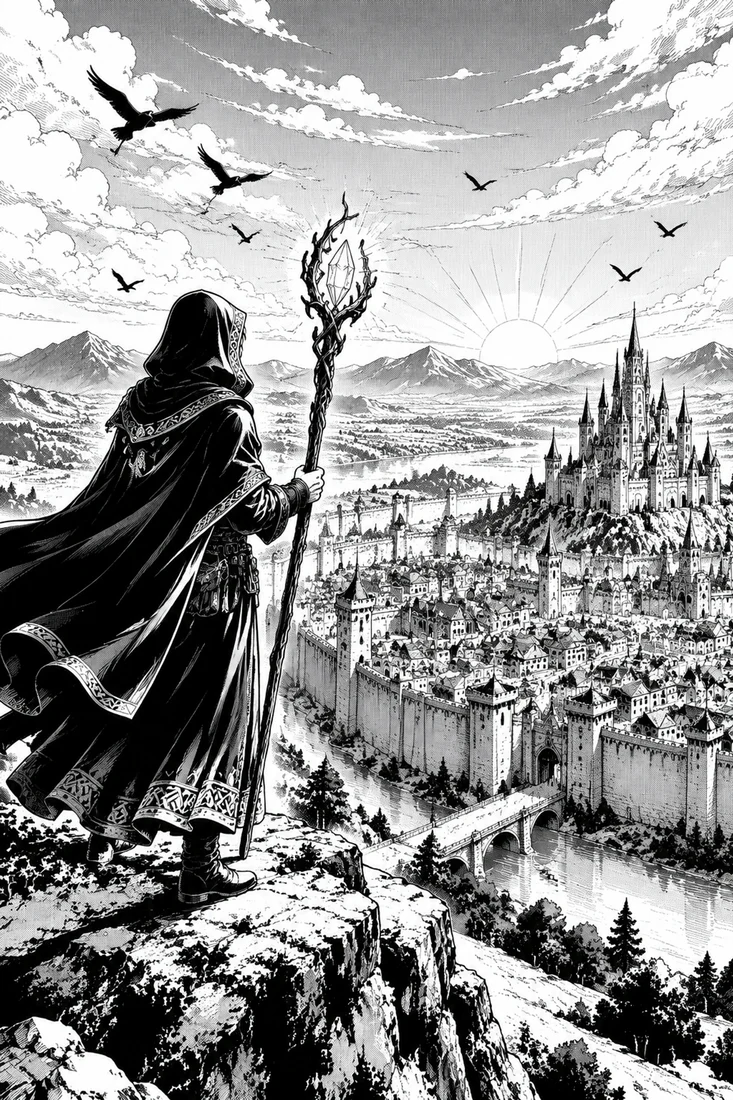
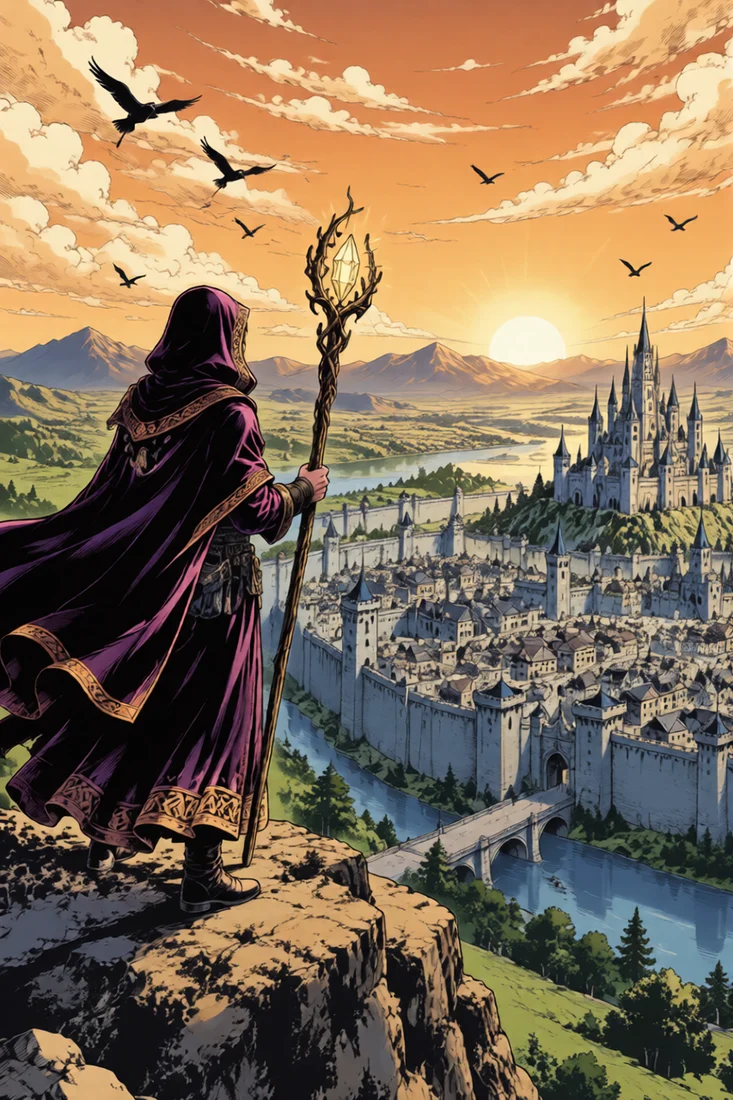
Large backgrounds show whether a colorizer understands light, not just objects. This splash page of a mage above a walled city was colored with notes asking for a golden dawn, an orange sky, a blue-grey stone city and a purple cloak.
The notes became a sunrise from the right, warm light on the clouds and cool shadows in the streets, and the cloak is the deep purple that was asked for. Notes like these change colors and light only; they cannot add or remove anything in the drawing.
Style: Custom notes
“Golden dawn light, warm orange sky, blue-grey stone city, the mage in a deep purple cloak.”
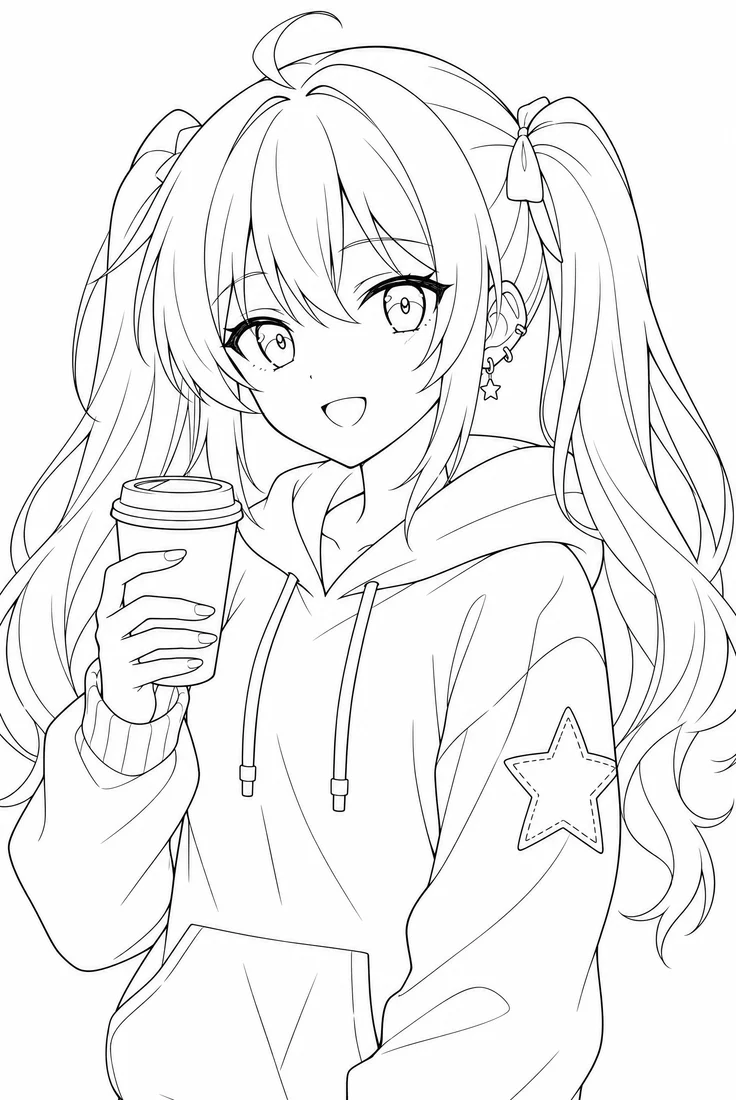

Line art is easier to colorize than a finished page, because there is no screentone to interpret. This drawing had outlines only, and the notes asked for pink twin tails and a mint hoodie with a yellow star.
The result has flat anime colors with simple cel shading, the kind an artist would use as a base before painting. It works the same for sketches, character designs and coloring-book style drawings.
Style: Anime colors + notes
“Clean anime colors with cel shading and soft highlights. Pink twin tails, mint green hoodie with a yellow star.”
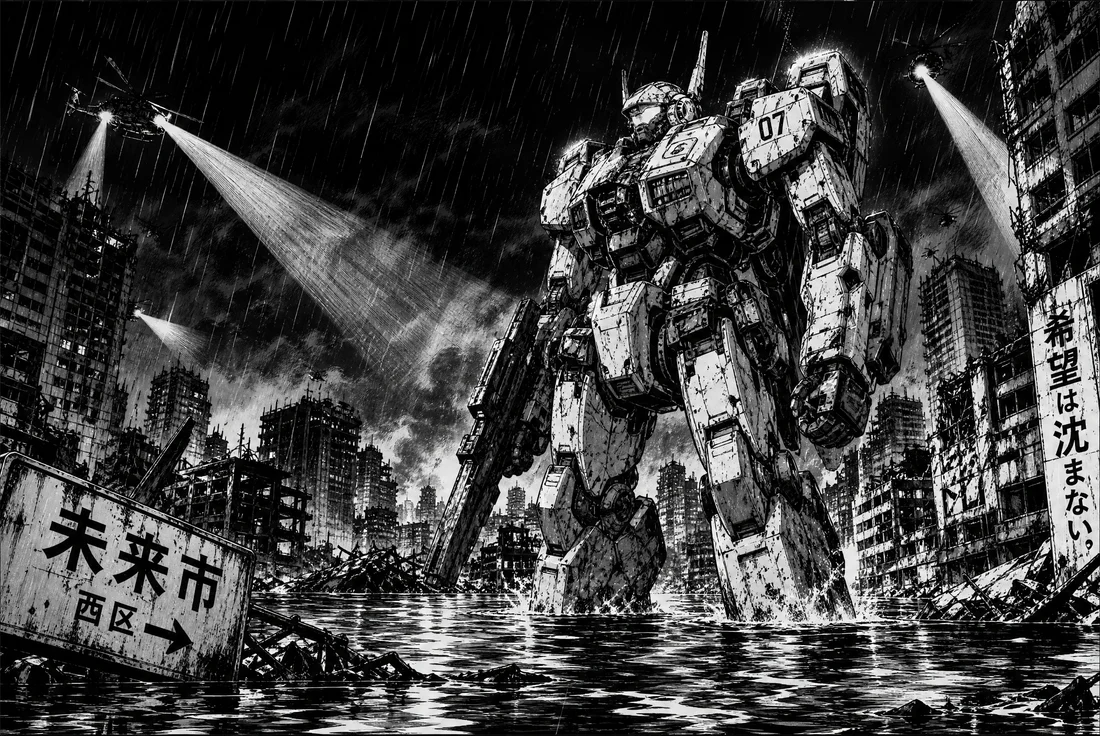
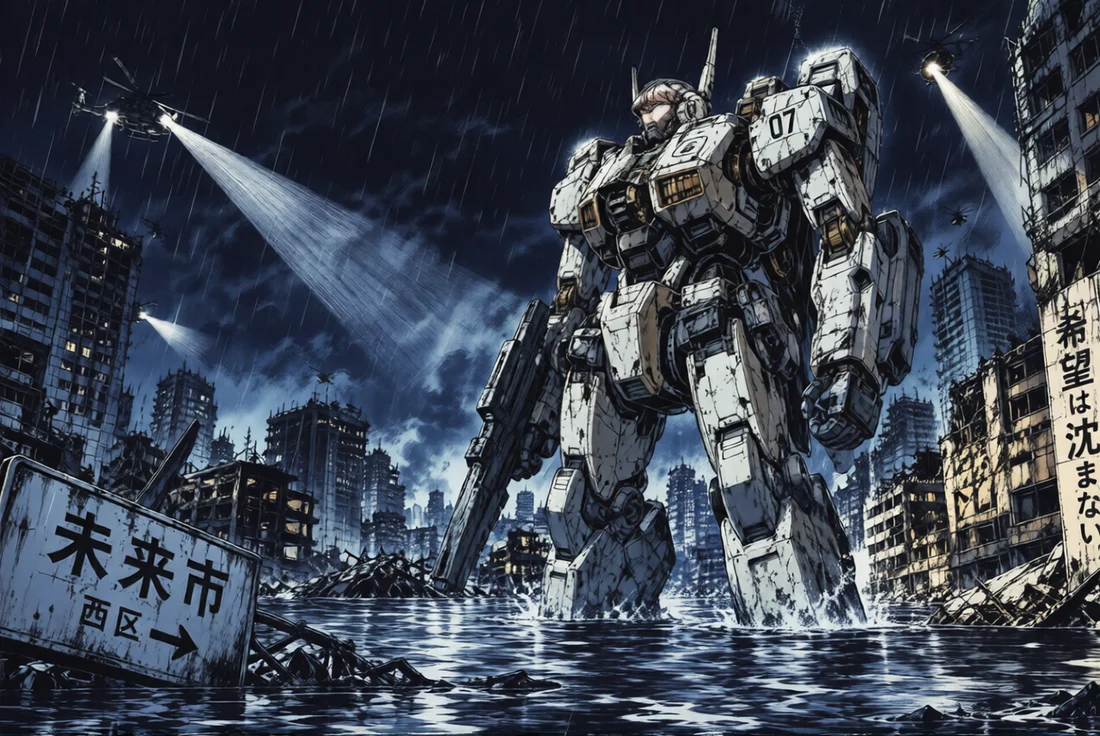
Night pages drawn with heavy blacks and cross-hatching often come out muddy from colorizers. The Moody night style kept the deep blue darkness and lit the robot only where the searchlights hit it.
The Japanese signs in the ruins kept their lettering, and the rain streaks stayed visible against the sky.
Style: Moody night
“Dark night palette with cool blues and warm lamp light.”
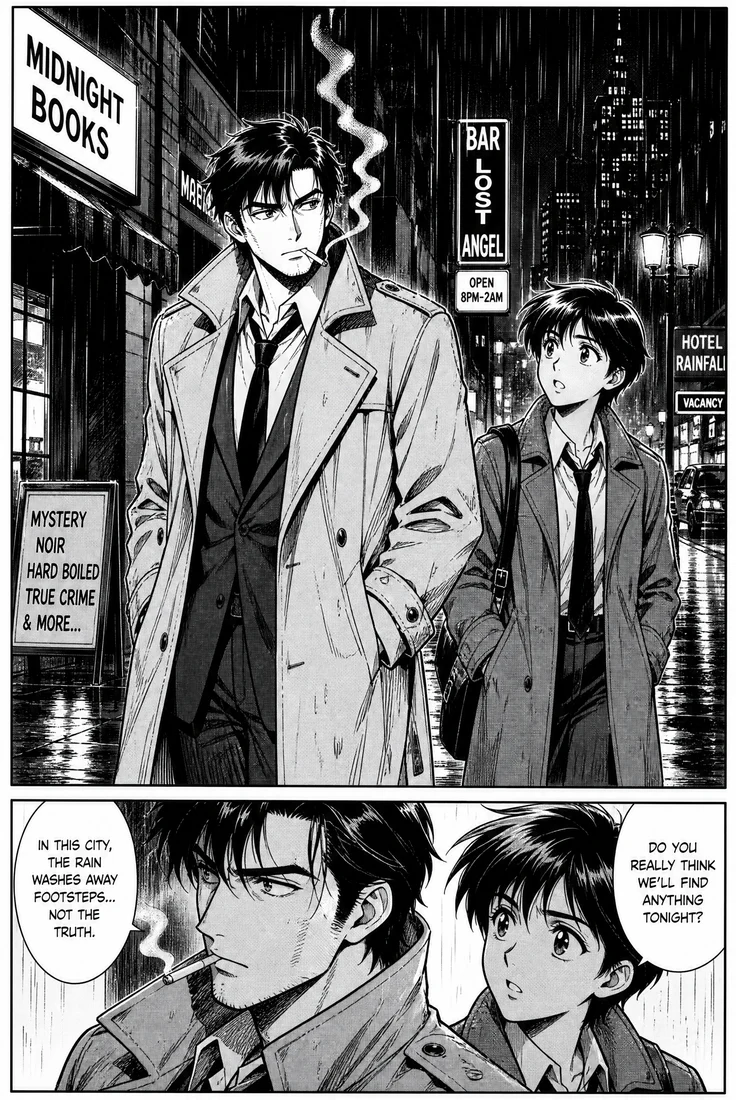
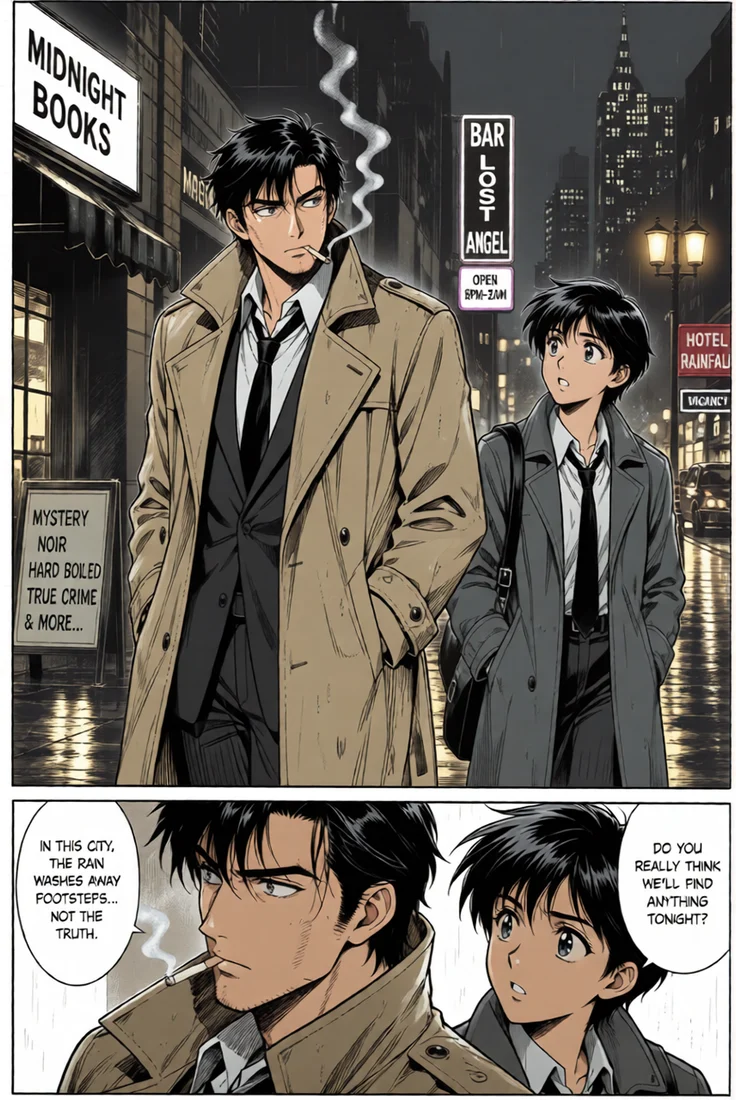
Older manga look wrong in modern glossy colors. The Retro 90s style uses the muted cel palette of 1990s anime: a tan trench coat, grey suits, and street signs glowing in the rain.
The narration boxes and both speech bubbles stay readable, and the reflections on the wet street came out of the original screentone.
Style: Retro 90s
“Muted 1990s anime cel colors.”
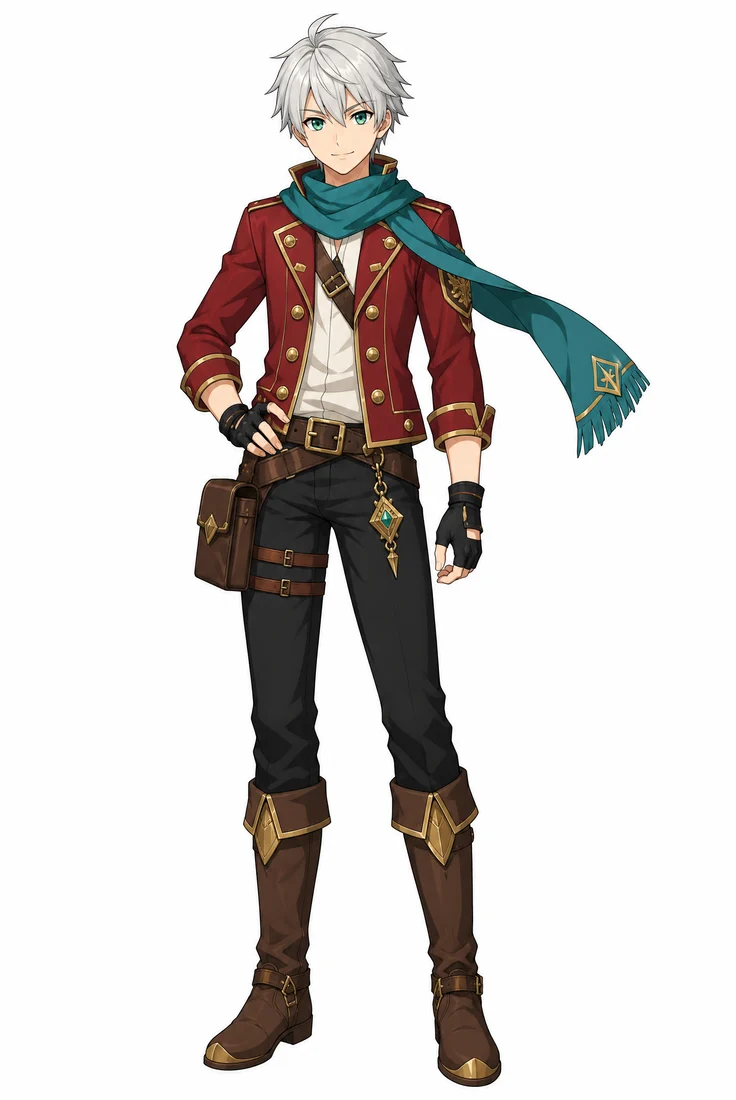
Without a reference, an AI manga colorizer guesses each character’s colors, and the guess changes from page to page. With a colored picture of the character uploaded after the page, it uses those colors instead. Below is the same page colored both ways.
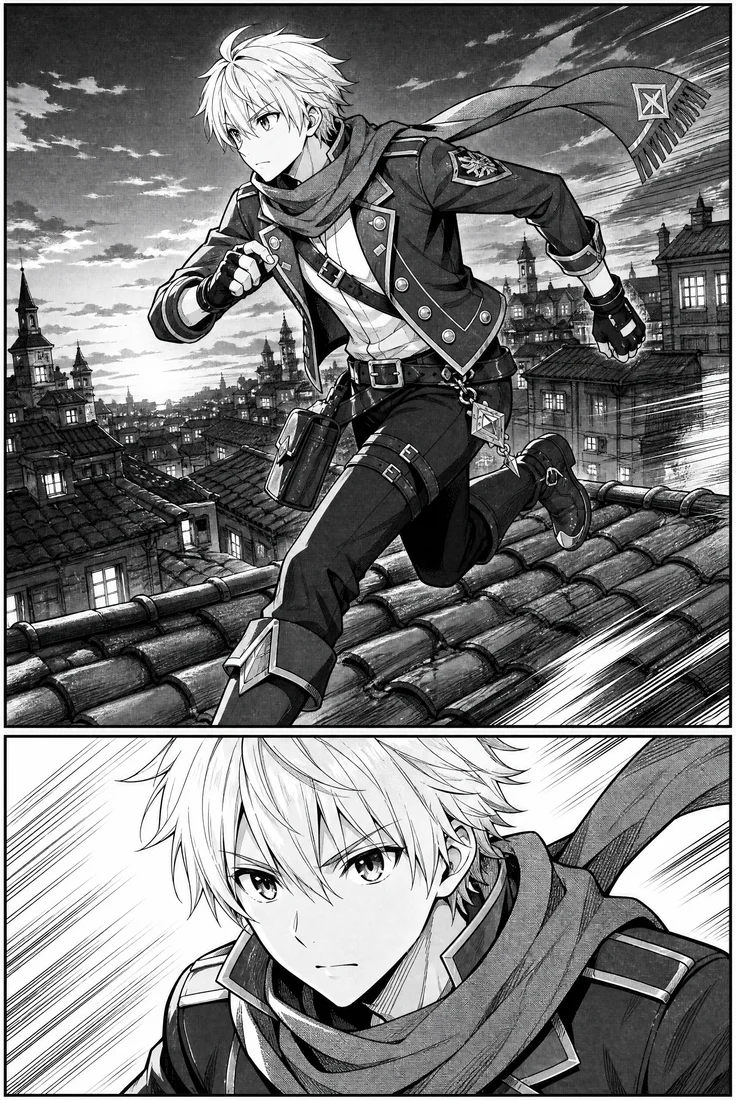
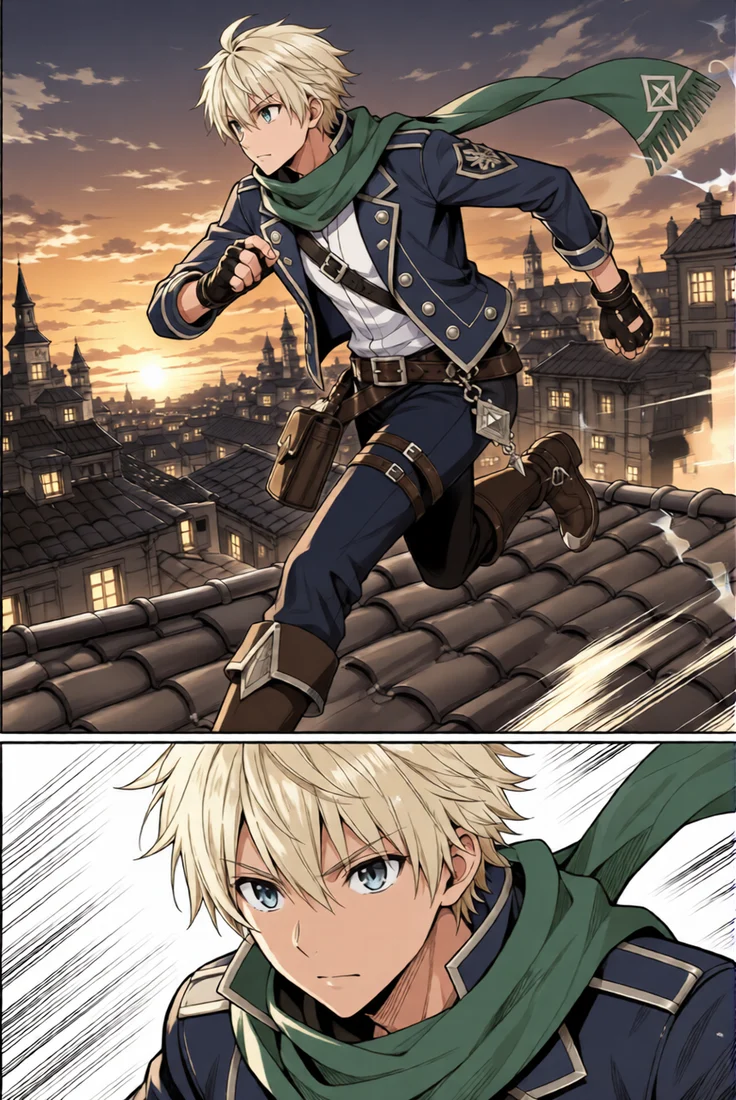
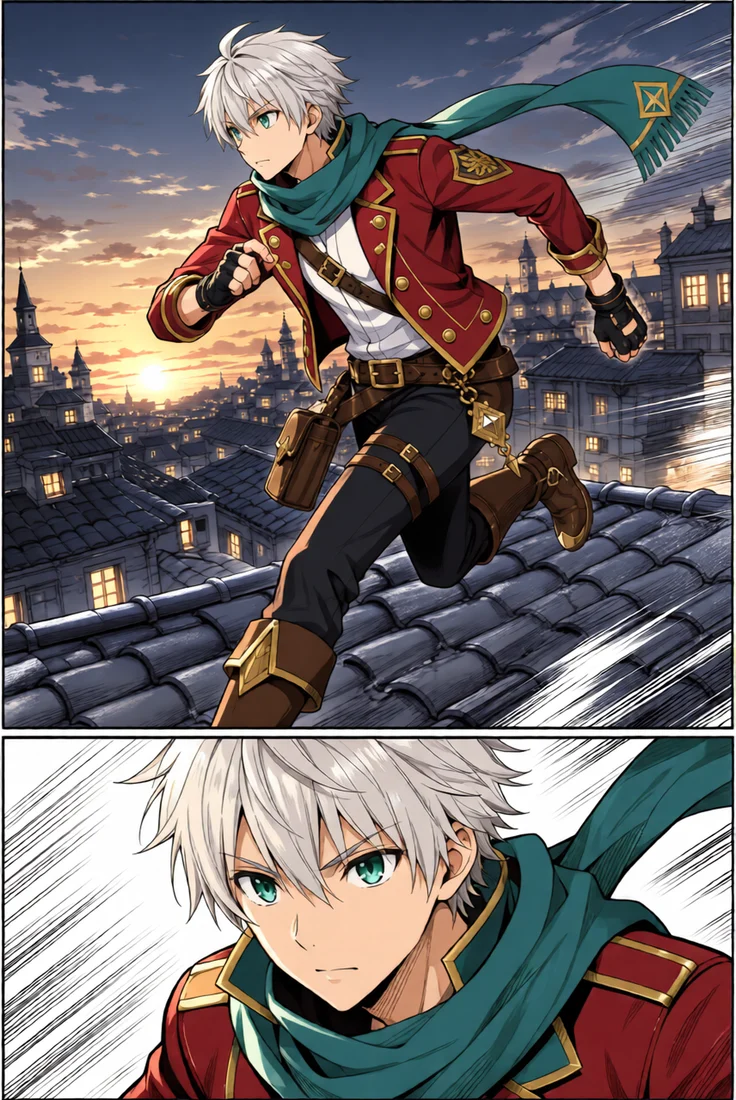
The colorizer chose blond hair, blue eyes, a navy jacket and a green scarf. It is a good-looking page, but it is not this character, and the next page could come out different again.
Silver hair, emerald eyes, the crimson jacket with gold buttons and the teal scarf all match the reference, in both panels. Use the same reference on every page of a chapter and the character stays the same throughout.
sparkpix.ai AI Manga Colorizer is a browser-based tool that adds color to black-and-white manga pages, comic pages and line art. You upload a page, pick a style or write color notes, and get a color version in about 20 seconds at the same size as the original, with line art, panel borders and speech bubbles unchanged. Up to two colored reference pictures keep characters in their own colors. The first page is free with the sign-up credits, then each page costs 5 credits. It colors one page per run and does not change what is drawn.
| AI manga colorizer (here) | Coloring by hand (Clip Studio Paint, Photoshop) | Older one-click colorizers | |
|---|---|---|---|
| Time per page | About 20 seconds | Hours for a full page | Seconds |
| Line art kept | Yes, lines are not redrawn | Yes | Usually, but fine lines often soften |
| Speech bubbles and lettering | Kept white and black | Kept | Can pick up color |
| Screentone handling | Turned into smooth shading | Removed or painted over by hand | Varies; dots can show through |
| Same character colors across pages | Yes, with a reference picture | Yes, with a color sheet | No, colors change page to page |
| Skill needed | None | Years of digital painting | None |
| Cost | 5 credits per page; first page free | Software plus your time | Usually free |
Coloring by hand is still the best choice when a page needs a specific artist’s rendering style; an AI colorizer gives you a finished base in seconds that you can paint over. Older one-click colorizers are fast too, but they tend to soften fine lines and put color into lettering.
To colorize a manga page you only need the black-and-white page itself. A colored picture of the character is optional and only matters when the colors must match.
This is Image 1: a manga page, comic page, single panel or line drawing in JPG, PNG or WebP. Use the largest scan you have; around 2000 pixels tall works best.
To match a character’s official or chosen colors, upload a colored picture of them as Image 2. You can add a second reference as Image 3 for another character.
Choose Anime colors, Vibrant, Soft pastel, Watercolor, Retro 90s or Moody night, and add notes like "silver hair, red jacket, sunset light" if you have them.
In about 20 seconds you get the colored page at exactly the same size as the original. Compare it with the black-and-white page and run it again with other notes if you want a different palette.
Line art is the easiest drawing to colorize with AI, because there is no screentone or shading for the model to interpret. Upload the outlines as Image 1, write the colors you want for hair, eyes and clothing, and the colorizer fills the areas with flat anime colors and simple cel shading.
Artists use it as a color base: run the drawing once, then repaint the parts that need their own rendering instead of flatting every area by hand. Character designers run the same line art with several notes to compare palettes side by side.
Clean, closed outlines give the cleanest result. Rough pencil sketches work too, but stray construction lines get colored along with everything else.
Get a color base for your own pages, covers and character sheets, then repaint the parts you care about instead of filling every area by hand.
Turn finished black-and-white pages into a color version for a print run, a cover or a social media preview.
See a favorite page from a volume you own in color for personal viewing. Colorized pages of published manga belong to the original publisher; do not repost them.
Run the same line art with three or four different notes to compare palettes before committing to one.
Coloring a whole chapter in one click. It colors one page per run; use the same reference picture on every page to keep colors consistent.
Changing what is drawn. It will not change clothing, bodies, faces or backgrounds, and it refuses notes that ask for that.
Tiny or blurry scans. Pages under about 800 pixels tall come back soft; upscale them first with the free anime upscaler.
Replacing official color editions. When a licensed color version of a manga exists, that is the real thing.
Output is the same size as the input, so a 2000-pixel page gives a 2000-pixel color page. Very large pages of 4K and above are kept at their size, but the detail is closer to 2K.
Hair, eyes and signature clothing are what readers notice. Notes like "red scarf, black gloves" fix them; everything else can be left to the style.
Upload the same colored character picture on every page of a chapter, and the character keeps the same hair, eye and outfit colors across pages.
Vertical webtoon episodes are very tall. Split them into screen-sized parts first; each part is colorized at its own size.
Remove page curl, yellowed paper and bleed-through before colorizing. Grey paper reads as a grey background.
The same page in Anime colors and in Retro 90s can look like two different series. A second run costs 5 more credits and takes another 20 seconds.
An AI manga colorizer is a tool that adds color to a black-and-white manga page or line drawing automatically. This one keeps every line, panel border and speech bubble as drawn and only changes color, turning screentone dots into smooth shading in about 20 seconds per page.
Your first page is free. Colorizing a page costs 5 credits, and every new account gets 5 free credits on sign-up. After that you buy credits; there is no subscription required.
Usually 10 to 30 seconds per page. The result has exactly the same pixel size as the page you uploaded.
No. The colorizer is told to keep speech bubbles white and lettering black and not to redraw any text. English and Japanese lettering both stayed readable in the examples above.
Yes. Upload a colored picture of the character as a reference after the page, and use the same picture on every page. Without a reference the AI chooses colors for each page on its own, so they can differ between pages.
Not in one click. It colors one page per run, about 20 seconds each. For a chapter, run the pages one after another with the same reference picture and the same style.
Yes. Clean line art without shading is the easiest case: upload it as Image 1 and add notes for the colors you want. Rough pencil sketches work too, but stray lines get colored along with the rest.
Yes, any black-and-white drawing works. Long vertical webtoon strips should be split into screen-sized parts first, because each upload is colored at its own size.
Uploaded pages are deleted within 3 days. Colorized results stay in your account for 30 days, so download the ones you want to keep.
No. Coloring a page you own for personal viewing is one thing; the colorized page is still the publisher’s work, and posting it publicly can break copyright. Color and share your own art freely.
One black-and-white page and about 20 seconds is all it takes. Your first page is covered by the free sign-up credits.
About 20 seconds
First page free
Upscale a small manga scan before you colorize it.
The other direction: turn a photo into a manga-style drawing.
Redraw a photo as an anime illustration.
Add natural color to old black-and-white photographs.
Turn a photo into clean line art you can colorize here.
Any other change to an image, described in your own words.
Turn photos into anime, manga, cartoons and paintings, or color your own drawings.
Convert photos to cartoon, 3D, comic, or caricature.
Oil, watercolor, sketch, charcoal, and famous artist styles.
Vintage, polaroid, cyberpunk, and pixel-art looks.