
FREE
Loading…
Run Real-ESRGAN in your browser. Upload an image and get it back 4x larger, with blur, noise and JPEG artefacts cleaned up, in about 11 seconds.
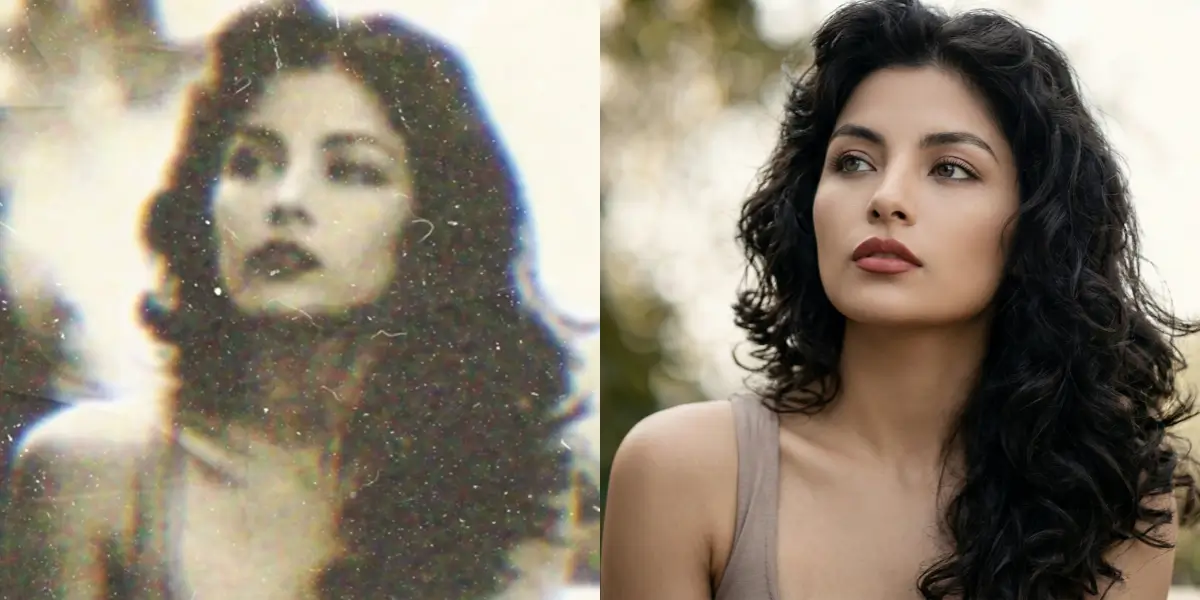
Upload to get high resolution images
Supports JPG, PNG, WebP (max 20MB)
Nude or explicit images are not supported.
Median time per image (last 30 days, 4,755 runs)
Upscale factor, up to 4096 px on the long side
Free full-resolution images with a free account
Jobs that failed, and were not charged
Real-ESRGAN is an open-source image super-resolution model from Tencent ARC Lab, published by Xintao Wang and colleagues in 2021. It enlarges an image while rebuilding the fine detail that a plain resize would blur. Its advance over the original ESRGAN is how it was trained: on images deliberately degraded several times over, with blur, noise, downscaling and JPEG compression stacked together, which is what real photos from phones, scans and messaging apps look like.
The result is an upscaler that cleans up artefacts as it enlarges. It is especially good on anime, illustrations and screenshots, where it keeps flat colours flat and lines sharp. For faces in photos, the same project pairs it with GFPGAN, which you can run on the GFPGAN online page.
JPG, PNG or WebP up to 20 MB. It is resized to 1024 pixels on the long side before processing.
Real-ESRGAN enlarges the image 4x and removes blur, noise and compression artefacts in one pass.
Compare with the original, then download the result at up to 4096 pixels on the long side.
| Image | Best choice | Why |
|---|---|---|
| Anime, drawings, screenshots | Real-ESRGAN (this page) | Keeps lines and flat colour clean; adds no invented texture |
| Photos with faces | GFPGAN online | Same upscaler plus face restoration for eyes, skin and teeth |
| Photos you want as sharp as possible | Free HD Upscaler | A generative model that adds more detail, at the cost of being less literal |
| Old photos with scratches or tears | Photo Restoration | Upscalers enlarge damage; restoration removes it |
| Online (here) | From GitHub | |
|---|---|---|
| Setup | None | Python and PyTorch, or the portable ncnn-vulkan build |
| Hardware | Hosted GPU | Any GPU with Vulkan; CPU is slow |
| Input size | Resized to 1024 px, output up to 4096 px | Any size your memory allows, with tiling |
| Options | Fixed: x4plus model, 4x | Model choice (incl. anime_6B), scale, tiling |
| Cost | 1 free a day, 2 with an account, then 3 credits | Free, plus your own hardware |
Yes. Images are processed by Real-ESRGAN (the RealESRGAN_x4plus model) at 4x with face restoration turned off. It is a pixel upscaler, not a prompt-based generator, so it sharpens and enlarges what is in the image rather than redrawing it.
You get one free image a day without an account, shown as a watermarked preview up to 1536 pixels. With a free account you get two images a day at full resolution and without a watermark. After that each image costs 3 credits; credit packs start at $9.99 for 350 credits.
The image is resized to at most 1024 pixels on the long side before processing and then upscaled 4x, so the result is up to 4096 pixels on the long side. That is enough for a 13-inch print at 300 DPI.
Over the last 30 days the median job finished in 11 seconds and 90% finished within 23 seconds, across 4,755 runs. The 0.3% of jobs that failed were not charged.
Yes. Real-ESRGAN keeps flat colour and line art clean, which is why it is the usual choice for anime screenshots and drawings. For photos with faces, the GFPGAN page runs the same upscaler with face restoration switched on.
ESRGAN (2018) was trained on images shrunk in one clean, simple way, so it struggles with real photos that are also blurred, noisy and JPEG-compressed. Real-ESRGAN (2021) was trained on synthetic images degraded several times over, with blur, noise, resizing and compression stacked together, so it copes with real-world images much better.
No. Running Real-ESRGAN yourself means installing Python and PyTorch or downloading the portable ncnn-vulkan build and using it from the command line. Here it runs on a hosted GPU and you only upload an image.
About 11 seconds per image. One free a day without an account, two with one.
Run Real-ESRGAN