
FREE
Loading…
Turn a photo you already have into a Christmas photo of the same people, with your real faces, or put family members who were photographed apart into one Christmas picture. Pick a scene, and the result looks like a photo you took, not a studio portrait of strangers.
This model edits a photo: add one with + first.
Last updated:
Four unretouched results from this tool. Each pair shows the photo that was uploaded and the Christmas photo that came back; the line in quotes is the scene that was picked. The people in these examples are AI-generated stand-ins: we never publish customers’ photos.
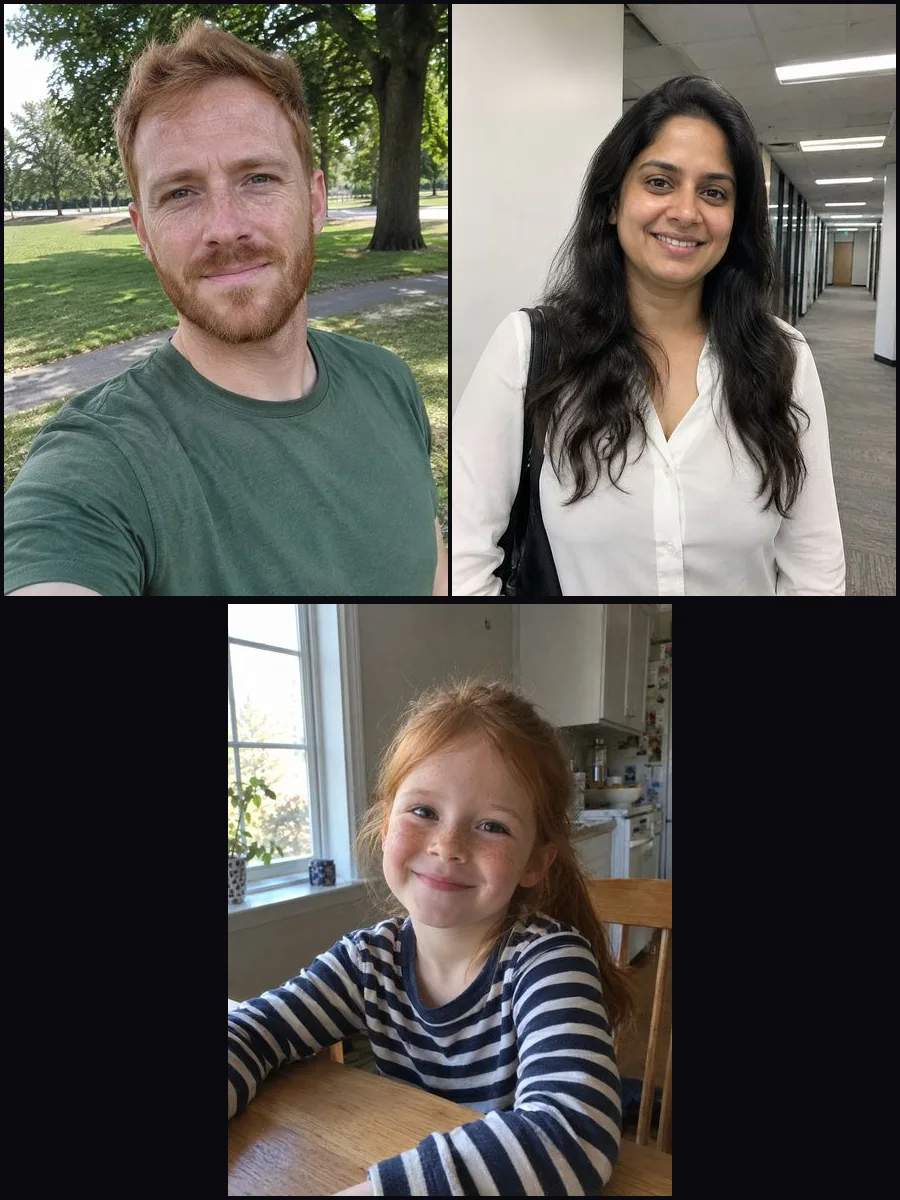
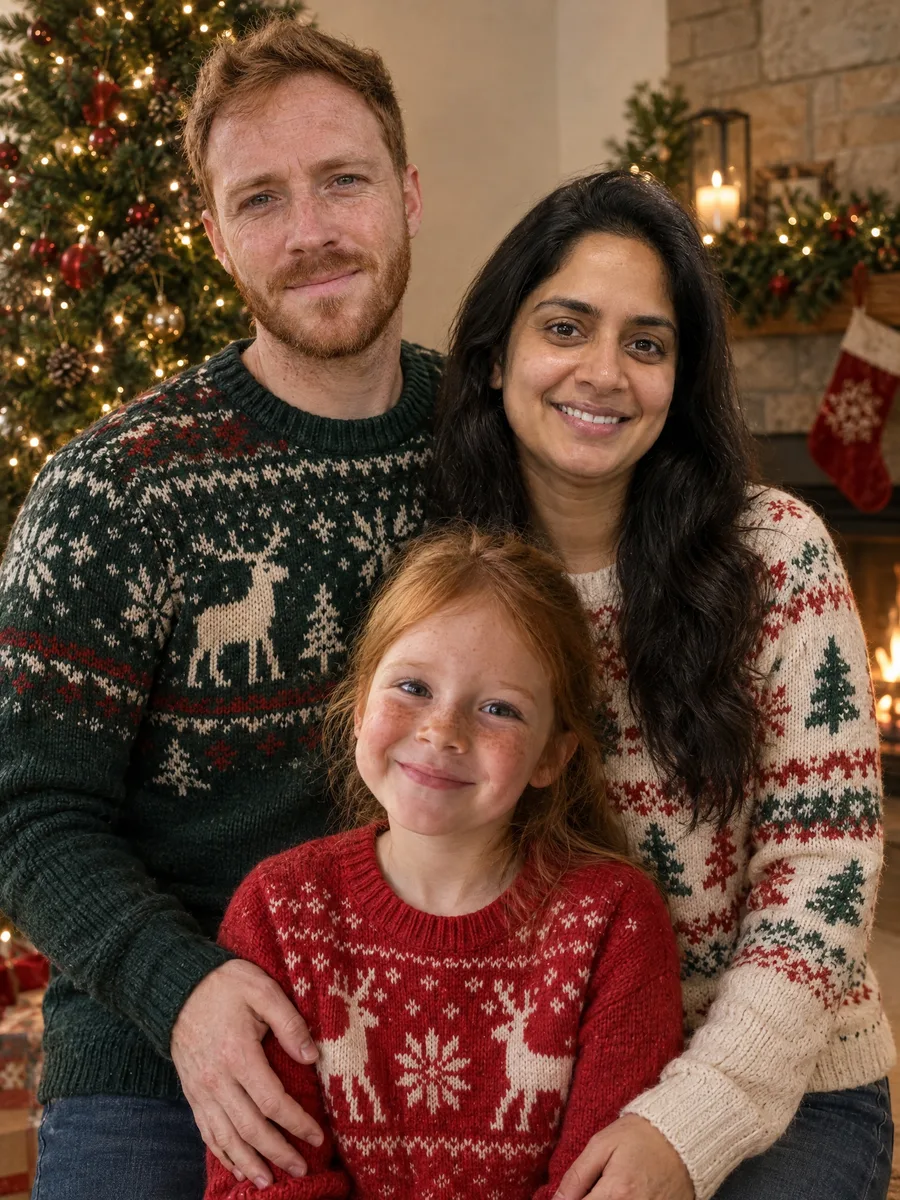
This is the job studio sessions and template apps cannot do: the father, the mother and their daughter were each photographed on their own, in a park, an office corridor and a kitchen. The three photos were uploaded together with the Christmas sweaters scene.
The result puts the parents behind their daughter in front of a tree and a fireplace, all three lit by the same warm light. His red beard and freckles, her long dark hair and the girl’s freckles come straight from their own photos; only the clothes and the setting are new.
Scene in the editor
“a family Christmas card photo in front of a decorated tree and a fireplace, the two parents standing behind their daughter, everyone in cosy Christmas sweaters, smiling at the camera”
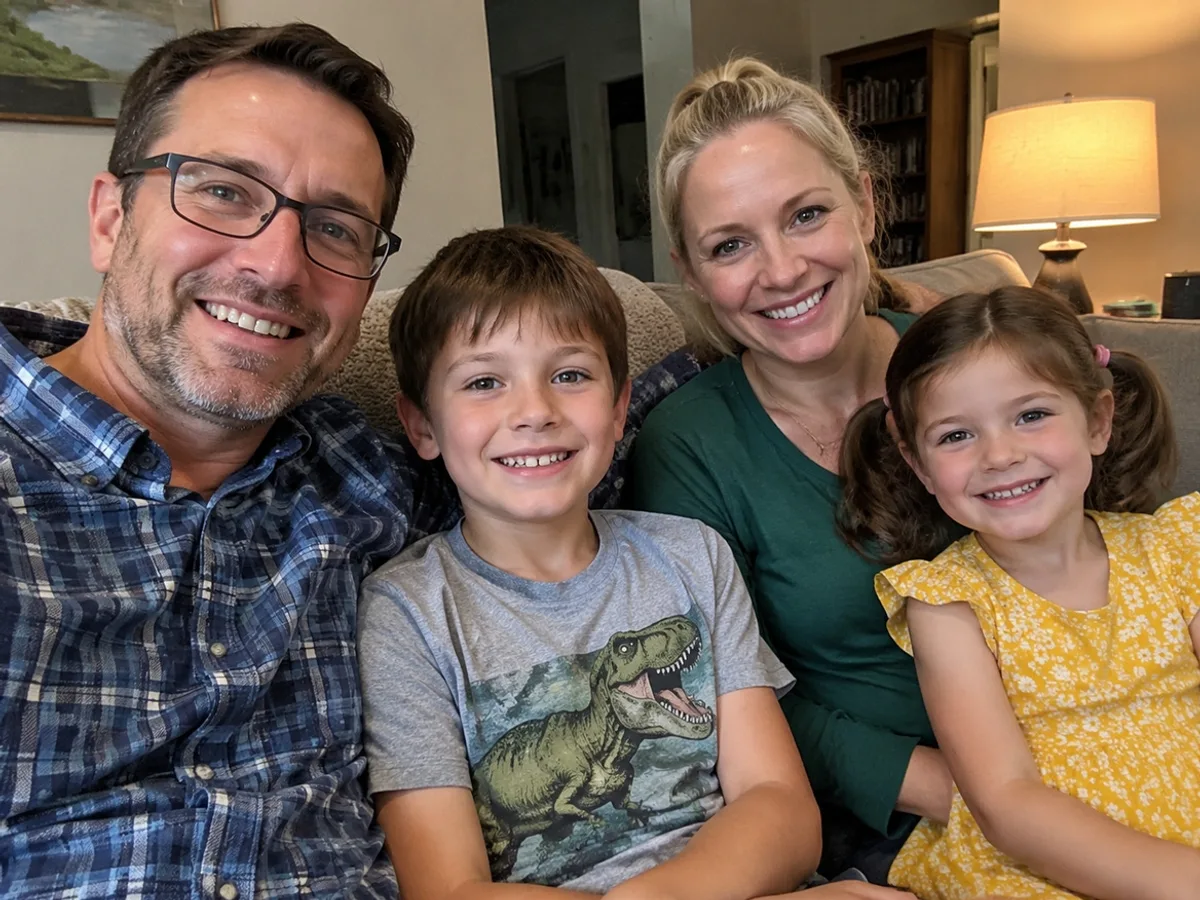
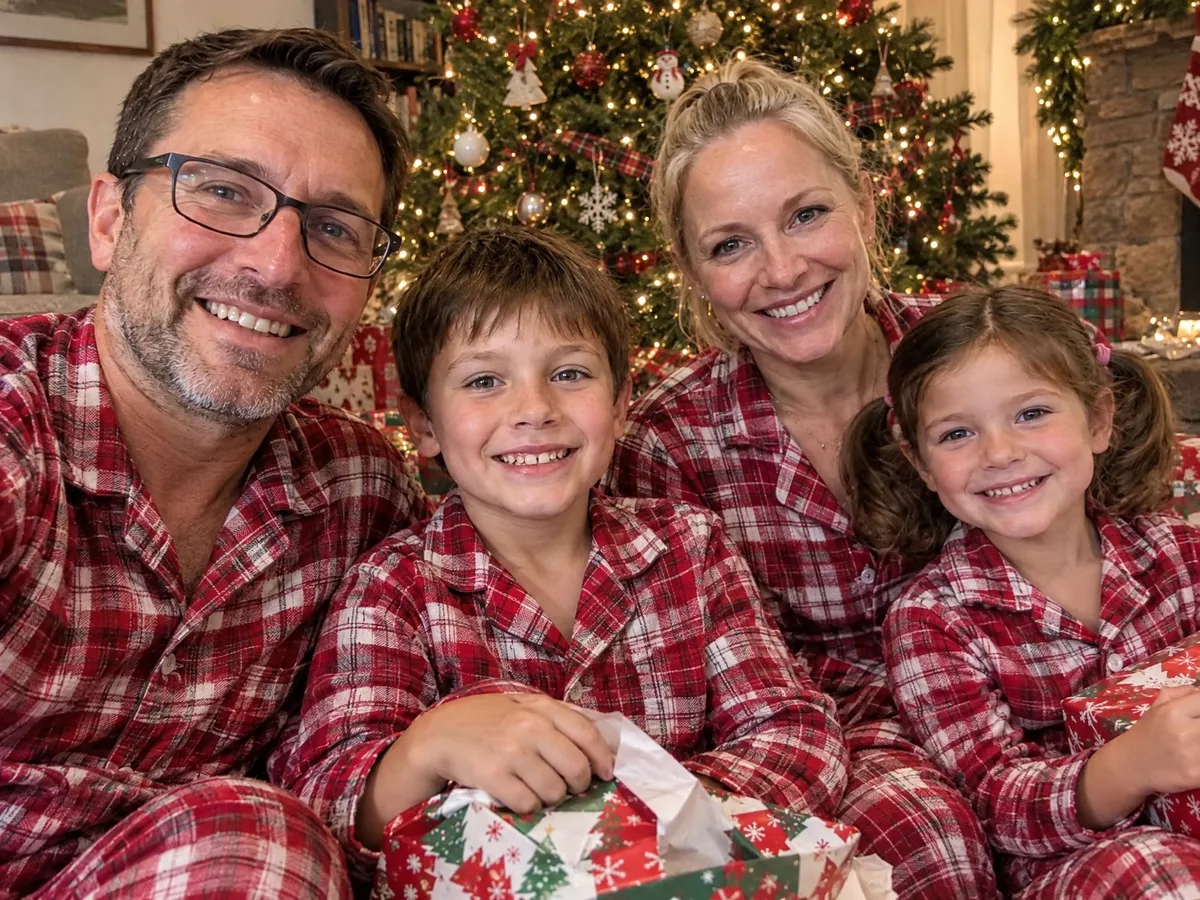
A family of four on their sofa on an autumn evening, the kind of photo everyone already has on their phone. With the matching pyjamas scene it became a Christmas morning photo by the tree, presents being opened.
The four of them stay in the order they sat in, at the same selfie distance, with the same smiles, the father’s glasses and the girl’s pigtails. That is the point of starting from your own photo: it still looks like your family taking a selfie, not models in a catalogue.
Scene in the editor
“Christmas morning in their living room, everyone in matching red-and-white plaid pyjamas, sitting on the floor by a decorated tree with opened presents, laughing”
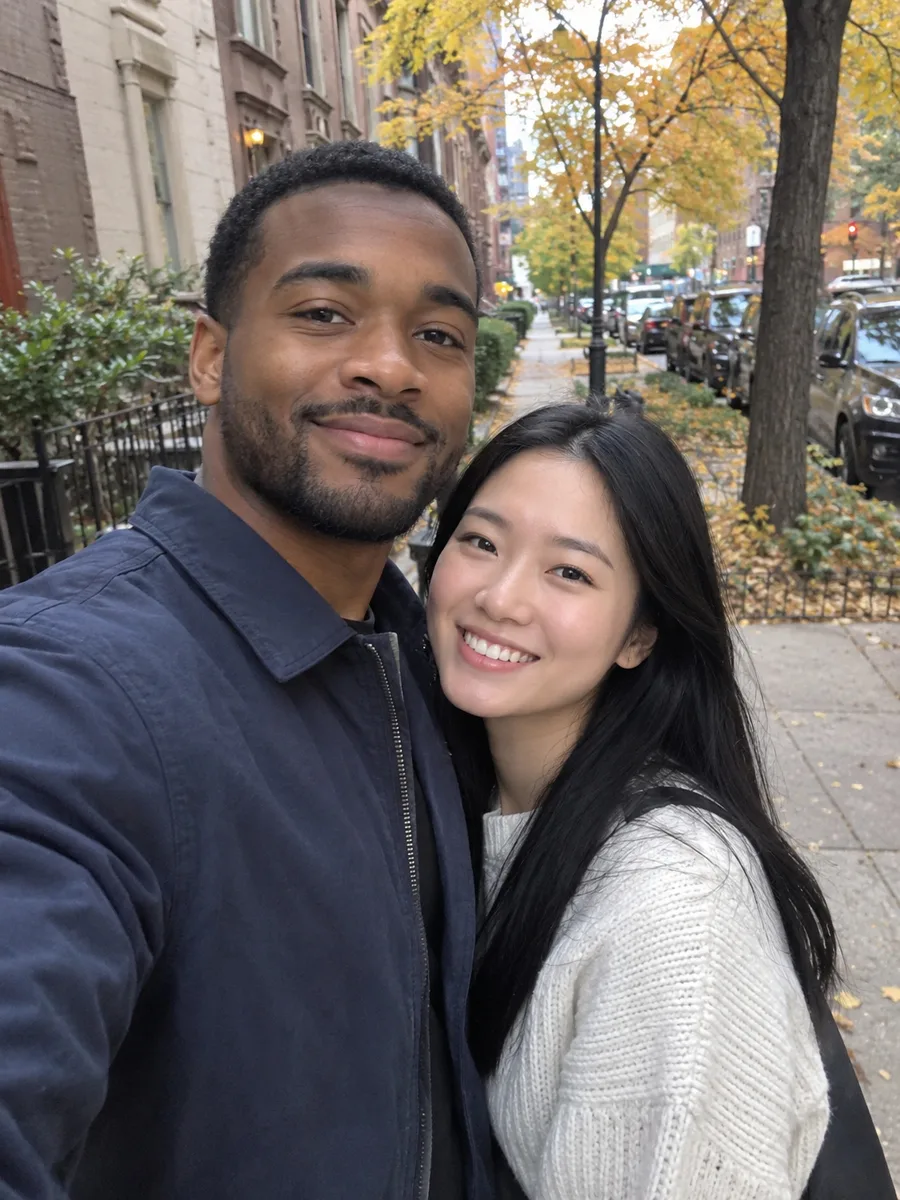
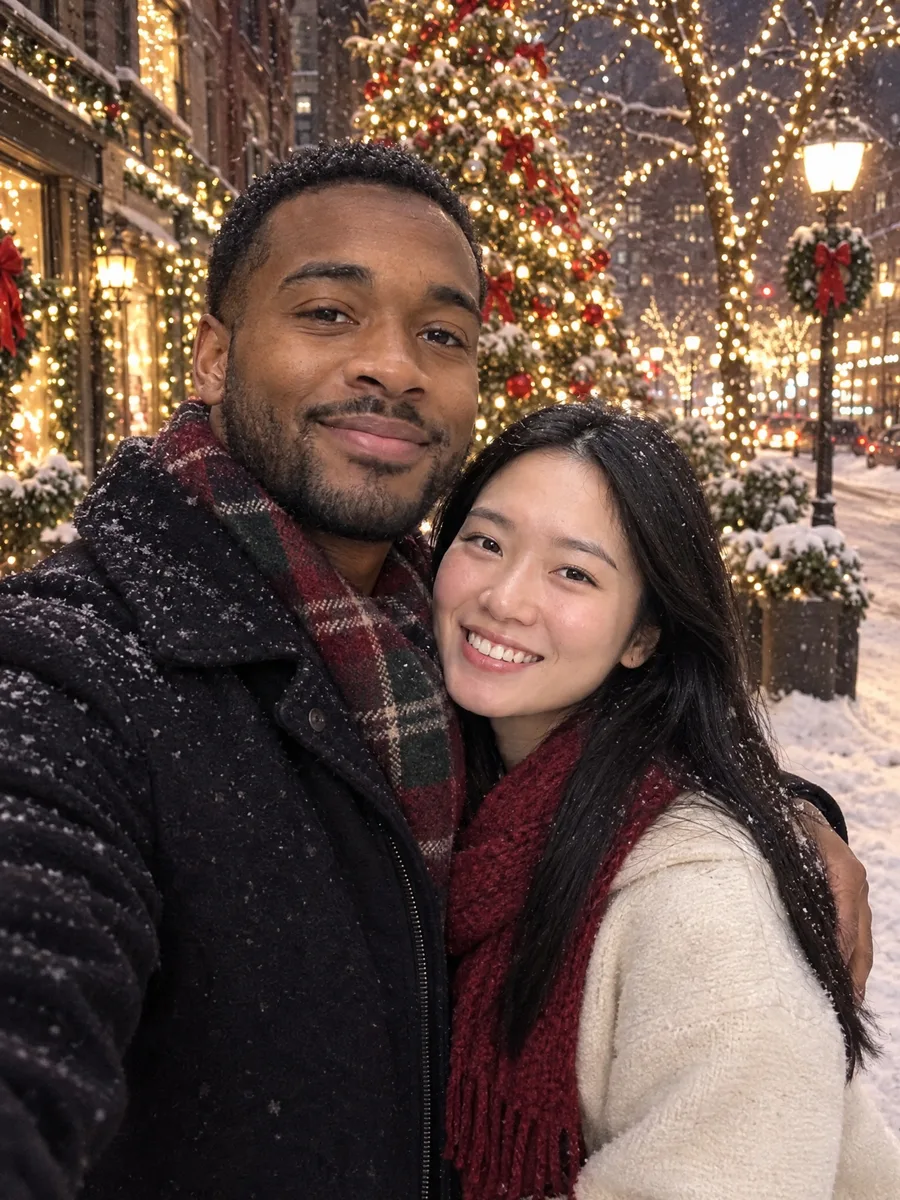
A couple’s selfie on a city sidewalk in October. The snowy evening scene kept their pose and the selfie angle and changed everything around it: snow on the coats, a lit tree and string lights down the street behind them.
Both faces are the ones from the original photo, including his beard line and her smile. The light on them is now the warm street light of the new scene, which is what keeps it from looking like two people pasted onto a postcard.
Scene in the editor
“outdoors on a snowy evening street with Christmas lights and a big decorated tree behind them, in winter coats and scarves, smiling at the camera”

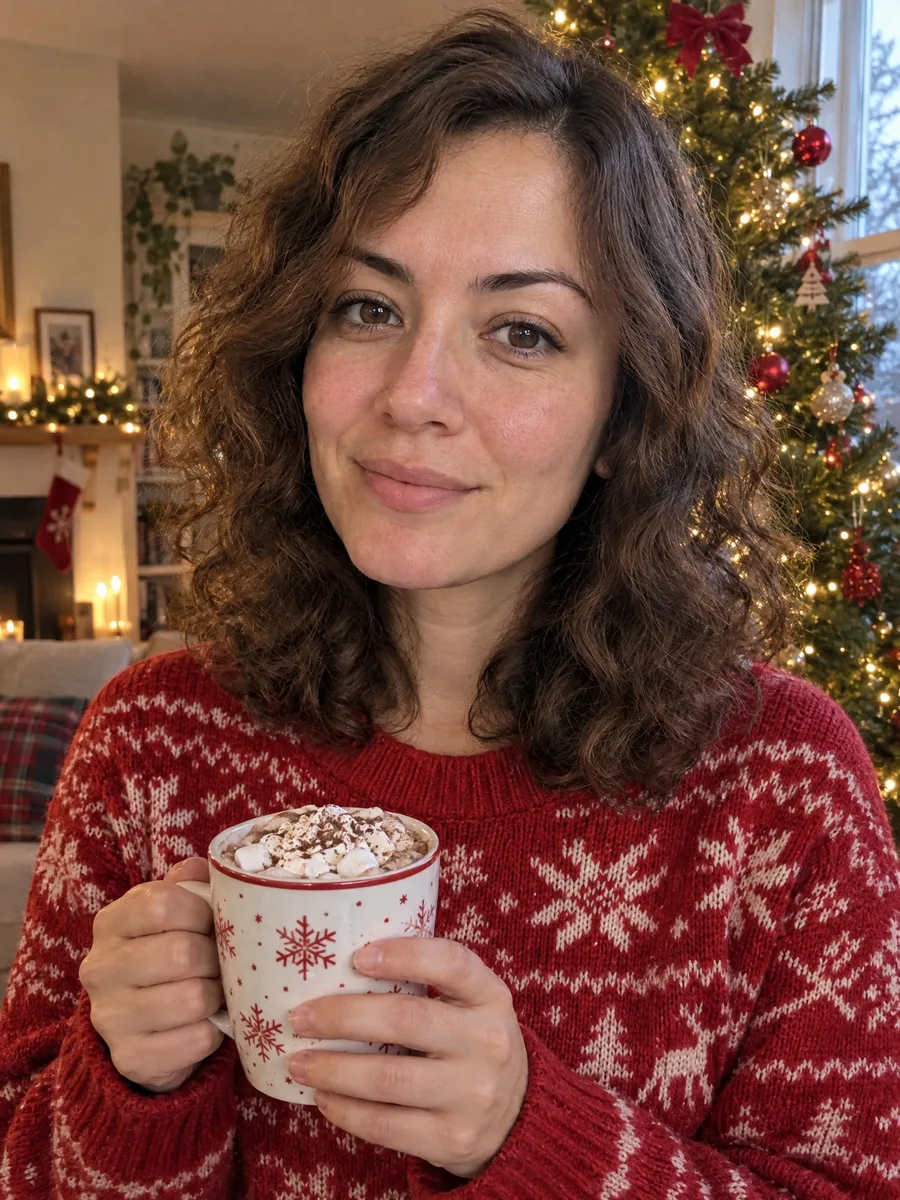
A woman in a grey hoodie at her kitchen table, shot at arm’s length. With the hot chocolate scene she stands by a decorated tree in a red knitted sweater, mug in hand.
Her curls, face and expression are the same as in the selfie, and the result still has the soft grain of a phone photo rather than a glossy studio finish. One selfie is enough for a Christmas profile picture or a card for friends.
Scene in the editor
“standing in front of a decorated Christmas tree in a cosy living room, wearing a red knitted Christmas sweater and holding a mug of hot chocolate, smiling at the camera”
sparkpix.ai AI Christmas Photo is a browser-based AI Christmas photo generator that starts from your own photo. You upload a photo, or one photo per family member, pick a Christmas scene, and in one to two minutes you get a new photo of the same people in that scene, with their faces kept and the light, clothes and setting changed to match. Each photo costs 10 credits, under $0.30 on the $9.99 pack. It does not add greeting text, and it is not for photos of public figures or of people who have not agreed to it.
| From your photo (here) | Text-to-image generators | Studio Christmas session | Card template apps | |
|---|---|---|---|---|
| Starts from a photo you already have | Yes | No, it invents people from a prompt | No, you book a shoot | Yes, pasted into a frame |
| The faces are really yours | Yes, kept from your photo | Not reliably | Yes | Yes |
| Family members who live apart | One photo each, one picture | No | Everyone has to be there | Side-by-side collage |
| Scene, clothes and light change to match | Yes | Yes | Yes | No |
| Time | 1 to 2 minutes | Seconds to minutes | A booking, a session, days of edits | Minutes |
| Cost | 10 credits, under $0.30 a photo | Often free tiers | A paid session | Often free |
An AI Christmas photo needs one thing from you: a photo where the faces are clear. The scene, the outfits and the light are done for you.
One photo of you, your partner or your family. To put people photographed apart into one picture, upload one photo per person or group, up to five.
Choose a scene chip, such as the tree, matching pyjamas or a snowy street, or write your own in one line. You only describe the scene and the clothes; keeping the faces is built in.
The photo is ready in one to two minutes. Everyone keeps their face, hair and age; the clothes, pose and setting change to fit the scene.
Download the full-size image for a card, a profile picture or a post. Run it again with another scene if you want a choice.
Grown children in other cities, grandparents who cannot travel, a partner working over the holidays: the family Christmas photo is the one most often missing someone. Upload one photo of each person or couple, up to five photos, and the tool puts everyone into one Christmas photo.
Every person keeps the face from their own photo, and all of them are lit by the same light at the right size for where they stand, so it reads as one photo taken in one room rather than a collage. Say how you want them arranged, for example “grandparents seated in the middle, grandchildren in front”, or leave it to the AI.
One clear photo per person or couple; a photo with two people counts as both
Up to five photos in one go
Old or black-and-white photos work and come out in natural colour
Anything from a selfie to a work headshot; the body and clothes are completed
These are the scenes in the editor, and the Christmas photo ideas people ask for most. Each one works from a single photo or from several photos combined.
The classic family Christmas morning photo: everyone in the same plaid pyjamas by the tree, presents half-opened. Works from any family photo, even one taken in summer.
The traditional card photo: parents behind the kids, knitted sweaters, stockings on the mantel. The most common choice when family members are combined from separate photos.
Winter coats, scarves, snow falling and string lights behind you. Good for couples and for anyone whose real December has no snow.
Wooden stalls, warm lights and a cup of hot chocolate. A city-break look without the trip.
A single-person portrait for a Christmas profile picture: red sweater, mug in hand, tree lights behind.
Write it in one line: "at a ski lodge with a fire behind us", "on the beach in Santa hats" for a southern-hemisphere Christmas, "baking cookies in the kitchen".
This is the exact prompt the tool sends for the tree scene. Paste it into ChatGPT or Gemini with your photo attached, or use the tool above, which applies it for you. To change the scene, replace the part after the colon in the first sentence.
Turn this photo into a Christmas photo of the same people: in a cosy living room in front of a decorated Christmas tree with warm string lights, everyone close together and smiling at the camera. Keep exactly the same people, no more and no fewer. Each person's face, hair, skin tone, body shape, age and identity stay identical to the original so they are clearly recognisable; only their clothing, pose and the setting may change to fit the scene. Everyone is fully and modestly dressed in festive, family-friendly clothing; the mood is warm and wholesome, with no intimate or suggestive content. The result must look like a real, unedited photo taken on a phone or camera: natural skin texture, real light and slight grain, not a glossy studio render, illustration or 3D image. Do not add any text, logos or watermarks.
Images 1 to 3 show people who were photographed separately. Create one new Christmas photo of everyone from all 3 images together: in a cosy living room in front of a decorated Christmas tree with warm string lights, everyone close together and smiling at the camera. Include every person from every image exactly once and no one else: do not merge, duplicate, replace or leave out anyone. Keep each person's face, hair, skin tone, body shape, age and identity identical to their own photo so they are clearly recognisable; only clothing and pose may change to fit the scene. If a photo is old, faded, black-and-white or low resolution, render that person in natural colour at the same quality as the others, keeping their face exactly. Light everyone with the same light sources and colour temperature, with consistent shadows, perspective, focus and scale, so it looks like one photo taken at one moment, not a collage. Everyone is fully and modestly dressed in festive, family-friendly clothing; the mood is warm and wholesome, with no intimate or suggestive content. The result must look like a real, unedited photo taken on a phone or camera: natural skin texture, real light and slight grain, not a glossy studio render, illustration or 3D image. Do not add any text, logos or watermarks.
The sentences after the scene are what keep the faces and the real-photo look. If you write your own prompt, keep them: without them, a model is free to restyle the people along with the room.
Sharp, evenly lit and not covered by sunglasses or a hand. If a face is only a few pixels wide in a group shot, the AI has too little to keep it and will partly invent it.
For family members who live apart, upload a separate photo of each person or couple. A photo with two people in it counts as both of them; nobody is dropped.
In a combined photo, write the arrangement: "the grandparents seated, the kids in front, the parents behind". Otherwise the AI picks a natural group pose itself.
Everyday family scenes (the tree, pyjamas, sweaters) give the most natural results with kids. Every scene here keeps everyone fully dressed in festive clothes.
Each run gives a slightly different pose and room. Two runs and choosing the better one is quicker than writing a longer scene.
Compare the result with your originals before ordering cards. If someone looks off, run it again; it is the one thing worth checking.
Christmas cards and family photos from pictures you already have
Families who cannot all be in one place this year
Christmas profile pictures and posts from a single selfie
Couples, families, friends and grandparents, with their agreement
Celebrities, public figures, or anyone who has not agreed to it
Photos of other people’s children without their parents’ consent
Cards with printed greetings: the tool adds no text, so add it in your card app
Group shots where faces are only a few pixels wide: the AI would have to invent them
Upload a photo of yourself or your family, pick a Christmas scene such as the tree, matching pyjamas or a snowy street, and generate. In one to two minutes you get a new photo with the same faces in the Christmas scene. You do not need to write a prompt or use Photoshop.
Not entirely. Each Christmas photo costs 10 credits. New accounts get 5 free credits, which covers our 5-credit tools but not a Christmas photo. The $9.99 pack has 350 credits, enough for 35 Christmas photos, and results have no watermark.
Yes. Upload one photo of each person or couple, up to five photos, and pick a scene. The AI puts everyone into one Christmas photo with the same light and scale, keeping each face from its own photo. It is the easiest way to get a family card when you cannot all be together.
It is instructed to keep each person’s face, hair, skin tone and age exactly as in your photo and to change only clothes, pose and setting. It works best with clear photos. Compare the result with your originals, and run it again if anyone looks different.
Yes. Family photos with children work, and every scene keeps everyone fully dressed in festive, family-friendly clothes. If the image model refuses a photo, the job is retried on a second model automatically, and the credits are refunded if that fails too.
The prompt this tool uses is published in full on this page, in a one-photo and a several-photos version. Paste it into ChatGPT or Gemini with your photo attached, or use the tool here, which applies it for you and only asks for the scene.
Yes, both can edit your photo into a Christmas scene with a good prompt, and the one on this page is free to copy. The difference here is that the face-keeping and real-photo rules are built in, several photos can be combined into one, and you choose a scene instead of writing the prompt.
Yes. Results are about 2,048 pixels on the long side, which prints sharply at 4×6 and 5×7 inches. For 8×10 or larger, run it through the print upscaler first. The tool does not add greeting text; add your message in your card app or print shop.
Upscale for printingYes, on its own page: upload a photo of your living room or front door and Santa is added leaving presents, caught on a security camera or walking up to the door.
Add Santa to a photoYes. It works the same way, with a photo of them as one of the uploads. Old or faded prints are rendered in natural colour. The memorial photo page covers this case, including which photos work best.
Add a loved one who passed awayUploaded photos are deleted within 3 days. The Christmas photos you create are saved to your account so you can download them again, and you can delete them from your history at any time.
One photo, or one per family member, and a scene. Your faces, a Christmas setting, ready for the card in a couple of minutes.
1 to 2 minutes
No watermark
Catch Santa leaving presents in your own living room.
Add someone who missed the photo, any time of year.
Include someone who has passed away, with care.
Add snow, Santa hats or decorations to a photo as it is.
Change only the clothes and keep everything else.
Make a result big enough for 8×10 cards and posters.
Add, remove and change anything in a photo by describing it.
Take out tourists, strangers, or anyone you don’t want.
Clear text, watermarks, emojis, and date stamps.
Erase clutter, power lines, fences, reflections, shadows.
Describe any change in words, or draw over the area to edit.
Add a missing friend, a late relative, or your younger self.