
FREE
Loading…
A free AI dating photo generator that works from the photo you already have — pick a look, get it back in about 30-60 seconds, and still look like yourself.
Upload, then check the instruction below — you can edit it before generating.
Warm, soft, outdoors. The safe default and the one most profiles want.
Result
Your result will appear here
Upload a photo and click the button to start processing
Six photos nobody would put on a profile — a face lost in backlight, flash-lit at midnight, a bathroom mirror with the phone in it, a crop out of a party group shot, a blown-out bar photo, and a gym mirror under strip lighting. Each one was the only input, and between them they cover every look in the dropdown. Watch what survives: the round glasses, the sweatshirt print, the septum ring, the bleached roots, the sleeve tattoo. That is the whole claim.
Shot straight into a low sun, so the face is in shadow and everything behind it is white. Traffic, signs and the blown sky are replaced with open green; the curls, the wire glasses and the denim jacket come through as they were.
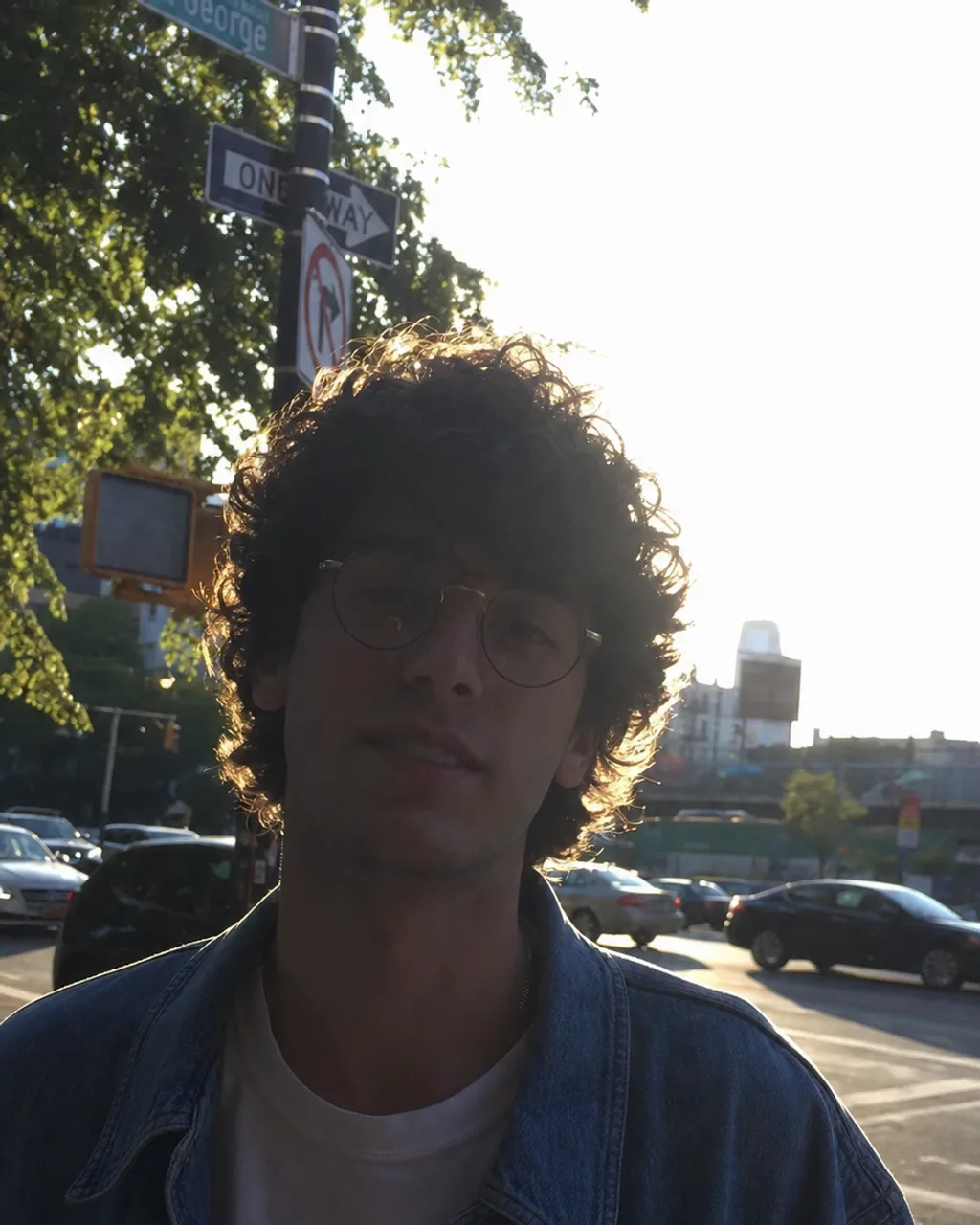 Before
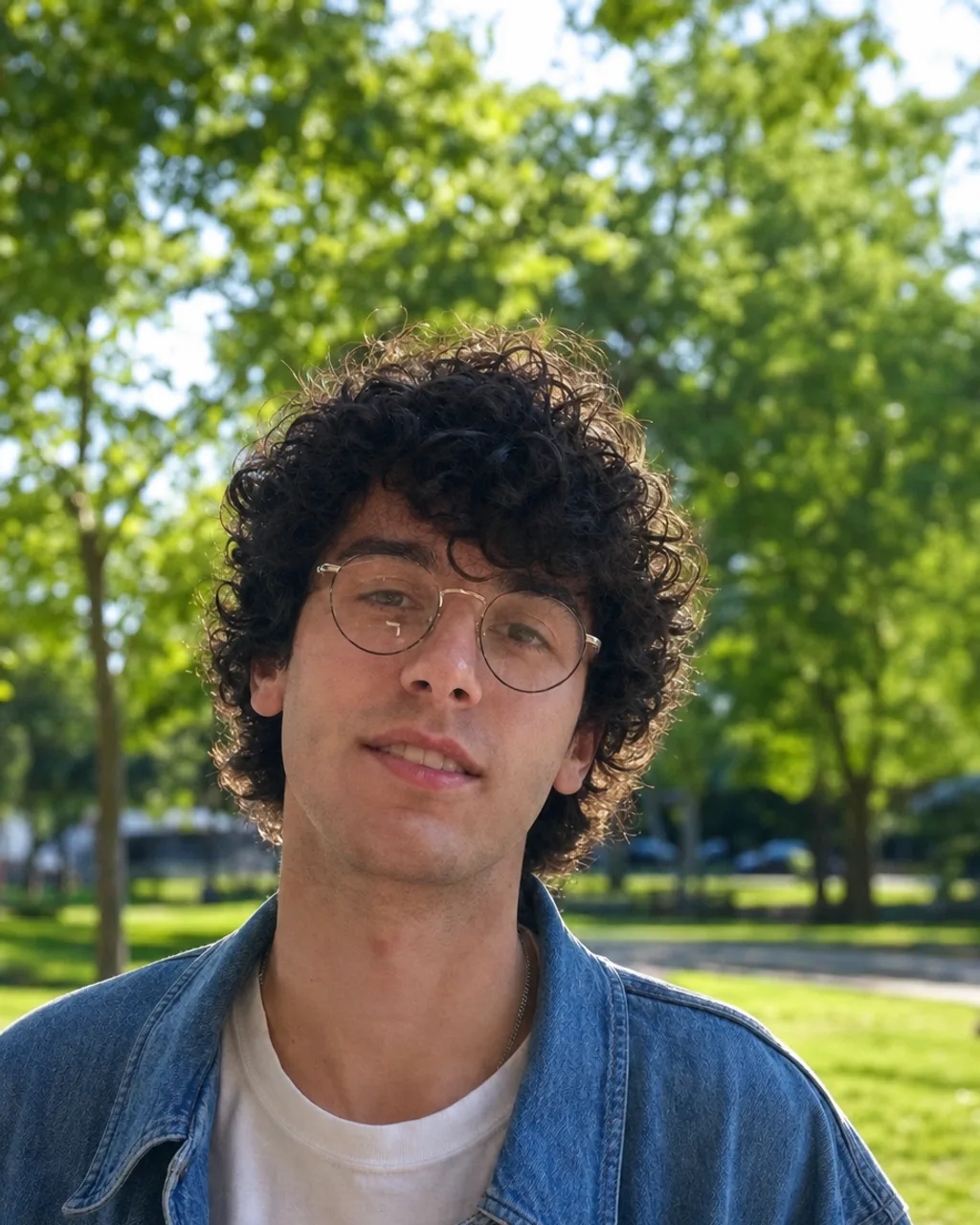 AI Result
Direct phone flash, flattened face, cluttered bedroom wall behind. The light is replaced rather than corrected, so the hard shadow under the nose goes with it. Same t-shirt, same stubble, same face.
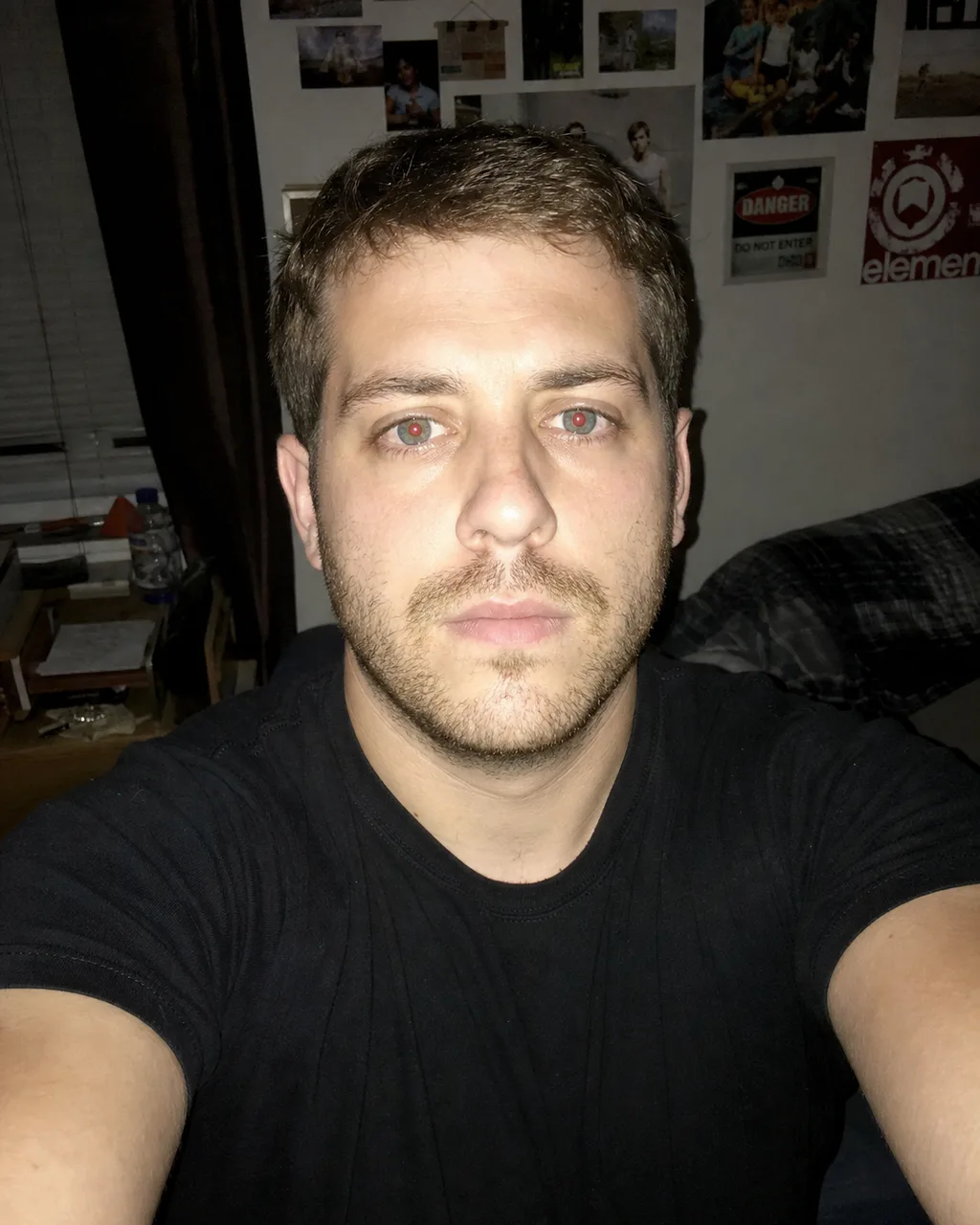 Before
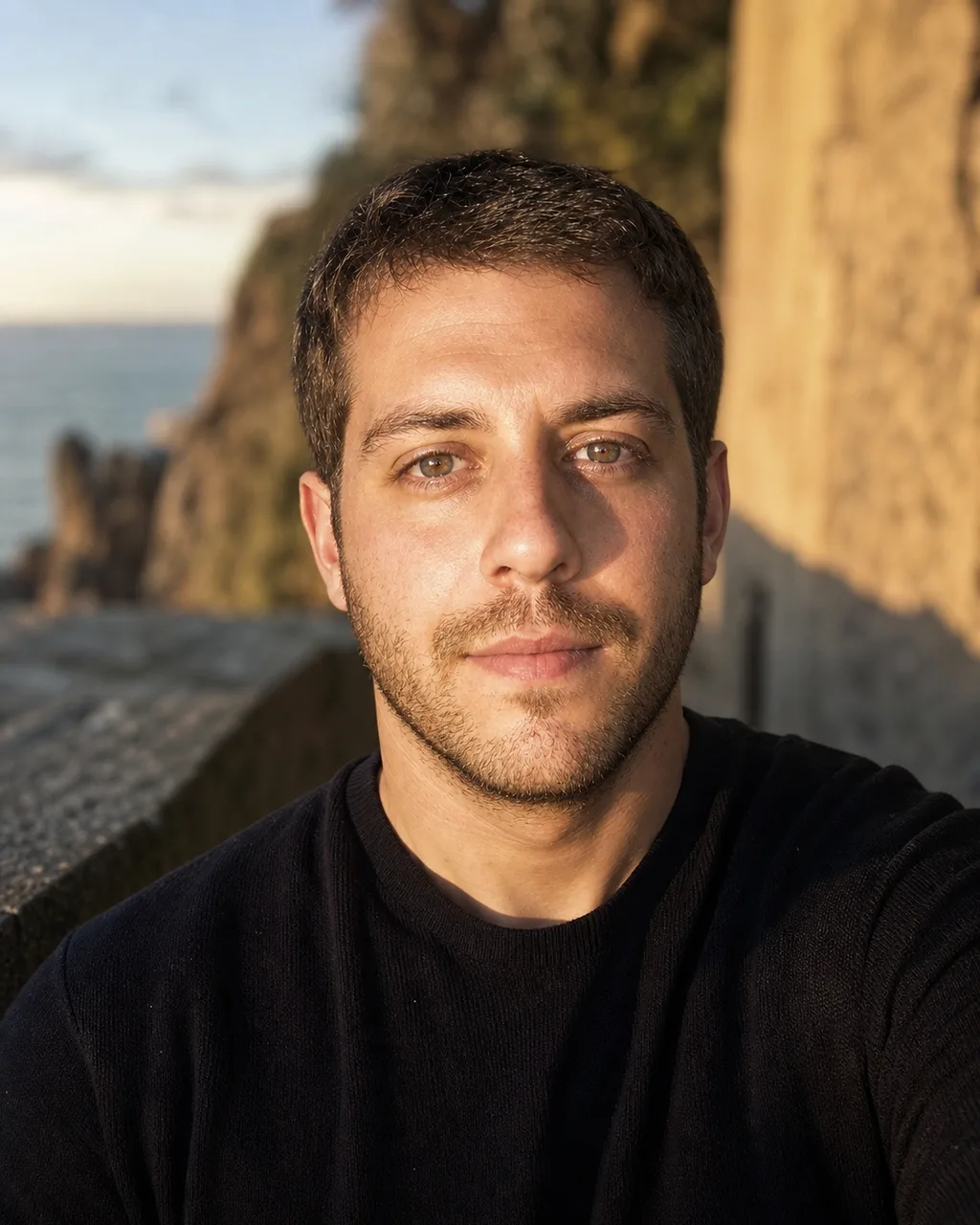 AI Result
The most common photo people actually have, and the one dating advice tells everyone to delete. The phone and the tiled wall are gone; the grey sweatshirt, including the print across it, is untouched.
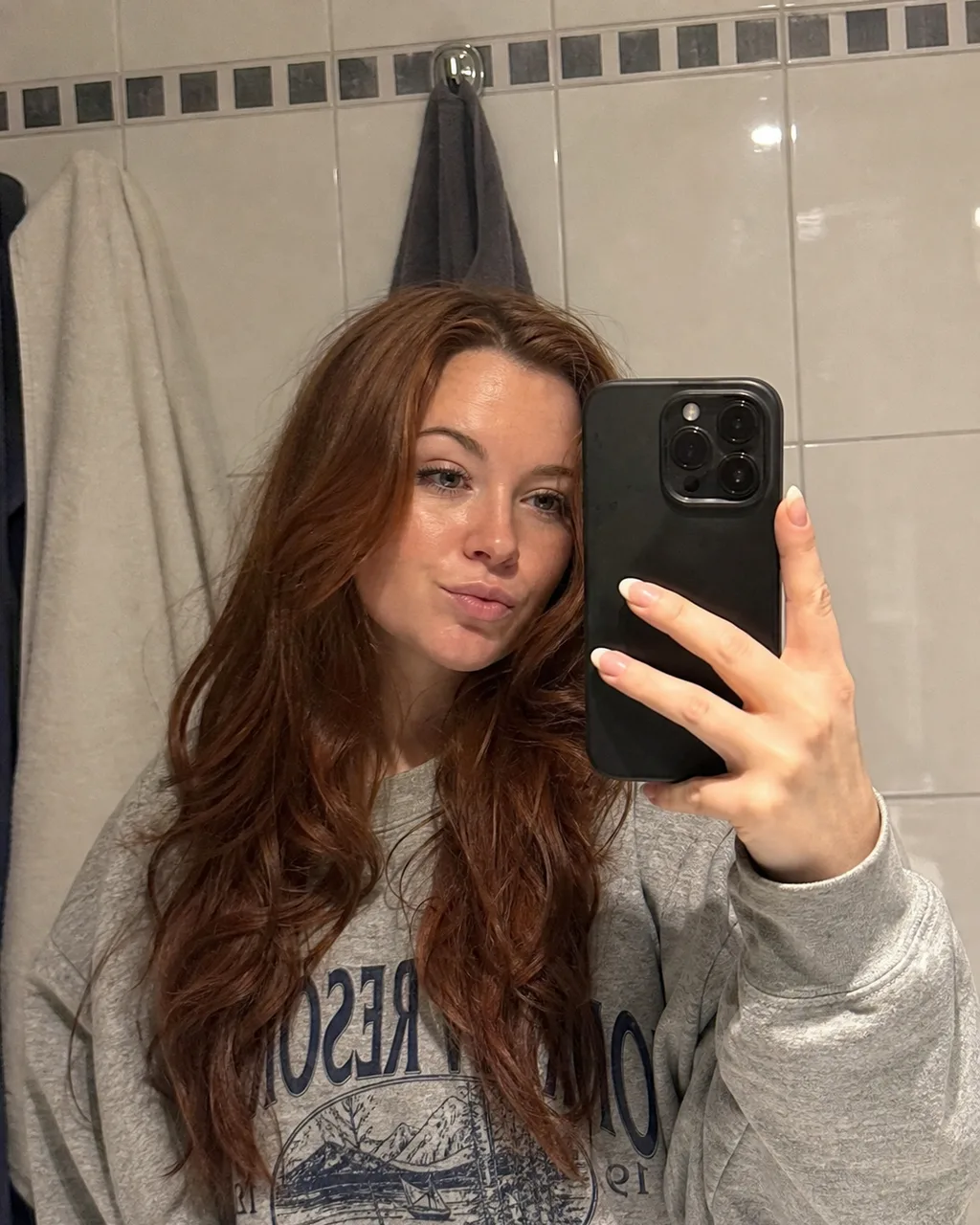 Before
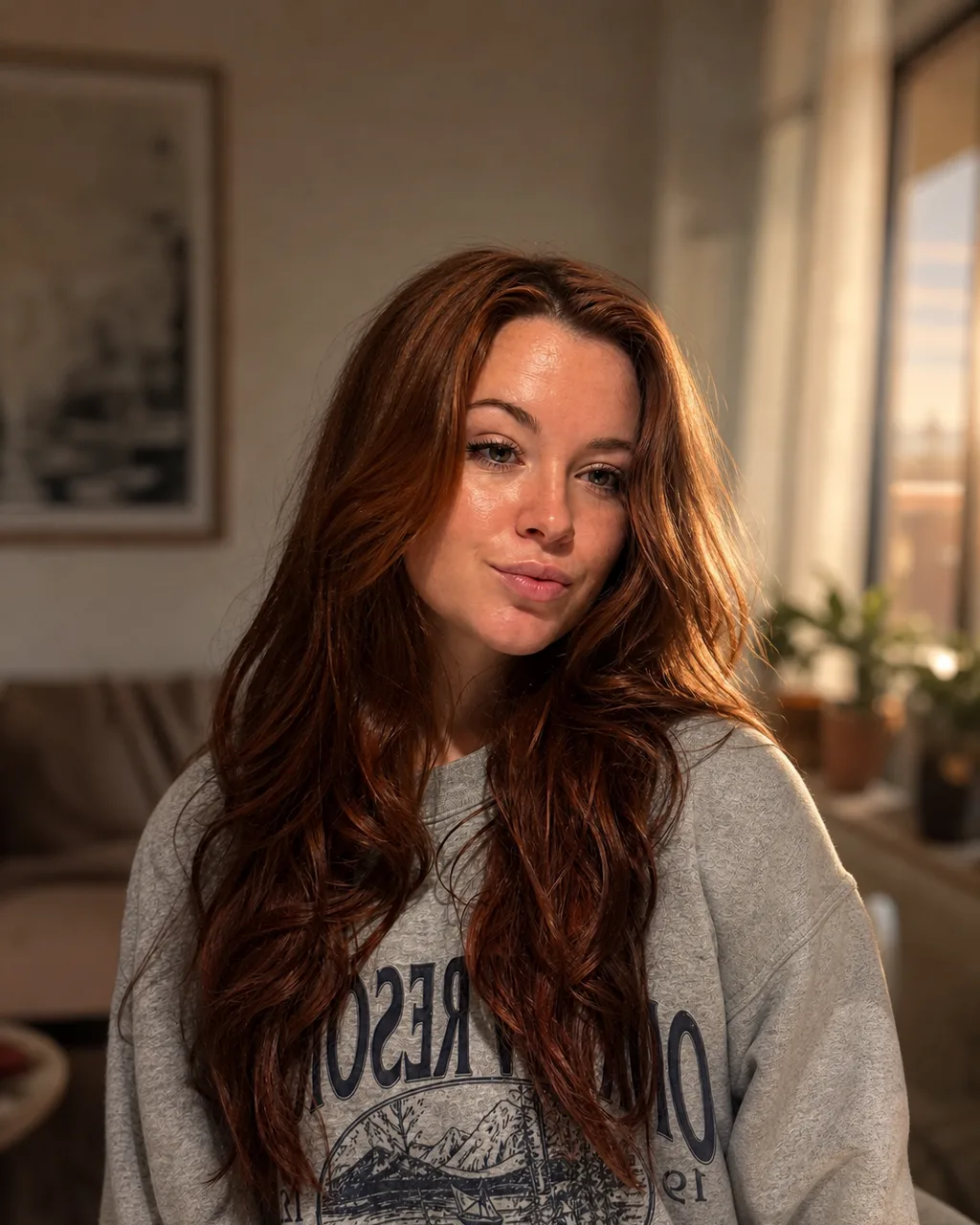 AI Result
Other people's shoulders at both edges and coloured party lighting across his face. Strangers go with the background — there is nothing to mask out by hand first — and the checked shirt and the smile come through unchanged.
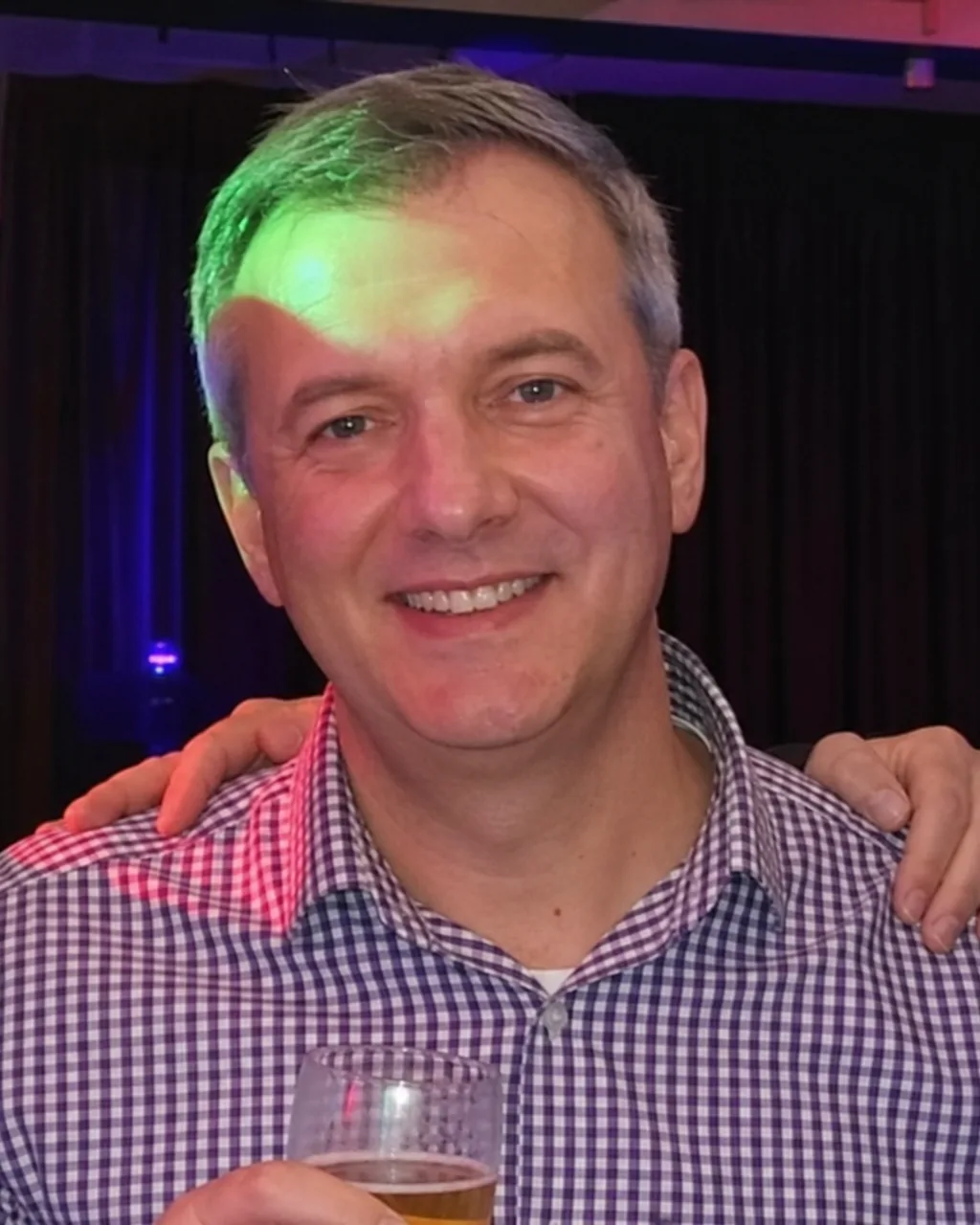 Before
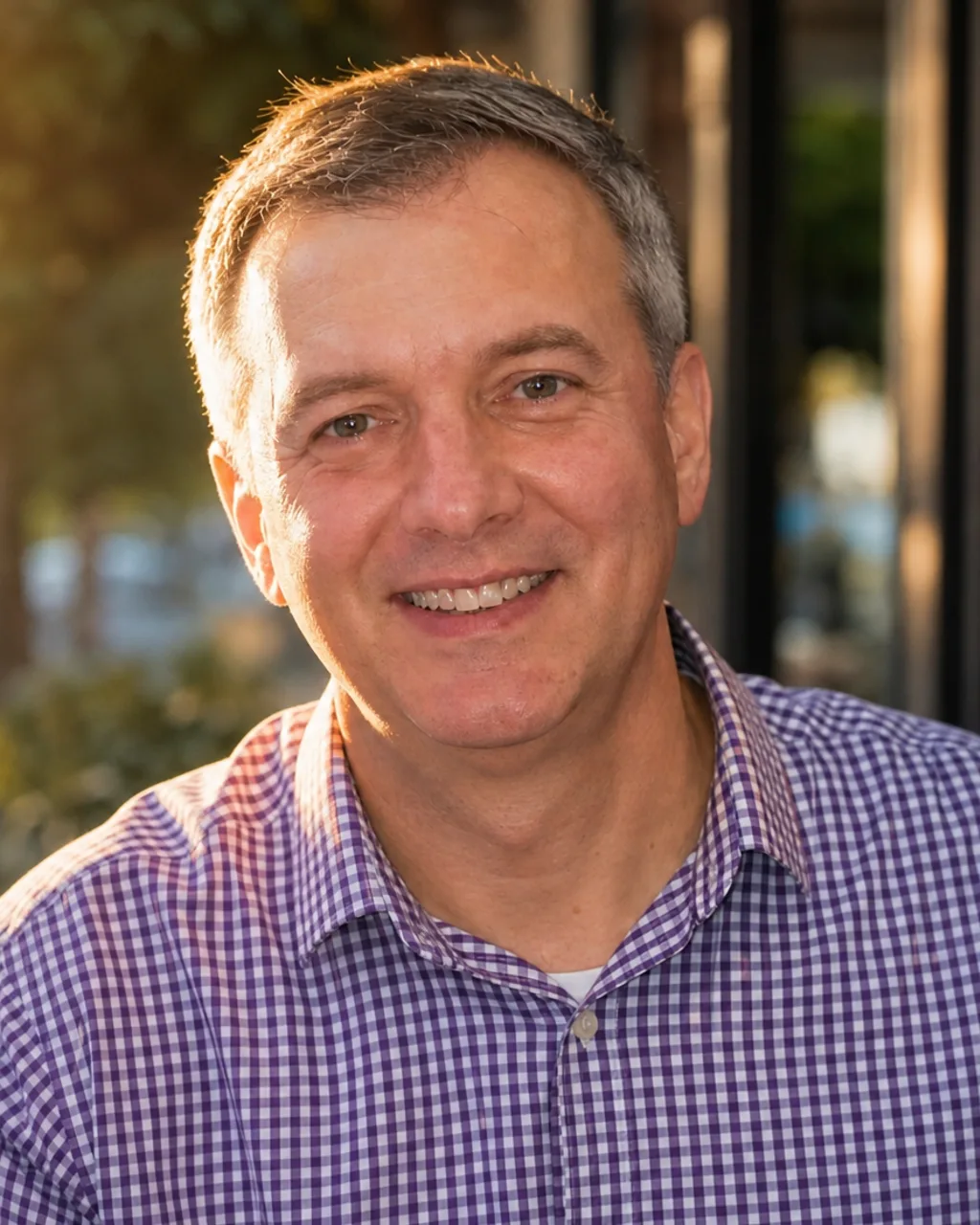 AI Result
Magenta LED strips flaring across one side of her face, crowd behind, motion blur. The neon does not get corrected away — it is thrown out of focus and kept as colour. Septum ring, nose stud and bleached roots all unchanged.
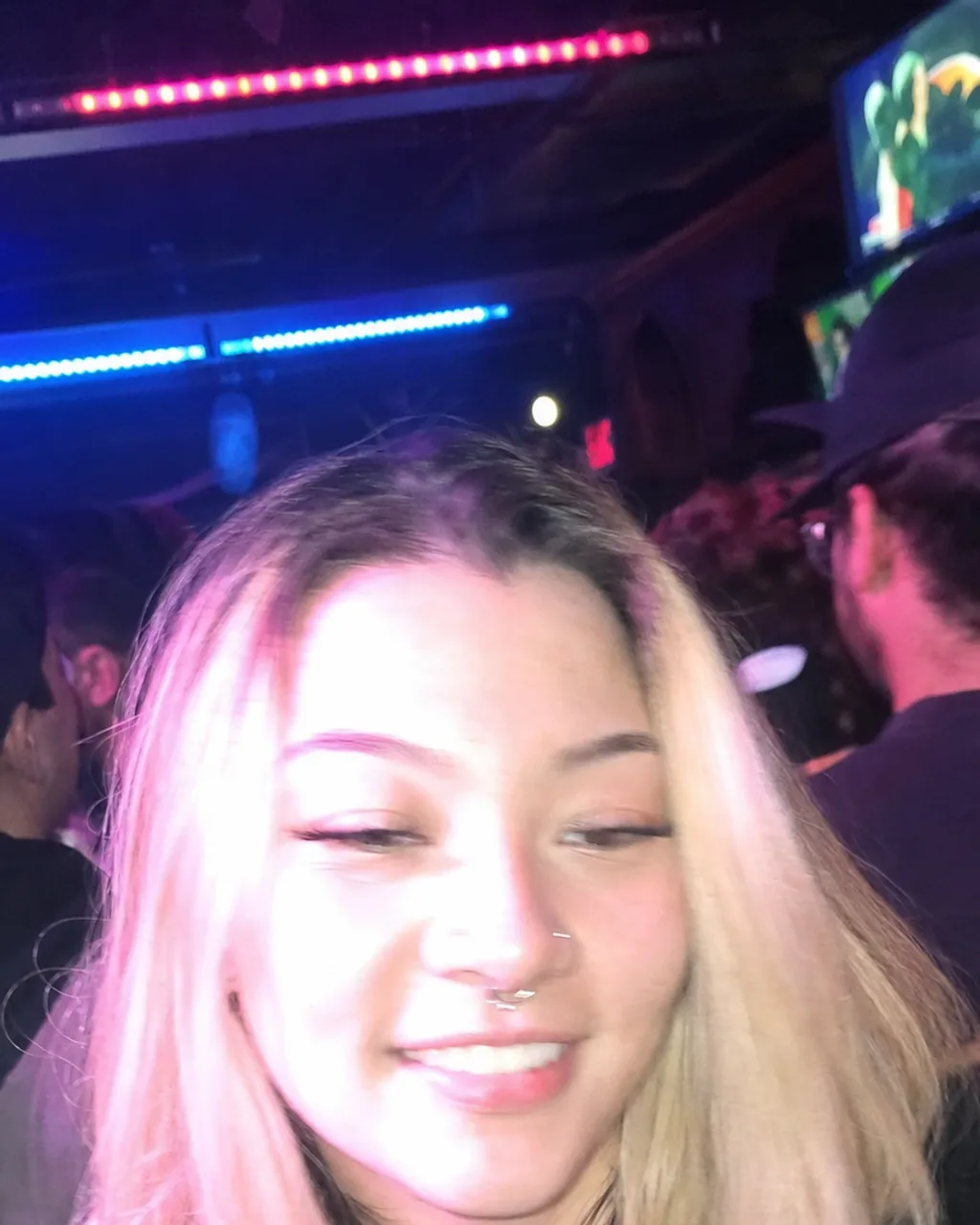 Before
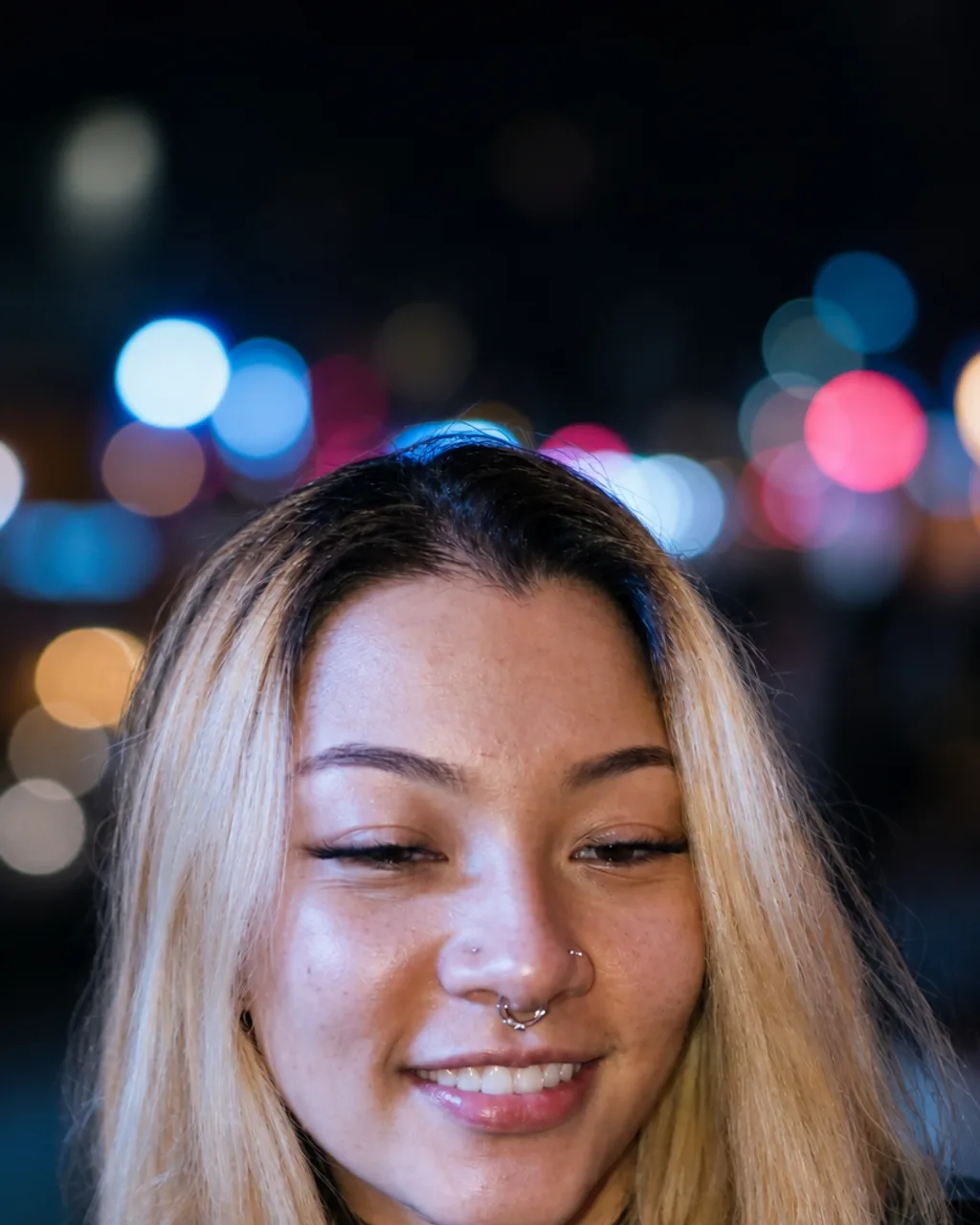 AI Result
Flat overhead fluorescent, racks and mirrors filling the frame. Hard side light and deep blacks instead, which is what black and white is for on this kind of photo — the sleeve tattoo and the chest piece read properly for the first time.
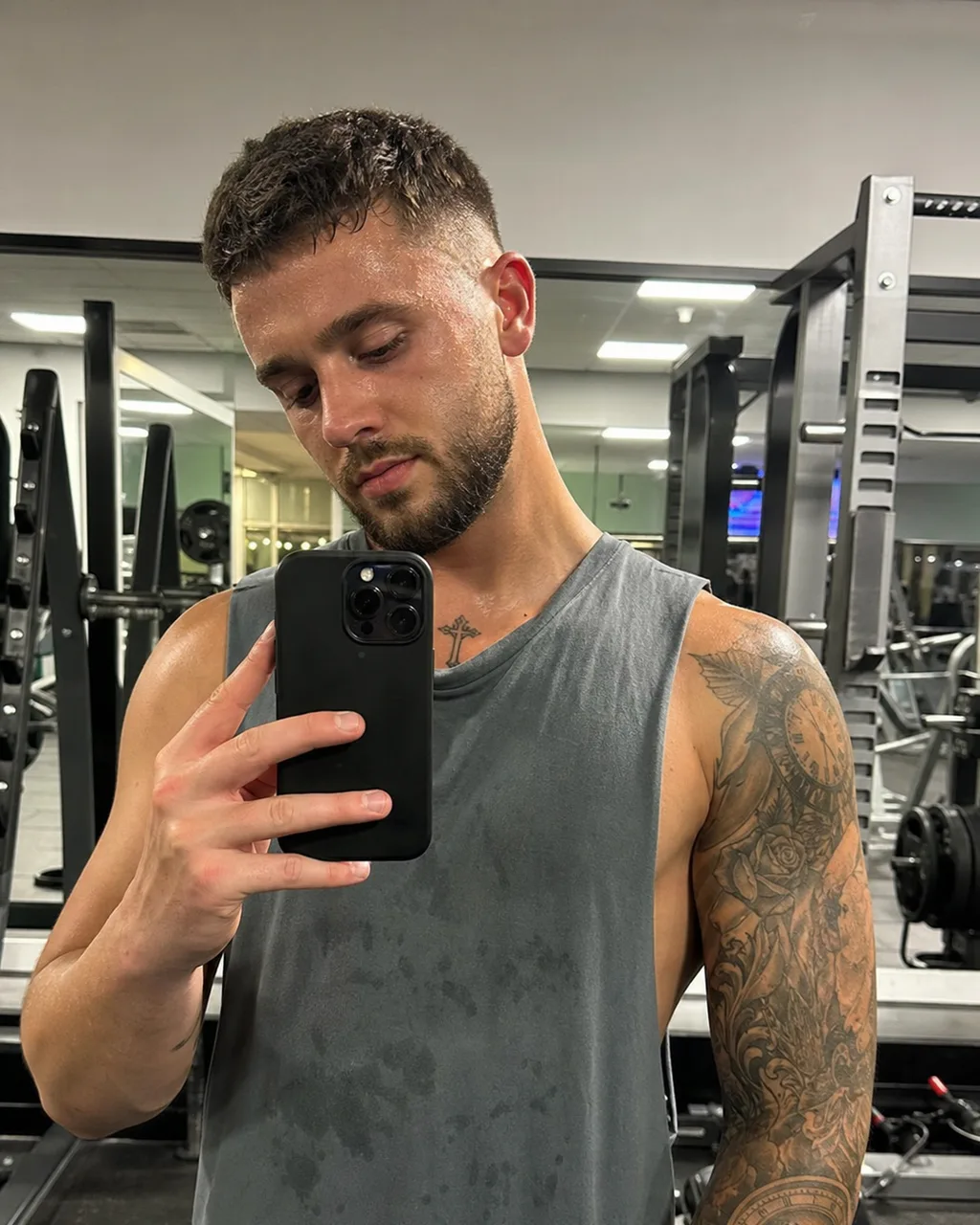 Before
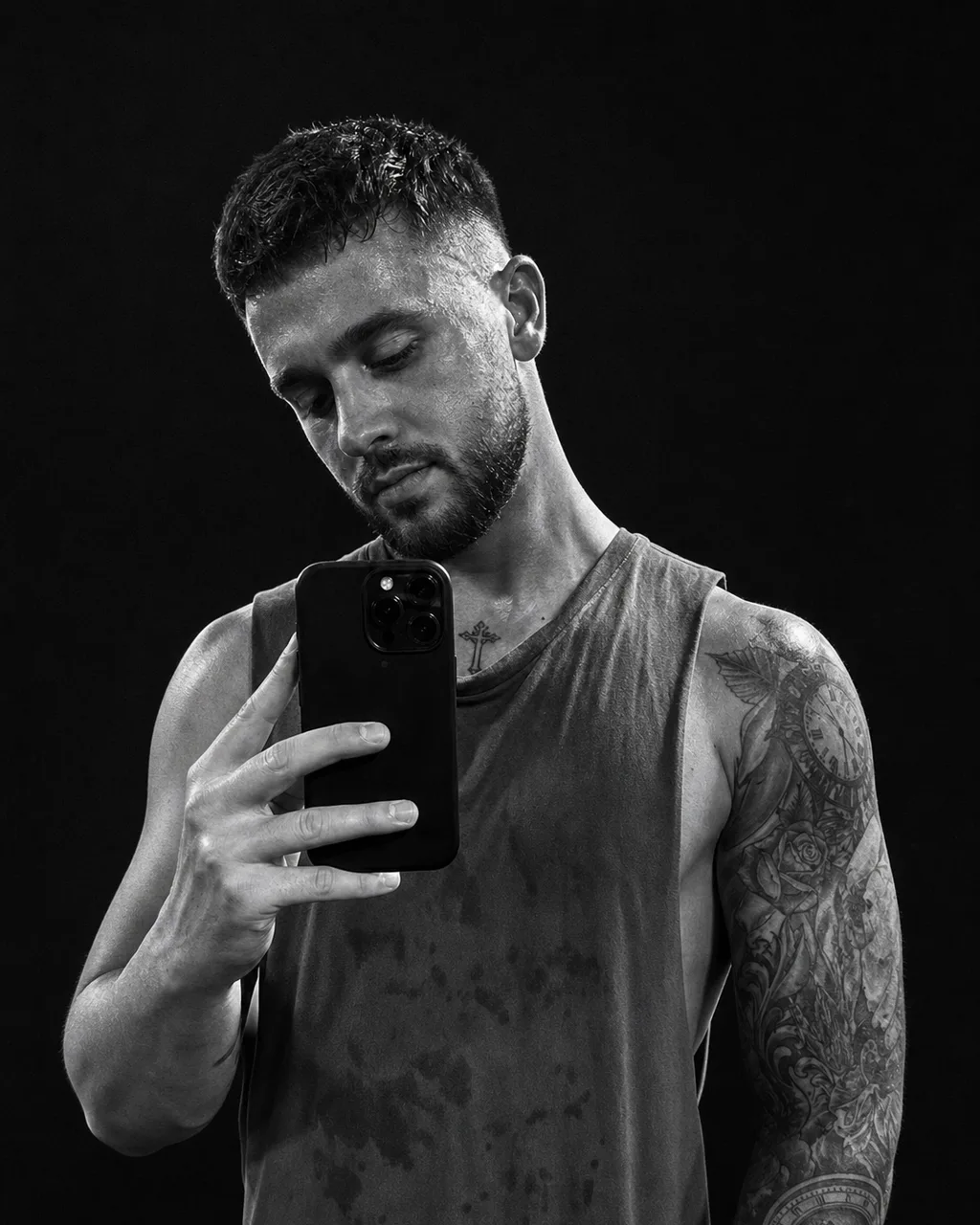 AI Result
sparkpix.ai is an AI dating profile photo generator that works from a single ordinary selfie. It relights the photo you already have, replaces the background and cleans up the framing, and returns it in about 30-60 seconds. It does not ask for 10-20 photos and it does not train a model on your face first, which is what the alternatives spend their upload step and their waiting time on. Skin texture, pores and facial asymmetry are preserved deliberately — the result is meant to look like you photographed well, not like a different, smoother person.
Photos, not bios. If you searched for an AI dating profile generator wanting your bio written, this is not that — it generates the picture, not the text. The photo is the part that decides whether anyone reads the bio at all, so it is worth doing first either way.
photo needed
per photo
training wait
credits per photo
The three ways people get a dating photo that is not a raw phone snap, and what each actually costs you in photos, time and money.
| sparkpix.ai | Training-pack apps | A photographer | |
|---|---|---|---|
| Photos you upload | 1 | 10-20 selfies | None — you show up |
| Wait | 30-60 seconds | 15 minutes to a few hours | Days to book, days to edit |
| Cost | About $0.14 a photo | Typically $20-50 a pack | $150-500 a session |
| Looks like you | Your photo, relit | Depends on the training set | Yes, it is you |
| Can invent new poses | No — it edits what you shot | Yes, that is what training buys | Yes, you can move |
| Good for | The photo you already have | A varied set from scratch | The one photo that matters most |
Worth being straight about: if you want twenty varied shots in places you have never been, a training pack does something this cannot. This is for the case where you have one decent photo of yourself and it was taken in the wrong light.
Worth knowing from both sides. If you are checking someone else's profile, these are the tells. If you are making your own, these are the things that get a photo clocked in the first second — and the reason this tool edits your real photo instead of generating a new face.
The most reliable tell. Generated faces come out airbrushed — even skin tone, no visible pores, no fine lines, no stray marks. Real skin at portrait distance has texture everywhere.
Real faces are not symmetric. One eye sits slightly higher, the smile pulls further on one side, the nose leans. Generated faces average all of that away and land in an uncanny middle.
The classic failure zones. Count fingers, look at where an earring meets the lobe, check whether both ears match, look for teeth that merge into one band. These are still where generators break.
Logos on clothing, signage behind the subject, a book spine. Generated text resolves to letter-shaped marks that spell nothing. Zoom in on anything written in the frame.
A profile where all six photos share the same light, the same distance and the same expression came out of one batch. Real camera rolls are inconsistent — that inconsistency is what reads as real.
Railings that change direction, a doorway that does not line up, patterns that repeat wrongly. The face is what a generator spends its effort on; the two metres behind it is where the effort runs out.
Every one of those comes from generating a face rather than photographing one. Starting from your own selfie and changing only the light and the background leaves your pores, your asymmetry, your hands and your clothing exactly as the camera recorded them — which is why the examples above still have the septum ring, the sleeve tattoo and the crooked smile in them.
Taken at night, under a flash, or in a bathroom mirror. The composition is fine and the light is not. This is the case the tool is built for.
The only recent pictures of you have three other people in them. Crop yourself out, run it, and the strangers go with the background.
The trained-model look — poreless skin, symmetric face, someone else's jaw. Starting from your actual photo keeps the things that make it recognisably you.
Last updated:
JPG, PNG, or WebP up to 20 MB. Any casual selfie works — even bad indoor lighting.
Golden Hour, Night & Neon, Moody B&W or Bright Daylight. The instruction is shown in a box you can type over, so if none of the four is right you can describe the light and background you want instead.
Preview the photo and download in full resolution. Run again with a different prompt for profile variety.
Yes. The prompt does not assume a gender and the AI reads it from the photo. If the result skews wrong, add "male portrait" or "female portrait" to the instruction and run it again.
Most dating apps show 4-6, and a profile where every photo has the same light reads as a set — which is the fastest way to look AI-generated. Run the same selfie through two or three different looks (Golden Hour, Night & Neon, Moody B&W, Bright Daylight) rather than the same one repeatedly, and leave at least one untouched photo in the profile.
New accounts get 5 free credits — enough for three photos. Each generation costs 5 credits. No subscription required to try.
One. Not ten, not twenty. The tools that ask for 10-20 selfies are training a small model on your face before they can generate anything, which is why they also make you wait. This one edits the photo you give it, so a single ordinary selfie is the whole input.
No. There is no training step and no queue. The result comes back in roughly 30-60 seconds. The trade-off is real and worth stating: a trained model can put you in poses and places that were never in any photo of you, and this cannot. It relights, reframes and cleans up the photo you actually took.
That is the thing this is tuned for. Facial structure, skin texture, pores, moles and asymmetry are preserved on purpose — the failure mode of AI dating photos is a poreless, symmetrical face that reads as fake in the first second, and matches notice. If the result does not look like you, it has failed, not succeeded.
It depends entirely on what you change. Relighting a badly lit photo, removing a stranger from the background, or cropping yourself out of a group shot is the same thing a photographer does. Changing your face, body, age or hair is not, and it fails at the worst possible moment — when you meet. This tool is built for the first kind. Use a recent photo and let it look like you on a good day.
Yes, and those are two of the three examples below. A mirror selfie has the phone in frame and hard overhead light; a group crop has other people's shoulders at the edges. Both are removed along with the rest of the background. The requirement is simply that your face is visible and pointed roughly at the camera.
Most apps show 4-6 photos, and a profile where all of them are studio-perfect reads as staged. The usual advice from the apps themselves is one clear face photo, one full-body, one doing something you actually do, and one with friends. Use this for the first one — the photo that has to carry the first impression — and leave the others as they are.
Look for skin with no pores, a face that is unusually symmetric, hands and ears that do not quite resolve, text in the background that is letter-shaped but spells nothing, and a set of photos that all share one light and one distance. Those tells come from generating a face from scratch. A photo that was relit and re-backgrounded — which is what this tool does — keeps the pores, the asymmetry and the hands the camera actually recorded, so it does not produce them.
No. This generates the photo, not the text. If you came looking for an AI dating profile generator in the bio-writing sense, that is a different kind of tool. Worth doing the photo first regardless: it is what decides whether the bio gets read.
Upload a selfie and generate the photo that makes people stop swiping.
All of these are part of the sparkpix.ai AI photo editor, so one account works across every tool.