
FREE
Loading…
This fixes what people notice — plastic skin, flat light, missing texture. It will not make an image pass an AI detector: the result is regenerated by an AI model, so detectors still read it as AI.
Upload an image to transform or edit
Upload an image and describe your transformation to generate
Last updated:
The same generated image, re-recorded as a photograph.
Image models lay the same warm, golden grade over every indoor scene; a phone camera does not. Here the orange cast is gone: the walls go back to the off-white of an ordinary bedroom at night, the skin shows pores and slight redness instead of one smooth tone, and the ribbed tank top has texture again. The girl, the pose, the phone in the mirror and every object in the room are where they were.
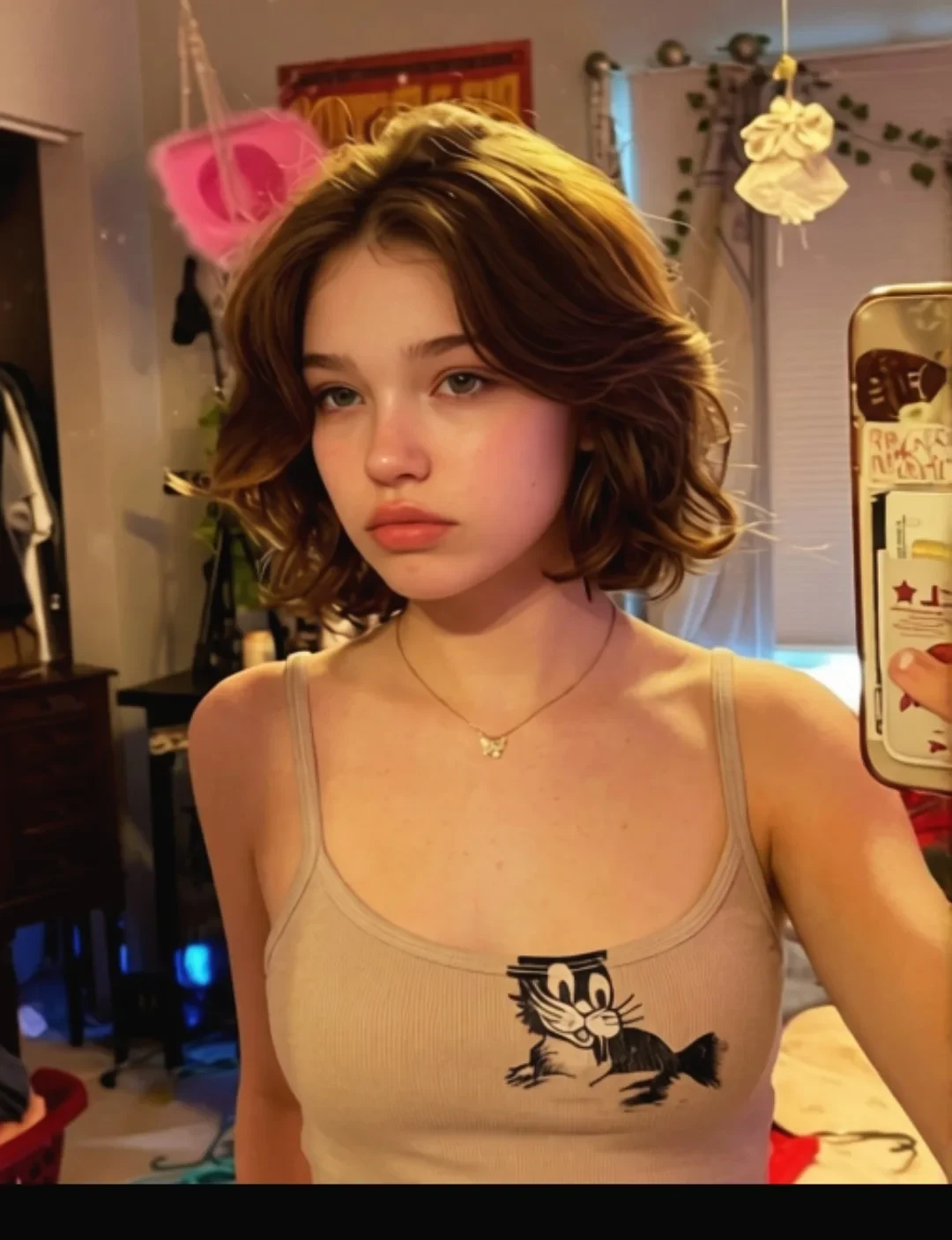 Before
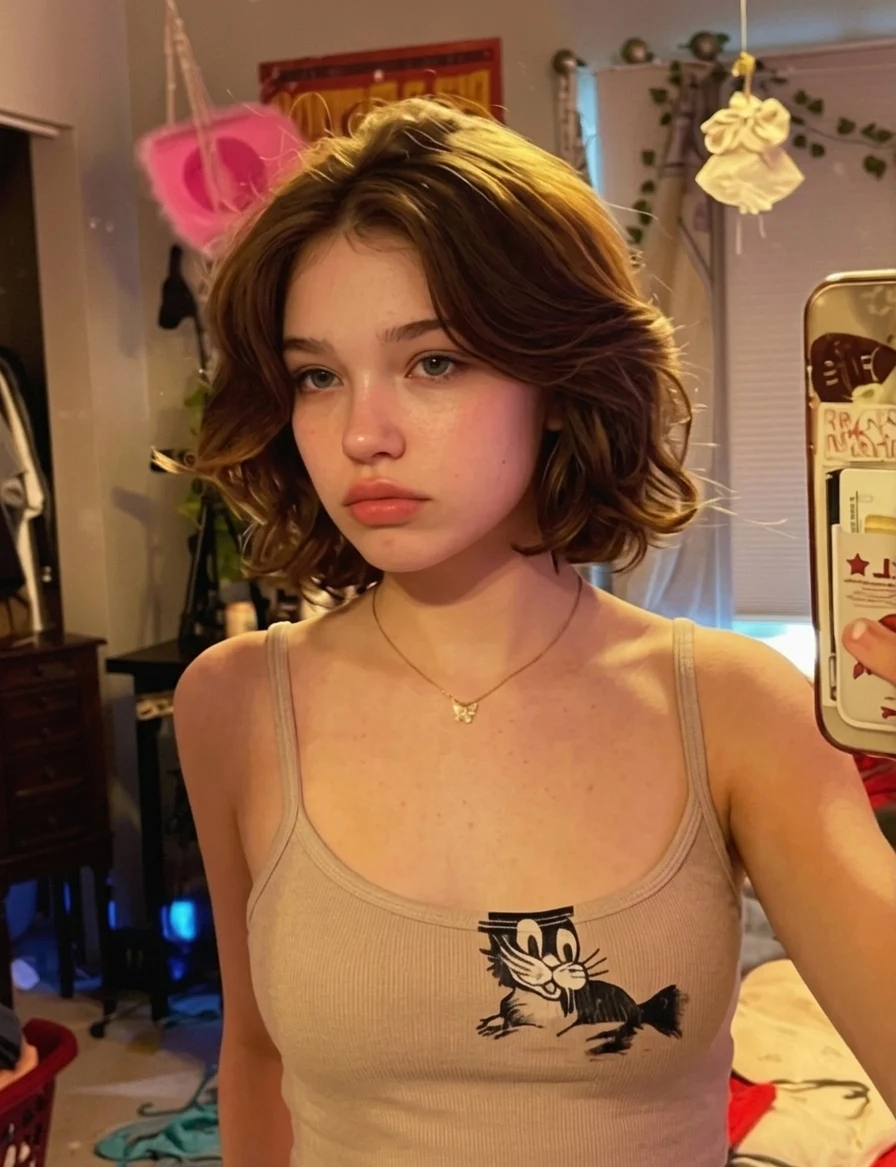 AI Result
The quickest tell in a generated portrait is skin that shines as if varnished: highlights on the forehead, nose and cheekbones that no real face carries. A real capture keeps only the slight sheen skin actually has. The oily glaze is gone here, the stubble reads as individual hairs and the pores show; the sunset behind him stays, with less glow around it.
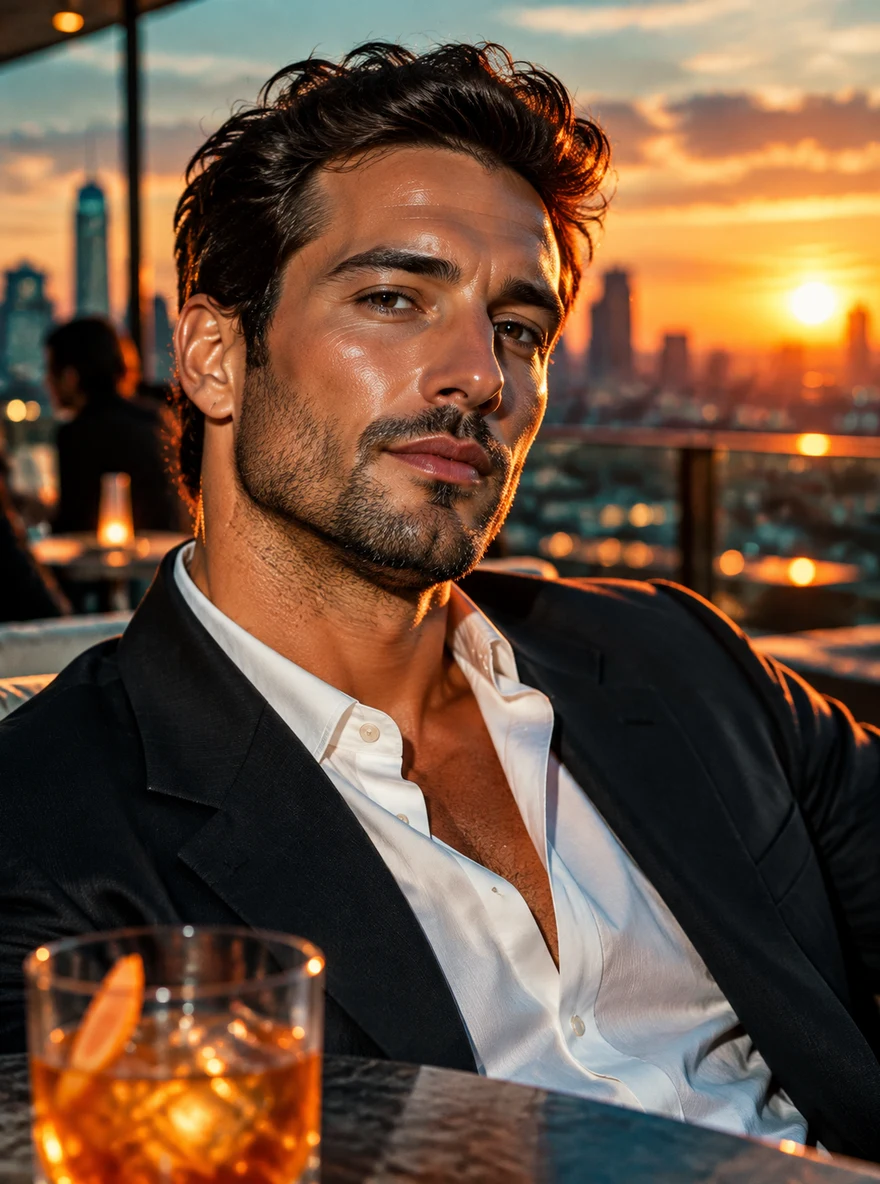 Before
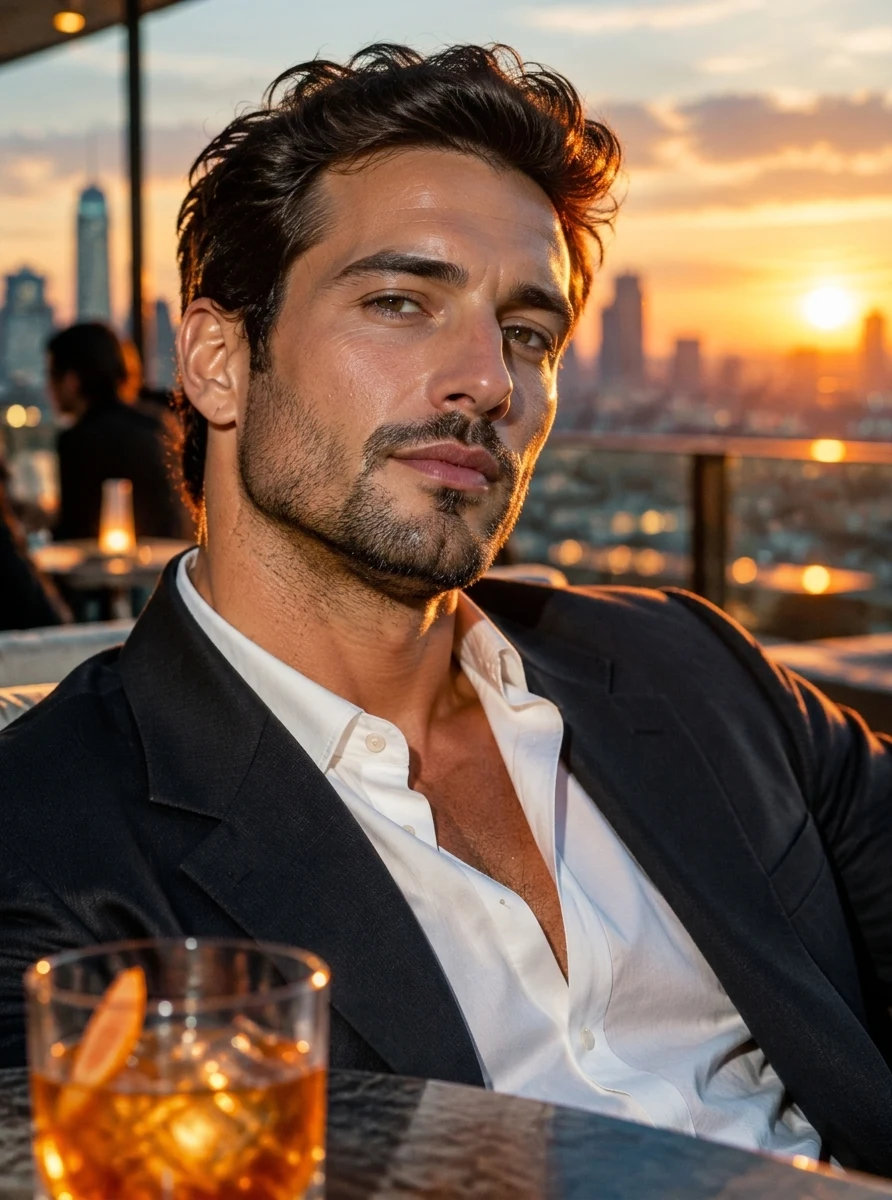 AI Result
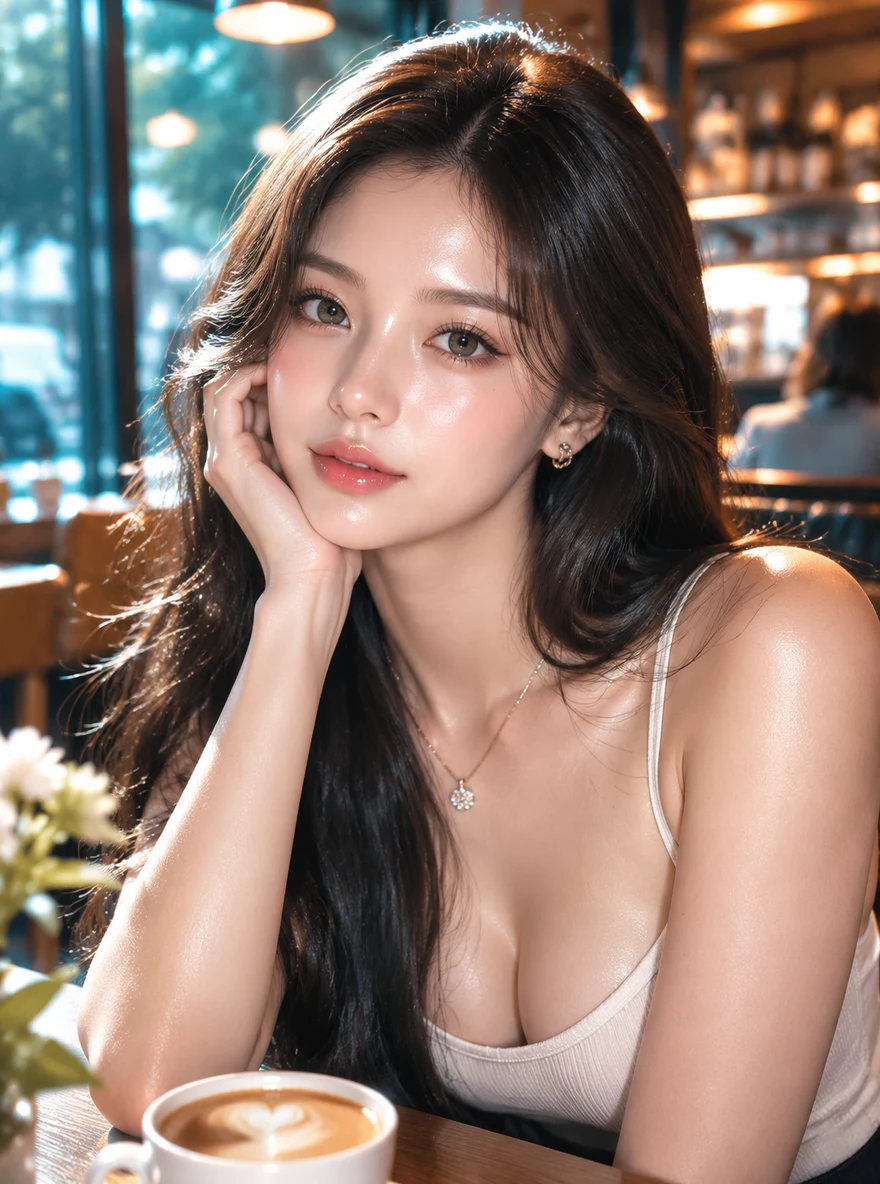
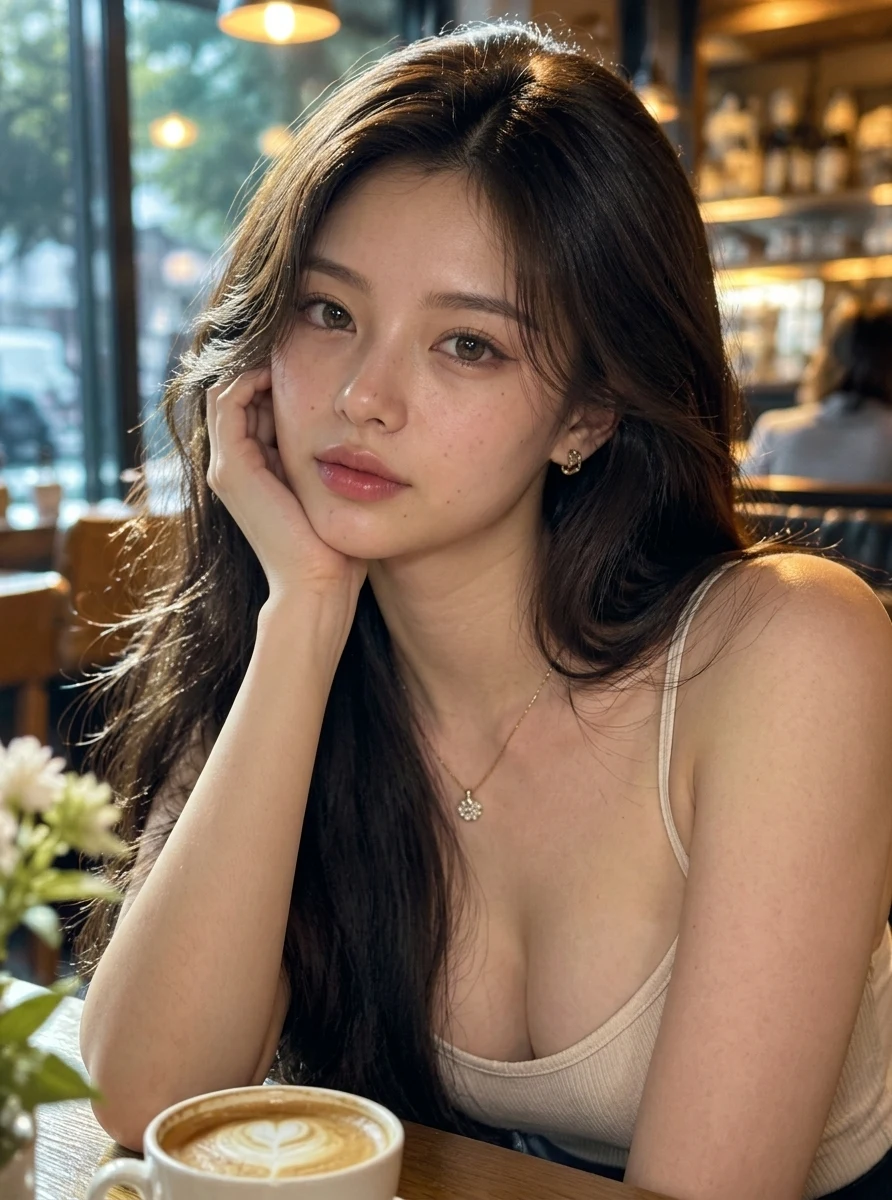
Dewy "glass skin", glossy lips and heavy blush are what image models default to for a pretty face. A phone camera records something plainer: matte skin with faint pores and a few freckles, lips that are not lacquered, cheeks that are not painted pink. Same woman, same pose, same earrings; only the rendering changed.
 Before
 AI Result
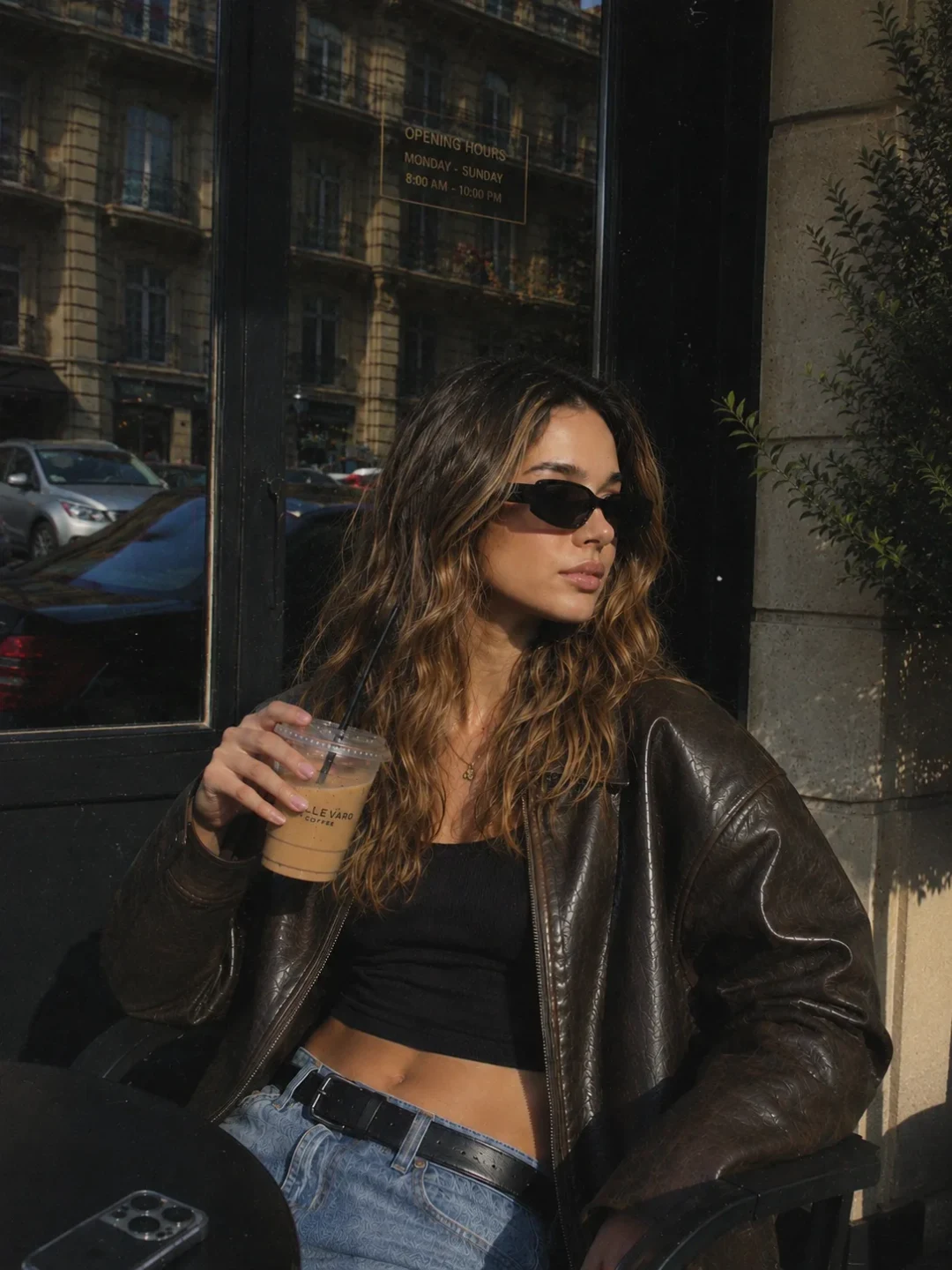
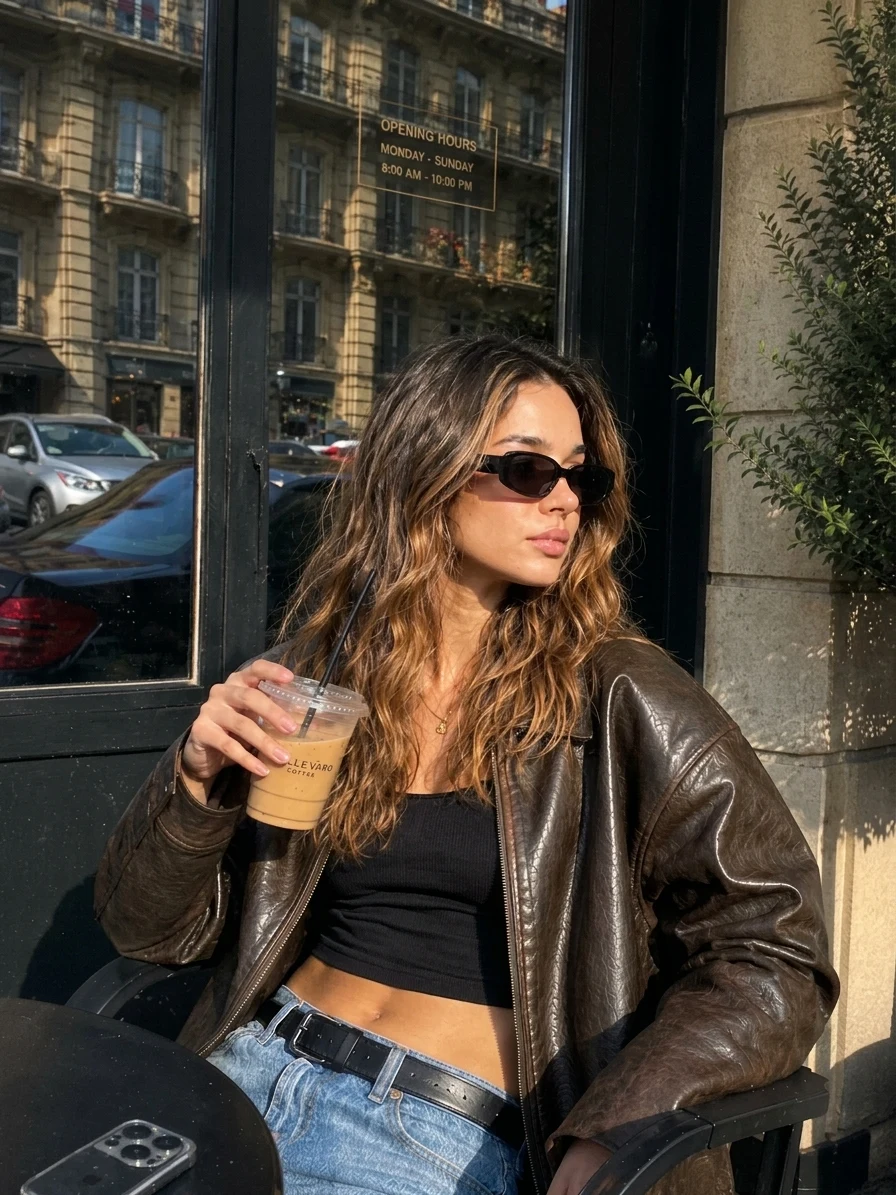
Direct sun is unforgiving, so a real photo taken in it is full of hard detail. Here the hazy window becomes a clear reflection of the building across the street, down to the balconies and flower boxes, and the colour loses its yellow film. The pose, the sunglasses and the coffee cup are untouched.
 Before
 AI Result
Not every AI image needs much. This one was already near-photographic, so the realism pass is light: a little more skin texture and hair that separates into strands at the edges. The face, the outfit and the framing stay identical.
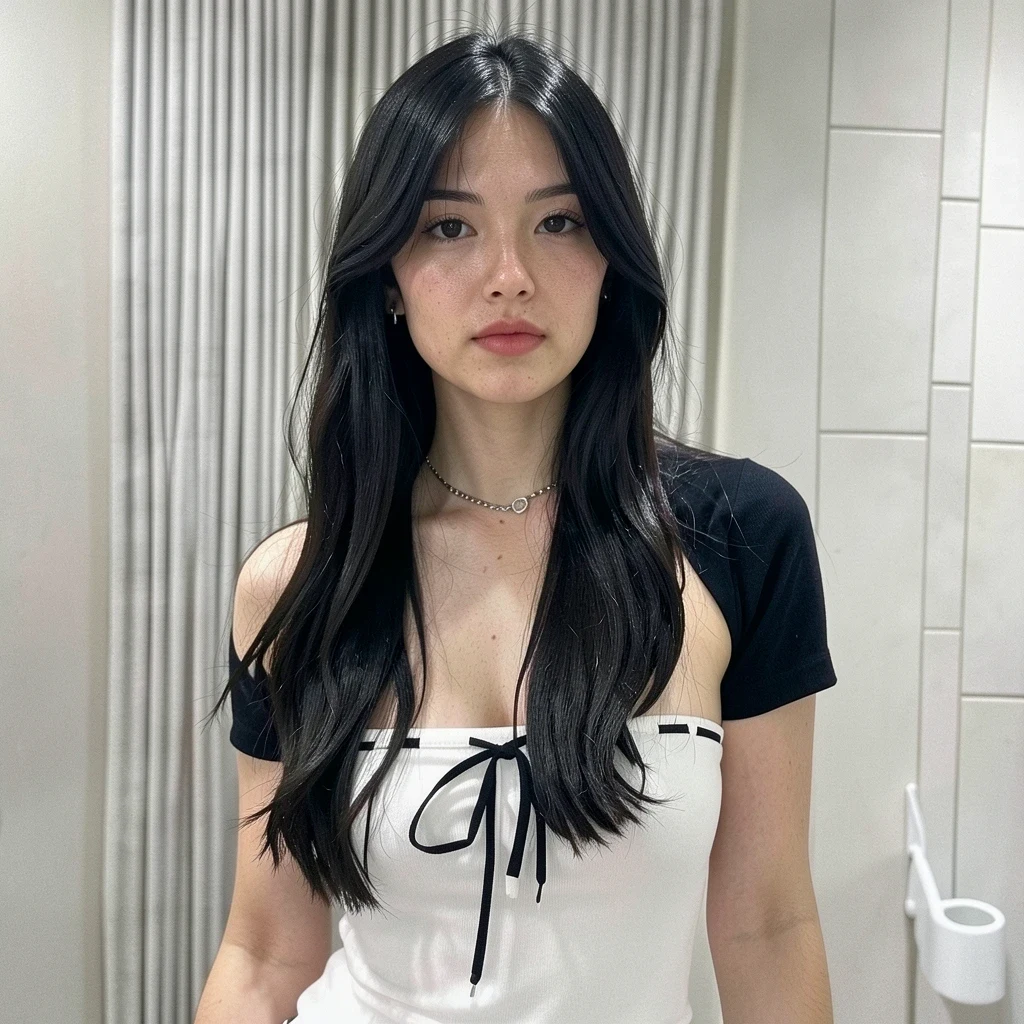 Before
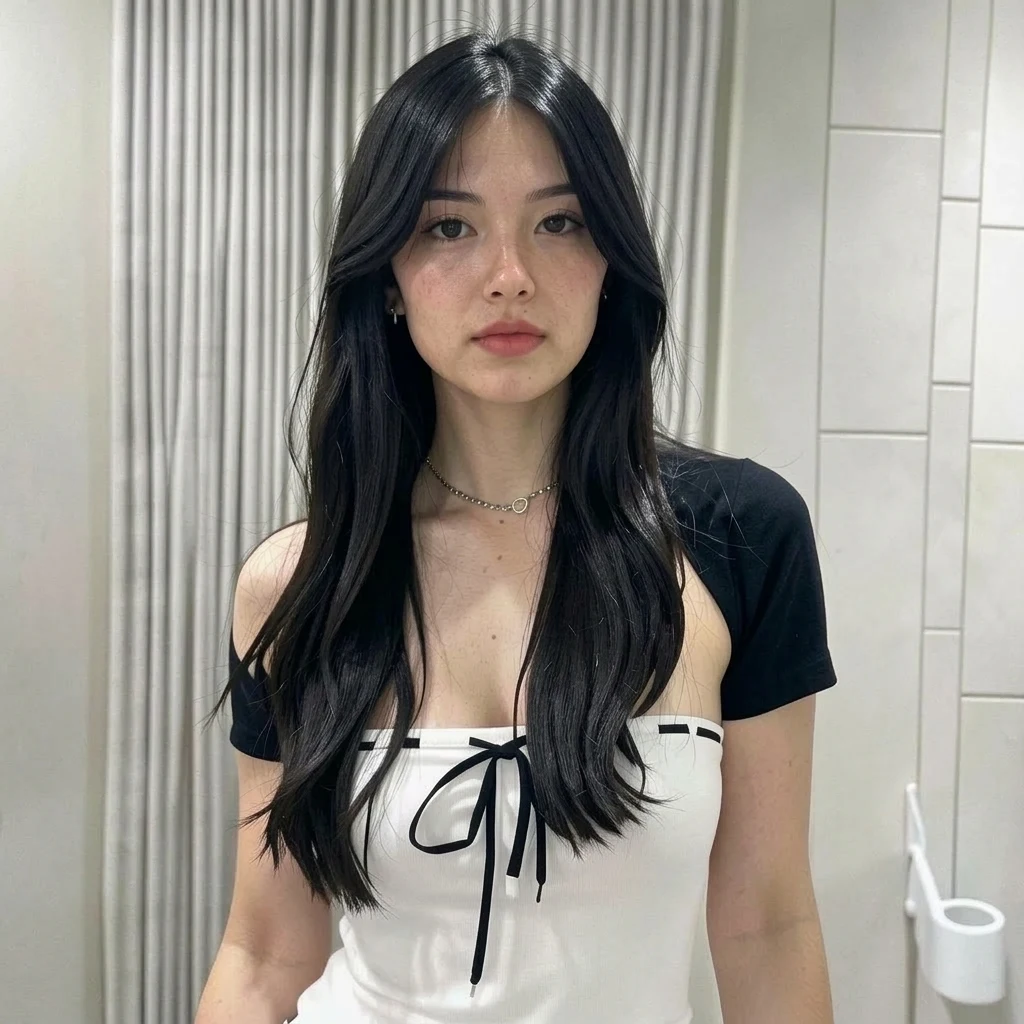 AI Result
Real photographs have characteristics that AI generators consistently miss - our tool adds them back
Real skin has visible pores, fine peach fuzz, and subtle texture variations across different facial zones. These tiny details are what our brain uses to judge if a face looks real.
In real photos, light follows physics - it bounces, scatters, and creates gradients. Subsurface scattering in skin, specular highlights on eyes, and ambient occlusion in creases all contribute to realism.
Real cameras create optical bokeh, vignetting, subtle chromatic aberration, and specific depth-of-field gradients. These lens signatures are absent in AI-generated images.
Real photos capture dust motes in light beams, texture in wall surfaces, grain in wood, and atmospheric haze. These environmental details ground an image in physical reality.
Real cameras process color through specific sensor responses. Skin tones have warm and cool zones, fabrics show dye variations, and ambient light tints everything subtly.
Stray hairs, slight motion in fabric, uneven eyeliner, a mole - these imperfections are what separates a real portrait from a digitally generated one. Perfection is the enemy of realism.
Common scenarios where making AI photos look realistic is essential
AI-generated portraits for profiles and content need to look authentic. Followers can spot fake photos instantly - photorealistic transformation makes your AI content blend naturally with real photography.
Designers and creatives use AI to generate concept images and mockups. Making them photorealistic ensures clients see the vision as achievable reality, not as obvious AI output.
AI-generated product shots need to look like real studio photography to build buyer trust. Photorealistic transformation adds the material textures and lighting that make products look tangible.
Creating custom stock photos with AI is fast, but they need to pass the authenticity test. Making them photorealistic ensures they work in professional contexts alongside real photography.
Upload your AI image, refine the prompt, and get a photorealistic result
Upload any AI-generated photo - from Midjourney, DALL-E, Stable Diffusion, or any other generator. We support JPG, PNG, and WebP up to 20MB.
The prompt is pre-filled to target all common AI artifacts. Edit it to emphasize what matters most - skin realism, lighting, lens effects, or overall photorealism.
Click Generate and receive your photorealistic image in about 30 seconds. The AI adds natural textures, real lighting behavior, and authentic camera characteristics.
Upload your AI-generated image, customize the pre-filled prompt to target specific aspects (skin, lighting, lens effects), and click Generate. Our AI adds the natural textures, realistic light behavior, camera lens characteristics, and subtle imperfections that make photographs look authentic.
Both tools improve AI images, but with different approaches. "Remove AI Look" focuses on eliminating artificial artifacts. "Make AI Photo Realistic" goes further by actively adding photographic characteristics - lens bokeh, film-like color science, camera-specific rendering - to make the image look like it came from a real camera.
Yes! This is one of the most popular use cases. Upload your Midjourney portrait and the AI adds natural skin pores, realistic eye reflections, proper hair strand detail, and the specific quality of light you see in professional headshot photography.
Absolutely. For landscapes, it adds atmospheric perspective, natural vegetation detail, and realistic sky gradients. For product shots, it enhances material textures, adds proper studio lighting reflections, and creates convincing surface detail.
AI generators create images from scratch, limited by their training data. Our tool takes an existing image and applies targeted photorealistic enhancements. It can add details the original generator missed because it works on the pixel level, not from text descriptions.
Accounts that have bought credits get 2K output; the free first photo is made at 1K. Your original aspect ratio is kept. The transformation adds detail at every scale - from the overall lighting mood down to individual skin pores and fabric threads.
Realism is one job. If the photo also needs a different background, an outfit change or a stranger removed, the AI photo editor takes that as a typed instruction.
Transform any AI-generated image into a photorealistic masterpiece. Natural textures, real lighting, authentic details - all in one click.
Remove the artificial AI appearance from any photo
The full realism toolkit — every way to make AI images read as real
One-click converter: upload an AI image, download a photo
The reverse case: real photos that beauty filters made look fake
Rebuild a 3D game screenshot as a photo of the same scene
Generate AI images to transform with this tool
Realism is about how a photo looks, not what it says. When the problem is wording baked into the picture — a caption, a label, a screenshot — our sister site EditTextImage edits that directly.
Fix a typo, blank out a name or change a number in a screenshot, with the interface around it left alone.
Matches the original typeface, weight and colour, so the replacement does not read as pasted on.
Works straight on a flattened JPG — no layers, no original project file needed.
Swap the wording on a sign, label or poster inside a photo, free to try.