
FREE
Loading…
This fixes what people notice — plastic skin, flat light, missing texture. It will not make an image pass an AI detector: the result is regenerated by an AI model, so detectors still read it as AI.
Upload an image to transform or edit
Upload an image and describe your transformation to generate
Same photo, same person, same room — with the render taken out.
The warm, golden cast that image models put over every indoor scene is the first thing removed. With it gone, a bedroom at night looks like one: off-white walls, a neutral mirror, and skin that is skin-coloured rather than amber. Nothing in the room was moved or redrawn to get there.
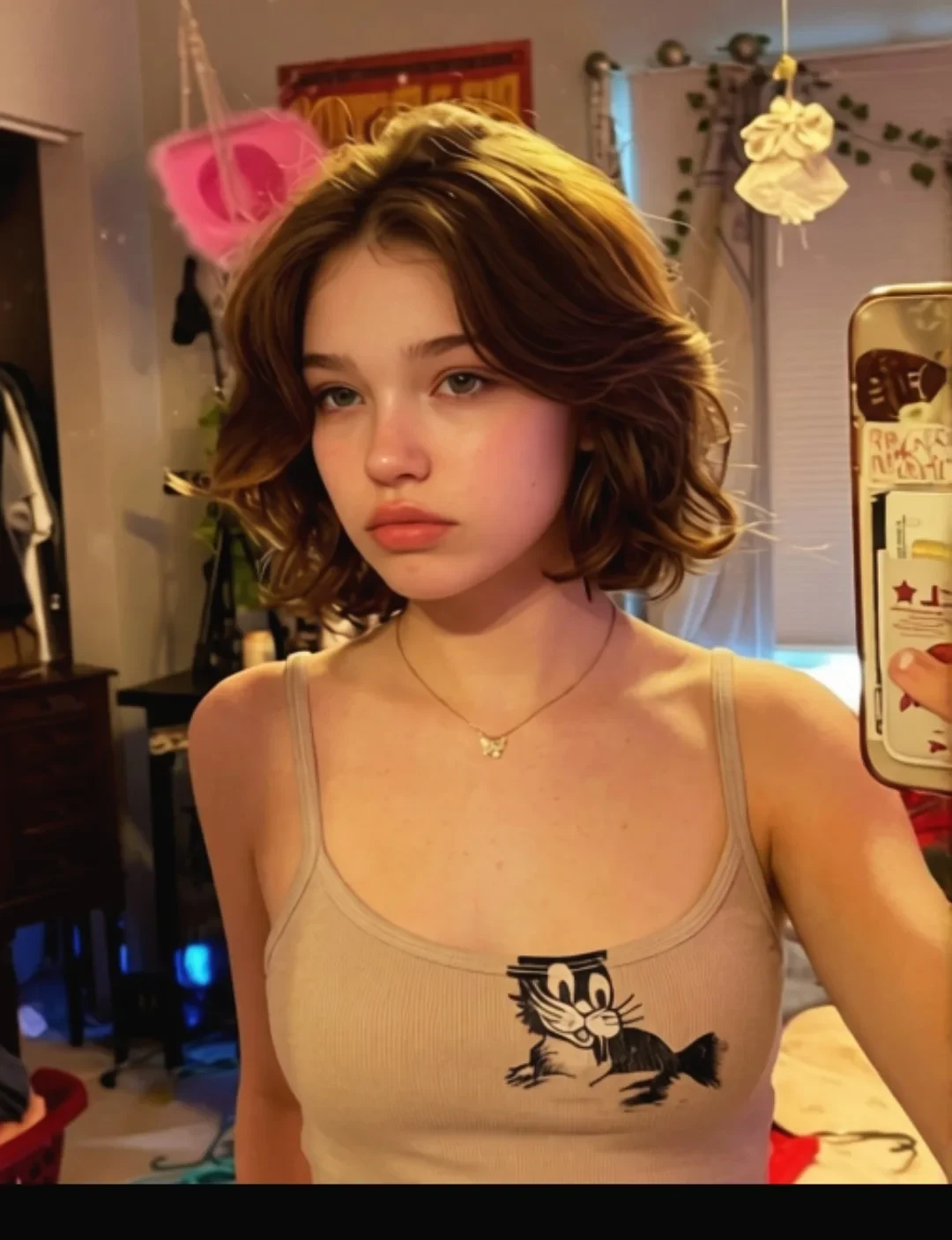 Before
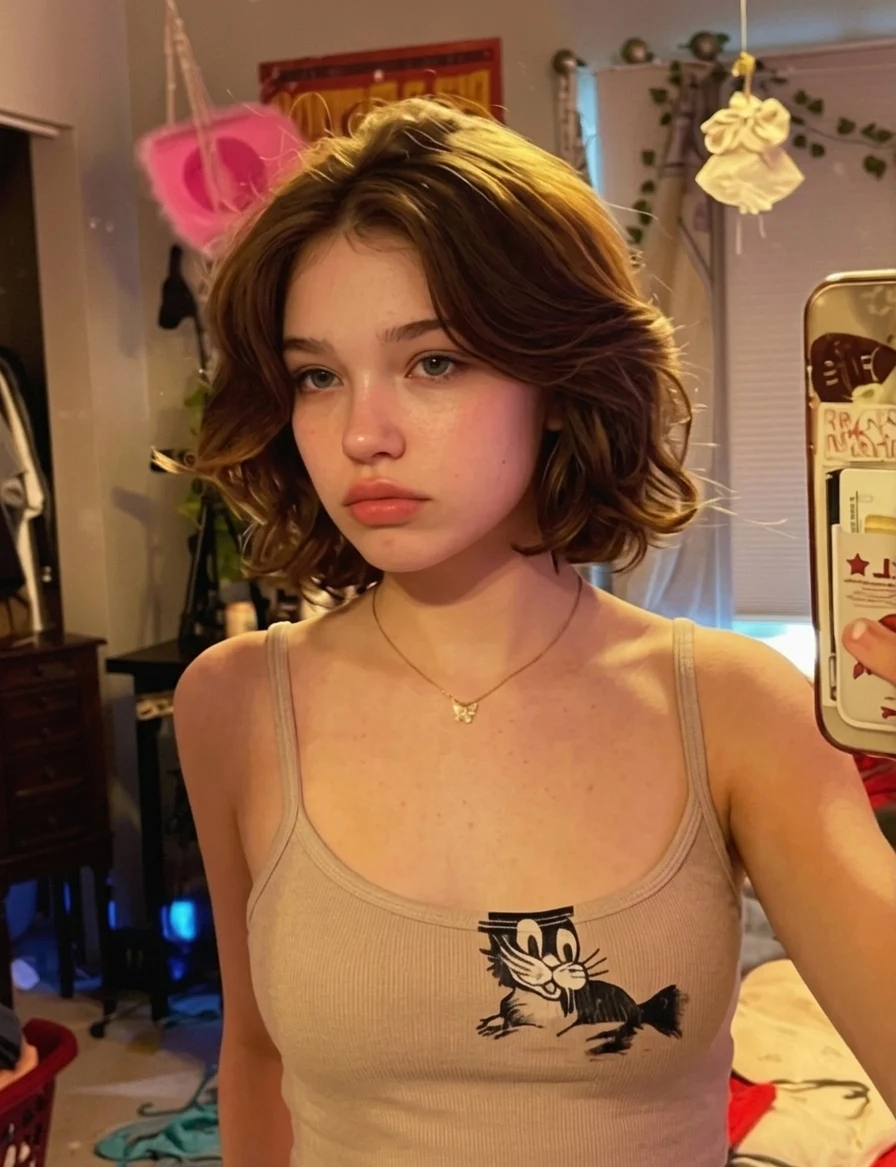 AI Result
AI portraits often look as if the subject was sprayed with oil: hard white highlights down the forehead, the bridge of the nose and the cheekbones. Removing the AI look here means removing that glaze. What is left is matte skin with pores and stubble you can count, under the same sunset.
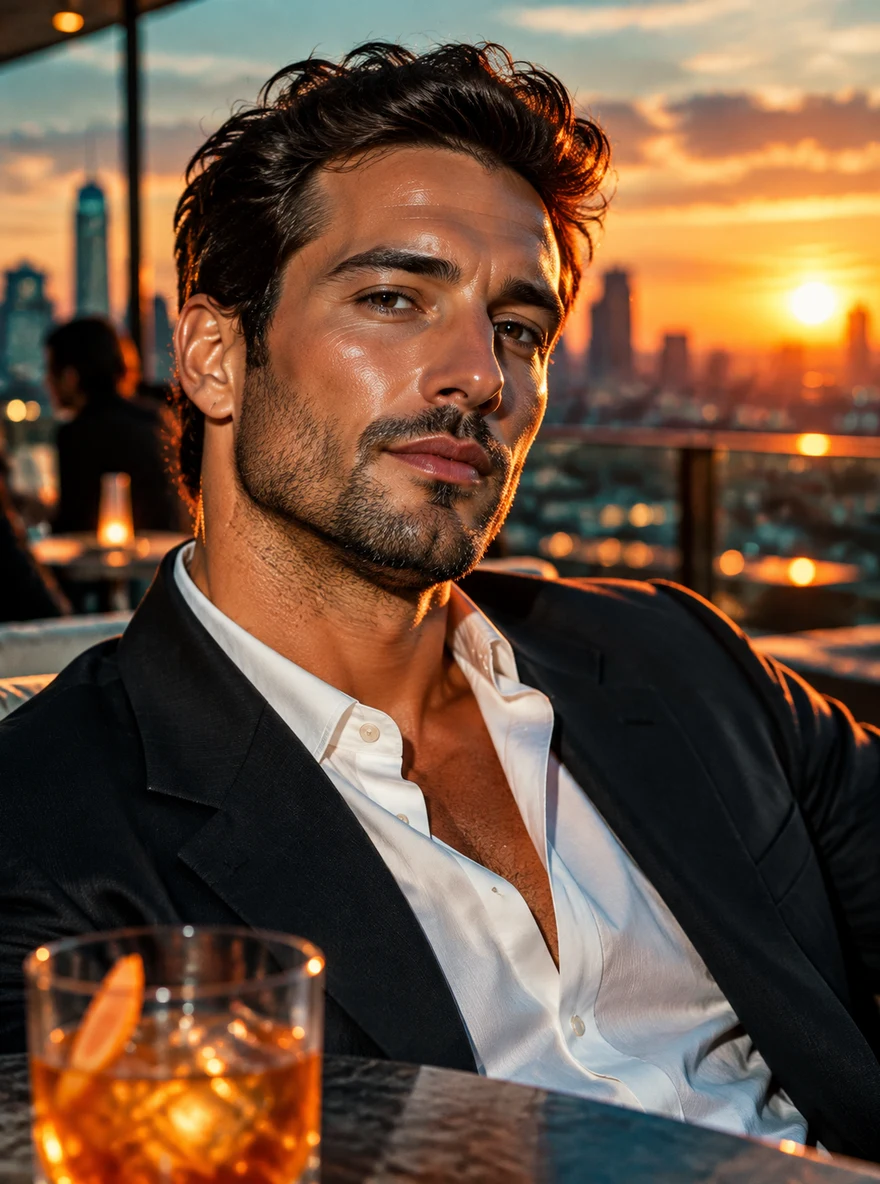 Before
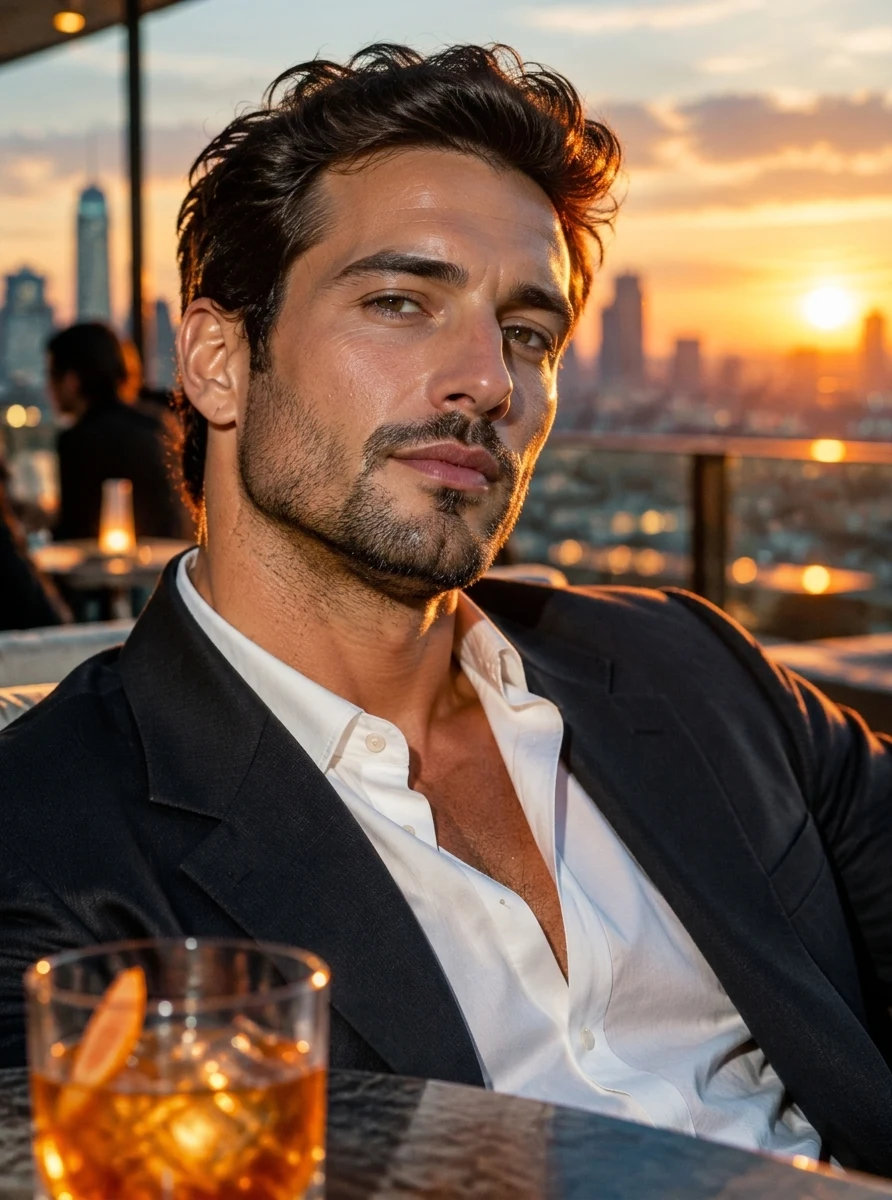 AI Result
Porcelain skin, a wet-look lip and painted-on blush add up to the beauty-filter face nobody has in a real photo. All three come out. The woman, her pose, her hair and her earrings stay exactly as they were; she just looks photographed instead of rendered.
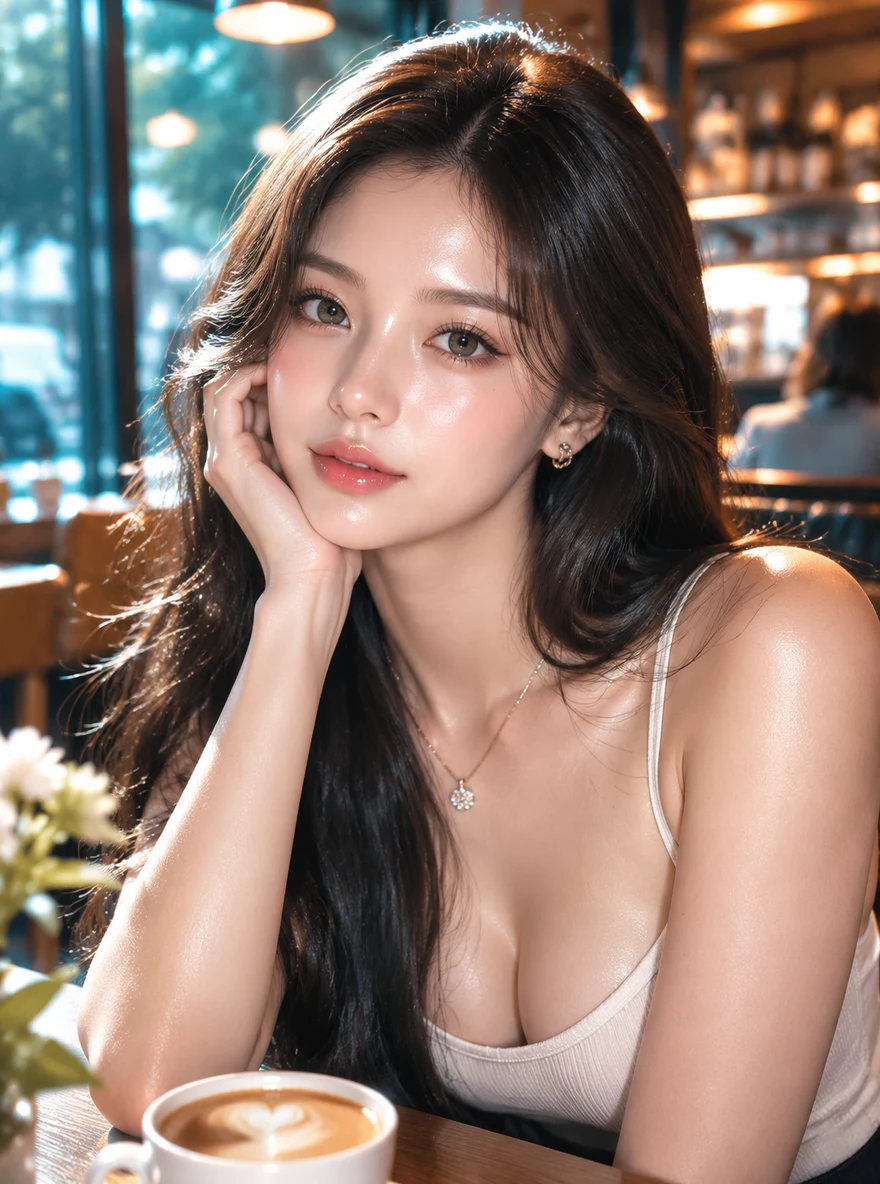 Before
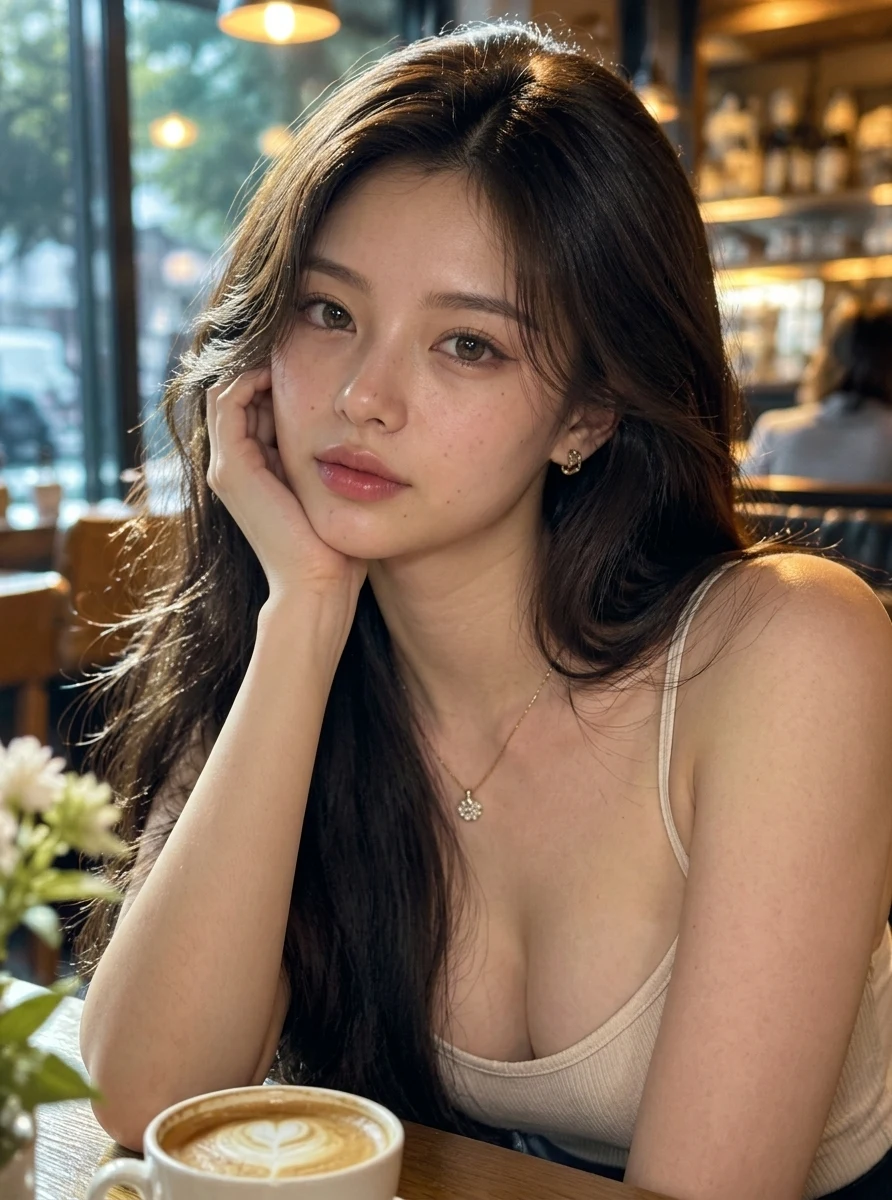 AI Result
Generated backgrounds tend to dissolve into a soft, yellowish haze where detail should be. In this street shot the haze in the window clears into a sharp reflection of the building opposite, balconies and flower boxes included, and the yellow film over the whole frame lifts.
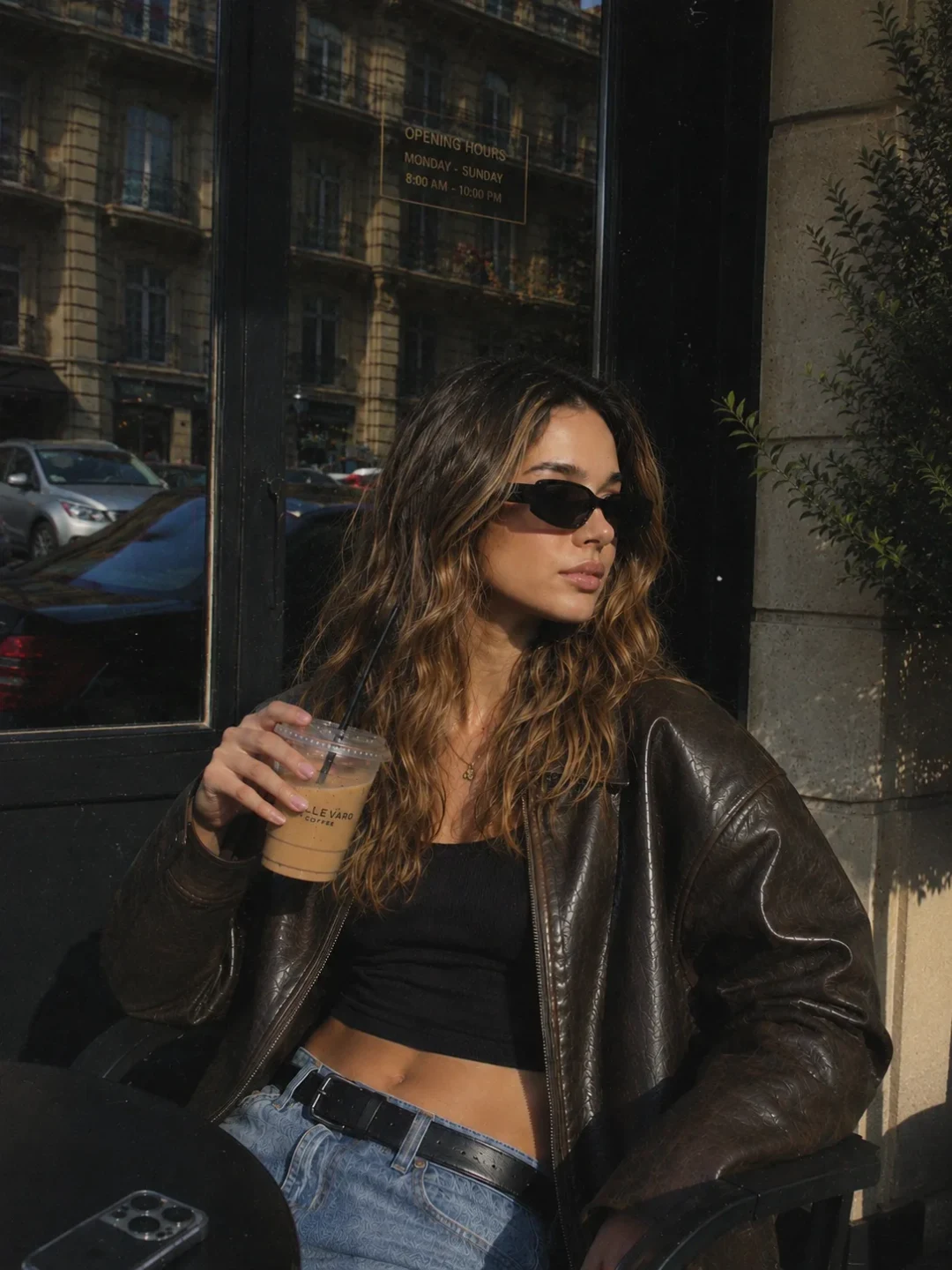 Before
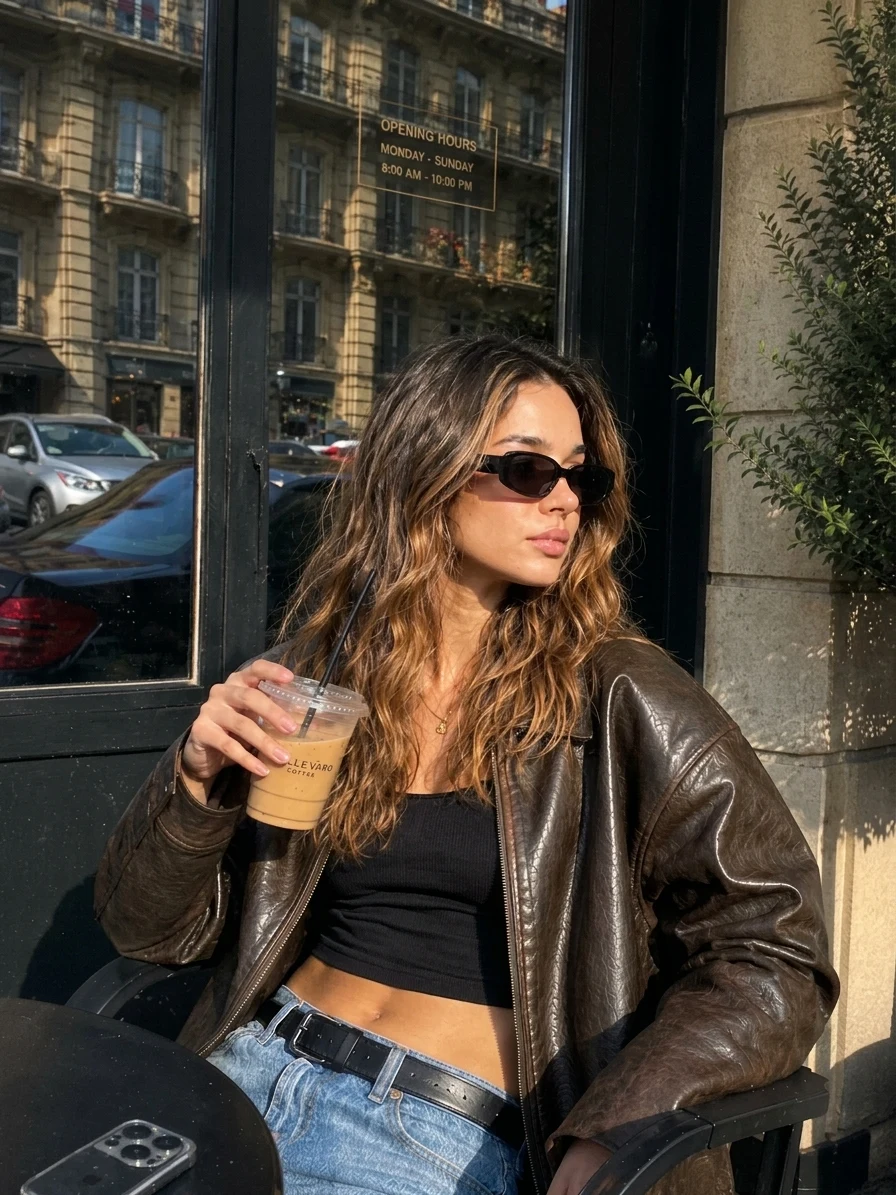 AI Result
When an image carries few AI tells, there is little to remove, and the tool does not invent work. This near-photographic portrait gets a light pass: some skin texture and a few separated strands at the edge of the hair. Face, outfit and framing are unchanged.
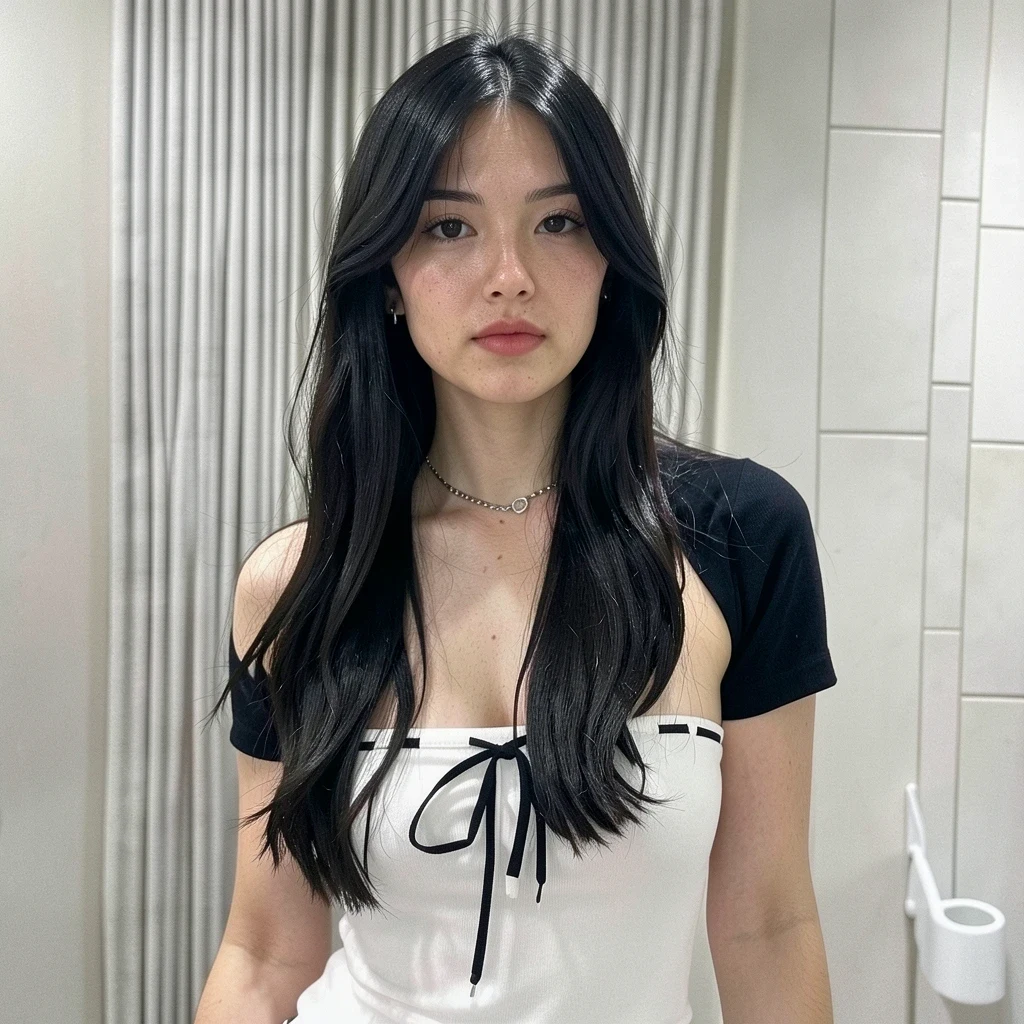 Before
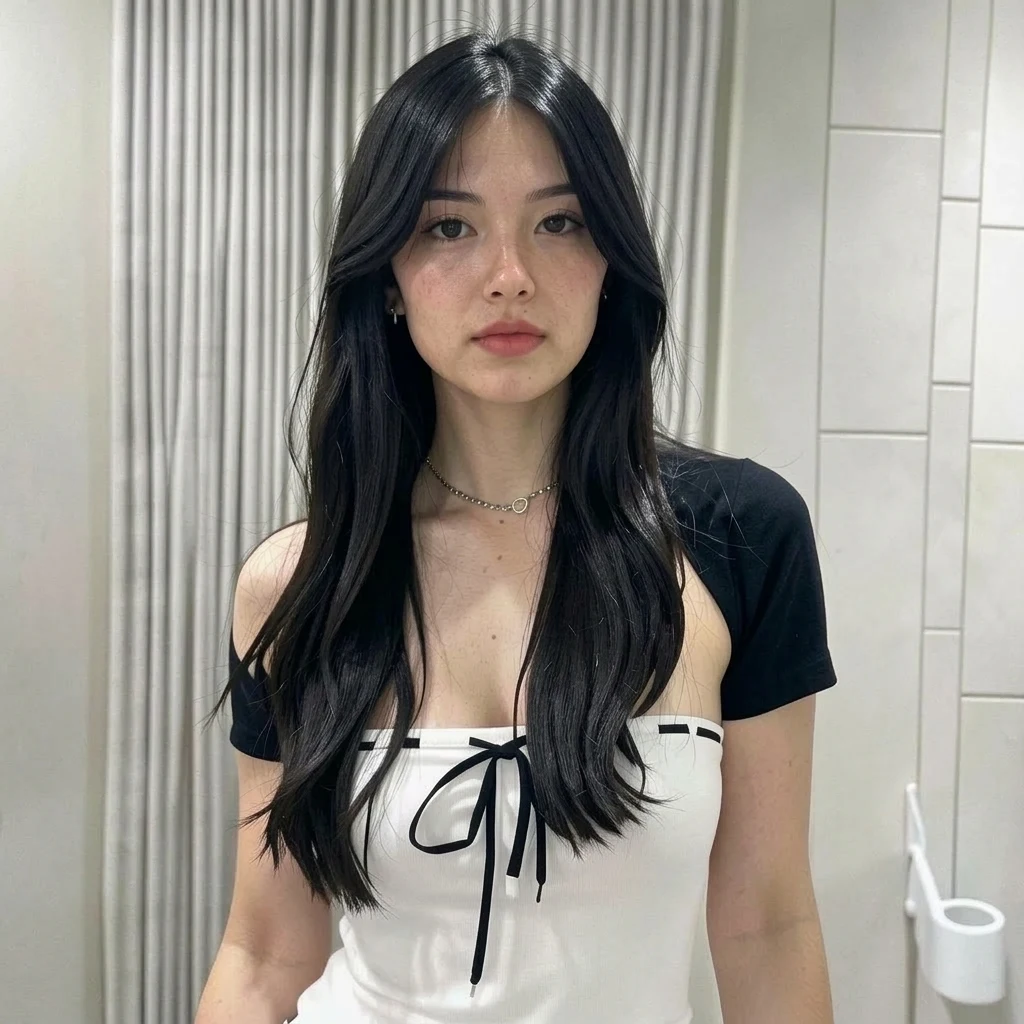 AI Result
AI generators create technically impressive images, but trained eyes spot the artificial patterns instantly
AI smooths out every pore, wrinkle, and blemish. The result looks like a mannequin - too perfect, too smooth, completely lacking the natural texture of real human skin.
Real photos have complex light interactions - shadows under the chin, highlights on cheekbones, subtle color casts. AI lighting is often flat and evenly distributed like a studio soft box everywhere.
Human faces are naturally asymmetric. AI tends to create faces that are too perfectly balanced, making them feel uncanny and robotic rather than human.
Real photos capture individual hair strands, fabric weave patterns, skin pores, and environmental dust. AI images lack these tiny details that our brain subconsciously expects.
Camera lenses create specific bokeh patterns and depth-of-field gradients. AI blur looks algorithmically applied rather than optically natural.
AI often pushes colors to be more vibrant than reality. Skin tones look too warm, eyes too bright, and backgrounds too vivid - like an over-processed Instagram filter.
Each artificial pattern is identified and replaced with natural-looking alternatives
Replaces plastic-smooth AI skin with realistic pores, fine lines, and subtle texture variations that match real human skin under natural lighting.
Introduces natural light falloff, realistic shadow placement, ambient occlusion, and the kind of subtle color temperature shifts you see in real photography.
Adds subtle asymmetry, minor color inconsistencies, and tiny details like stray hairs or fabric creases that make images feel genuinely photographed.
Refines background details, adds natural depth of field, and corrects the overly-clean look of AI environments to match real-world photography.
Upload your AI photo, customize the prompt if needed, and get a natural-looking result
Upload the AI-generated image you want to make look more natural. We support JPG, PNG, and WebP up to 20MB.
The prompt is pre-filled for you. Edit it to focus on specific areas - skin texture, lighting, backgrounds, or let it fix everything at once.
Click Generate and get your natural-looking photo in about 30 seconds. Download in high resolution and use it anywhere.
No, and it cannot. This tool fixes what a person notices — plastic skin, flat lighting, missing texture — by regenerating the picture with an AI image model. That means the file you download is itself freshly AI-generated, so a detector reading the statistical fingerprint of the pixels will still say AI, and may say it more confidently than before. Detectors look at generation artefacts and metadata, not at whether the photo looks convincing. If your goal is to pass a detector, no image tool on this site will do it and you should not spend credits trying.
Upload your AI-generated photo, review or customize the pre-filled prompt, and click Generate. Our AI analyzes the artificial patterns - plastic skin, flat lighting, missing micro-details - and replaces them with natural textures and realistic imperfections that make the image look like a real photograph.
AI photos look fake because of several telltale signs: overly smooth skin without visible pores, perfectly uniform lighting without natural shadows, symmetrical faces that feel uncanny, missing micro-details like stray hairs and fabric texture, and over-saturated colors. Our tool addresses all of these issues.
Yes! The tool works with images from any AI generator - Midjourney, DALL-E, Stable Diffusion, Flux, Leonardo, and others. It detects common AI artifacts regardless of which generator created the image and corrects them to look natural.
The prompt is pre-filled but fully editable. You can specify exactly what to fix - just skin texture, only the lighting, background details, or everything at once. For example, you could write "Only fix the skin texture, keep everything else the same" for targeted corrections.
Most images are processed in 20-40 seconds, a little longer at 2K. It takes a moment to add the natural details and textures. Complex images with many elements may take slightly longer.
No. Output is up to 2K and the tool adds detail to your image. Natural skin texture, realistic light interactions, and environmental details are added to make the image richer and more detailed than the AI original.
This tool changes how a photo is rendered, never what is in it. To swap the background, change clothes or remove a person, type the change into the AI photo editor instead.
One click to transform your AI-generated images from obviously artificial to naturally photographic. Upload your photo and see the difference.
Transform AI images into photorealistic photos
The hub for the whole realism toolkit — start here if unsure
One-click converter: upload an AI image, download a photo
The reverse case: real photos that beauty filters made look fake
Rebuild a 3D game screenshot as a photo of the same scene
Edit any photo with text-based AI commands
Realism is about how a photo looks, not what it says. When the problem is wording baked into the picture — a caption, a label, a screenshot — our sister site EditTextImage edits that directly.
Fix a typo, blank out a name or change a number in a screenshot, with the interface around it left alone.
Matches the original typeface, weight and colour, so the replacement does not read as pasted on.
Works straight on a flattened JPG — no layers, no original project file needed.
Swap the wording on a sign, label or poster inside a photo, free to try.
Edit photos by typing what you want — remove objects, change backgrounds, restore details. No Photoshop skills needed.
Sharpen, denoise, and boost photo quality in seconds. Restore detail in soft or low-light shots automatically.
Fix blurry photos with AI. Recover sharpness from motion blur, out-of-focus shots, and camera shake — all online.
Remove image backgrounds in one click. Get clean transparent PNGs for product photos, headshots, and design work.
Generate any image from a text prompt in about 3 seconds. No watermark, 3 free generations every day.
Premium AI image generation powered by Google AI. Text-to-image and image-to-image with 2K resolution.
OpenAI's latest image editing model. Upload a photo, describe the change, get high-fidelity edits in seconds.
Name one part of a photo to change and the rest stays exactly as it was. Real transparent PNG cutouts, 1K to 4K.