
FREE
Loading…
Pick a preset outfit — business suit, wedding dress, casual, athletic — or describe your own. The AI rebuilds the clothing in seconds while keeping your face, pose, and background exactly the same.
Try: “tailored navy business suit” · “elegant white wedding dress” · “traditional hanfu in silk”
Upload, then check the instruction below — you can edit it before generating.
Job interview, LinkedIn headshot, executive portrait
Upload a photo and click the button to start processing
Same face, same pose, completely different clothes. Each result below was generated from a single preset click — no Photoshop, no manual masking.
One click from apartment-hallway casual to interview-ready. The AI rebuilds the hoodie as a navy suit jacket over a white shirt and burgundy tie, with the lapels and shoulder line sitting on his actual frame. His face, beard, hair, posture, the wall behind him and the light on it are all untouched — compare the door and the notices on either side.
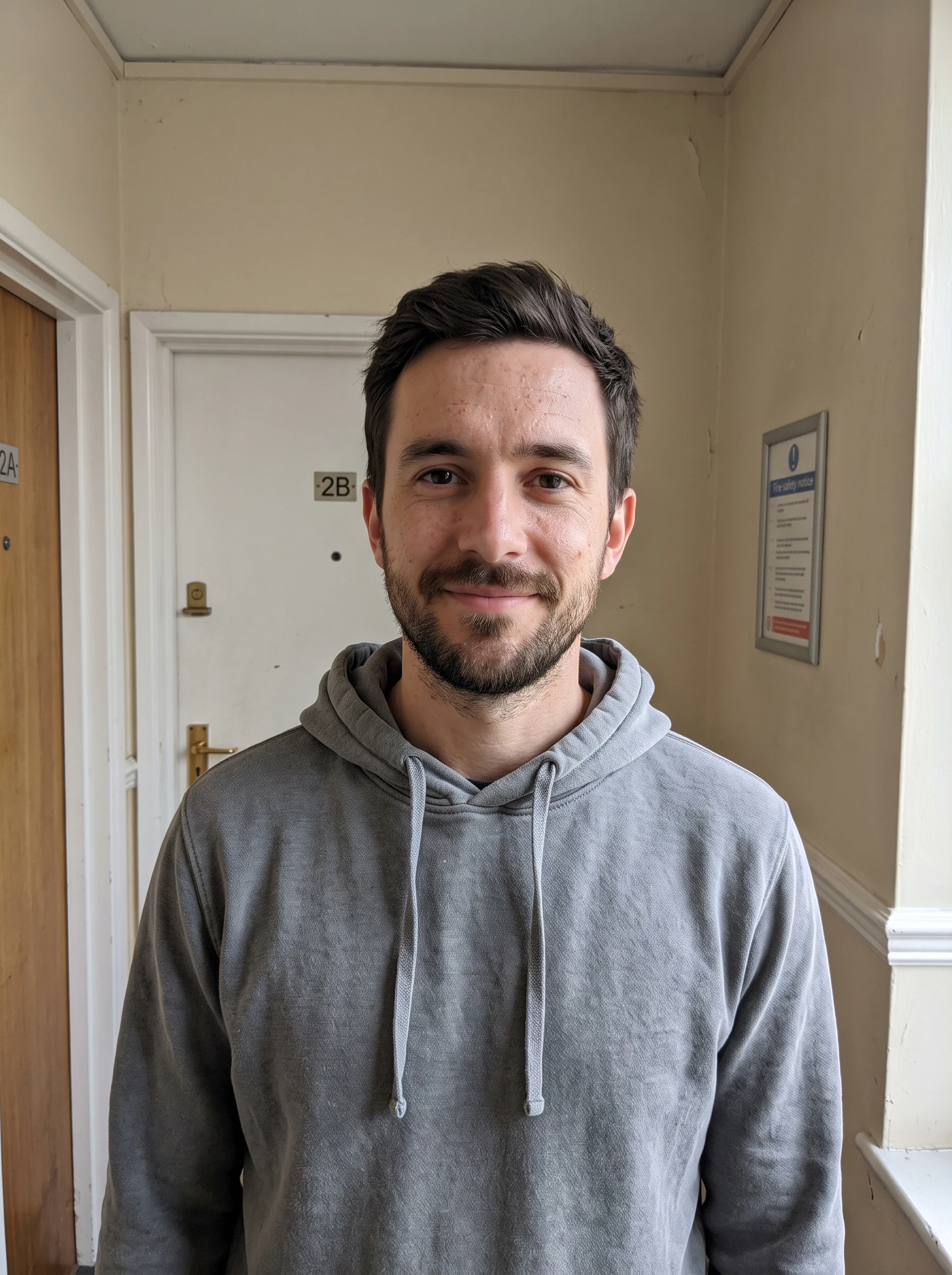 Before
 AI Result
A single-garment recolour. The AI regenerates just the top — the face, hair, bag, jeans, pose and the street behind her all stay exactly as shot. This is the conservative end of what an outfit changer does, and the easiest one to check: nothing except the shirt has moved.
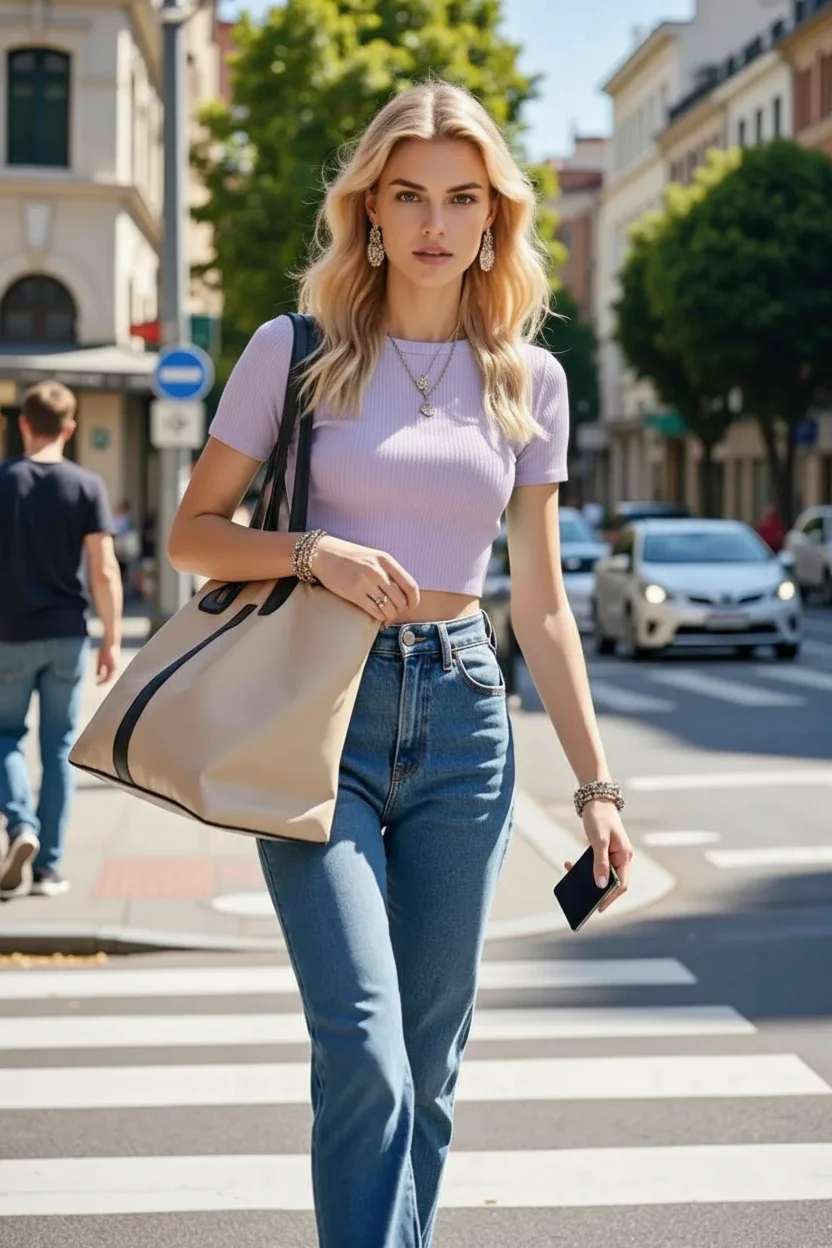 Before
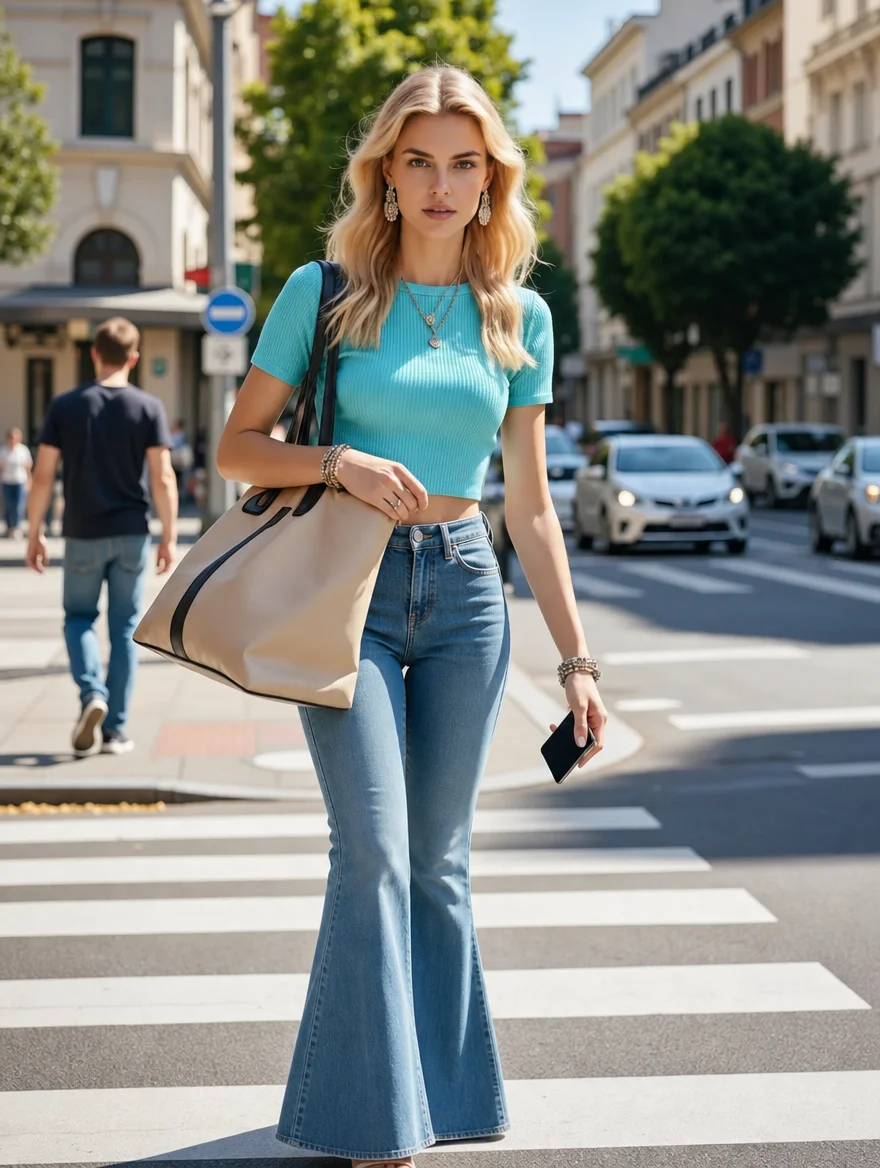 AI Result
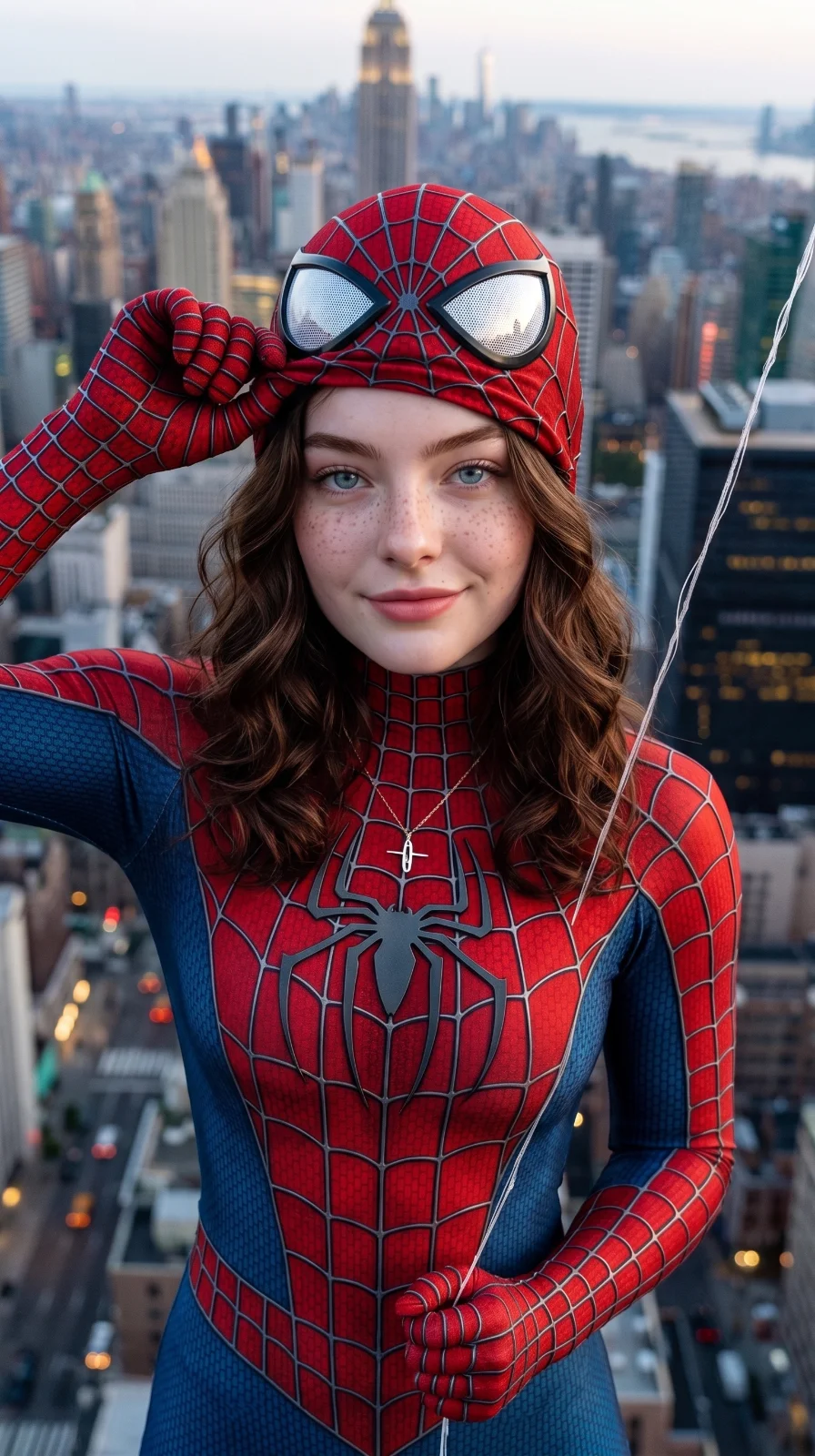
The opposite extreme from a recolour: here the AI rebuilds the entire outfit as a head-to-toe costume and replaces the setting with a city skyline, while keeping the face recognisably hers. Useful for costume and cosplay previews, where you want to see yourself in the outfit before committing to buying or making it.
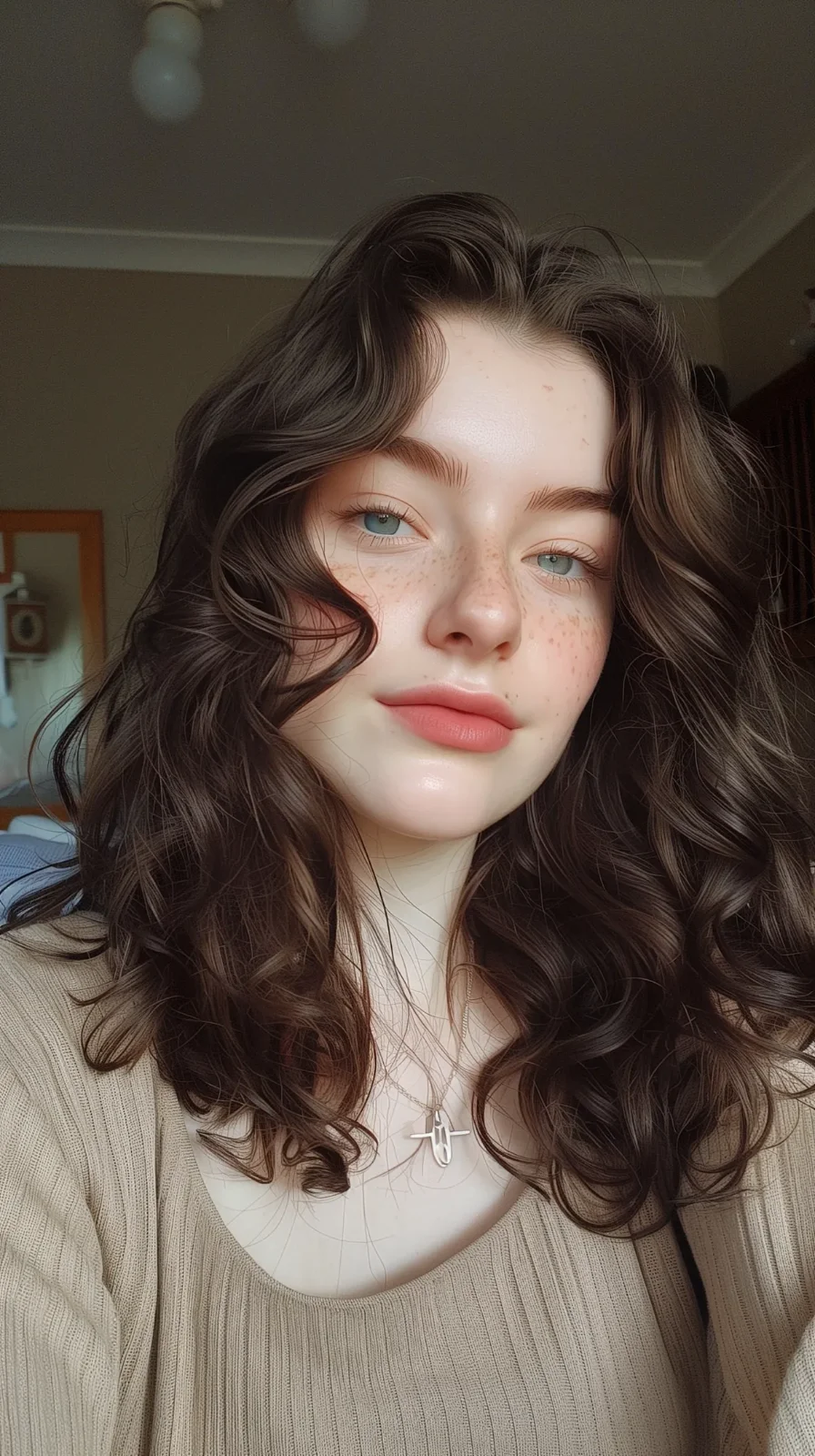 Before
 AI Result
Virtual try-on is no longer a novelty — it is mainstream. The data below shows why AI clothing swap matters for shoppers, brides, and professionals in 2026.
“Virtual try-on is the single biggest UX change in apparel e-commerce since the introduction of high-resolution product photography. Customers who use try-on tools are demonstrably more confident, more decisive, and far less likely to return items. AI outfit changers extend this same benefit to personal use cases — bridal shopping, professional headshots, social media — and the adoption curve is steepening every quarter.”
Six high-intent categories cover most of what people want from a virtual outfit try-on. Each preset has been tuned for natural fit, realistic fabric, and proper lighting match.
Tailored suits, blazers, dress shirts, conservative ties. The AI outfit changer turns casual selfies into LinkedIn-ready headshots in seconds.
"swap to a tailored navy business suit"
Wedding dresses (ballgown, mermaid, A-line, sheath), bridal lehengas, tuxedos, and groom suits. Preview styles before paying for fittings.
"change to an elegant white wedding dress"
Floor-length gowns, cocktail dresses, sharp date-night looks. The AI rebuilds the clothing with proper drape, sparkle, and fabric texture.
"change to a floor-length burgundy evening gown"
Smart-casual button-downs, weekend sweaters, streetwear hoodies, denim jackets. Great for dating profiles and social media.
"swap to a smart casual button-down and dark jeans"
Performance leggings, training tops, running gear, yoga sets. Useful for fitness brand portraits and gym profile photos.
"change to fitted athletic sportswear"
Chinese hanfu, Indian saree, Japanese kimono, Korean hanbok, abaya. The AI handles culturally specific garments with appropriate styling.
"change to a traditional Chinese hanfu in silk"
A typical bride visits 3–5 bridal salons and tries on 15+ dresses before committing. The AI outfit changer collapses that into 15 seconds — upload one photo, pick the dress style preset, and see yourself in a ballgown, mermaid, A-line, sheath, or lace bridal silhouette. Use it for shortlisting before booking in-person fittings.
Average US wedding dress cost
Brides who use virtual try-on report shorter shopping windows, fewer regretted purchases, and clearer communication with their bridal stylist. AI try-on does not replace in-person fittings — it makes them more focused.
Try a Wedding DressA professional headshot used to mean booking a studio, paying $200+, and waiting a week. The AI outfit changer turns any casual selfie into an interview-ready portrait by swapping the clothing only — your face and smile stay authentic.
Casual selfie → tailored business suit. Your face stays recognizable; the outfit projects authority. Best practice: solid background, three-quarter pose.
"swap to a tailored navy business suit, conservative tie"
Coming to a final-round interview? Preview yourself in 2–3 different formal looks (suit vs blazer vs business casual) before deciding what to wear in person.
"change to a charcoal blazer and white dress shirt, no tie"
Boardroom-ready photos for "About Us" pages, conference bios, and press materials. The AI handles dress shirts, blazers, and full suits with realistic fabric drape.
"executive portrait outfit, dark charcoal suit"
Five real audiences who rely on virtual outfit try-on as part of their workflow.
Refresh a LinkedIn headshot, build out an interview-ready outfit preview, or generate executive portraits for a personal site.
Shortlist wedding dress silhouettes, preview bridesmaid colors, and try groom tuxedos before any in-person fittings.
Generate clean on-model product photos for apparel listings without scheduling photo shoots. Speeds up new SKU launches.
Produce "instant outfit change" reels for TikTok and Instagram — the kind of content that consistently goes viral.
Experiment with styles you would not normally buy — bold colors, unusual silhouettes, emerging trends — without commitment.
Preview a costume idea on your own face before sewing or buying. Reduces the cost of trial-and-error in cosplay planning.
Three steps. Under one minute. No skills required.
Drop a full-body or three-quarter-body photo (JPG, PNG, or WebP, up to 20 MB). Best results when the clothing area is clearly visible and lighting is even.
Choose from 8 popular looks — business suit, wedding dress, tuxedo, evening gown, casual, athletic, traditional, cozy. Or edit the prompt to describe any specific outfit you want.
Click "Change Outfit" and the AI rebuilds the clothing in 10–20 seconds. Face, pose, and background stay identical. Download in HD or try another preset.
What is different about the sparkpix approach.
| sparkpix.ai | Catalog try-on tools (e.g. Pixelcut, bitStudio) | E-commerce virtual try-on (Google Shopping, brand sites) | |
|---|---|---|---|
| Input method | Pick a preset or describe any outfit | Upload a separate garment photo | Limited to that retailer's catalog |
| Outfit variety | Anything you can describe | Limited to user-uploaded references | Single brand's SKUs only |
| Identity preservation | Face, pose, hair, background all stay | Varies — some warp the face | Limited camera angles only |
| Other AI tools in one place | 100+ tools (hair, background, pose, restoration, restyle) | Single-purpose outfit only | Try-on only, no editing |
| Free to start | 5 free credits, no card | Mostly subscription-gated | Free but locked to one retailer |
Everything you need to know about swapping clothes with AI.
The AI outfit changer analyzes your photo, isolates the clothing region, and regenerates it as the outfit you picked. Skin, face, hair, pose, and background are preserved pixel-by-pixel — only the clothing changes. The result looks naturally photographed because the AI matches lighting, shadows, and body shape to your original image.
Yes. The 8 preset outfits cover the most popular looks — business suit, wedding dress, tuxedo, evening gown, casual, athletic, traditional hanfu — and you can also describe a custom outfit by editing the prompt template. Try "vintage 1950s polka-dot dress", "Indian saree in jewel-tone red", "streetwear hoodie and joggers", or any specific garment.
Yes. The AI is specifically prompted to leave everything except the clothing untouched. Face identity, skin tone, hair, body proportions, pose, gestures, and background all stay identical to the original photo — only the clothing pixels are regenerated.
Yes. New accounts get 5 free credits on sign-up — enough to try several outfits. Each outfit change costs 5 credits. No monthly subscription, no credit card required to start. Additional credit packs start at $9.99 for 350 credits (~70 outfit changes).
Full-body or three-quarter-body photos work best because the AI can see more of the clothing area. Make sure the lighting is even, the subject faces the camera or slightly to the side, and the background is not too cluttered. Avoid photos where the clothing is heavily obscured by props, other people, or tight crops.
Yes — this is one of the most popular use cases. Upload a photo of yourself and pick the Wedding Dress preset to see how a classic bridal silhouette looks on you. Then refine the prompt to match a specific dress style (ballgown, mermaid, A-line, sheath) before you commit to in-person fittings.
Absolutely. The Business Formal Suit preset transforms a casual selfie into a polished professional portrait in seconds — keeping your face, smile, and hair while swapping a t-shirt for a tailored suit. This is the fastest way to refresh your LinkedIn photo or interview headshot without booking a studio.
Most AI clothes changers force you to upload a separate garment photo or pick from a fixed catalog. sparkpix is prompt-driven — pick a preset or describe any outfit in plain English, and the AI generates it on you. No catalog lookups, no separate garment uploads, no subscription required to start. The same model also handles hair changes, background swaps, pose edits, and 90+ other AI photo edits.
Yes. The AI is trained on diverse body types, ages, and ethnicities and adjusts the outfit to fit naturally on whoever is in the photo. There are no gender restrictions — you can pick any outfit regardless of the subject. Plus-size, petite, athletic, mature — the AI handles all body types with realistic fit.
Yes. All paid plans include full commercial usage rights for AI-edited images, making sparkpix suitable for e-commerce product photos, marketing campaigns, social media content, and client work. The free tier includes a small watermark for trial generations only.
Upload your photo, pick a preset, and see yourself in any outfit. No commitment, no shopping cart.
Change Outfit Now