
FREE
Loading…
Pick an object preset or describe what to add — accessories, props, plants, snow, holiday decorations. AI integrates it naturally with matching shadows, reflections, and lighting.
Try: “add classic aviator sunglasses” · “add a small gold crown” · “add falling snow throughout the scene”
Just upload and click to process - no prompt needed
Upload a photo and click the button to start processing
Same face, same pose, new accessory. The AI matches lighting, shadows, and reflections so the added object reads as if it was always in the original photo.
The AI places a pair of dark aviators on her face: they sit on the bridge of the nose, the arms run back over her ears, the street reflects faintly in the lenses and a soft shadow lands on her cheekbones. Everything else — her expression, her hair, the green top, the people walking behind her — is exactly as it was shot.
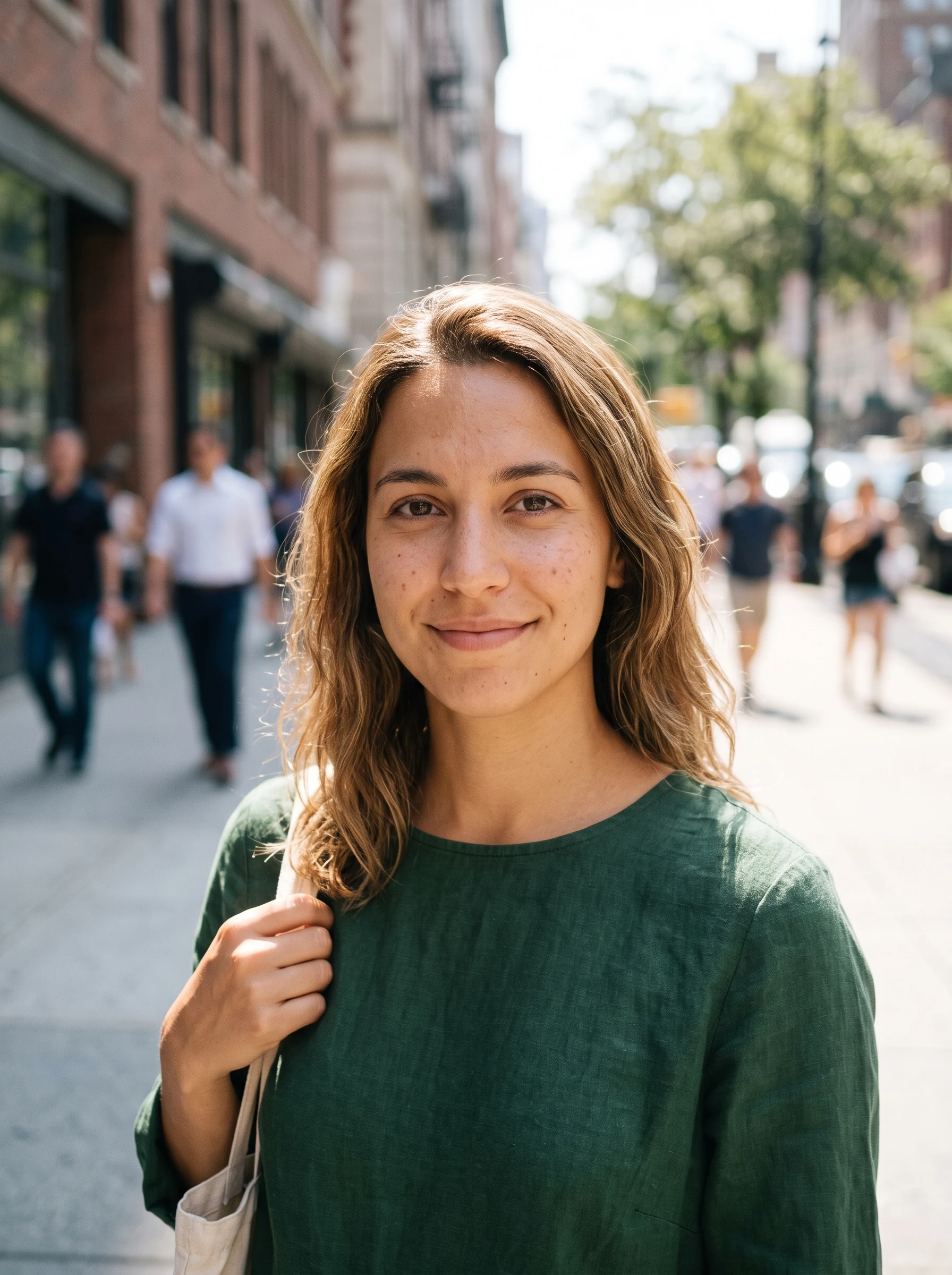 Before
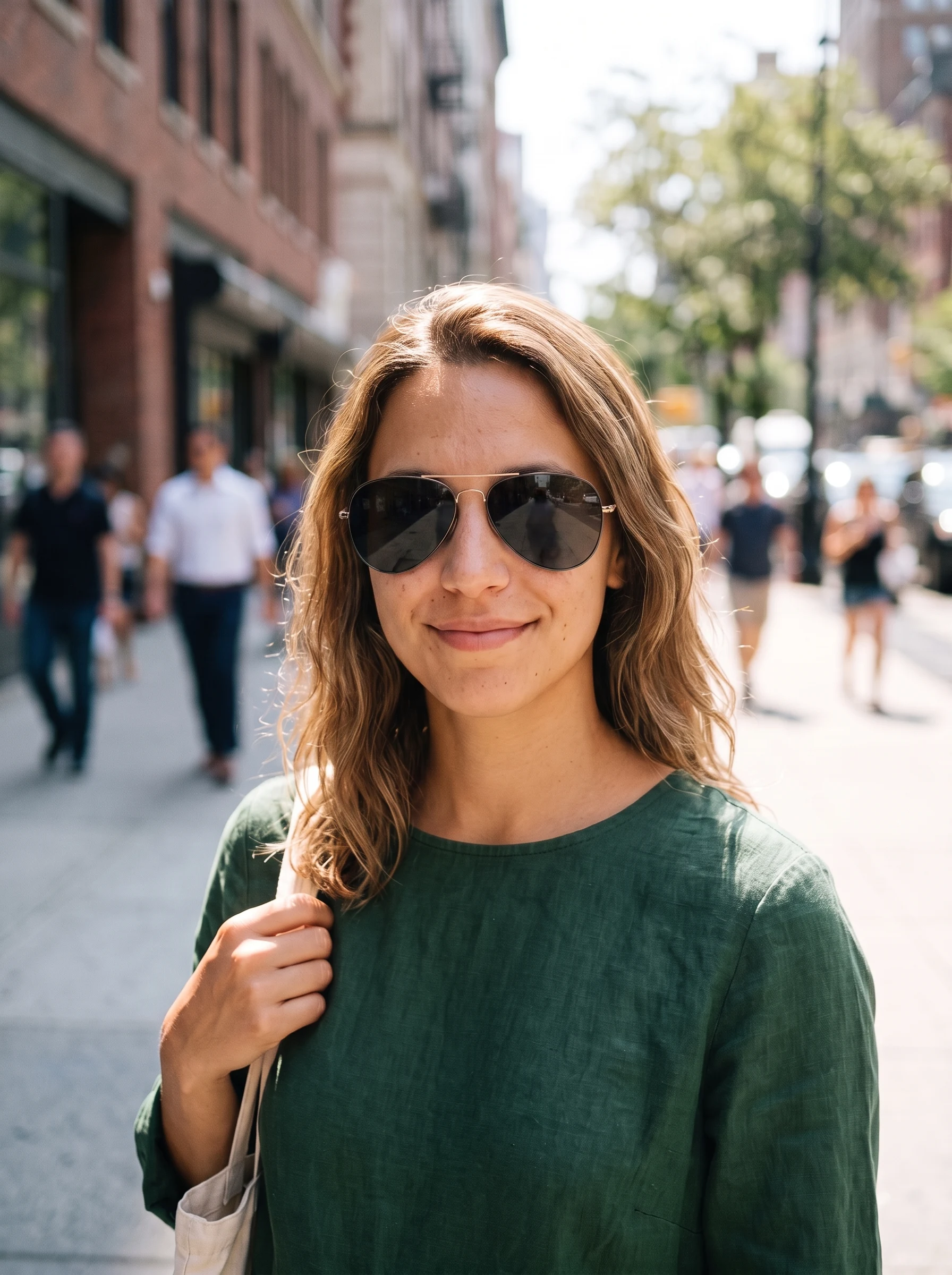 AI Result
The AI adds a wide-brim felt hat and a pair of drop earrings to a rooftop portrait. Both sit correctly in perspective — the brim follows the tilt of her head and casts shadow onto the forehead, the earrings hang against the hair rather than on top of it. Her face, hair and the city behind her are unchanged.
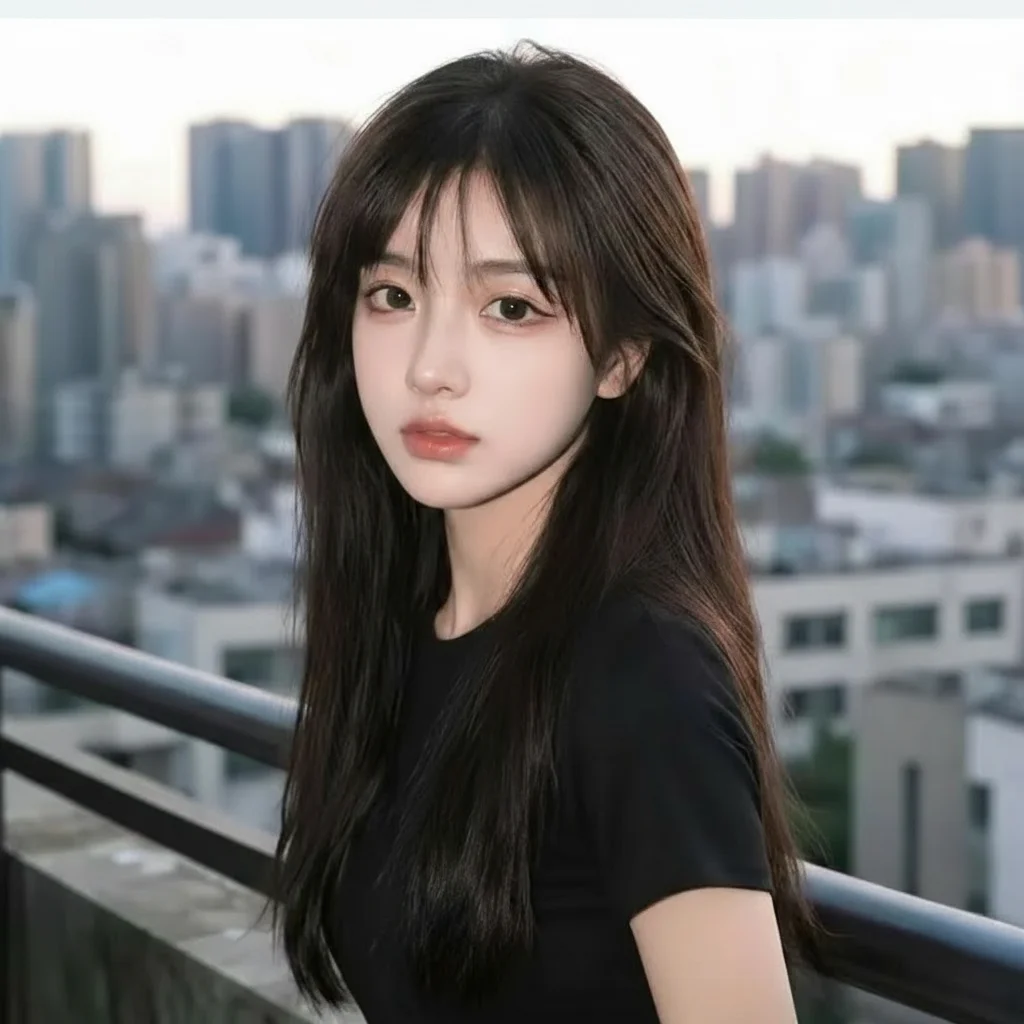 Before
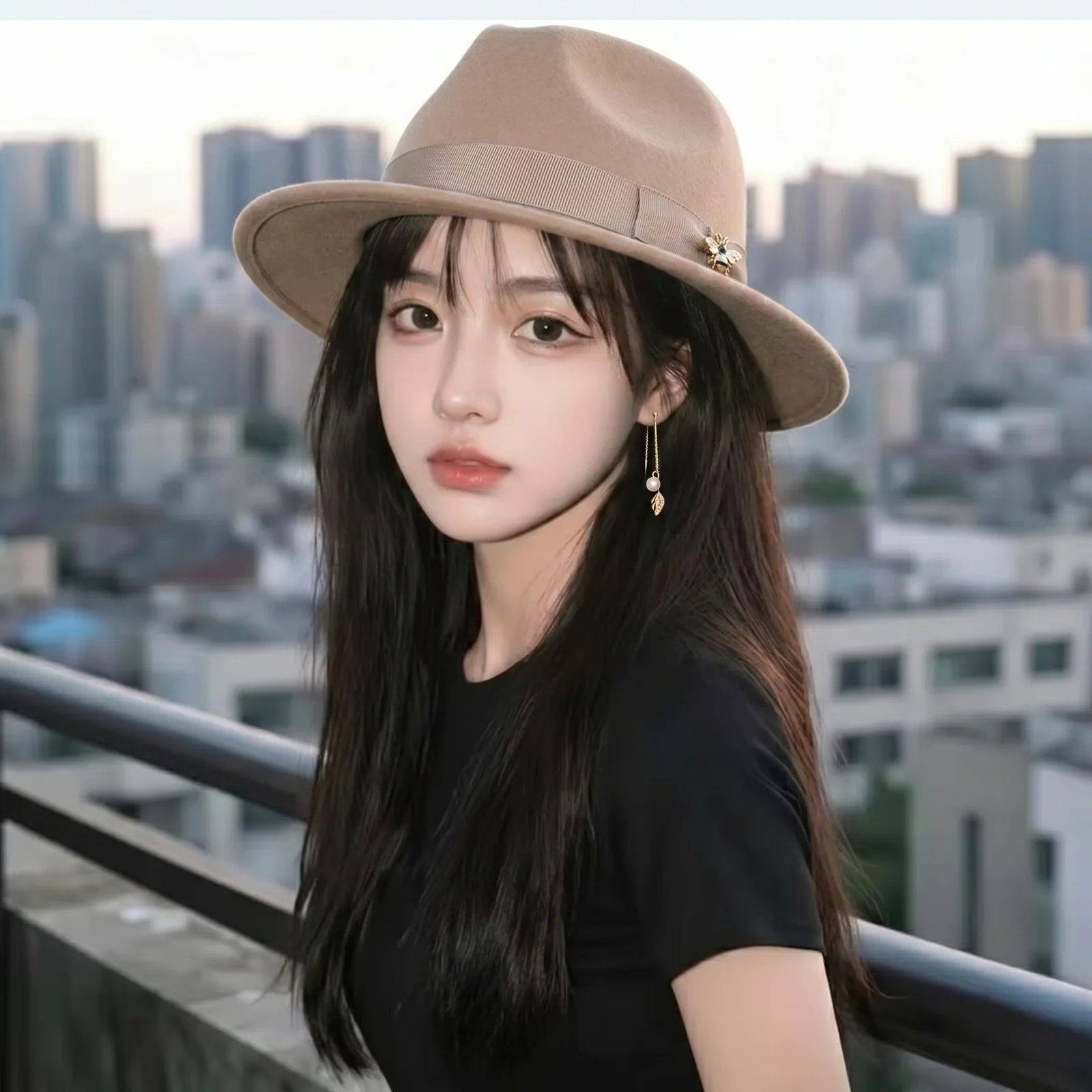 AI Result
The far end of adding objects: a plain studio shot of a dog becomes a full royal portrait — crown, ermine-trimmed robe, gold chain and a painted backdrop with a coat of arms. Everything but the animal's face is generated, and the face is what carries the likeness across. This is a costume-and-scene build, not a single accessory drop.
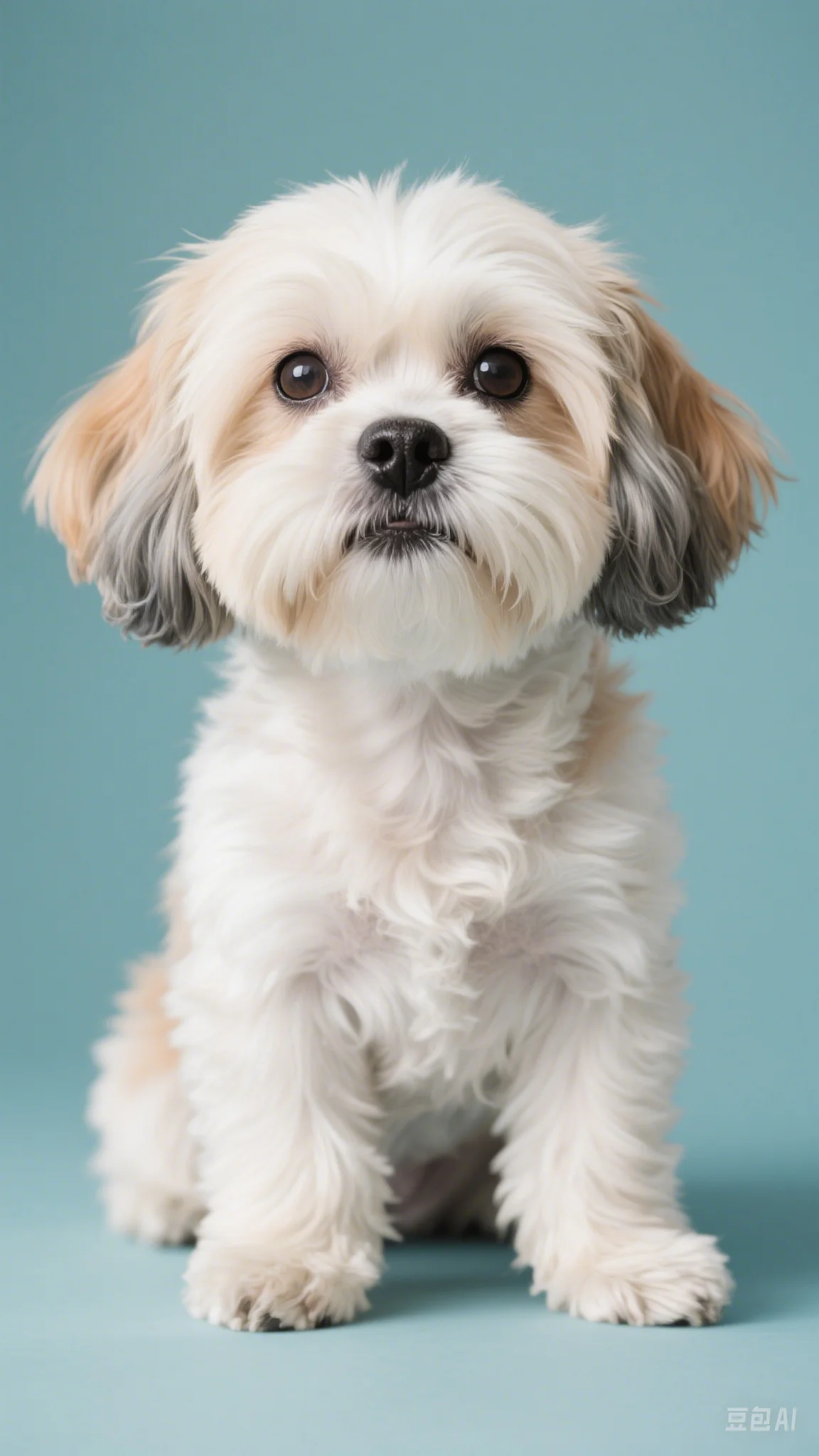 Before
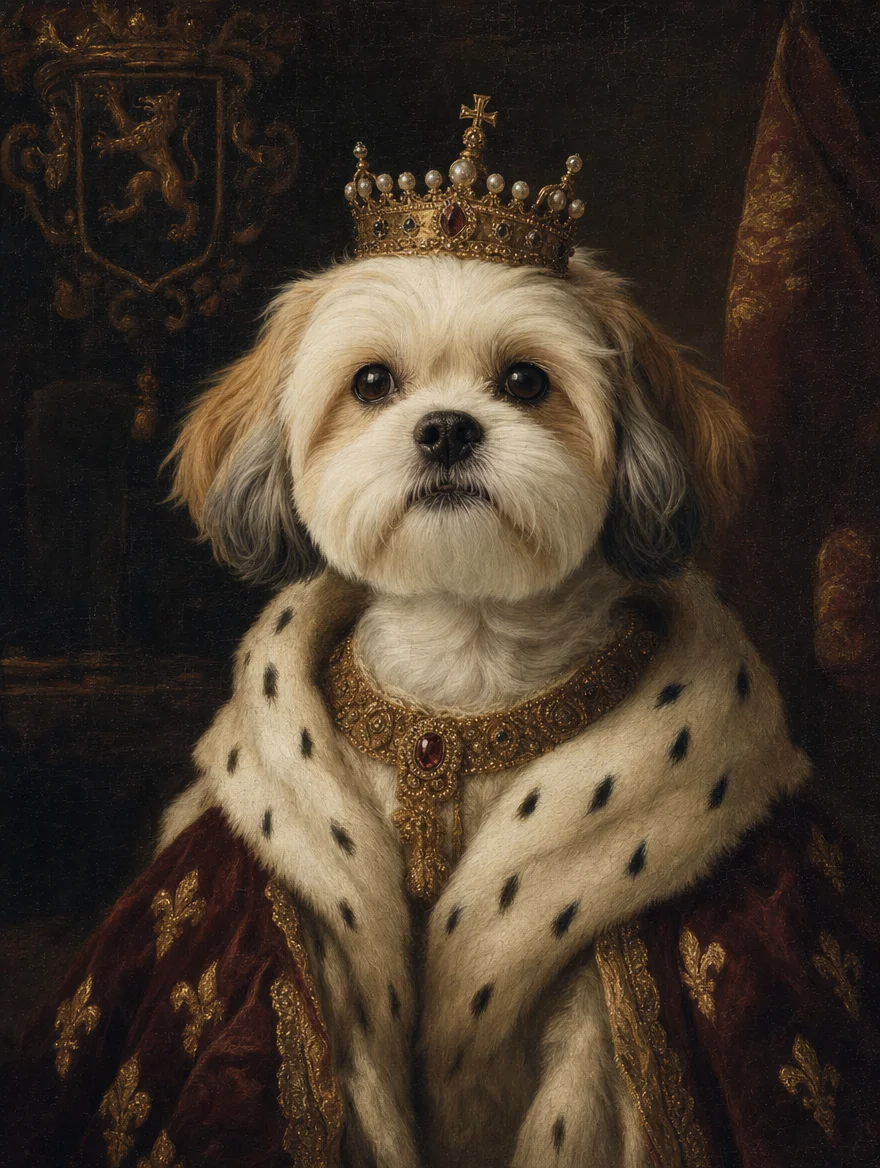 AI Result
The economics of editing photos changed when generative AI removed the manual masking step. The data below shows why.
“Compositing — adding objects from one image into another — used to be the skill that separated amateur photo editors from professionals. It required clipping masks, layer matching, shadow painting, and a feel for lighting that took years to develop. Generative inpainting collapses that workflow into a sentence. The asymmetry is staggering: anyone can now make composites that would have taken a junior retoucher two hours.”
Six high-intent categories cover the vast majority of "add X to photo" search queries. Each preset is tuned for natural shadow, lighting, and material reflection.
Aviators, wayfarers, round vintage frames, reading glasses. The AI handles eye alignment, lens reflections, and natural shadow on the cheekbones.
"add classic black aviator sunglasses"
Royal portrait look — small gold crown, ornate diamond tiara, queen / king / princess aesthetic. Metallic shine + natural perspective.
"add a small ornate gold crown on top of the head"
Pearl necklace, diamond earrings, gold bracelet, wedding tiara. The AI catches the light correctly so jewelry looks worn, not pasted on.
"add elegant pearl necklace and matching earrings"
Monstera, fiddle-leaf fig, succulents, hanging plants. Useful for staging interior photos or softening empty corners in a scene.
"add a tall potted plant in the background corner"
Falling snow, light dusting, fog, rain. Transform any portrait into a winter / moody scene without re-shooting in real weather.
"add soft falling snow throughout the scene"
Christmas string lights, ornaments, trees, pumpkins, autumn leaves. Perfect for holiday cards, seasonal portraits, social posts.
"add festive Christmas decorations and string lights"
Holiday cards are a $2B/year industry — and historically they required scheduling a family photoshoot in season, with real decorations. AI add-object collapses that workflow: take a regular family photo any time of year, then add Christmas decorations, snow, autumn leaves, or pumpkins as needed. Skip the appointment, skip the setup, skip the weather dependency.
Annual US holiday card market — 1.3 billion cards mailed per year
Families historically scheduled holiday photoshoots in November — competing for studio time, dealing with weather, coordinating outfits. AI lets you use any family photo and add the season around it.
Try Holiday Add-ObjectThe most-searched "add X to photo" queries are for personal accessories: sunglasses, hats, glasses, jewelry. The AI nails alignment, scale, and shadow for each.
The single highest-volume "add X to photo" search. The AI places sunglasses with proper eye alignment, realistic lens reflections of the scene behind, and natural shadow on the cheek and nose.
"add a pair of black aviator sunglasses to the face"
Baseball caps, fedoras, sun hats, beanies, top hats. The AI fits the hat to the head naturally with the correct angle, casts a realistic shadow on the forehead, and accounts for the hair underneath.
"add a casual baseball cap on the head, slightly tilted"
Pearl necklace, diamond earrings, gold bracelet — useful for wedding photos, formal portraits, magazine layouts. The AI catches the highlight on metallic surfaces realistically.
"add an elegant pearl necklace and small diamond earrings"
Six audiences rely on AI add-object as part of their content workflow.
Add sunglasses, hats, or crowns to selfies for Instagram, TikTok, and dating profile photos. The viral "royal" look — crown on every selfie — is a top use case.
Add tiaras, veils, jewelry, or bouquets to bridal portraits. Preview accessories before booking; create save-the-date variations from one base photo.
Add Christmas decor, snow, pumpkins, or autumn leaves to family photos taken any time of year. No need to schedule seasonal photoshoots.
Add furniture, plants, decor, or art to listing photos or design mockups. Stage empty rooms for real estate without renting actual furniture.
Add atmospheric elements (fog, rain, sun flares) or composite props into portraits. Replaces hours of Photoshop masking and compositing.
Preview costume props (masks, swords, wings, hats) on yourself before sewing or buying. Iterate on character concepts cheaply.
Three steps. Under one minute. No masking required.
Drop any photo (JPG, PNG, or WebP, up to 20 MB). Portraits, scenes, products, and interiors all work — the AI handles them equally well.
Choose from 8 presets — sunglasses, hat, crown, eyeglasses, jewelry, plants, snow, Christmas decor — or describe any custom object in plain English.
Click "Add Object" and the AI integrates the new element in 10–20 seconds — with matching shadows, reflections, and lighting. Download HD.
How sparkpix compares to Photoshop, AR filters, and other AI editors.
| sparkpix.ai | Photoshop Generative Fill | Snapchat / IG AR Filters | |
|---|---|---|---|
| Input method | Pick preset or plain-English prompt | Draw mask, then prompt | Pick from fixed filter catalog |
| Mask required? | No — AI picks placement | Yes — manual mask drawing | No — pre-defined zones |
| Works on existing photos | Yes — upload any photo | Yes — open in Photoshop | Mostly live camera only |
| Pricing | Free, $9.99 for 350 generations | $22+/month Creative Cloud | Free, ad-supported |
| Custom objects | Anything you can describe | Anything you can prompt | Only the catalog filters |
Everything you need to know about adding objects with AI.
The AI analyzes your photo for lighting direction, surface materials, scene perspective, and color temperature, then generates the new object with matching shadow, highlight, reflection, and color. For example, sunglasses get realistic lens reflections of the scene; a crown gets metallic gold shine; snow accumulates on horizontal surfaces correctly. Everything except the new object stays pixel-identical.
Yes. The AI is specifically prompted to match shadows, reflections, and material properties to the existing scene. Sunglasses get scene reflections in the lenses; hats cast natural shadows on the face; jewelry catches the light from the correct direction; snow falls with believable depth. If the result looks off, try refining the prompt with location hints like "sunglasses worn with the frame slightly forward" or "tall plant behind the right shoulder".
The 8 presets cover the most-requested additions: sunglasses, hats, crowns, eyeglasses, jewelry, plants, snow, and Christmas decorations. You can also describe any custom object — "add a balloon", "add a microphone", "add a teddy bear", "add coffee cup on the table", "add a dog beside the subject". Anything you can describe in plain English, the AI will try to add.
Yes. Add a vase to an empty table, a sign to a blank wall, fruit to a bowl, books to a shelf, fog to a landscape — the AI handles non-portrait additions just as well. The same lighting/shadow matching logic applies to inanimate scenes.
Yes. New accounts get 5 free credits on sign-up — enough to try several additions. Each add-object generation costs 5 credits. No subscription, no credit card to start. Additional credit packs begin at $9.99 for 350 credits (~70 additions).
Absolutely. Use the Crown preset as a base or describe the specific accessory: "add a long lace veil flowing behind the subject", "add a delicate diamond tiara", "add a white peony bouquet held by the subject". The AI handles bridal accessories with appropriate elegance and matches the wedding-photo aesthetic.
Yes — this is a top use case in Q4. The Christmas Decor preset adds string lights, ornaments, and a small Christmas tree to the background. The Snow preset adds falling snow throughout the scene. You can also describe Halloween props ("add a pumpkin and cobwebs"), Thanksgiving ("add autumn leaves and pumpkins"), or any seasonal element.
Photoshop Generative Fill requires a $22+/month Creative Cloud subscription, Photoshop installation, and the user manually drawing a mask before each generation. sparkpix runs in any browser with no install, costs $0 to start (5 free credits), and uses preset chips so you do not need to mask anything — just pick what to add. For one-off social and holiday card edits, sparkpix is dramatically faster.
Add location hints to your prompt: "add sunglasses on the subject’s face", "add the crown directly on top of the head, not floating", "add the plant in the background, not foreground". The more specific the spatial language, the more accurately the AI places the object. You can also describe size: "a small subtle necklace", "a large dramatic hat".
Yes. All paid plans include full commercial usage rights for AI-edited images. This makes sparkpix suitable for e-commerce product mockups (add props to product photos), marketing campaigns, holiday card sales, real estate staging (add furniture/plants), and client work. The free tier includes a small watermark only on trial generations.
Upload a photo, pick what to add, and let AI integrate it naturally.
Add Object Now