
FREE
Loading…
Pick a pose adjustment — open closed eyes, face the camera, add a natural smile — or describe any custom change. AI keeps identity, clothing, and background pixel- identical while only the pose changes.
Top fixes: “open her closed eyes” · “make him face the camera” · “add a natural smile”
Upload, then check the instruction below — you can edit it before generating.
Rescue blink-ruined group photos and selfies
Upload a photo and click the button to start processing
Same photo, fixed pose. The AI rescues ruined moments — closed eyes, off-camera gazes, awkward postures — by regenerating just the subject while keeping the rest pixel-identical.
The classic blink rescue. AI takes a portrait where the subject shut his eyes mid-shot, regenerates them open with a gaze that matches where his head is turned, and leaves everything else alone — skin tone, expression, hair, clothing and background. Saves the shot you would otherwise delete.
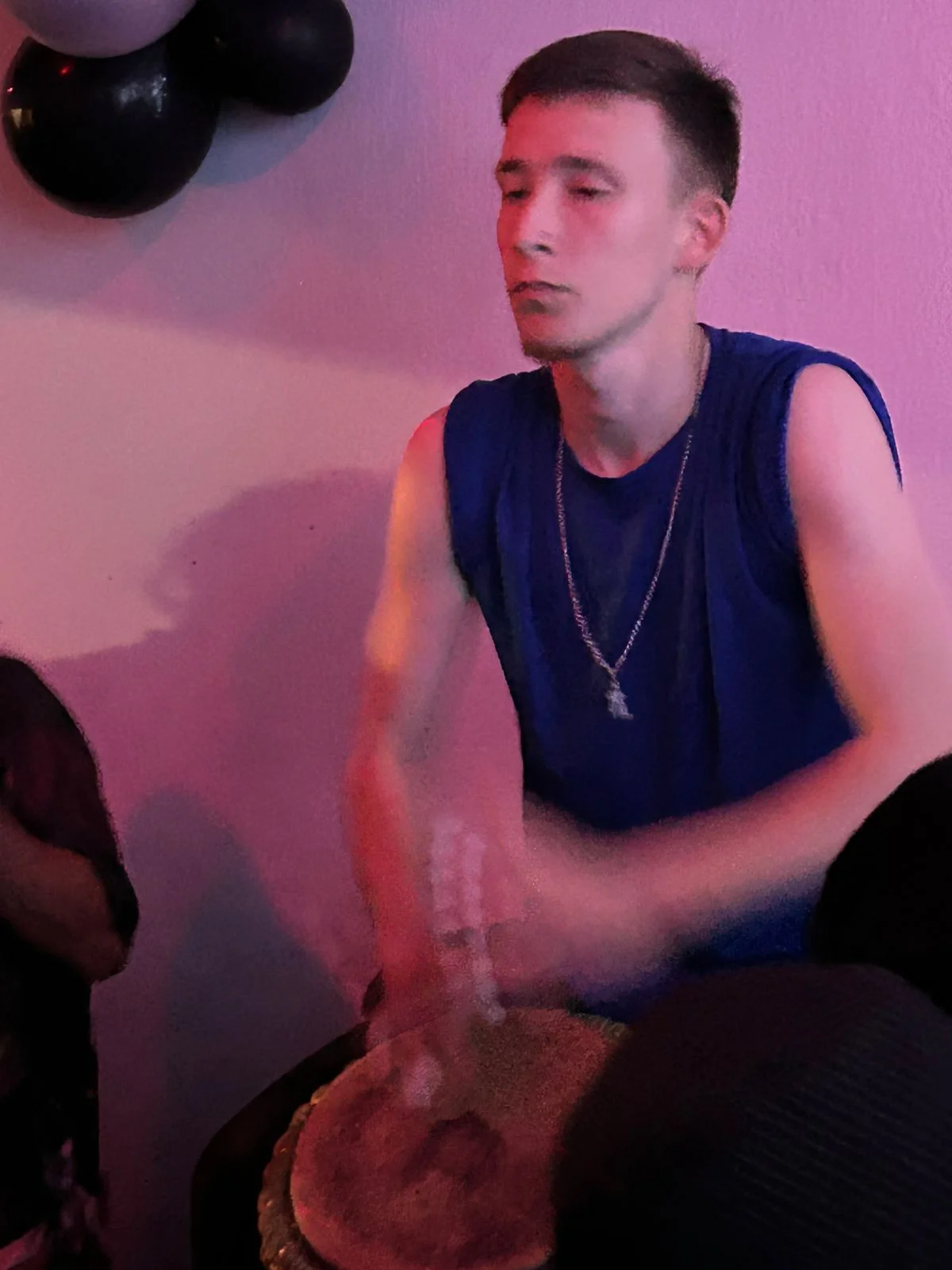 Before
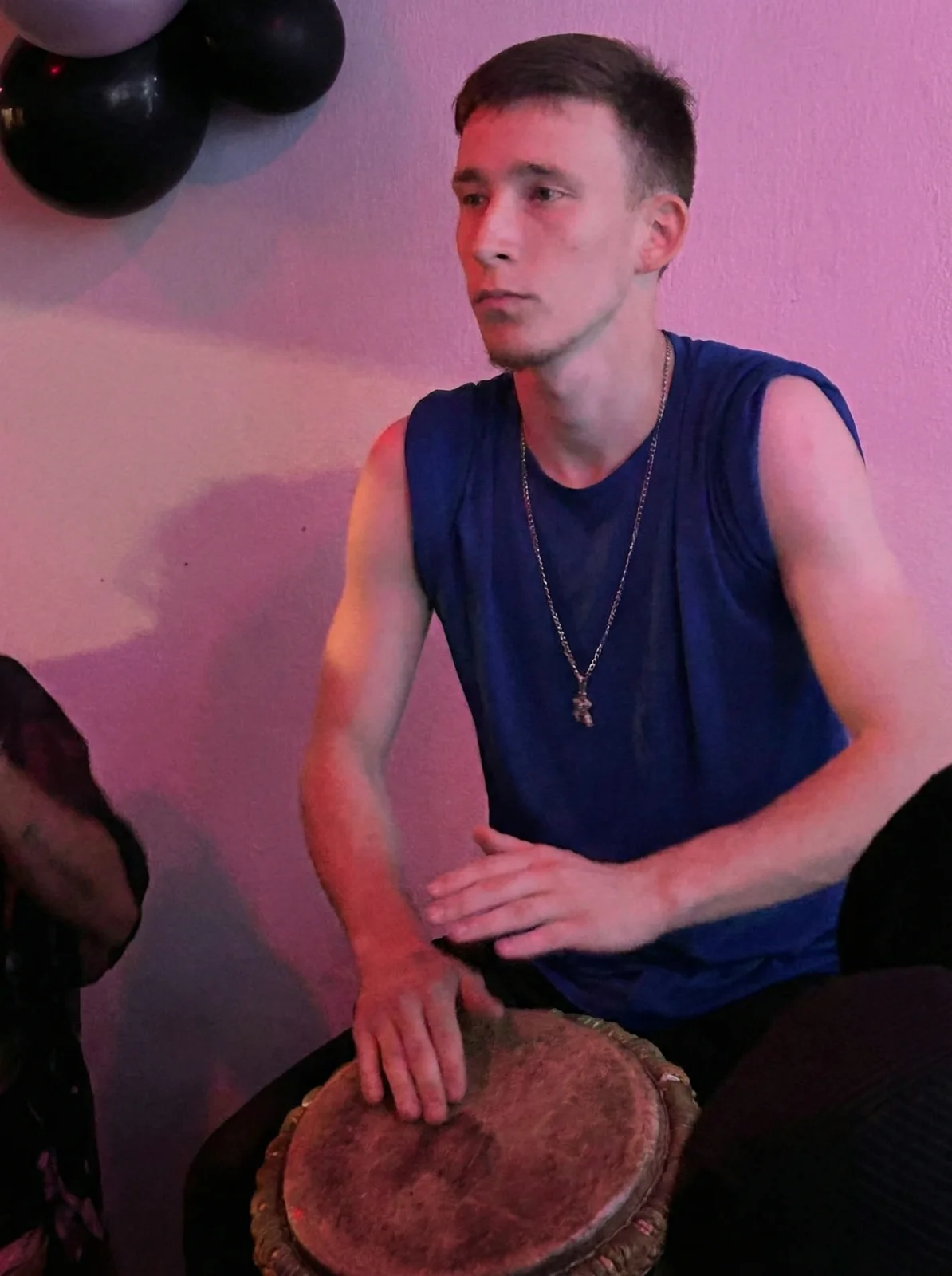 AI Result
A candid shot where the subject was looking sideways becomes a proper portrait with the subject facing the camera. AI rotates the head and slightly the shoulders, then regenerates the face from the correct angle — while keeping clothing, hair, background, and lighting consistent.
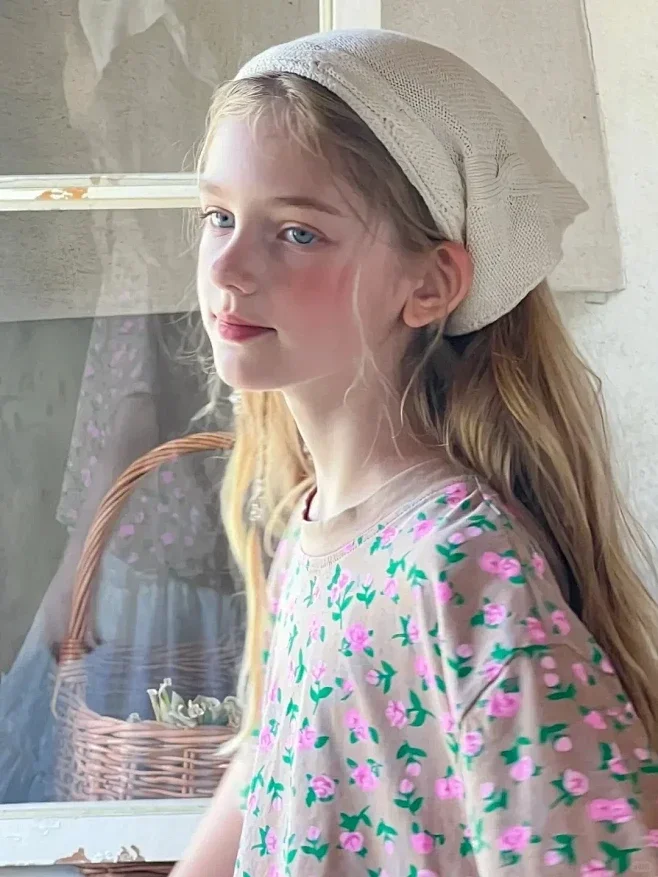 Before
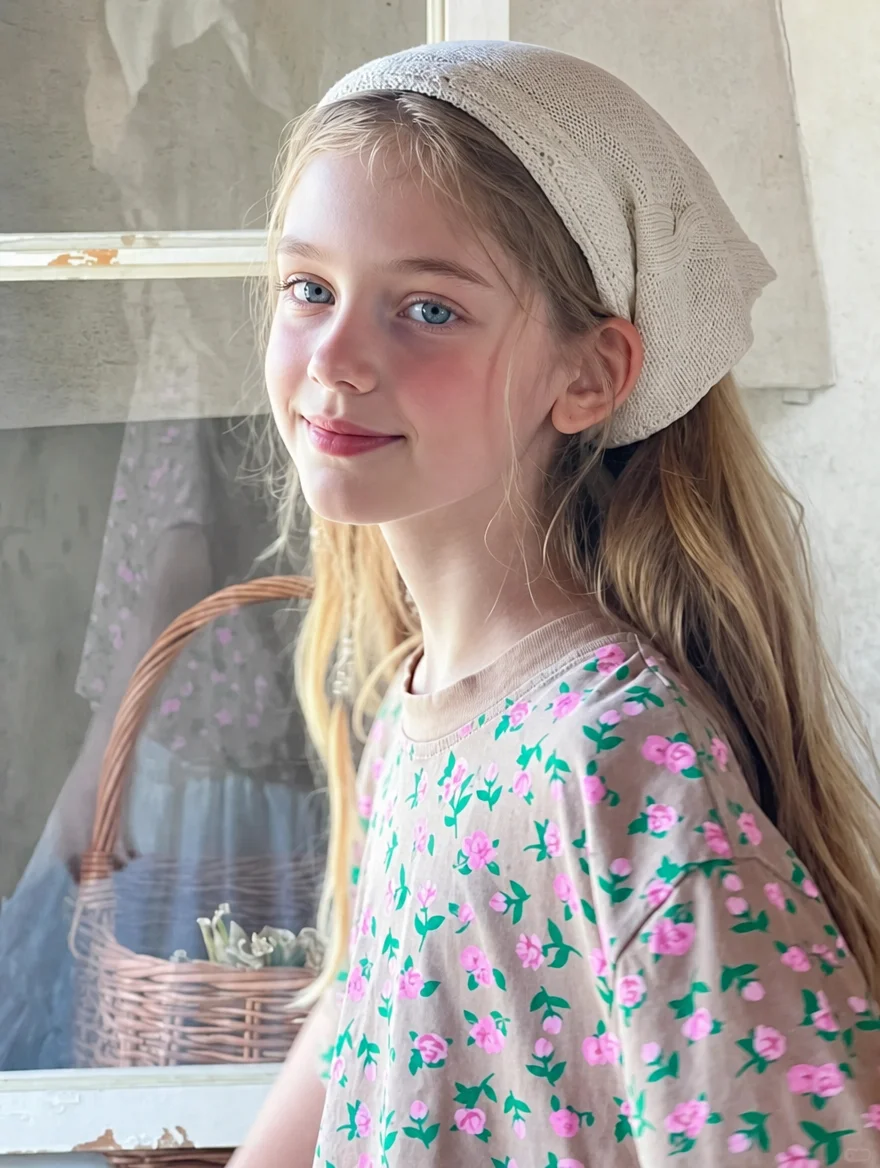 AI Result
Not a gaze fix but a full turn: she was standing in three-quarter profile looking off to the left, and comes back facing the lens with her shoulders square and her arms relaxed. The AI has to invent the front of a body it never saw. The park does the verifying — same path, same trees, same walkers in the distance, same overcast light.
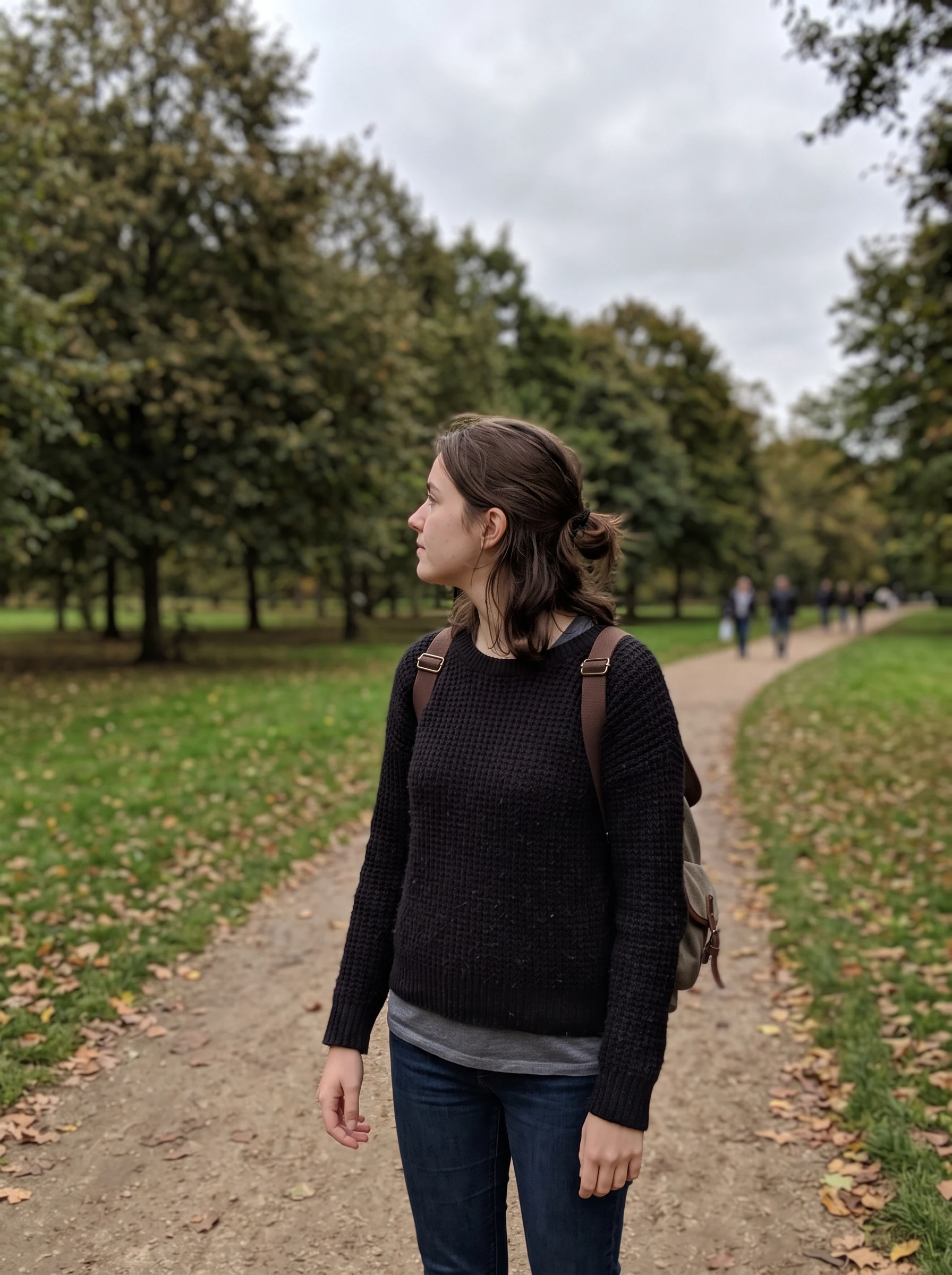 Before
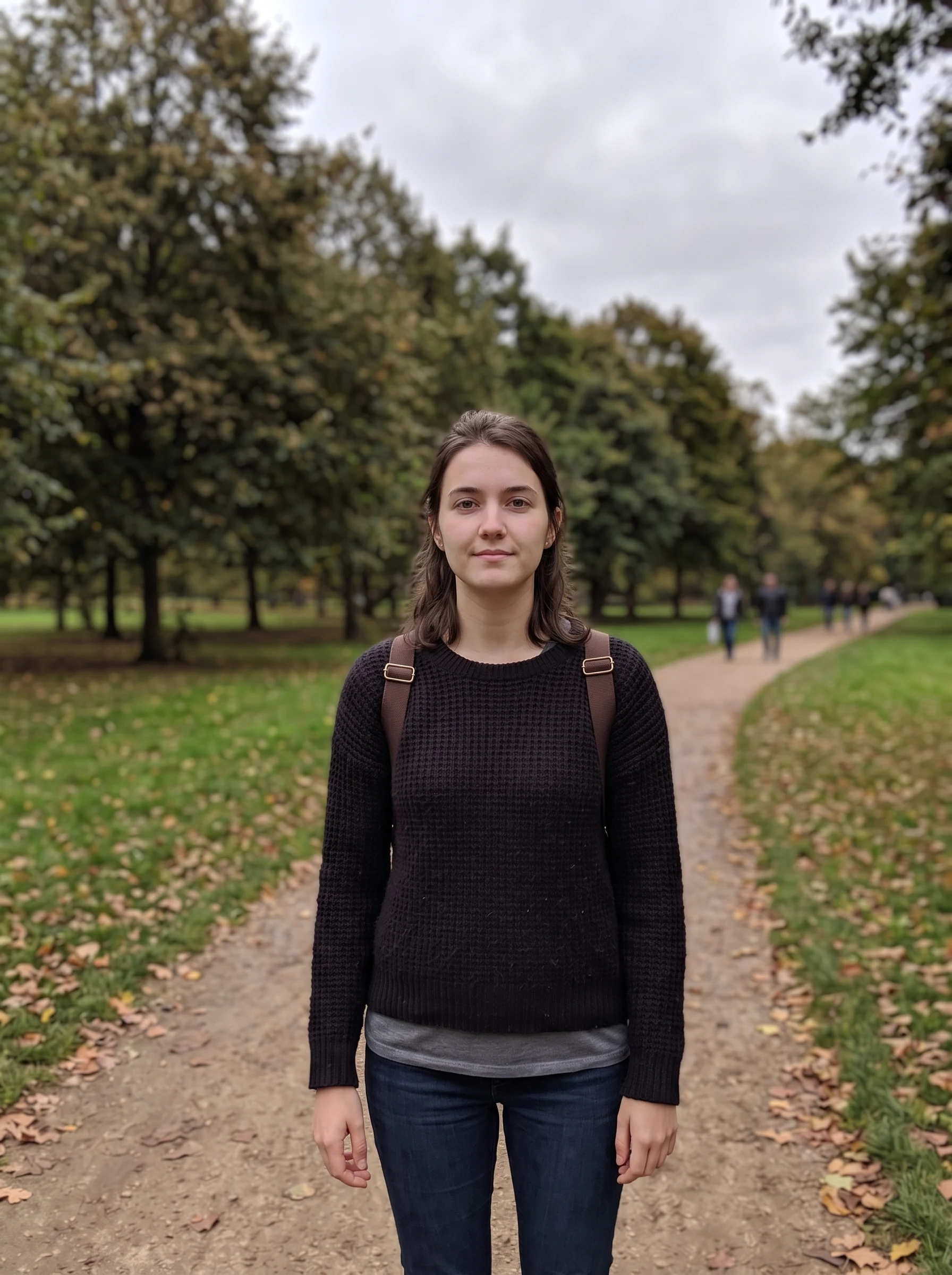 AI Result
A single blink or off-camera gaze used to mean a ruined group photo. AI pose editing turns those throwaway frames into keepers in 20 seconds.
“The single most-requested retouching job in wedding and event photography is opening someone's closed eyes. We used to source another frame from the burst, mask out the open eyes, blend color and shape — twenty minutes of work for one fix. Generative AI does the same edit in twenty seconds, often with better results because the AI can synthesize an open-eye expression that perfectly matches the rest of the face.”
Six high-intent categories cover almost every pose / expression fix people search for. The AI preserves identity and just regenerates the body parts that changed.
The classic blink rescue. AI opens closed eyes naturally while keeping the rest of the face identical. Saves group photos where one person blinked.
"open her closed eyes naturally"
Rotate a subject who was looking off-camera so they face the lens. AI handles head rotation, slight shoulder adjustment, and regenerates the new face angle naturally.
"make her face the camera with a natural pose"
Adjust expression to a genuine smile — slight teeth, warmth in the eyes. Useful for dating profiles, LinkedIn headshots, and any photo where a smile was missing.
"add a natural confident smile"
Convert side-view (profile) photos to three-quarter or front-facing portraits. The AI handles the 90° rotation while preserving identity and clothing.
"rotate from profile to front-facing portrait"
Modify body posture — change from sitting to standing, slouching to upright, hands by side to hands on hips. Useful for editorial and fashion shoots.
"change to a confident standing pose"
Add specific hand gestures — friendly wave, thumbs up, peace sign, holding object. Useful for social posts and avatar-style photos.
"add a friendly wave gesture with one hand"
Roughly 20% of large group photos contain at least one person with closed eyes — the classic blink problem. Wedding photographers, family photographers, and event organizers shoot 5+ frames to defeat the odds, then composite open eyes in Photoshop after. AI pose editing collapses that workflow into a single click, with results that look indistinguishable from a hand-composited fix.
Group photos affected by at least one closed-eye blink
Professional photographers traditionally fired 5–10 frames per group pose, then spent 15–20 minutes per photo opening closed eyes in post. AI does the same fix in 20 seconds — and works on photos from any phone or camera.
Try Open Closed EyesHeadshots and dating profiles live or die by small pose details — eye contact, a genuine smile, a confident posture. AI pose editing lets you fix these without booking a re-shoot.
Off-camera gaze in your current headshot? "Look at Camera" preset rotates the head to face the lens directly — the eye-contact look that drives 14× higher LinkedIn profile views.
"have her gaze meet the camera directly, natural expression"
A flat expression hurts dating app match rates. Use "Add Natural Smile" to convert a serious selfie into a warm, approachable one — without changing identity or outfit.
"add a natural genuine smile with warmth in the eyes"
One off-camera or blinking person in a group photo? Specify them by clothing or position ("the person in the blue shirt"), then apply the fix. Other subjects stay untouched.
"open the closed eyes of the person on the right"
Six audiences rely on AI pose editing as a regular workflow tool.
Rescue group shots where one person blinked or looked away. The most-requested retouch in wedding photography — used to take 20 minutes per photo, now 20 seconds.
Family reunions, holiday cards, school photos — every multi-person shot risks one bad blink or gaze. AI pose editing rescues the keeper from the throwaway batch.
Fix an off-camera gaze in an old headshot. Direct eye contact is shown to drive 14× more profile views — the highest-ROI single edit for professional photos.
Add a natural smile, open squinted eyes, fix an awkward expression. Small pose / expression edits drive measurable lift in match rates on dating apps.
Recompose subject orientation in tight action shots, fix grimace expressions, or adjust hand position for cleaner team photos.
Fine-tune subject orientation, expression, or gesture for branded content. Small pose tweaks make the difference between an average post and a viral one.
Three steps. Under one minute. No skills required.
Drop any photo (JPG, PNG, or WebP, up to 20 MB). Single-subject portraits work best; for group shots, specify which subject to edit in the prompt.
Choose from 8 presets — open closed eyes, face the camera, add smile, look at camera, standing, sitting, profile→front, wave — or describe any custom change.
Click "Change Pose" and the AI regenerates the subject in 10–20 seconds with the new pose / expression. Everything else stays identical. Download HD.
How sparkpix compares to Photoshop manual editing and other pose tools.
| sparkpix.ai | Photoshop manual composite | Google Photos / Lens Blur | |
|---|---|---|---|
| Open closed eyes | Yes — one click, ~20 seconds | Yes — but needs reference frame + masking | Limited (Pixel Camera "Top Shot" only) |
| Change pose / gaze direction | Yes — 8 presets or custom prompt | Yes — manual but expert-only | No |
| Reference frame required? | No — AI synthesizes the new pose | Yes — need another shot | Only burst-shot frames |
| Pricing | Free to start, $9.99 for 350 generations | $22+/month Creative Cloud + skill | Free (Pixel users only) |
| Time per fix | ~20 seconds | 15–20 minutes per fix | Instant but limited |
Everything you need to know about changing pose and expression with AI.
The AI analyzes your photo, identifies the subject and their current pose / expression, then regenerates the subject in the new pose you described. It preserves identity (same face, same skin tone), clothing, hair, background, and lighting — only the body position, head orientation, eye state, or expression is changed. The classic use case is "open the closed eyes" in a group photo where one person blinked.
Yes — this is the single most-requested pose edit. Upload a group photo where one person blinked, pick the "Open Closed Eyes" preset, and the AI regenerates the closed eyes as open while keeping the rest of the face identical. The expression, skin tone, and surrounding people stay exactly the same. This is the standard rescue for ruined family / wedding group photos.
Use the "Face the Camera" preset. The AI rotates the subject's head (and slightly the shoulders) so they face the lens with a natural front-on or three-quarter view. Useful for group photos where one person was looking elsewhere, or candid shots where the subject was distracted. The change is subtle enough to look believable, not forced.
Yes. Use the "Add Natural Smile" preset for an expression-only change, or write a custom prompt like "change the expression to a soft genuine smile" or "make the expression more serious and confident". The AI handles small expression edits very naturally — adjusting smile, brow position, eye crinkle — without touching body posture.
Yes, but you should specify which person to change. Write "open the closed eyes of the person on the right" or "make the woman in the red shirt face the camera" instead of just "open closed eyes" — otherwise the AI may attempt to modify everyone. Naming the subject by position, clothing color, or relative location works well.
Yes. New accounts get 5 free credits on sign-up — enough to rescue several photos. Each pose change costs 5 credits. No subscription, no credit card to start. Additional credit packs begin at $9.99 for 350 credits (~70 pose changes).
Manually opening closed eyes in Photoshop traditionally requires sourcing another photo (or another frame) where the eyes are open, masking them out, blending color and lighting, and warping shape to match — typically a 15–20 minute process per fix. The AI pose changer does the same edit in 20 seconds without needing a reference frame. The output is usually indistinguishable from a hand-composite.
Absolutely. Dating profile photos benefit enormously from small pose edits — opening squinted eyes, adding a natural smile, fixing an awkward off-camera gaze. Use the "Add Natural Smile" or "Look at Camera" presets, or describe a custom edit. Pair with the AI Outfit Changer for a full profile photo refresh.
Yes. The AI is specifically prompted to keep clothing, hair, background, and lighting pixel-identical to the original. Only the body parts described in the change (eyes, head, smile, body position) are regenerated. The result looks like the photographer simply caught a different moment, not like the photo was digitally edited.
Yes. All paid plans include full commercial usage rights for AI-edited images. This makes sparkpix suitable for editorial portraits, wedding photo retouching, dating apps, professional headshots, and client work. The free tier includes a small watermark only on trial generations.
Open closed eyes, fix off-camera gazes, add smiles. Save the photos worth saving.
Change Pose Now