
FREE
Loading…
Upload an image to transform or edit
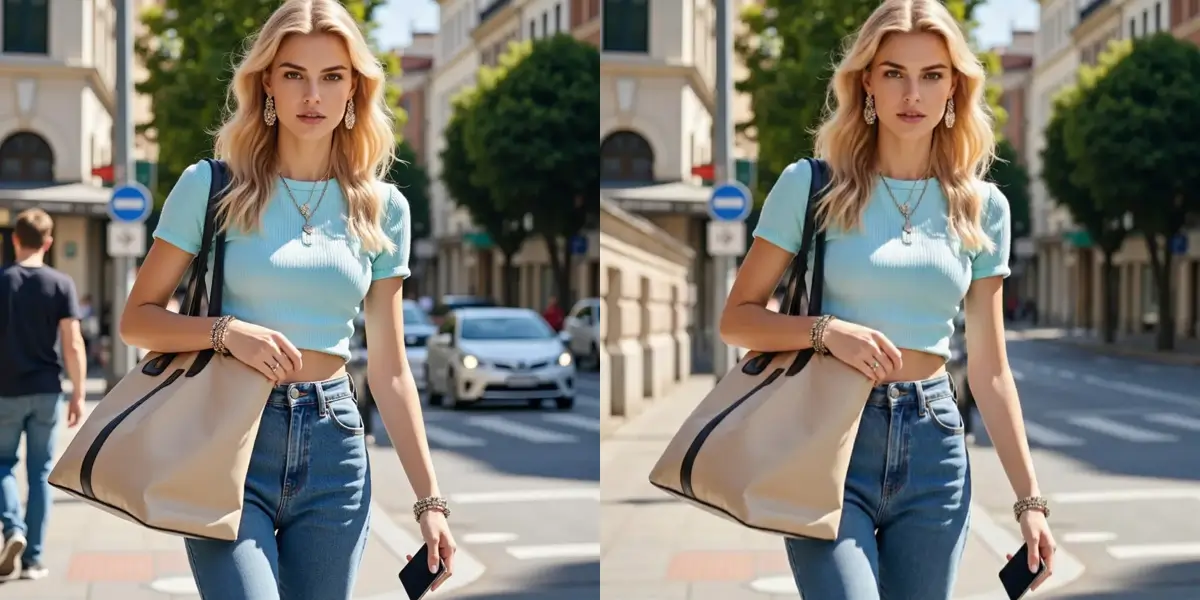
People Removed
Accuracy
Processing Time
User Rating
Our AI people remover handles every scenario — from a single photobomber to an entire crowd
That stranger who jumped into your selfie or walked through your shot at the last second. Our AI identifies and erases them cleanly.
Examples:
Tourists, pedestrians, and bystanders cluttering your otherwise perfect photo. Remove them all with a single text command.
Examples:
Need to remove a particular person from a group photo? Describe them by clothing, position, or features and the AI targets only that individual.
Examples:
Remove entire crowds from tourist spots, concerts, and public spaces to reveal clean architecture, landscapes, and scenery beneath.
Examples:
People reflected in windows, mirrors, glass surfaces, and water can be just as distracting. Our AI removes reflections while preserving the surface.
Examples:
Even after removing a person, their shadow can give away the edit. Our AI detects and removes associated shadows for a truly seamless result.
Examples:
Three simple steps. No Photoshop skills required.
Drop your image into our people remover. We accept JPG, PNG, and WebP files up to 10MB. Your photos stay private and secure.
Type a natural description like "remove the person on the right" or "erase everyone except the woman in white." Our AI understands context and identifies the right people.
In seconds, our AI removes the specified people and reconstructs the background naturally. Download your cleaned-up photo in full resolution.
Upload your group photo and describe the person you want removed using identifying details like clothing, position, or features. For example, type "remove the person in the blue shirt on the left." Our AI uses instance segmentation to isolate that specific individual, erasing them while preserving everyone else and reconstructing the background behind them.
Absolutely. You can remove multiple people from a photo in a single request. Try commands like "remove all the strangers in the background," "erase everyone except the bride and groom," or "remove the two people standing behind me." The AI processes all removals simultaneously for a clean, consistent result.
Yes. Our AI uses neural inpainting to reconstruct the area where the person was standing. It analyzes surrounding textures, lighting conditions, and perspective geometry to fill the space seamlessly. Whether it is extending a brick wall, continuing a grass field, or rebuilding a crowded street scene, the result looks natural and consistent.
Wedding photos are one of the most popular use cases for our people remover. You can remove uninvited guests, photobombers, or anyone who should not be in the shot. The AI preserves the couple, the venue details, and the natural atmosphere of the moment while cleanly erasing the unwanted individual.
Yes. Our AI handles crowded scenes effectively — you can remove person from photo backgrounds whether there are a few specific people to erase or an entire crowd at a landmark. The semantic segmentation model distinguishes between overlapping individuals even in dense crowds, and the inpainting engine reconstructs large background areas with high accuracy.
You receive free credits when you sign up, allowing you to try removing people from photos and evaluate the quality. After that, credits are very affordable — significantly less than what you would pay a professional photo editor or the time you would spend manually retouching in Photoshop.
Stop letting photobombers, strangers, and unwanted people ruin your perfect shots. Our AI people remover gives you the clean, professional photos you deserve. Try it free — no credit card needed.