
FREE
Loading…
Powered by Google's Gemini 3.1 Flash image model — the fast, high-volume tier. Upload an image, describe your changes, and get high-quality results in about 4–8 seconds, at a lower cost per image.

Restyle photos into anime, watercolor, oil painting or any art style in seconds. NanoBanana 2 is fast enough to try a dozen looks and keep the one you love.
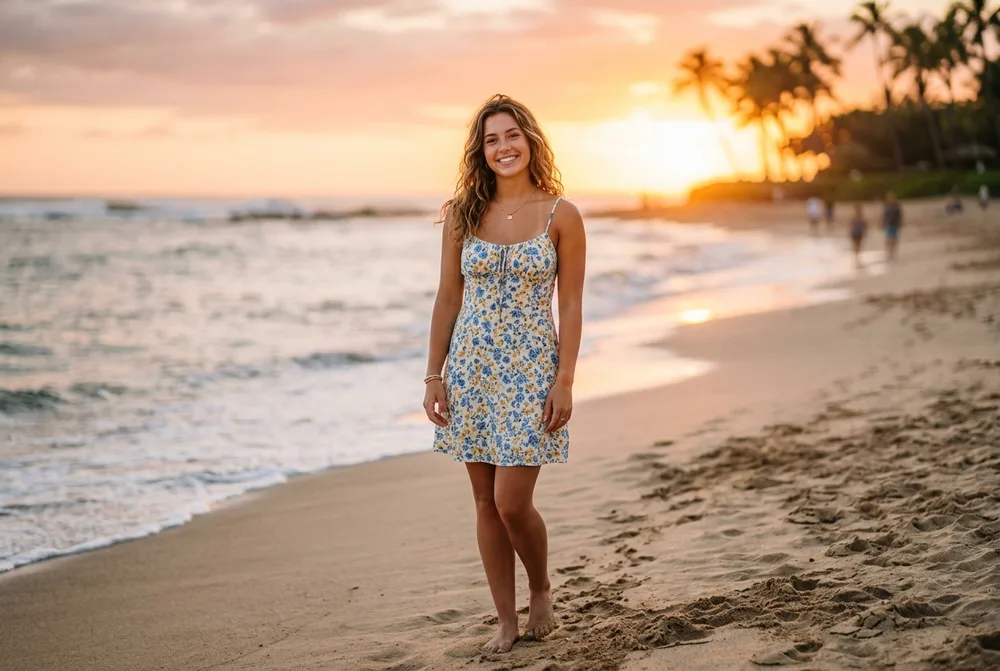
Drop your subject into any scene — beach, city, studio — in about 4–8 seconds. Ideal for fast everyday edits and social content at volume.
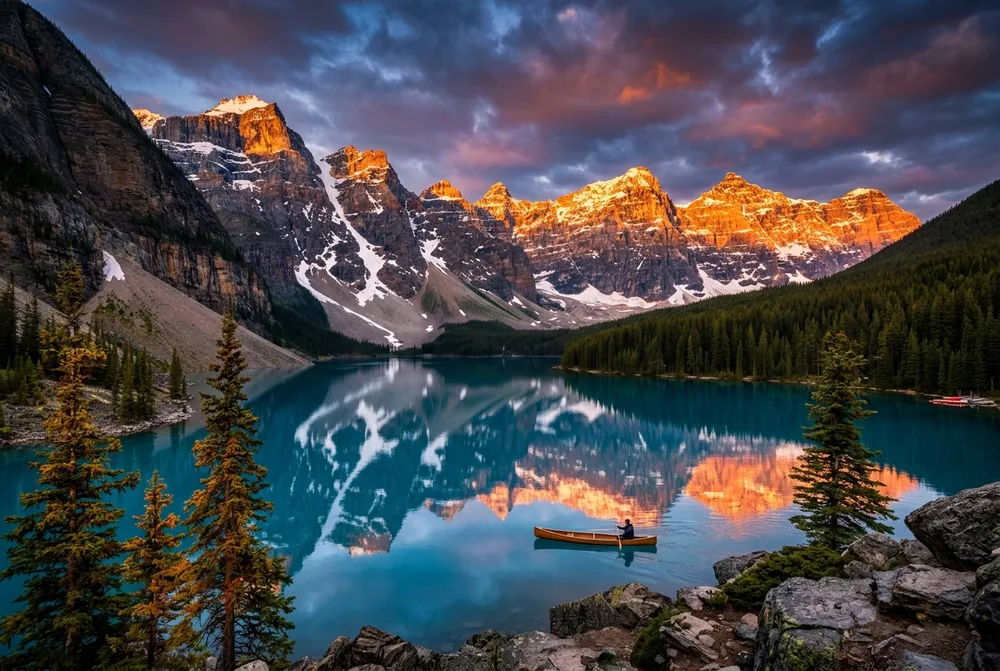
Generate visually complex, detailed environments quickly. Image Search Grounding pulls in real-world references so places and objects look right.

Spin up product and lifestyle shots for listings and posts fast and cheap — perfect for iterating on many variations before you commit.
NanoBanana 2 runs on Google's Gemini 3.1 Flash Image — the fast, high-volume tier of Google's image model. These are the areas where it leads.
Runs on Gemini 3.1 Flash — 3 to 5 times faster than the Pro tier, generating standard images in about 4–8 seconds.
The high-efficiency, lower-cost tier — ideal when retry cost and production volume matter more than the last layer of polish.
Image Search Grounding pulls in real references during generation, improving accuracy for places, objects and environments.
Keeps character likeness (up to 5 people) and objects consistent — close to Pro quality at a fraction of the time.
Renders clean, legible text inside images for quick posters, labels and social graphics.
Built on Google's latest Gemini reasoning, so it understands real-world concepts and follows prompts faithfully.
Upload a reference photo you want to transform. NanoBanana 2 accepts JPG, PNG, and WebP formats up to 20MB with automatic compression for faster uploads.
Describe the transformation you want. Be specific like "change background to a tropical beach" or "convert to oil painting style with vibrant colors".
NanoBanana 2 transforms your image in about 4-8 seconds using Google's Gemini 3.1 Flash model — tuned for fast, high-volume generation. Download your creation and use it for any purpose.
Describe exactly what you want to change. Instead of "make it better", try "change the background to a sunset beach, add warm golden lighting". The more specific your description, the better the results.
NanoBanana 2 supports various art styles. Add style hints like "watercolor painting", "3D render", "anime style", "photorealistic", or "vintage film photo" to guide the transformation.
Tell the AI what to preserve and what to change. "Keep the person but change the background to a forest" or "maintain the composition but convert to oil painting style".
How NanoBanana 2 compares to the other top AI image models on sparkpix — pick the right one for your task.
| Feature | NanoBanana 2 | NanoBanana Pro | GPT Image 2 |
|---|---|---|---|
| Underlying model | Google Gemini 3.1 Flash Image | Google Gemini 3 Pro Image | OpenAI gpt-image-2 |
| Best for | Fast, high-volume everyday generation | Highest-fidelity, text & identity-critical work | Precise instruction-following & in-image text |
| Speed | 3–5× faster (4–8s) | Quality-first | Fast |
| Input | Image + text prompt | Image + text prompt | Image + text (or text-only) |
| Credits per image | 10 | 10 | 10 |
| Commercial use | Yes | Yes | Yes |
Last updated: July 2026
NanoBanana 2 is Google's fast, high-volume AI image generator, powered by the Gemini 3.1 Flash Image model. Upload any image, describe your changes, and get high-quality results in about 4-8 seconds — ideal for quick edits and iterating at scale.
NanoBanana 2 runs on Google's Gemini 3.1 Flash Image — the fast, high-volume tier. It's best when speed and cost matter: it generates in about 4–8 seconds (3–5× faster than the Pro model), so it's ideal for everyday edits, iterating on many variations, and large batches. Its Image Search Grounding also pulls in real-world references for accurate places and objects. For detail-critical work like precise text, packaging or professional headshots, NanoBanana Pro is the higher-fidelity choice.
Simply upload an image and describe what changes you want. NanoBanana 2 uses Google's latest Gemini model to understand your description and transform your image accordingly — whether it's style transfer, background changes, or creative edits.
You can change backgrounds, apply art styles (oil painting, anime, watercolor), enhance photos, add or remove elements, change lighting and mood, and much more. If you can describe it, NanoBanana 2 can do it.
NanoBanana 2 offers free credits for new users. Each image transformation costs 10 credits. Sign up to get free credits and start transforming your images with Google's fast Gemini Flash AI.
NanoBanana 2 runs on Google's Gemini 3.1 Flash Image model, tuned for speed and volume — it generates 3-5x faster than the Pro tier while keeping strong quality, at a lower price per image. For the highest-fidelity, detail-critical work, NanoBanana Pro is the premium tier.
Yes. All images transformed with NanoBanana 2 can be used for commercial purposes. You own the rights to your AI-generated creations.
Edit photos with AI using text commands. Remove objects, change backgrounds, and more.
Remove backgrounds from images instantly with AI-powered background removal tool.
Enhance image quality, upscale resolution, and improve photos with AI enhancement.
Transform AI-generated images into photorealistic photos with natural textures and real lighting.
Remove artificial AI artifacts from generated images to make them look more natural and authentic.
OpenAI's newest model — scoped edits that leave the rest of the frame alone, and native transparent PNG.