
FREE
Loading…
Turn a 1080p image into a true 8K one: 7680x4320, enlarged by Real-ESRGAN, usually in about a minute. No install, no GPU.
Upload to get high resolution images
Supports JPG, PNG, WebP (max 20MB)
Nude or explicit images are not supported.
Output from a 1080p (16:9) image
Real-ESRGAN 4x, resized to 7680 wide
Typical time in our tests; busy periods take longer
Free full-resolution 8K images with a free account
8K UHD is 7680 x 4320 pixels, about 33.2 megapixels: four times the pixels of 4K (3840 x 2160) and sixteen times 1080p. It is the native resolution of 8K televisions and monitors, and at 300 DPI it prints at 25.6 x 14.4 inches.
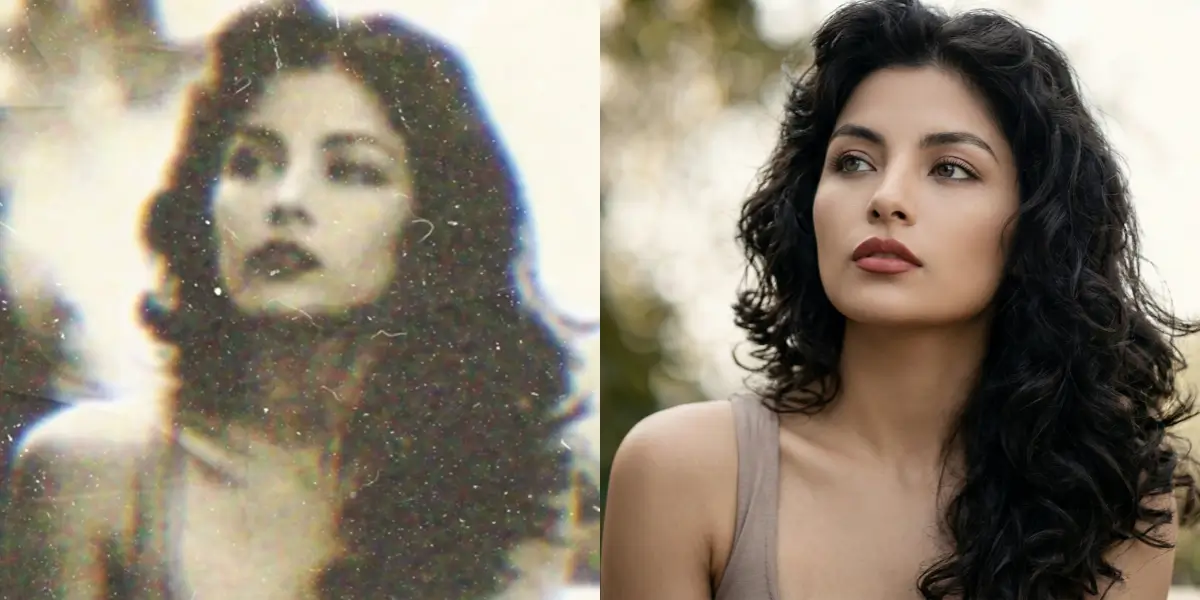
Upscaling to 8K cannot recover detail the original never had. What Real-ESRGAN does is enlarge the image while rebuilding edges and textures so they stay sharp instead of turning soft, and it removes the blur, noise and JPEG blocks that a plain resize would magnify. The better the source, the better the 8K result.
The upscaler's GPU has a fixed memory limit, so every photo is first reduced to at most 1600x900 worth of pixels, enlarged 4x by Real-ESRGAN and resized to 4.8x.
| Your image | Processed at | Result | Note |
|---|---|---|---|
| 1920 x 1080 (1080p, 16:9) | 1600 x 900 | 7680 x 4320 | 8K UHD exactly, 33.2 MP |
| 3840 x 2160 (4K, 16:9) | 1600 x 900 | 7680 x 4320 | Reduced first, then enlarged |
| 4000 x 3000 (phone, 4:3) | 1385 x 1039 | about 6648 x 4987 | 33 MP; a 4:3 image cannot be 7680 wide at that size |
| 3000 x 3000 (square) | 1200 x 1200 | 5760 x 5760 | 33.2 MP |
| 1280 x 720 (720p) | 1280 x 720 | 6144 x 3456 | Below 1600x900, so below 8K |
| 1024 x 768 | 1024 x 768 | about 4915 x 3686 | Start from a larger original for 8K |
JPG, PNG or WebP up to 20 MB. It is reduced to at most 1600x900 worth of pixels before processing.
Real-ESRGAN enlarges it 4x, cleaning up blur, noise and compression artefacts, and the result is resized to 7680 wide.
A 16:9 image comes back at 7680x4320, ready for an 8K screen or a large print.
A 16:9 image at 7680x4320 fills an 8K TV or monitor pixel for pixel.
25.6 x 14.4 inches at 300 DPI, or 51 x 29 inches at 150 DPI for posters viewed from a distance.
Upscale first, then crop a detail out of the frame and still keep a usable resolution.
At 8K every scratch and fold line becomes visible across the room. Restore the old photo before upscaling, and colorize it first if you want a colour print of a black and white original.
For a 16:9 photo of 1600x900 or larger, yes: the result is 7680x4320, the 8K UHD resolution. Other shapes come back at the same pixel count, about 33 megapixels, but not 7680 wide. Smaller photos come back at 4.8 times their own size, which is less than 8K.
The upscaler runs on a GPU with a fixed memory limit, and large inputs fail. So the photo is first reduced to 1600x900 worth of pixels, Real-ESRGAN enlarges it 4x, and the result is resized to 7680 wide. A 4K original therefore ends at 8K, not 16K.
In our tests most 8K runs took between 30 and 80 seconds. When the GPU queue is busy it can take a few minutes; the page shows the wait while it runs.
One free image a day without an account, shown as a watermarked preview up to 1536 pixels. With a free account you get two a day at full 8K resolution without a watermark. After that each image costs 3 credits; packs start at $9.99 for 350 credits.
A high-quality WebP. An 8K result is typically a few megabytes rather than the 30 MB or more of the same image as PNG. Convert it to PNG or TIFF afterwards if your printer asks for one.
7680x4320 at 300 DPI prints at 25.6 x 14.4 inches (65 x 37 cm). At 150 DPI, fine for posters viewed from a distance, it covers 51 x 29 inches.
Yes, RealESRGAN_x4plus without face restoration. It enlarges 4x and sharpens what is in the image rather than redrawing it, and the result is then resized to 7680 wide. For portraits where faces are small or soft, run GFPGAN online first.
Start from a 1080p or larger image for a full 7680x4320 result.
Upscale to 8KUpscaling fixes resolution, not layout. When the image still has to be made, our sister tool generates it with the title typeset into the frame at the right aspect ratio — then upscale it here if you need more pixels.