
FREE
Loading…
Add Santa to a photo of your own living room or house: leaving presents under your tree, eating the cookies, caught on a security camera, or at your front door. He is lit and sized to fit the room, so on Christmas morning the proof of Santa is in your own photo.
This model edits a photo: add one with + first.
Last updated:
Three unretouched results from this tool. Each pair shows the uploaded photo above and the photo with Santa below; the line in quotes is the scene that was picked.
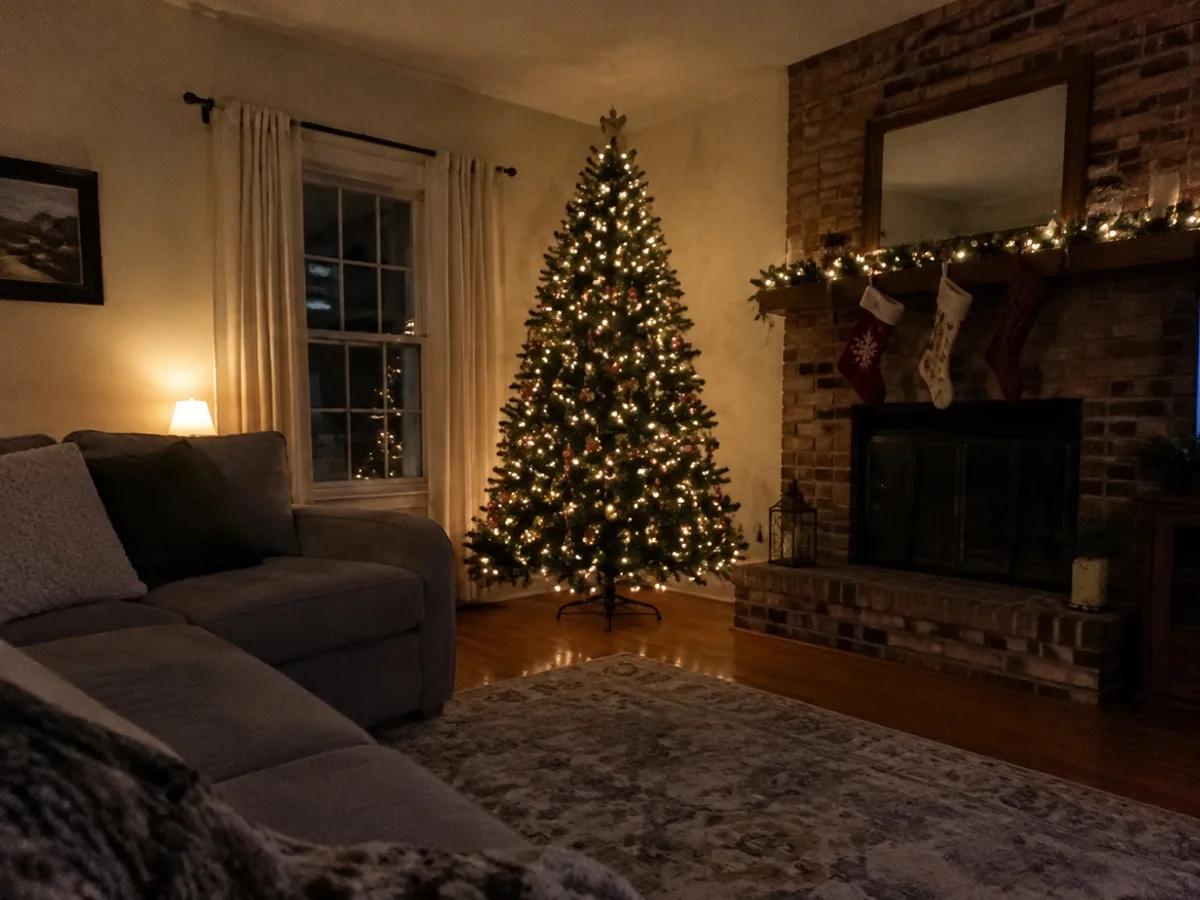
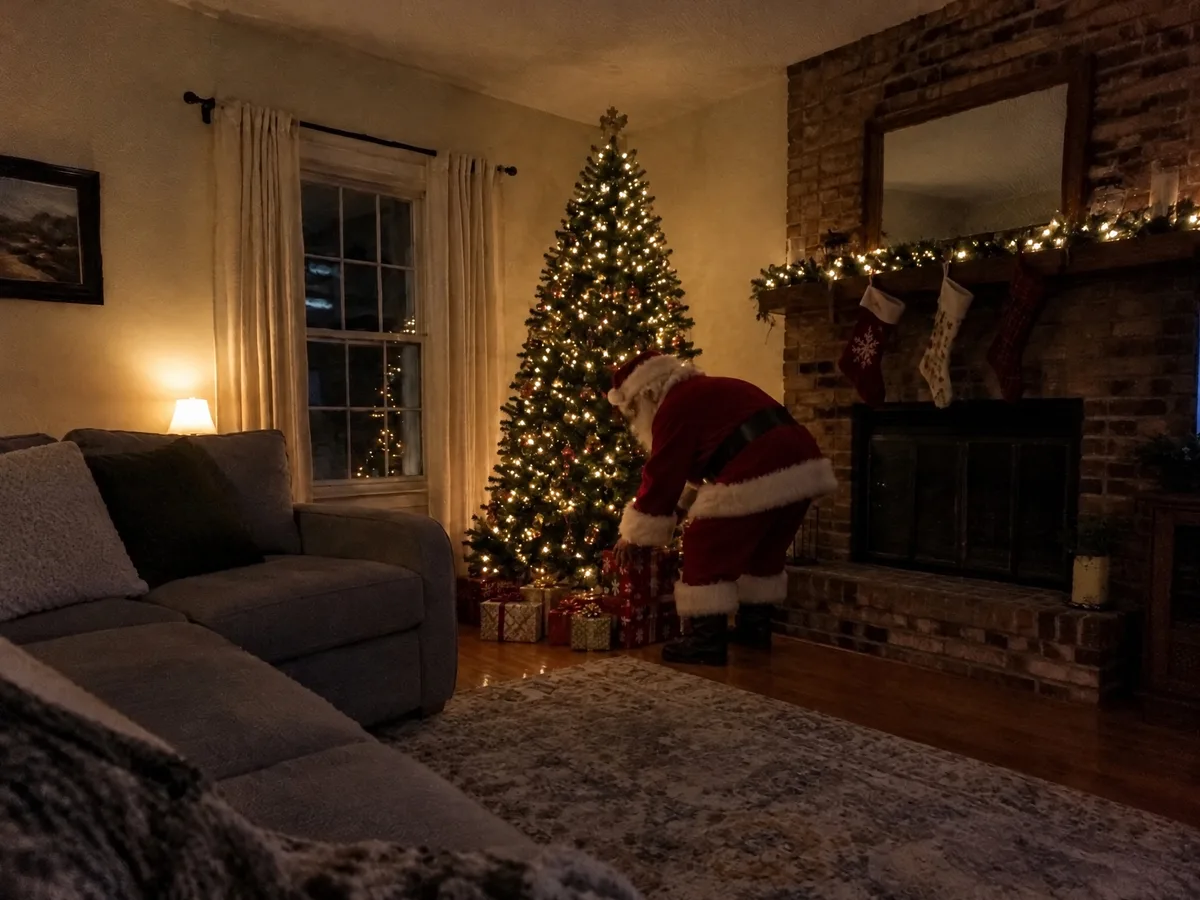
The photo every parent wants on Christmas morning. The uploaded photo is an ordinary living room at night, lit only by the tree and one small lamp, with nothing under the tree yet. Santa is added bending over beside the tree, his back half to the camera, setting down wrapped presents.
He is lit only by the tree lights, as he would be at that hour, and caught mid-task rather than posing. The sofa, the rug, the stockings on the fireplace and the dark window are exactly as they were in the original photo.
Scene in the editor
“placing wrapped presents under the Christmas tree late at night, caught from the side as if he did not know a photo was being taken”
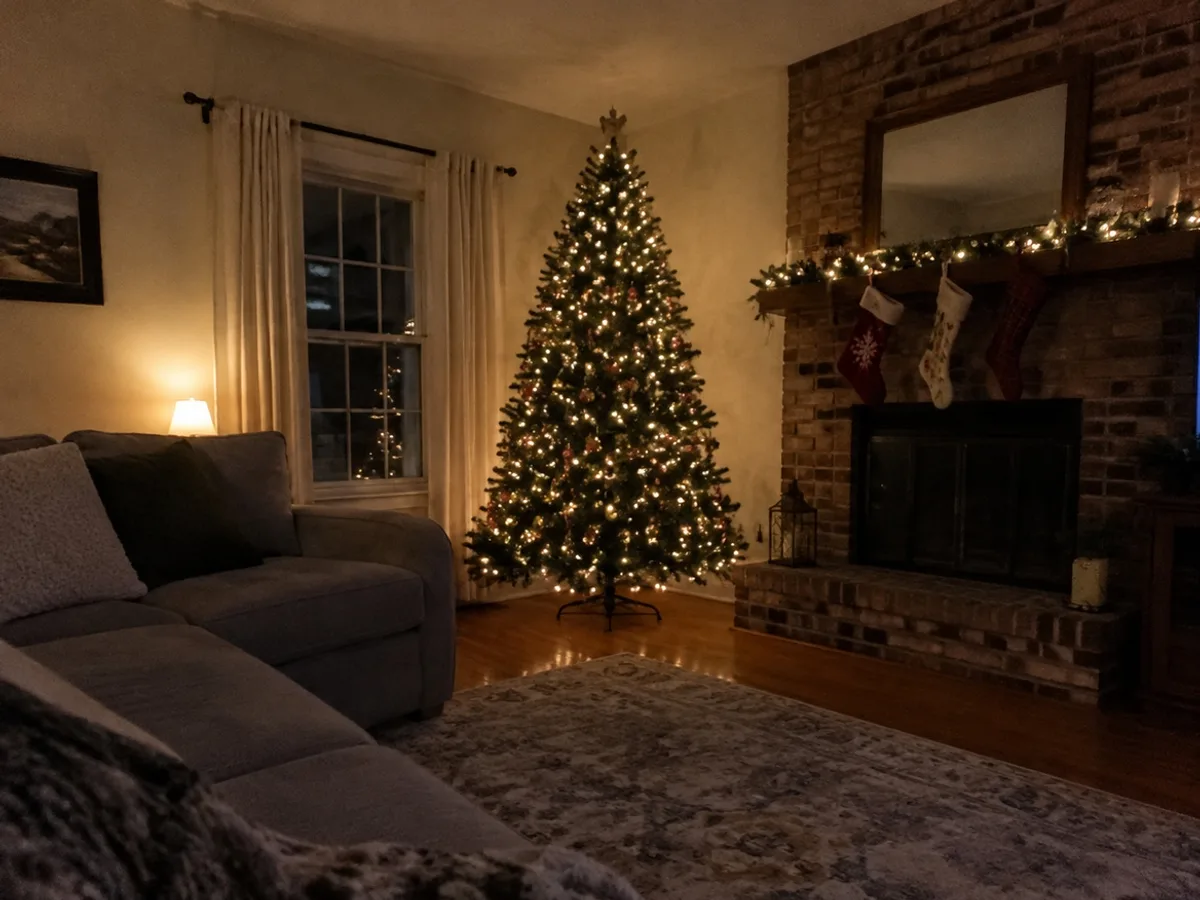
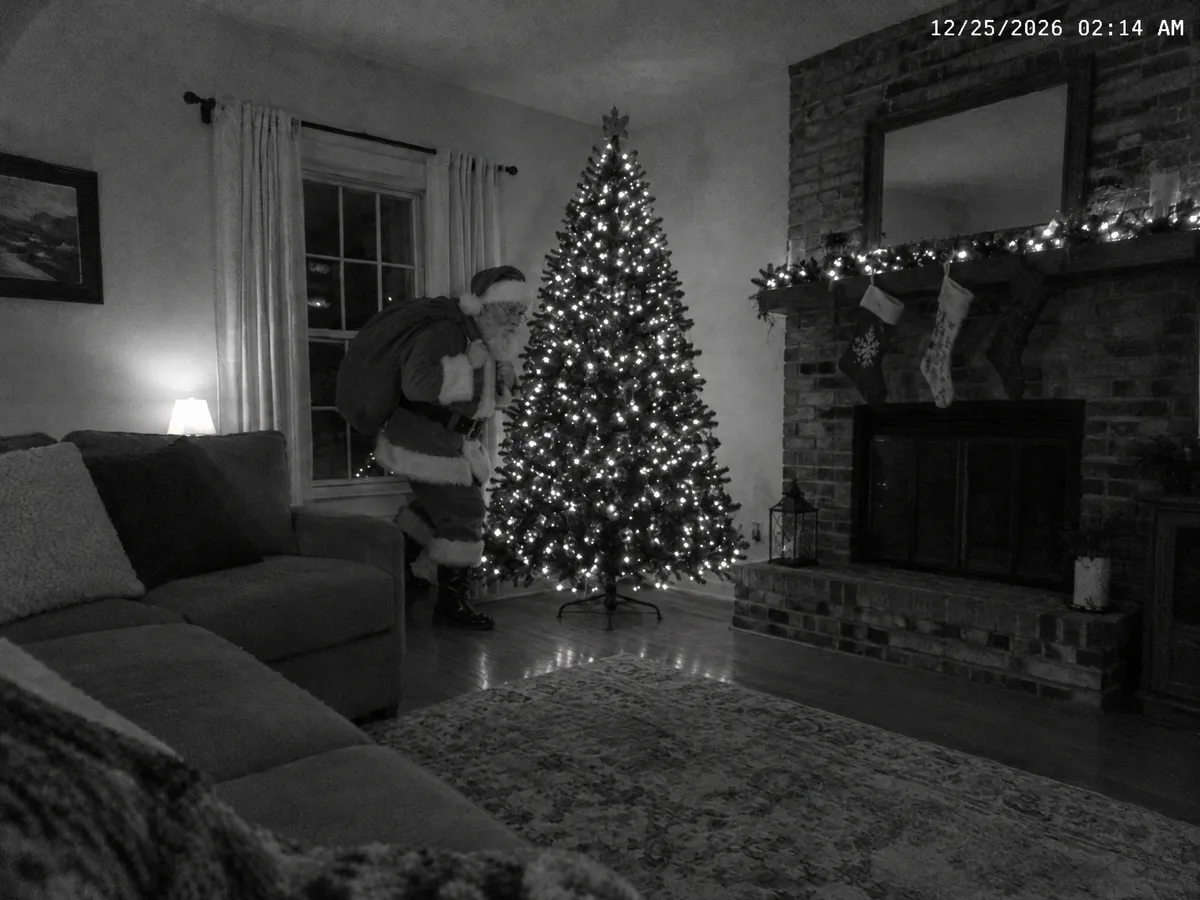
The "caught on camera" version: the same living room photo turned into black-and-white night-vision footage from a camera in the corner, with a timestamp at 2:14 in the morning on Christmas Day.
Santa has his sack over his shoulder and is half hidden behind the tree, which is what makes a security still believable: nobody poses for a camera in the ceiling. The layout of the room is unchanged, so children recognise their own living room.
Scene in the editor
“caught on a home security camera mounted high in a corner of the room: wide-angle black-and-white night-vision footage with a small timestamp '12/25 02:14 AM' in the corner, Santa tiptoeing towards the tree carrying a sack of presents”
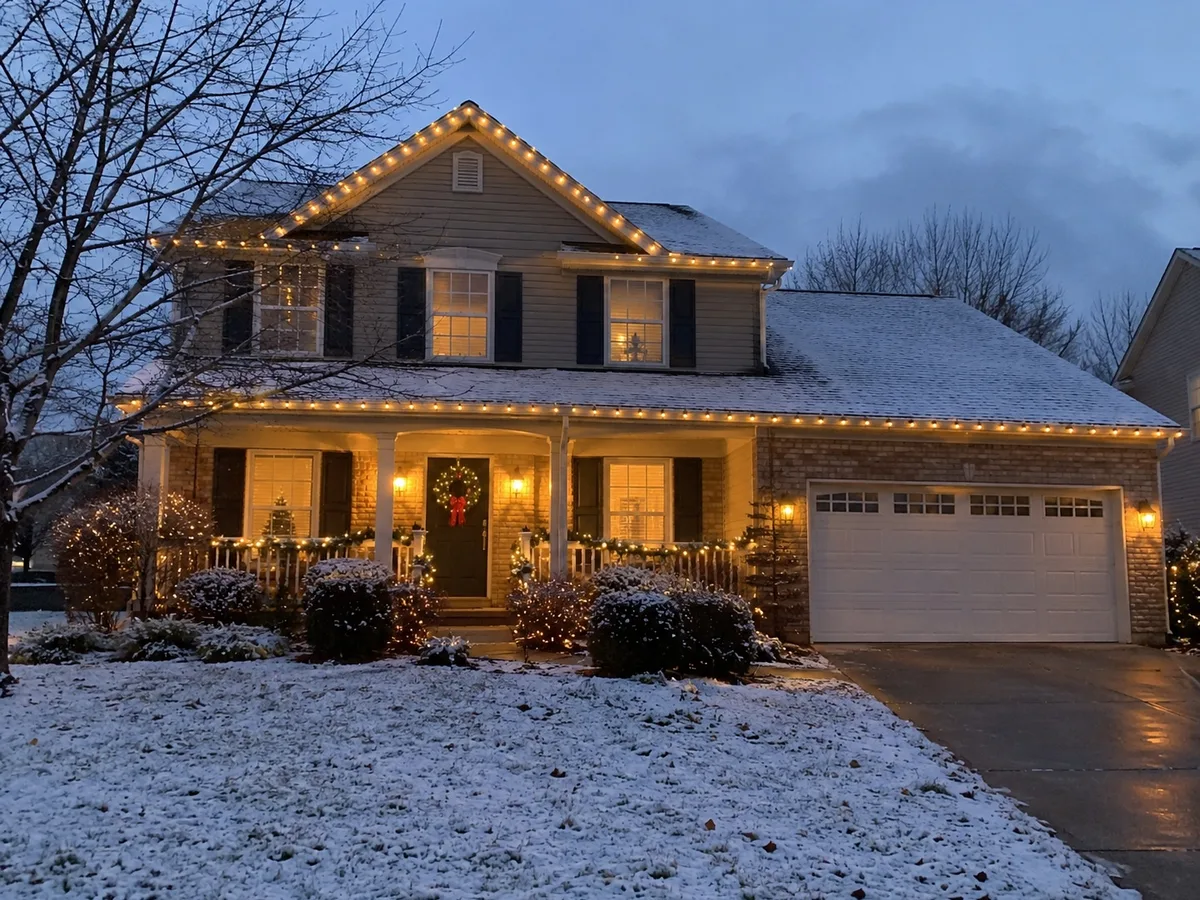
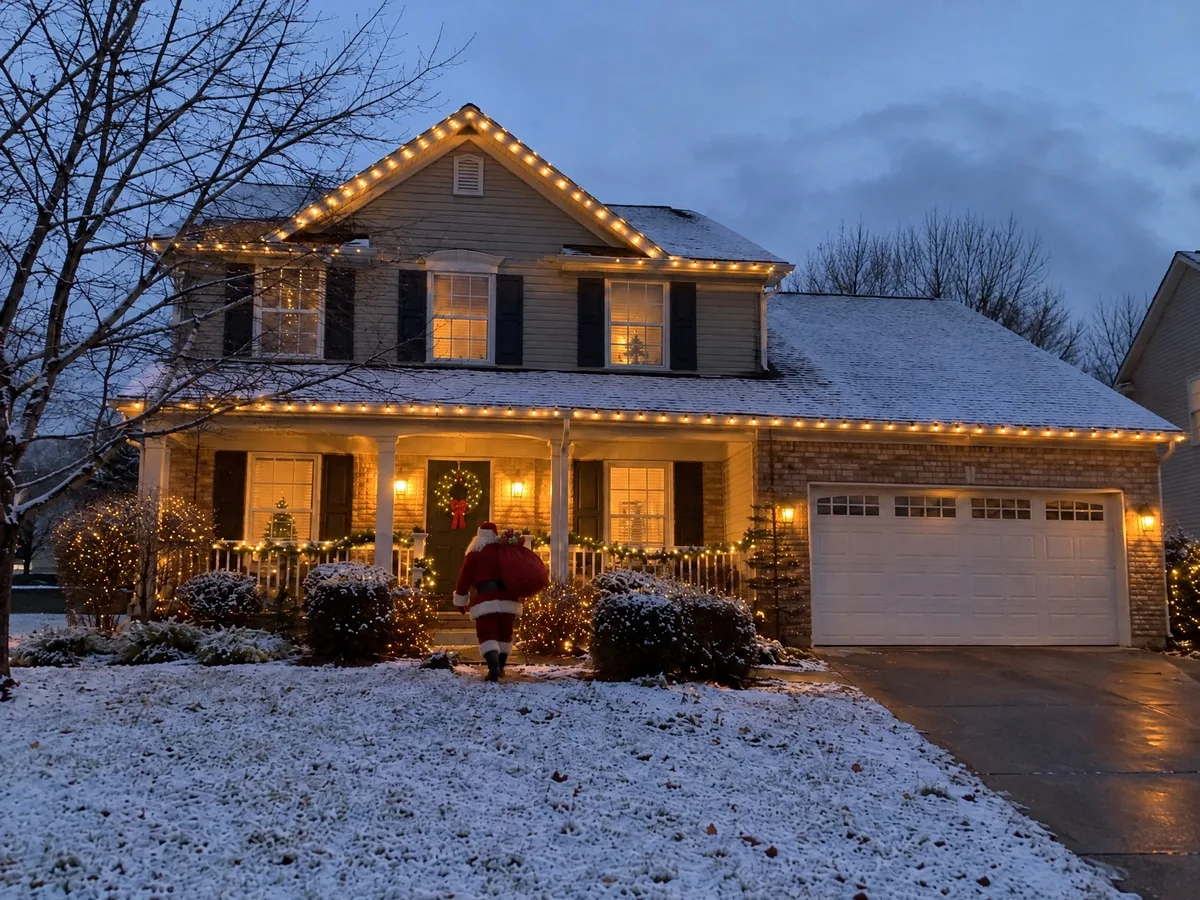
For a photo of the house rather than the living room: a two-storey house at dusk, roofline lights on, a dusting of snow. Santa is added walking up the steps to the front door with his sack of presents, seen from behind.
He is the right size for the distance from the street, which is the first thing that gives an added figure away. The lights, the wreath and the snow on the lawn are untouched. Zoom in on the door to find him, the way a real photo taken from across the street would look.
Scene in the editor
“walking up the front path to the door at dusk carrying a big sack of presents over his shoulder, seen from across the street”
sparkpix.ai Add Santa to Photo is a browser-based AI tool that adds Santa Claus to a photo of your own home. You upload a photo of your living room or house and pick a scene, and in one to two minutes you get the same photo with Santa in it, lit by the room’s own light, the right size for where he stands, with everything else unchanged. Each photo costs 10 credits. It makes still photos, not video.
| AI Santa (here) | Santa sticker apps | Photoshop by hand | Santa visit photo | |
|---|---|---|---|---|
| Uses a photo of your own home | Yes | Yes | Yes | No, a visit or a studio |
| Santa matches your room’s light and size | Automatically | No, a ready-made cut-out you size yourself | By hand, with skill | Real |
| Night phone or security camera look | Choose the scene | Some apps add a frame or filter | By hand | No |
| Santa does something in the scene | Leaves presents, eats cookies, fills stockings | Fixed poses from the app | Anything, with hours of work | Poses with the children |
| Time | 1 to 2 minutes | Minutes | Hours | A booking and a queue |
| Cost | 10 credits, under $0.30 | Often a paid app | Software plus time | A paid visit |
Adding Santa to a photo takes one photo of the room and one choice of scene. The planning is in taking the photo: on Christmas Eve, at night, with the tree lit.
The tree lit, the room tidy, nobody in it. Stand where a camera would be, in a corner or a doorway, and hold the phone still. A photo of the front of the house works too.
One photo. The room, the furniture and everything in it stay exactly as they are; only Santa is added.
Leaving presents, eating the cookies, filling the stockings, caught on a security camera, or at the front door. Or write your own line.
In one to two minutes the photo is ready. Download it to your phone, and it is waiting in the camera roll when the children wake up.
A Santa caught on camera photo works because it looks like something nobody made on purpose: a wide, slightly distorted view from high in a corner, black-and-white night vision, and a timestamp in the small hours of Christmas morning. The Security camera scene produces exactly that from an ordinary photo of your room.
For the most convincing result, take the original photo from where a real home camera would sit, high up in a corner, and change the timestamp in the scene line to your own date. If you have a real indoor camera, a frame from it works as the upload too.
Santa comes at night, so the photo should look like night. Turn the main lights off and leave the tree lights and one lamp on, as in the examples above.
An empty patch of floor next to the tree or the fireplace gives Santa somewhere to stand. If presents are already there, he will be placed among them.
A high corner for a security camera look, a doorway for a parent who "almost caught him". Eye-level shots from the middle of the room look posed.
It works best when it is unmistakably your living room: the tree they decorated, their own stockings. That is the whole trick.
The same photo can be used again: presents on one, the security camera on another. A second "camera" that caught him too makes the story better.
Night photos blur easily, and Santa can only be as sharp as the room around him. Lean on a door frame or put the phone on a shelf.
A proof of Santa photo for your own children on Christmas morning
Photos of your living room, tree, fireplace or the front of your house
A security camera still to go with the story
Christmas posts and cards with a bit of magic in them
Video: this makes a still photo
Very dark or blurry photos: Santa can only be as sharp as the room
Photos of other people’s homes or children without their parents’ say
Turning a real person into Santa: use Add Person to Photo for that
Take or choose a photo of your living room or house, upload it, and pick what Santa is doing: leaving presents, eating cookies, filling stockings, on a security camera or at the front door. In one to two minutes you get the same photo with Santa added, lit and sized to fit the room.
Pick the Security camera scene. The photo of your room is turned into black-and-white night-vision footage with a timestamp, and Santa is added creeping towards the tree. Take the original photo from high up in a corner of the room so the angle matches a real home camera.
Yes. Upload a photo of the front of your house and pick the front door scene, or write your own, such as "on the roof next to the chimney with his sleigh". Santa is scaled to how far he is from the camera, so on a photo taken from the street he is small, as he would be in a real photo.
Each photo costs 10 credits. New accounts get 5 free credits, which covers our 5-credit tools but not this one. The $9.99 pack has 350 credits, enough for 35 Santa photos, and there is no watermark.
No. The tool is told to keep the room, furniture, decorations and any people exactly as they are and to add only Santa. The one exception is the security camera scene, which changes the camera look to black-and-white night vision on purpose.
Yes. People already in the photo are kept as they are, and Santa is added beside them; write where, for example "standing next to us by the tree, smiling at the camera". For a Christmas photo of your family without Santa, use the AI Christmas photo page.
Make an AI Christmas photoSanta is generated into the photo, not pasted on: he gets the room’s own light, a shadow and a size that fits where he stands, and the photo keeps its own grain and blur. It is made to pass at a glance on a phone screen, which is how it is usually shown; as with any edited photo, an adult zooming in to look for flaws may find them.
No, it makes a still photo. A still from a "security camera" is often more convincing than a clip anyway, because it is what a real camera would save when it detects motion at night.
Uploaded photos are deleted within 3 days. The photos with Santa are saved to your account so you can download them again on Christmas morning, and you can delete them at any time.
One photo of the room with the tree lit, one scene, and the proof is ready for Christmas morning.
1 to 2 minutes
No watermark
Your family in a Christmas scene, from your own photos.
Add a family member who missed the photo.
Add snow, decorations or a Santa hat instead.
Turn a daytime photo of the room into night.
Clear someone out of the room before adding Santa.
Any other edit, described in your own words.
Add, remove and change anything in a photo by describing it.
Take out tourists, strangers, or anyone you don’t want.
Clear text, watermarks, emojis, and date stamps.
Erase clutter, power lines, fences, reflections, shadows.
Describe any change in words, or draw over the area to edit.
Add a missing friend, a late relative, or your younger self.