
FREE
Loading…
Just upload and click to process - no prompt needed
Result
Your result will appear here
Upload a photo and click the button to start processing
No Prompt Needed
Conversion Time
Output Resolution
First Conversion
Last updated:
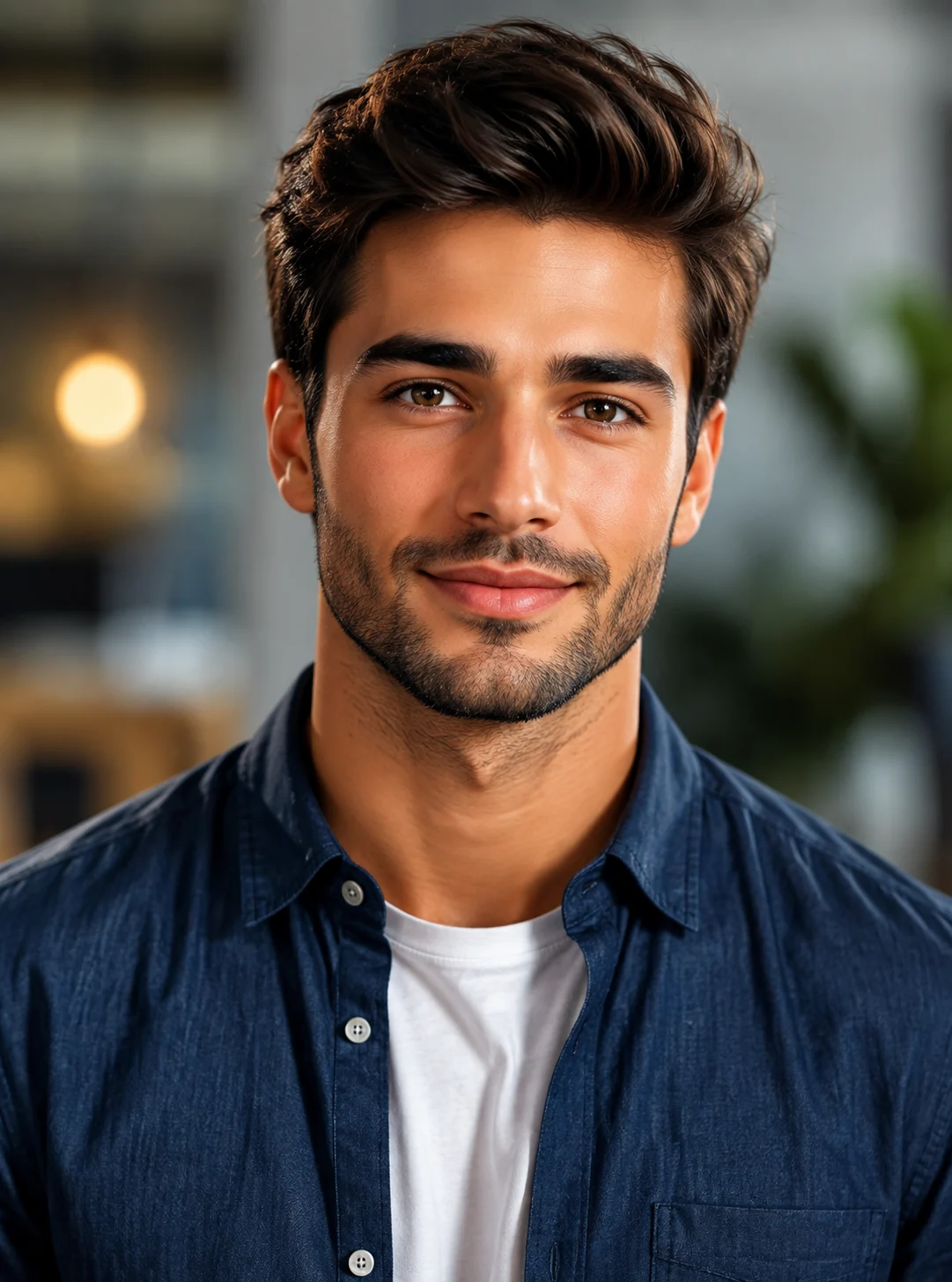
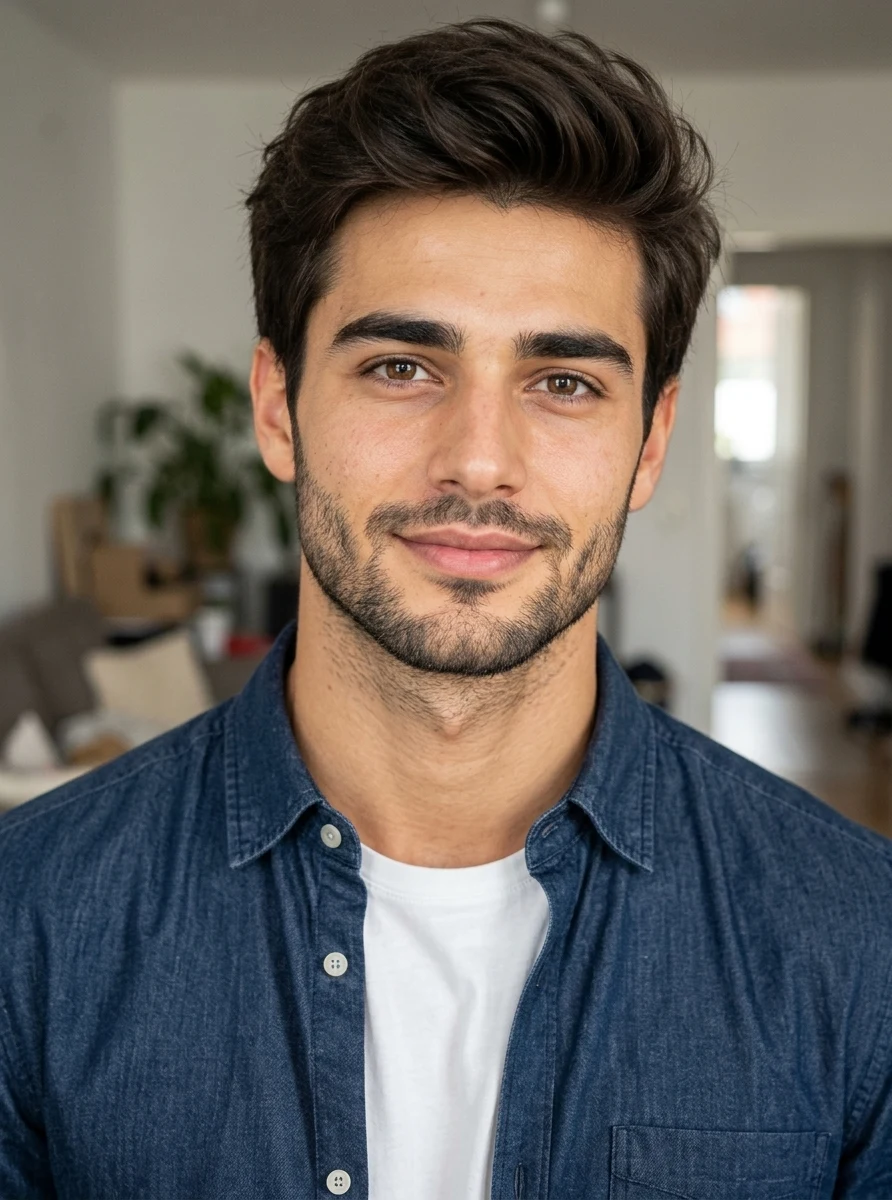
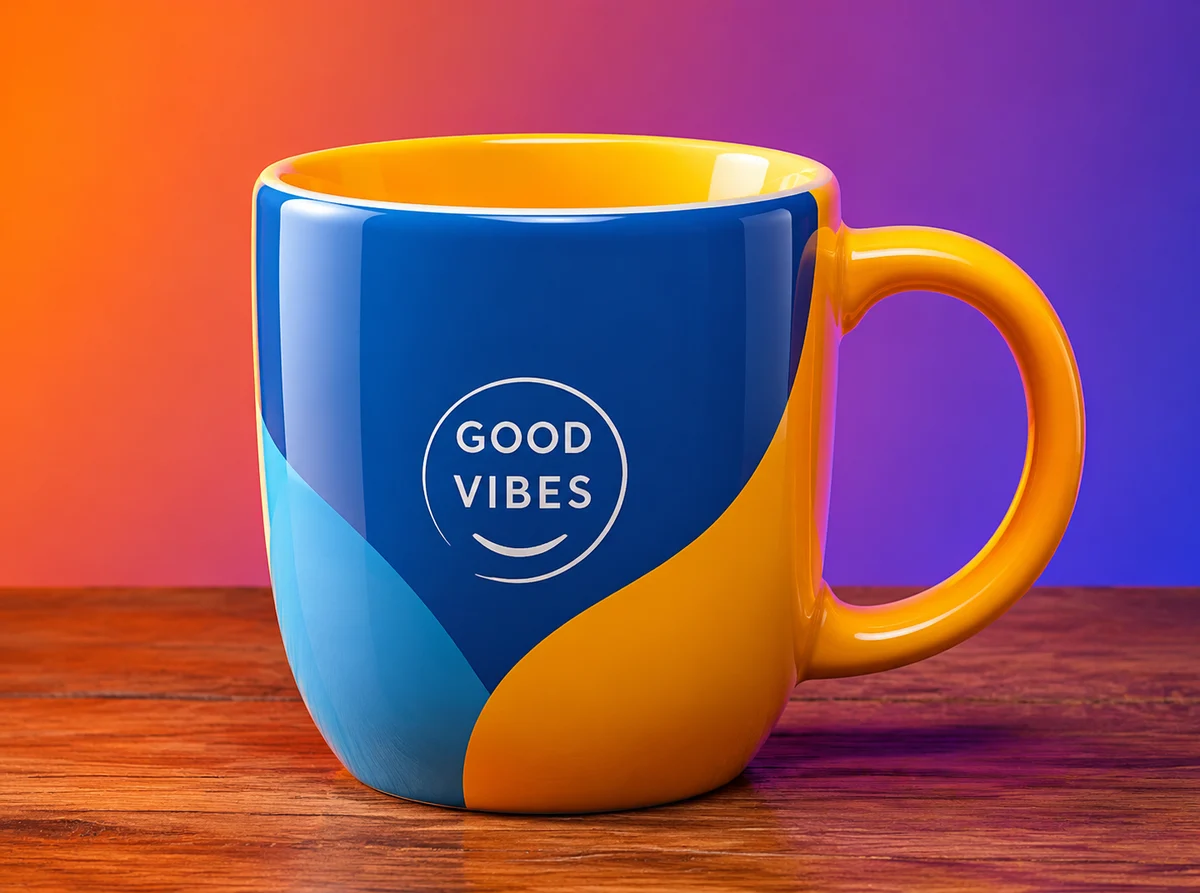
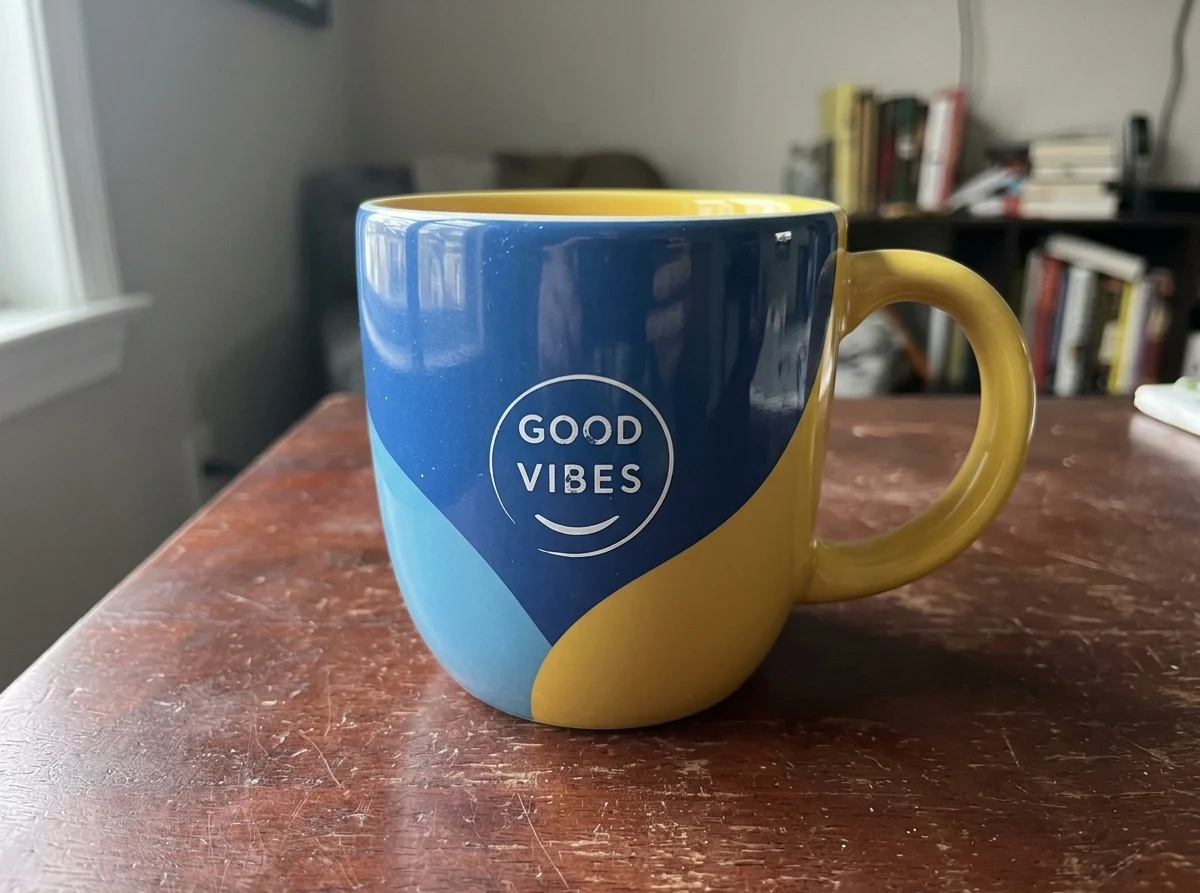
Each pair is an actual output of this converter, with no retouching and no cherry-picked stock. The left image went in, the right image came out.
The classic AI headshot (airbrushed skin, studio glow, a backdrop blurred to nothing) converted into a photo a friend could have taken: same man, same shirt, same framing, with a real apartment behind him in window daylight and skin that has texture. This is the ai photo to real photo conversion most people come for.
 Before
 AI Result
A glossy CGI mug on a neon gradient becomes a photo that could sit in a real listing: the mug and its GOOD VIBES design are untouched, while the setting turns into a worn wooden table by a window with a bookshelf behind it.
 Before
 AI Result
Converting an AI image to a real photo starts with the skin. The varnished shine on this man's forehead, nose and cheekbones is gone, replaced by matte skin with pores and stubble, under the same rooftop sunset.
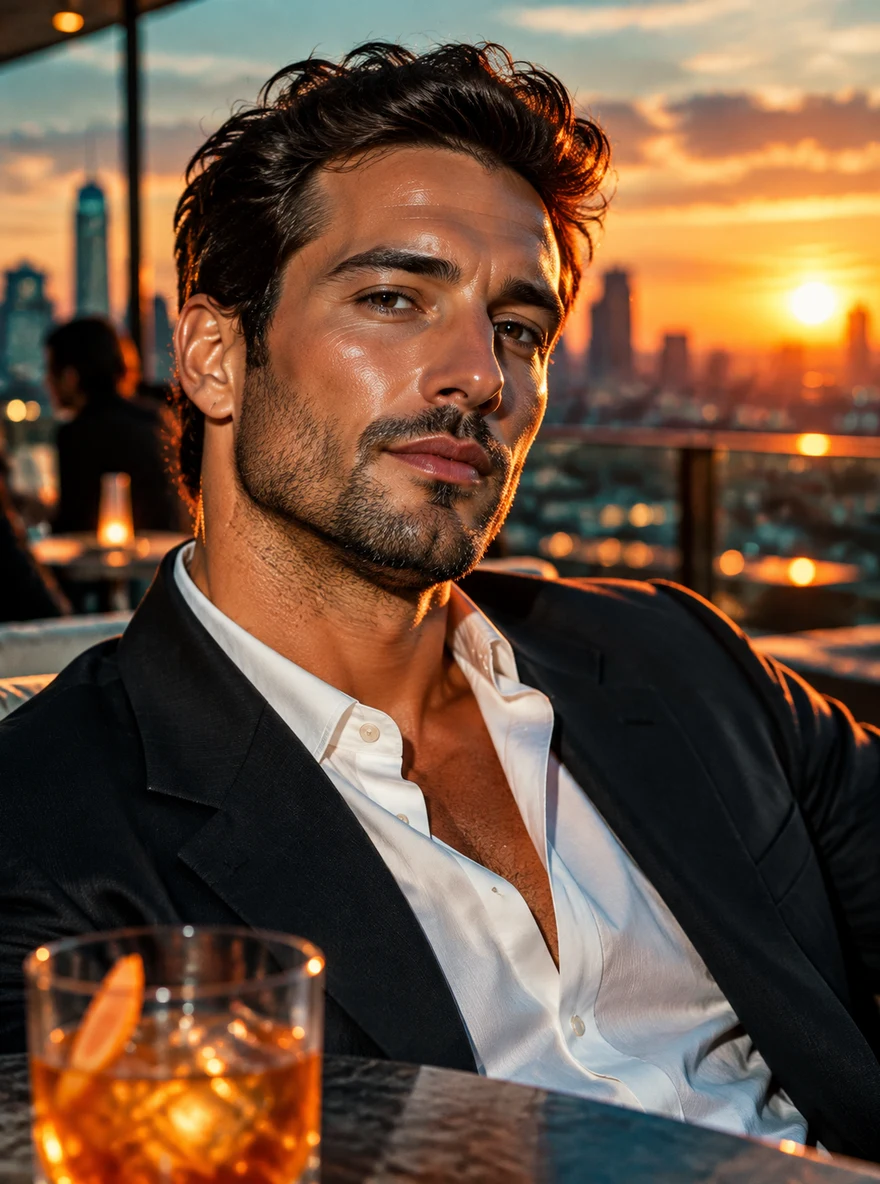 Before
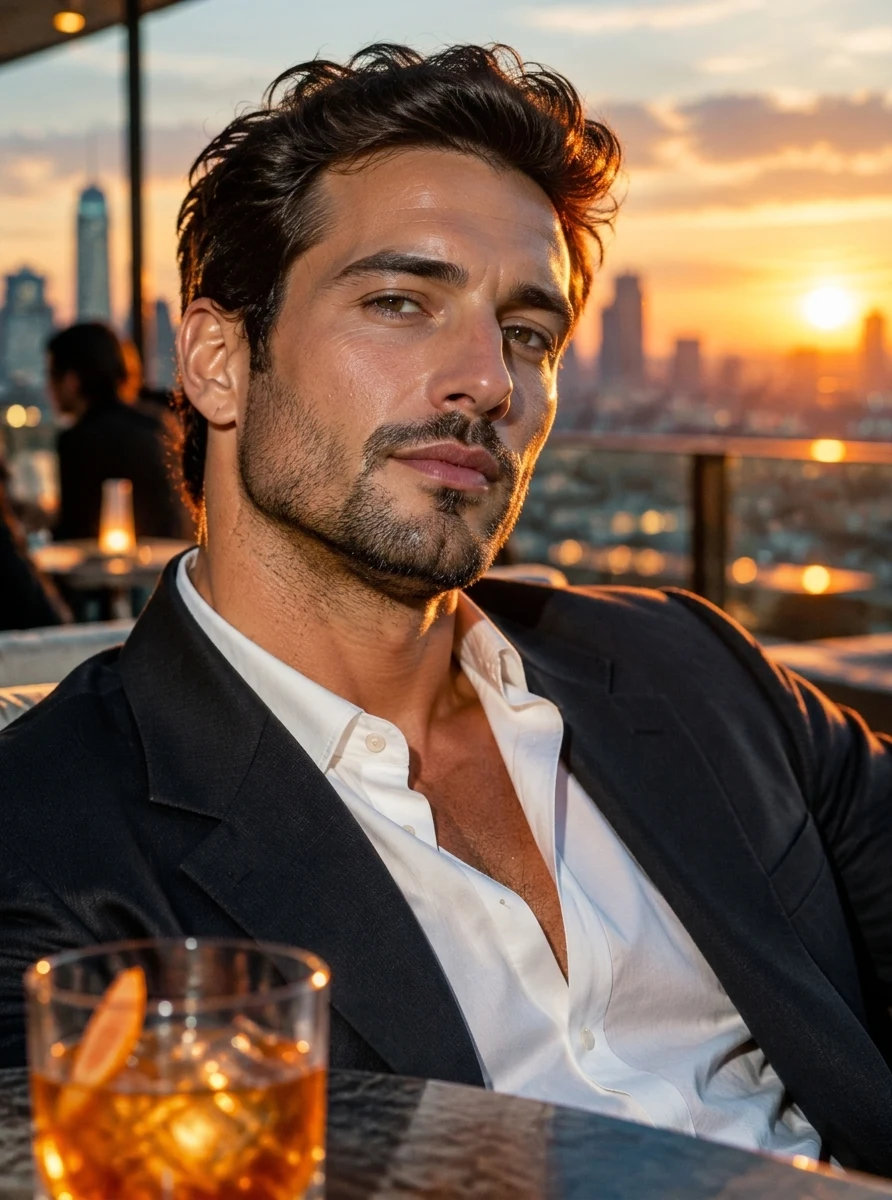 AI Result
The porcelain, filter-perfect face most image generators produce converted into one a camera would record: matte skin with faint pores and freckles, lips without the gloss, the same woman, pose and earrings.
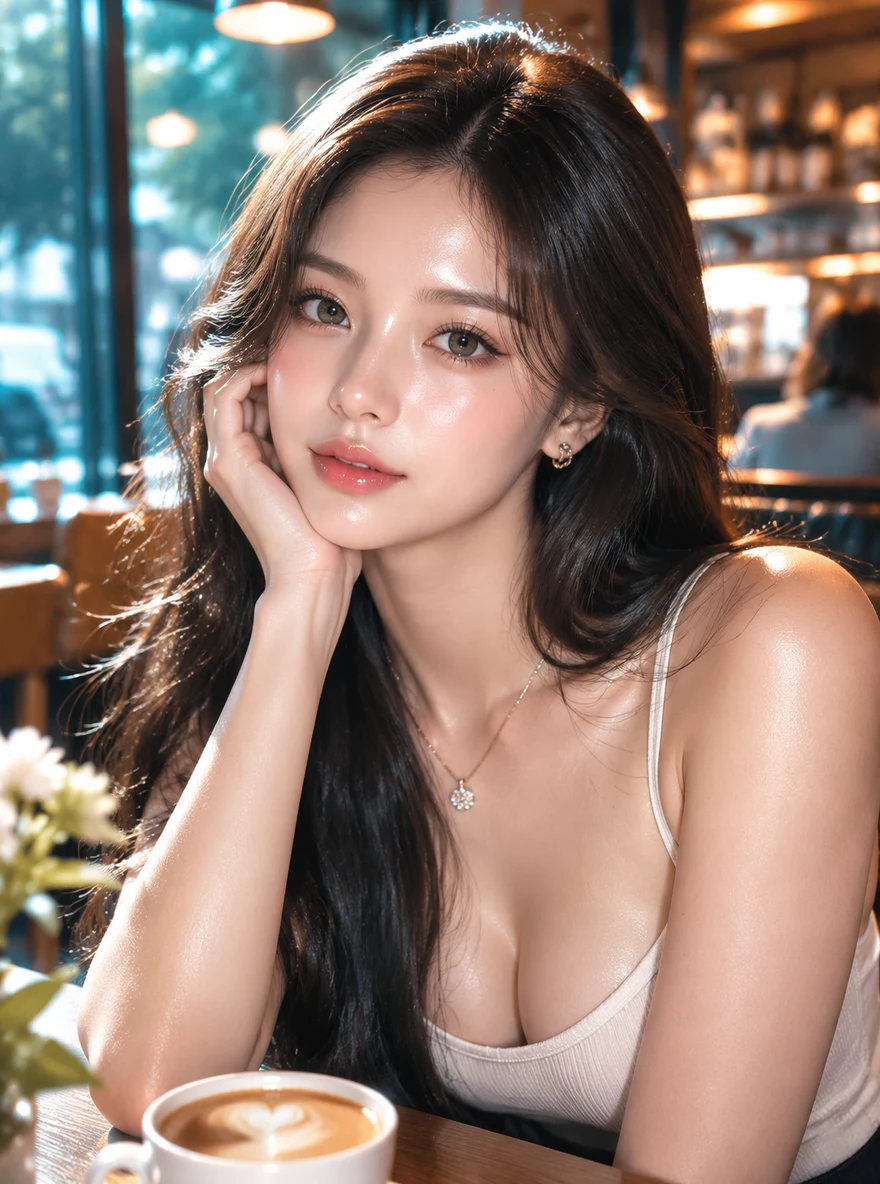 Before
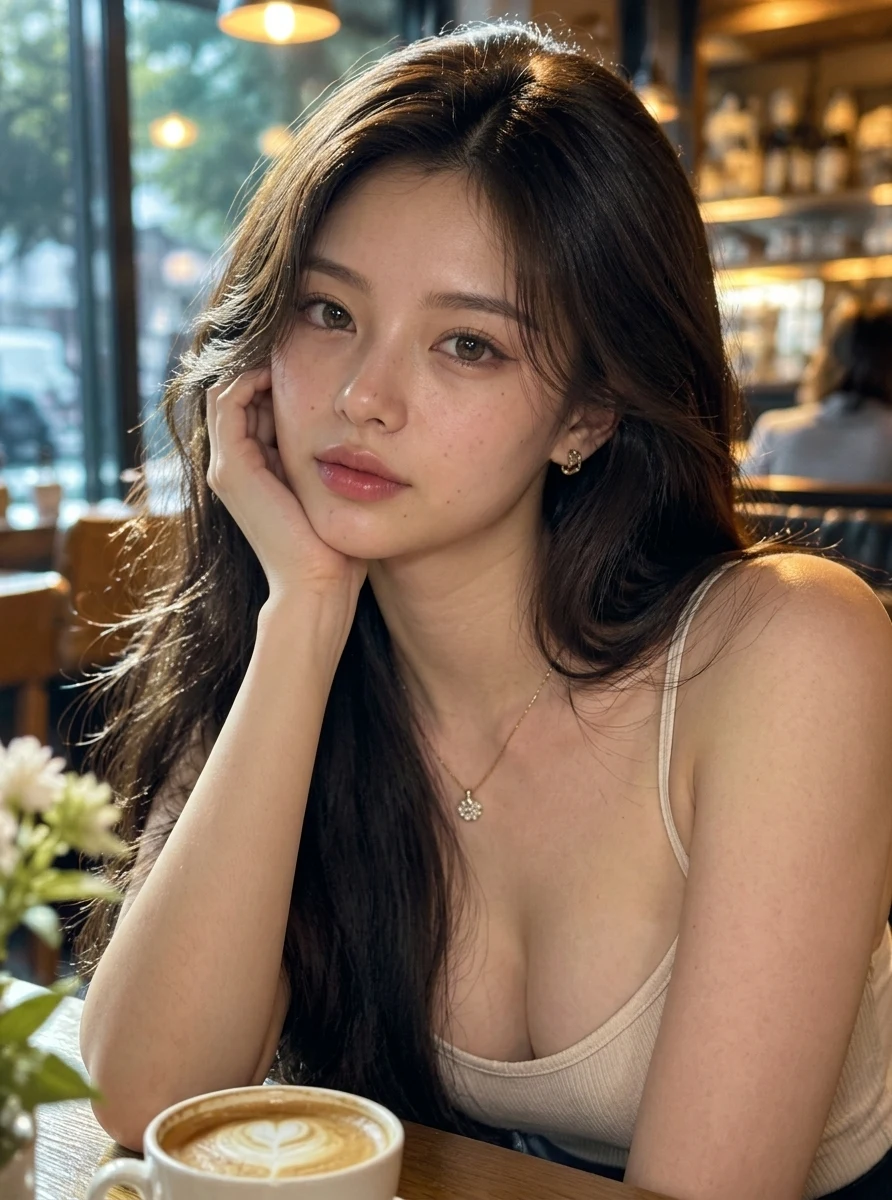 AI Result
Upload an AI-generated image and get back a photo that looks like a camera took it: same subject, same pose, real textures
An AI image to real image converter takes an AI-generated image and re-renders it as a realistic photograph. AI generators produce a recognizable look: skin that is too smooth and evenly lit, plastic-like highlights, over-saturated colors, and backgrounds with a painted quality. The converter replaces those tells with what a real camera produces: natural skin texture with visible pores, uneven real-world lighting, believable shadows, and true-to-life color.
Our converter runs on Nano Banana 2.1, Google's image model, with a purpose-built realism instruction: the model keeps your subject, pose, framing and composition exactly as they are, and changes only the rendering, so the output is your image, as a photo, not a new image. The instruction is tuned to look like a phone-camera capture, because that is what real photos on the internet actually look like.
There is nothing to type and nothing to configure. Upload the AI image, click Convert, and the realism instruction is applied automatically, with the same one-click flow whether your image came from Midjourney, DALL·E, Stable Diffusion, Flux, or any other generator. Conversion takes about 20 to 40 seconds and outputs at up to 2K resolution.
One click matters because the hard part of de-AI-ing an image is the prompt. Generic instructions like "make it realistic" often re-pose subjects, invent new faces, or swap backgrounds. Ours has been through months of production iteration on thousands of images, including fixes as specific as keeping the model from inventing freckles while adding skin texture, so you get the accumulated tuning without writing a word.
The converter runs entirely online: no download, no install, and it works from a phone or a laptop browser. Sign up and you get 5 free credits; one conversion costs 5 credits, so your first AI to real image conversion is free and you can judge the quality before spending anything.
After the free conversion, credit packs start at $9.99 for 350 credits, about 70 conversions or roughly 14 cents each, with no subscription. Conversions come out at 2K once you have bought credits (the free first one is 1K), a resolution that holds up for profile pictures, listings, and print-adjacent uses.
The usual first instinct is to go back to the generator and add "photorealistic" to the prompt. That produces a new image: a different face, a different pose, a different composition, because generators sample fresh every run. If you already have the image you want, re-generating gambles it away. An AI image to real image converter works on the image you have: same subject, same framing, only the rendering changes.
The other alternative is manual editing: adding grain, pulling saturation, softening highlights in a photo editor. That treats the symptoms but not the tell: AI skin stays structurally smooth under any amount of grain, and painted backgrounds keep their painted geometry. Conversion re-renders the surfaces themselves, which is why a converted image passes a close look where a filtered one does not. One click versus twenty minutes of masking is the difference in effort; the difference in result is texture that is actually there versus texture layered on top.
Converting an AI photo to a normal photo is the same job as converting it to a real one: "normal" is how many people describe a picture that looks like an everyday phone snap rather than a render. The converter turns the AI image into that kind of ordinary photo (plain light, ordinary skin, a background with real-world clutter) while the person, pose and framing stay as they were.
"Normal" is also the more useful target. Attempts to make an AI image "more realistic" often overshoot into a glossy, hyper-detailed look that still reads as generated, because the generator's idea of realistic is a polished advertisement. A normal photo has mild noise, slightly flat colour and imperfect light, and those are exactly what this AI image to normal image conversion adds back.
Portraits are where AI images fail hardest and where conversion matters most. AI-generated people have glass-smooth skin, symmetrical studio lighting, and eyes with an airbrushed sheen, instantly recognizable on a dating profile, a LinkedIn page, or a social avatar. The converter rebuilds the skin with natural texture, breaks up the artificial lighting, and keeps the face itself unchanged.
That last part is the point: an AI photo to real photo converter is only useful if the person still looks like the same person. The instruction explicitly preserves identity, expression and pose, and only re-renders surface realism, so the converted portrait reads as a candid photo of the character you generated, not a stranger.
One converter for every AI-image style that needs to read as a photo
People generated by Midjourney, DALL·E, Flux, or Stable Diffusion converted to natural photos: same face, real skin texture, believable lighting.
Examples:
AI avatars that need to pass as real photos on social profiles, dating apps, and professional pages without the plastic AI sheen.
Examples:
The single biggest AI tell, glass-smooth and evenly lit skin, replaced with natural pores, fine lines, and real texture while keeping the face identical.
Examples:
Over-saturated colors and symmetrical studio glow converted to the uneven, directional light of a real capture.
Examples:
Painted-looking AI backgrounds re-rendered with photographic depth, texture, and grain so the whole frame reads as one real capture.
Examples:
AI product shots and concept images converted into photos that can sit next to real photography without standing out.
Examples:
Three steps, about a minute end to end.
Drop in any AI-generated image: JPG, PNG, or WebP up to 20MB, from any generator. Uploads are deleted within 3 days; your results are yours to keep.
The production-tuned realism instruction runs automatically on Nano Banana 2.1. Your subject, pose, and composition stay exactly as generated. Only the rendering becomes photographic.
In about 20-40 seconds, download an image with natural skin texture, real lighting, and no AI look, at up to 2K resolution on paid credits.
Four things people try. Only two of them change how the image is rendered.
| This converter | Re-prompting the generator | AI Skin Texture Enhancer | Ordinary upscaler | |
|---|---|---|---|---|
| What it changes | Skin, light, colour and background rendering | Everything: it makes a new image | Skin surface only | Resolution and sharpness |
| Same face, pose and framing | Yes, by instruction | No, every run samples a new image | Yes, by instruction | Yes |
| Removes plastic skin | Yes | Sometimes, if the prompt works | Yes | No, it sharpens it |
| Fixes studio light and over-saturated colour | Yes | Sometimes | No, kept as is | No |
| Cost on sparkpix | 5 credits (first one free) | Free in your own generator | 5 credits (first one free) | 2 free a day, then 3 credits |
| Use it when | The whole image reads as AI | You do not mind losing this image | Only the skin looks fake | The image already looks real and only needs size |
Credit prices as of November 2026. Packs start at $9.99 for 350 credits; sign-up gives 5.
An AI to real image converter (also called an AI image to real image converter) is a tool that re-renders an AI-generated image as a realistic photograph. AI images have recognizable tells: plastic-smooth skin, symmetrical lighting, over-saturated color, painted-looking backgrounds. The converter replaces those with natural textures, real-world lighting, and camera-like rendering while keeping the subject, pose, and composition unchanged.
Upload the AI image and click Convert to Real Image. There is nothing to type. The converter applies a production-tuned realism instruction on the Nano Banana 2.1 model and returns the result in about 20-40 seconds. It works with images from Midjourney, DALL·E, Stable Diffusion, Flux, and any other generator.
Upload the AI photo here and click Convert to Real Image; about 20-40 seconds later you get an ordinary, unedited-looking photo of the same scene. A "normal photo" and a "real photo" are the same request: skin with texture instead of airbrushing, one believable light source instead of studio glow, and phone-camera colour instead of an advertising grade. The converter handles both. The first conversion is free. It will not fix extra fingers or garbled text: those need an edit or a new generation, not a realism pass.
Your first conversion is free: signing up gives you 5 credits and one conversion costs 5 credits. After that, credit packs start at $9.99 for 350 credits, about 70 conversions or roughly 14 cents each, with no subscription. Conversions come out at 2K once you have bought credits; the free first one is 1K.
It is built to. The instruction holds identity, expression, pose, framing and composition fixed and re-renders only the surface: skin texture, lighting and colour. A face that fills a good part of the frame comes back as the same person. Any AI pass re-draws pixels, though, so small faces in group shots and heavily stylised faces can shift; compare the result with the original at full size. If only the skin looks fake and the light and colours are fine, use the AI Skin Texture Enhancer instead: it re-draws the skin and nothing else.
Yes. This converter does it in one click and the first conversion is free: new accounts get 5 credits and a conversion costs 5, at 1K. After that, packs start at $9.99 for 350 credits, about 70 conversions at 2K, with no subscription. General image editors such as Gemini or Adobe Firefly can do the same job for free within their limits, but you write the realism prompt yourself and re-run it when it changes the face or the scene.
All of them. The converter operates on the image itself, not on generator metadata, so anything AI-made works: Midjourney, DALL·E, Stable Diffusion, Flux, Ideogram, Leonardo, and images from AI avatar apps. If it looks AI-generated, the converter can make it look like a photo.
Yes. Paid plans include commercial usage rights for your converted images. They are commonly used for marketing visuals, product imagery, social content, and profile photos. Note that you remain responsible for having rights to the source image you upload.
Stop letting the plastic AI look give your images away. Upload one and get back a photo with real skin, real light, and nothing artificial. The first conversion is free.
The realism hub: everything about taking the AI look out of images
The same engine with full control over the realism instruction
A new selfie of you, from one photo, that looks like a real phone photo
OpenAI's newest model, which restores skin texture and neutral colour in one instruction
Framed as subtracting the AI tells from a finished image
Skin only: real pores and a matte finish, with the light and colours kept
The reverse case: real photos that beauty filters made look fake
The same idea for game renders: a 3D screenshot rebuilt as a photo of the scene
Generate the image first, then convert it to real here
The step after realism: resolution for printing and large formats
The highest-stakes place a photo can look fake
All of these are part of the sparkpix.ai AI photo editor, so one account works across every tool.