
FREE
Loading…
Just upload and click to process - no prompt needed
Upload a photo and click the button to start processing
No Prompt Needed
Processing Time
Output Resolution
User Rating
Each pair is a real output of this tool — the left frame went in with the built-in instruction, the right image came back. Same scene, same camera, real materials.
A satellite-render style driving frame — rooftop pixels smeared down the house walls, trees painted flat on the ground, a low-poly car on washed-out asphalt — rebuilt as a photographed suburban street: real brick, windows, lawns, double-yellow lines and a natural sky, with the framing untouched.
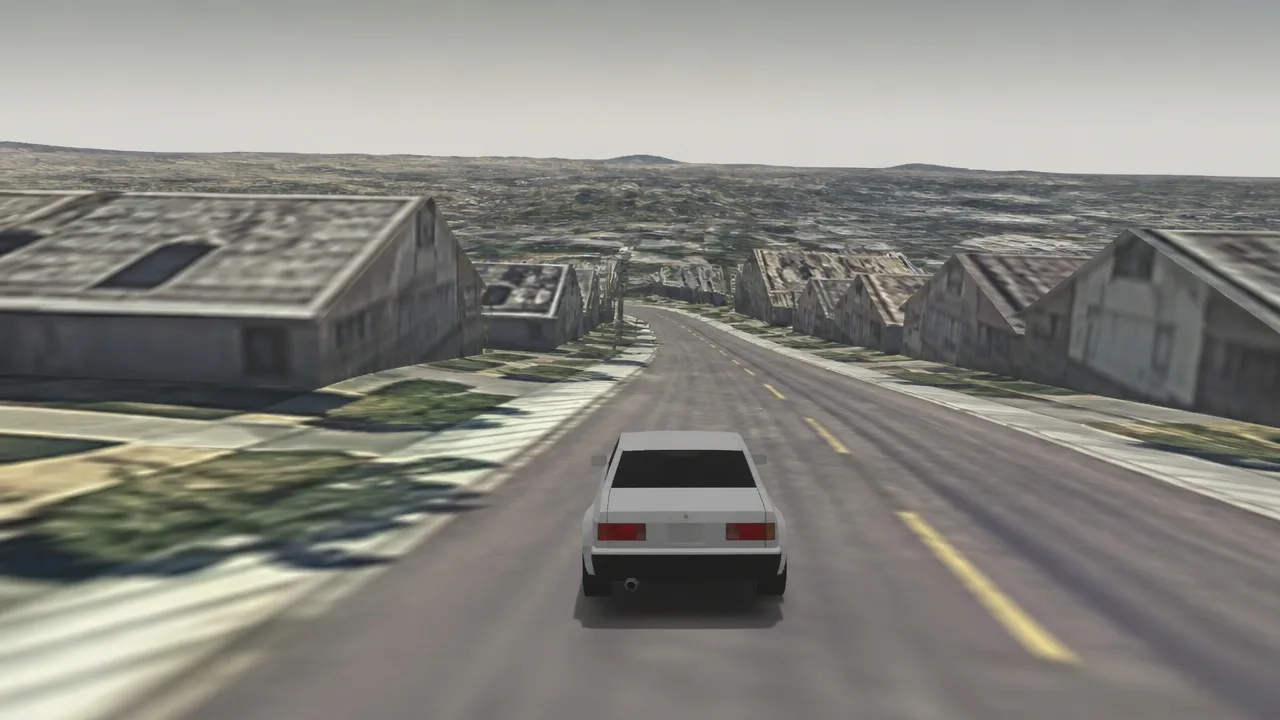 Before
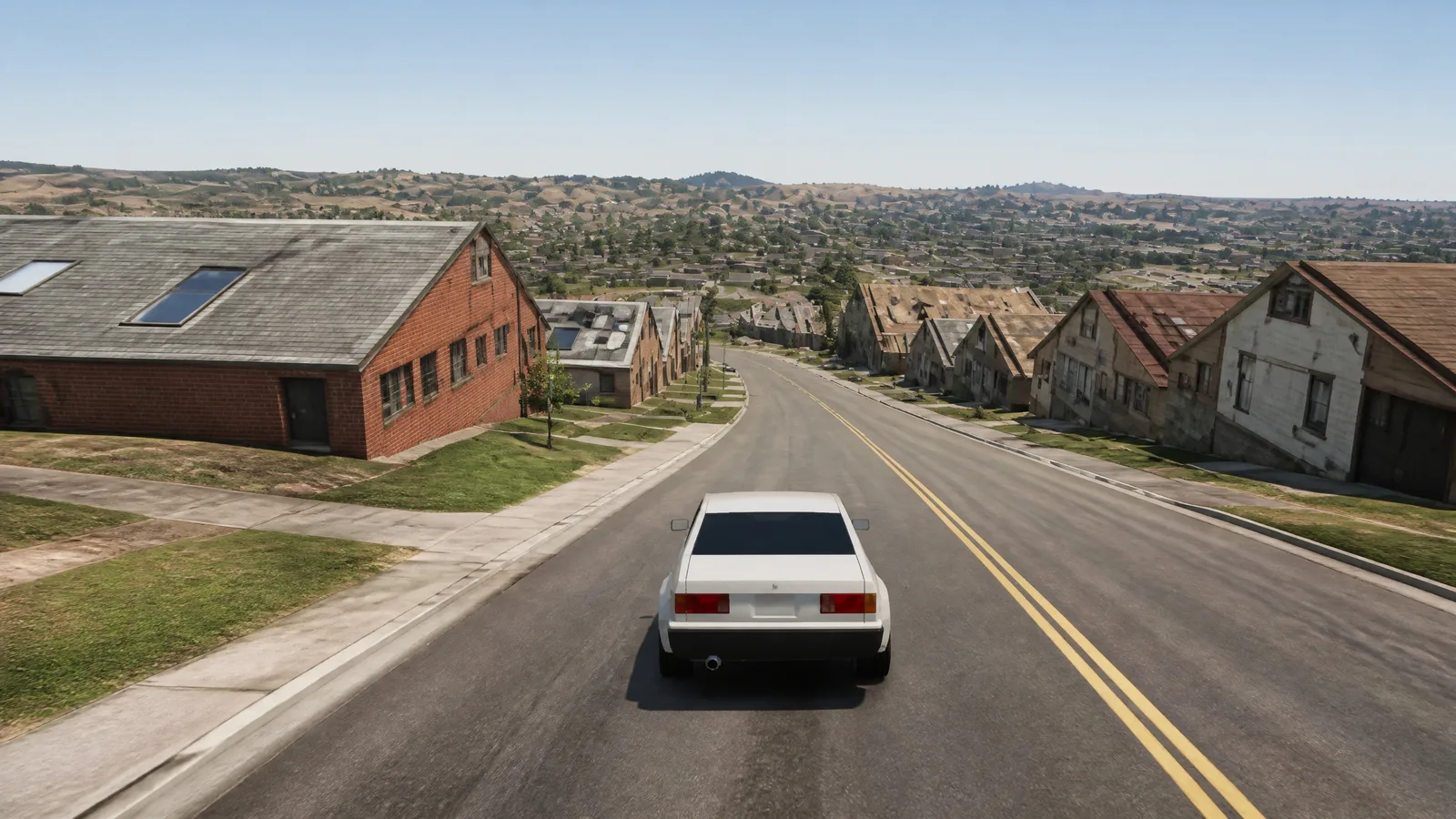 AI Result
A hillside of smeared rock texture and polygon coastline turned into a photographic mountain road: layered rock face, real scrub and trees, sunlit asphalt, and a coastline that reads like an actual seaside town below — the hairpin layout carried over bend for bend.
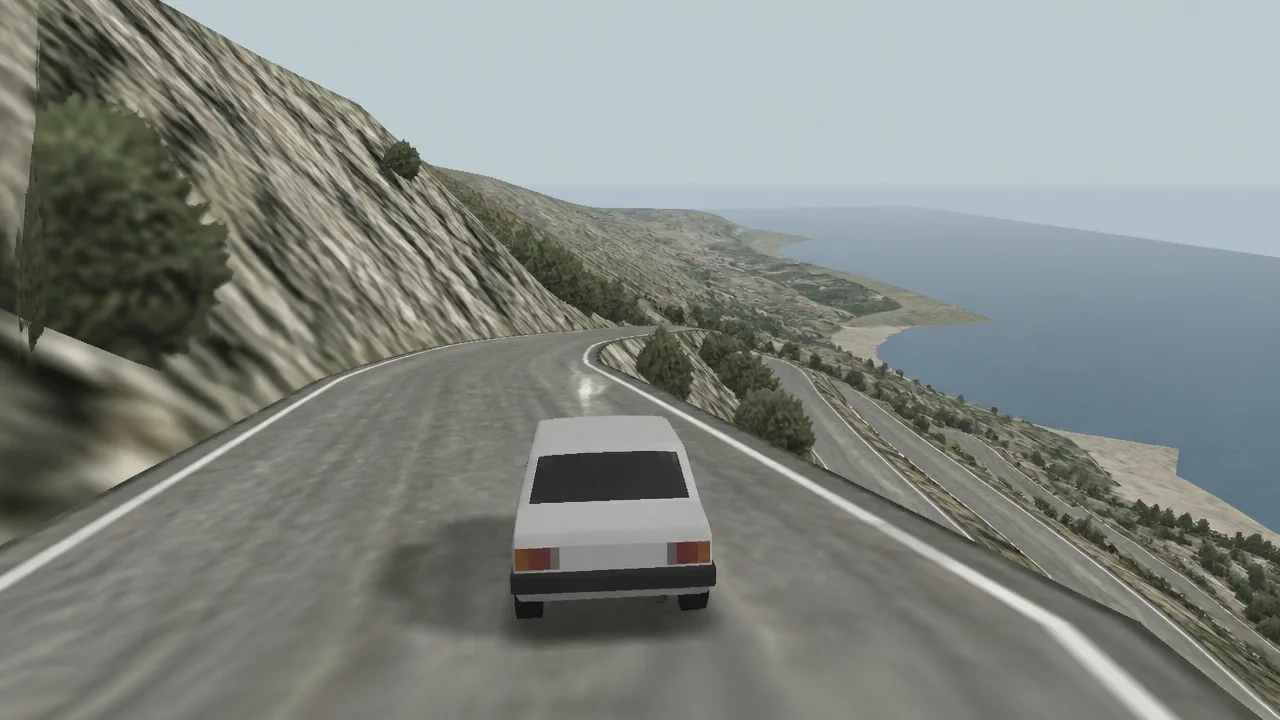 Before
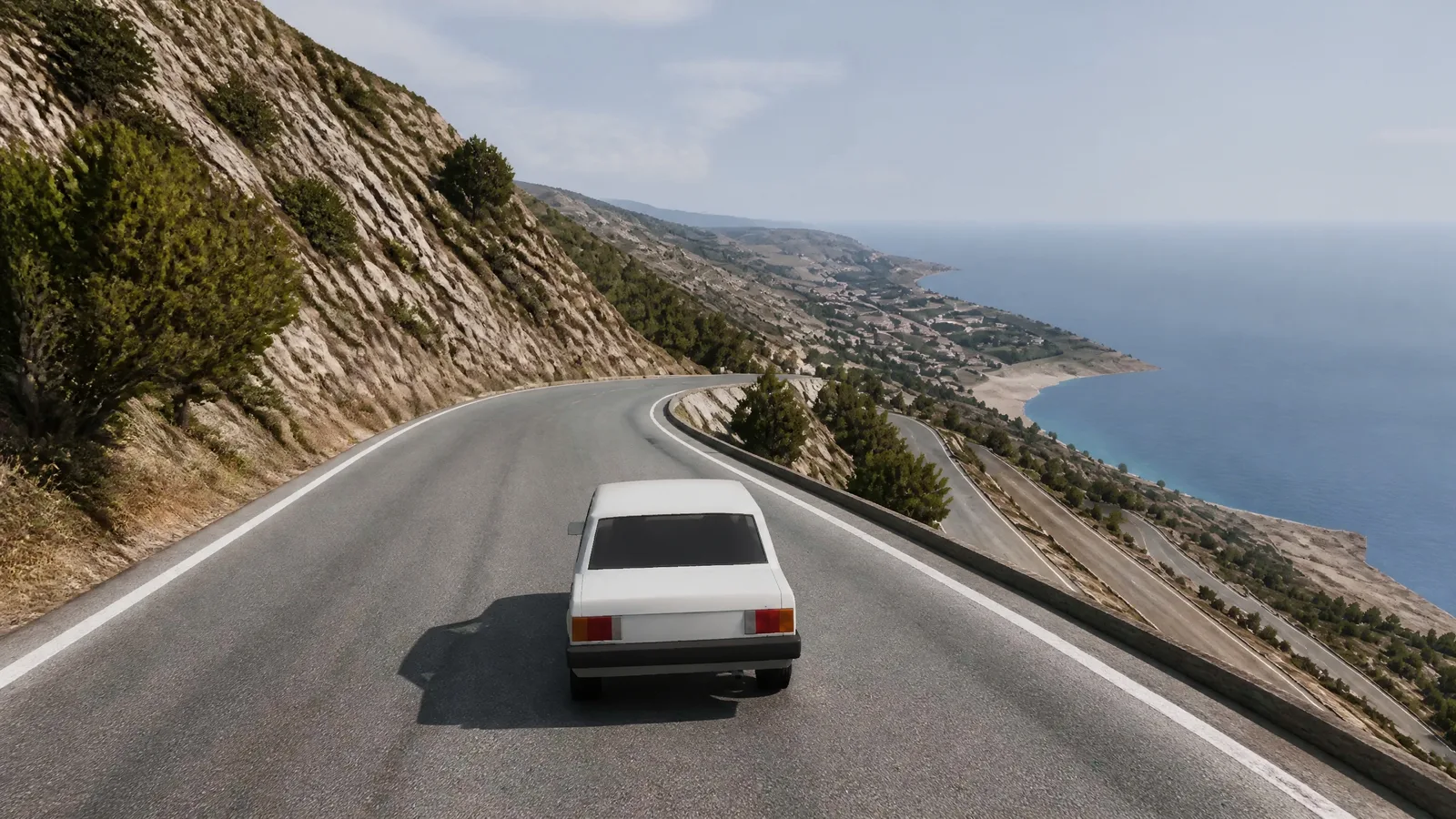 AI Result
Upload a screenshot from Hop.Earth or any other game and the AI re-renders the same scene as a photorealistic photograph - same viewpoint, same layout, real materials
Hop.Earth is the browser driving game that went viral in August 2026. It builds a drivable world in real time from OpenStreetMap road data and satellite imagery, so you can drive your own street, race friends through your hometown, or cruise any road on the planet - no downloads, no region packs. The developer describes it as a mix of Need for Speed and Google Maps, and that is exactly how it feels.
The catch: up close, the world is made of stretched satellite textures. Buildings look melted, trees are flat green smears, and the one screenshot everyone wants to share - driving past their own house - looks like it was rendered from orbit. This tool takes that screenshot and re-generates it as a photorealistic, street-level photograph of the same scene, so the moment actually looks like the moment.
A game render is an AI-image problem at heart, and the AI image humanizer covers the general case: making any artificial-looking image read as a real photograph.
Converting a game screenshot is not a sharpening or upscaling job. The information a camera would capture - surface texture, material response, natural light bounce - was never in the render to begin with. Recovering it requires generating new, realistic pixels for every part of the scene while keeping the scene itself intact.
That is why this tool runs on GPT Image 2, a state-of-the-art image editing model with real vision, driven by a purpose-built conversion instruction. The model reads the structure of your screenshot - camera angle, road layout, buildings, terrain, vehicles, horizon - and re-renders the identical composition as a photograph: real asphalt, brick and glass, natural vegetation, true-to-life lighting and sky. You upload the screenshot, click once, and download the photo version.
Scene conversion is one job for this engine. The AI photo editor on the sparkpix.ai homepage takes any photo and changes backgrounds, lighting, objects or style from one written instruction.
Satellite-based game worlds have a signature failure mode: everything was photographed from directly above, then draped over 3D terrain. Building walls become smeared roof pixels, cars are dark rectangles, and road markings wobble across the surface. A simple filter cannot fix this, because the side-on detail a street-level photo needs simply does not exist in the source imagery.
The conversion prompt targets exactly these artifacts. Vertical surfaces are re-imagined as real facades with windows and doors, smeared vegetation becomes individual trees and grass, the road gets true asphalt texture with clean markings, and the sky is replaced with a natural one that matches the scene lighting. Game UI - speedometers, minimaps, on-screen text - is removed entirely.
Results come back at 2K resolution. For a print-ready or wallpaper-size version, the AI photo upscaler takes the converted photo up to 4K, 6K or 8K.
The same conversion handles screenshots from any 3D game: racing sims, flight simulators over real terrain, open-world cities, even blocky voxel builds. Whatever the engine drew, the AI treats it as a scene description and photographs it - keeping the composition you framed while swapping game rendering for photographic reality.
Screenshots with clear scene structure convert best: a road leading somewhere, a skyline, a landmark, a cockpit view over terrain. The result is not the game with better graphics - it is what the place in your screenshot would look like if you had stood there with a camera.
Already have an AI-generated image that just looks off? The make AI photo realistic tool applies the same realism engine to images from any AI generator.
One click works across game engines and genres
Hop.Earth and similar OpenStreetMap-based games render the world from overhead imagery. The AI rebuilds the street-level view those textures can only hint at.
Examples:
The screenshot everyone shares: driving past your own house. Convert it into a photo-quality shot of the drive, with real houses, real trees, and a real road.
Examples:
Skylines, bridges, and famous streets keep their geometry and framing while gaining photographic buildings, traffic, and atmosphere.
Examples:
Track shots and cockpit views over terrain come back as convincing motorsport and aerial photography with real surfaces and depth.
Examples:
Any 3D scene with readable structure converts - including stylized and blocky worlds, which the AI reinterprets as real places.
Examples:
Speedometers, minimaps, health bars, and on-screen text are stripped out entirely, leaving a clean photograph instead of a screen capture.
Examples:
One click. The conversion prompt is built in - nothing to type.
Drop a game screenshot into the tool. JPG, PNG, and WebP files up to 20MB are supported. Uploads are deleted within 3 days - your results are yours to keep.
One button, no prompt writing. A purpose-built instruction tells the AI to keep the camera angle, layout, and composition while re-rendering the scene as a photograph.
In about half a minute the game rendering is gone. Download a 2K photorealistic image with real materials, natural lighting, and no HUD.
Hop.Earth is a browser-based driving game that generates a drivable world in real time from OpenStreetMap road data and satellite imagery, letting you drive any real road on the planet - including your own street - without downloads. It went viral in August 2026. Its world is textured from overhead satellite photos, which is why close-up screenshots look stretched and blurry - and why this conversion tool exists.
The tool sends your screenshot to the GPT Image 2 image editing model with a built-in conversion instruction. The model reads the scene structure - camera angle, roads, buildings, terrain, vehicles, sky - and re-renders the identical composition as a photorealistic photograph with real materials, natural lighting, and no game UI.
No - the output is an AI reconstruction of the scene in your screenshot, not an actual photograph of the place. Road layout, composition, and large structures carry over, but building details, signage, and vegetation are re-imagined. For satellite-textured games that is the point: the side-on detail never existed in the game to begin with.
Screenshots with clear scene structure convert best: roads with a horizon, city streets, skylines, cockpit or chase-camera views. Hop.Earth and other satellite-map driving games benefit most because their source textures are the furthest from street-level photography. Heavy motion blur, tiny UI-covered frames, or abstract scenes convert less predictably.
JPG, PNG, and WebP files up to 20MB. The output keeps the aspect ratio of your uploaded screenshot - 16:9 captures come back 16:9 - at 2K resolution. Uploaded screenshots are deleted within 3 days; the results you generate are yours to keep.
One conversion costs 10 credits. Signing up gives you 5 free credits, which covers a start on the other tools but not a full conversion, so this one needs a credit package. Packs start at $9.99 for 350 credits - enough for 35 conversions.
You framed the shot - now give it the graphics it deserved. Upload a screenshot from Hop.Earth or any other game and get a photorealistic version in one click - no prompt writing, no editing skills needed.
The realism hub: make any AI-generated or artificial-looking image read as a real photo
Turn any AI-generated image into a photo that looks shot on a real camera
Conversion came back still looking artificial? Strip the AI look while keeping the scene
Take your converted photo up to 4K, 6K or 8K for prints and wallpapers
Sharpen soft screenshots and recover fine detail before or after conversion
The other viral reversal: turn matcha-green liquid art back into a realistic photo