
FREE
Loading…
Just upload and click to process - no prompt needed
Result
Your result will appear here
Upload a photo and click the button to start processing
No Prompt Needed
Per Fix
Output Resolution
First Fix
Last updated:
Today's generators rarely mangle hands on request, so we made these AI images and then broke the hands on purpose with the classic failures. The right side is the unretouched output of this tool.
The hardest classic: two hands holding each other, merged into a knot of extra fingers where you cannot tell whose finger is whose. The fixer counts the fingers and redraws the clasp so each finger belongs to one hand, keeping the arms, sleeves and sunset beach untouched.
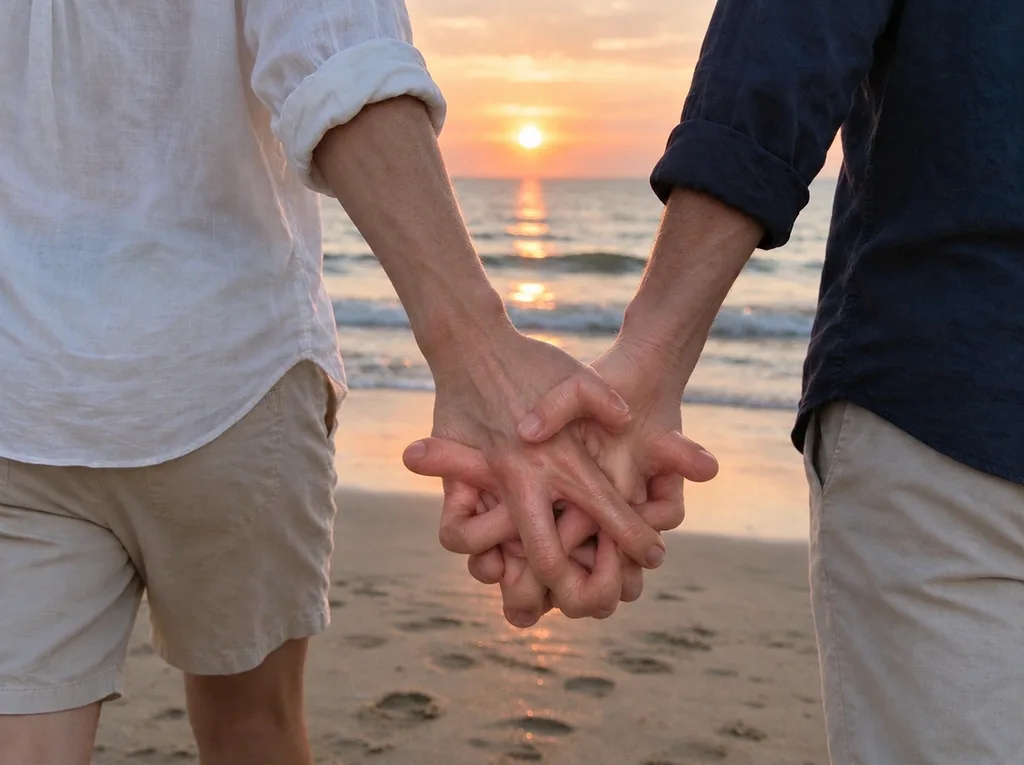 Before
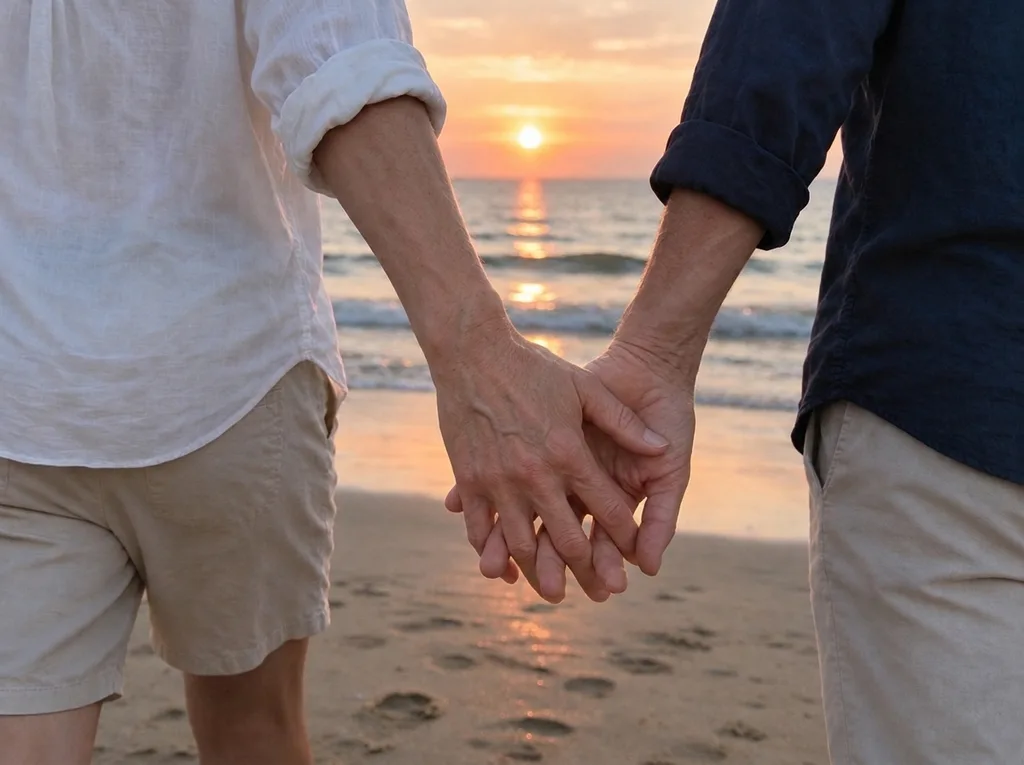 AI Result
A raised hand with a sixth finger and one bent at an impossible angle. The result keeps the same wave, the same hand position and the same park behind her, with five straight fingers.
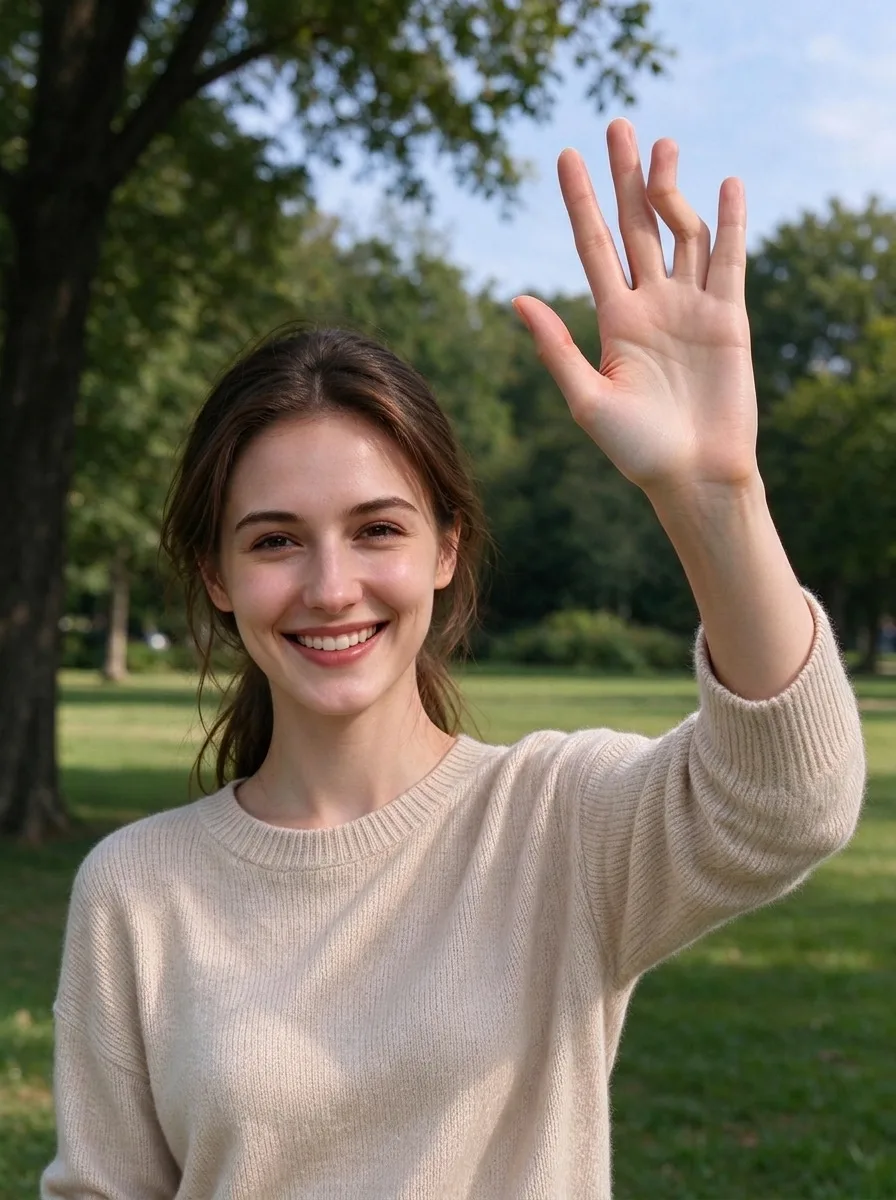 Before
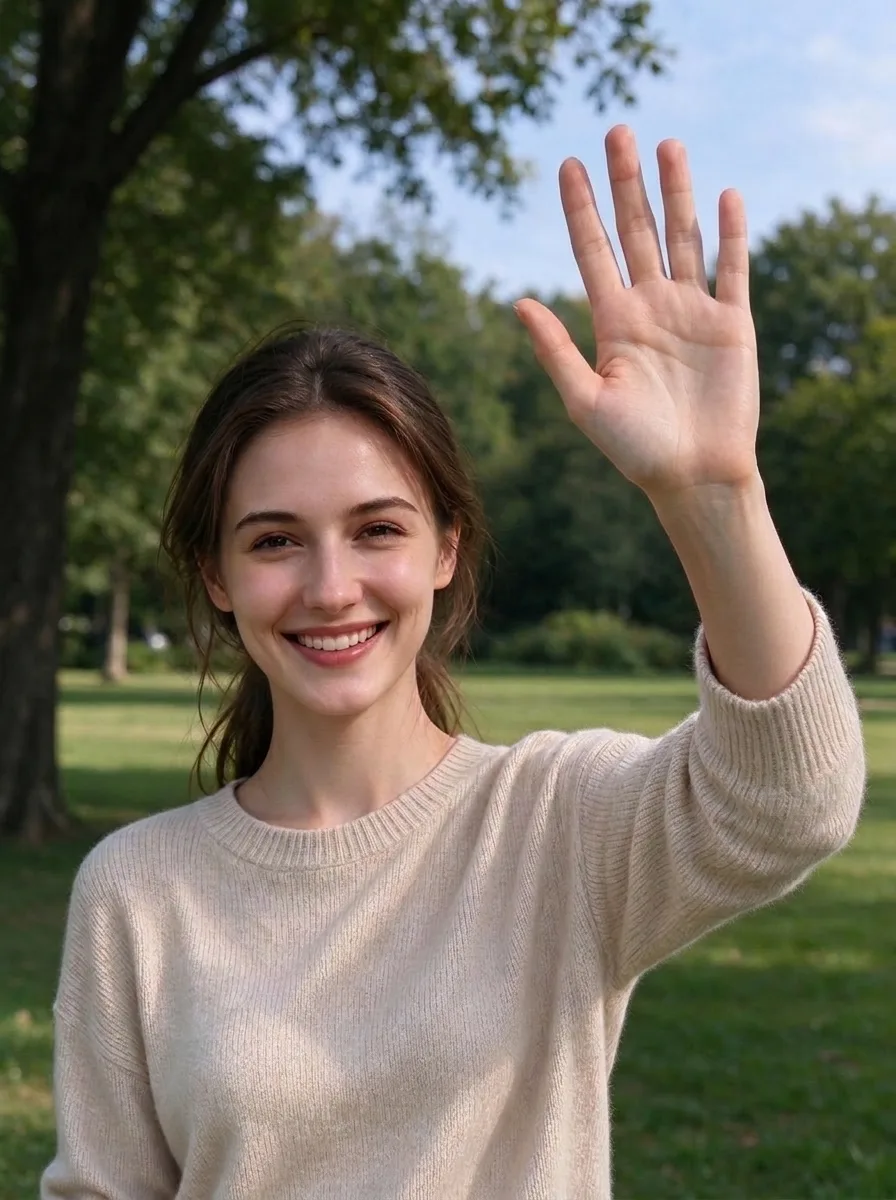 AI Result
A thumb sprouting from the back of the hand holding a coffee mug. The fixer removes it and settles both hands around the mug the way people actually hold one. His face, sweater and the café stay as they were.
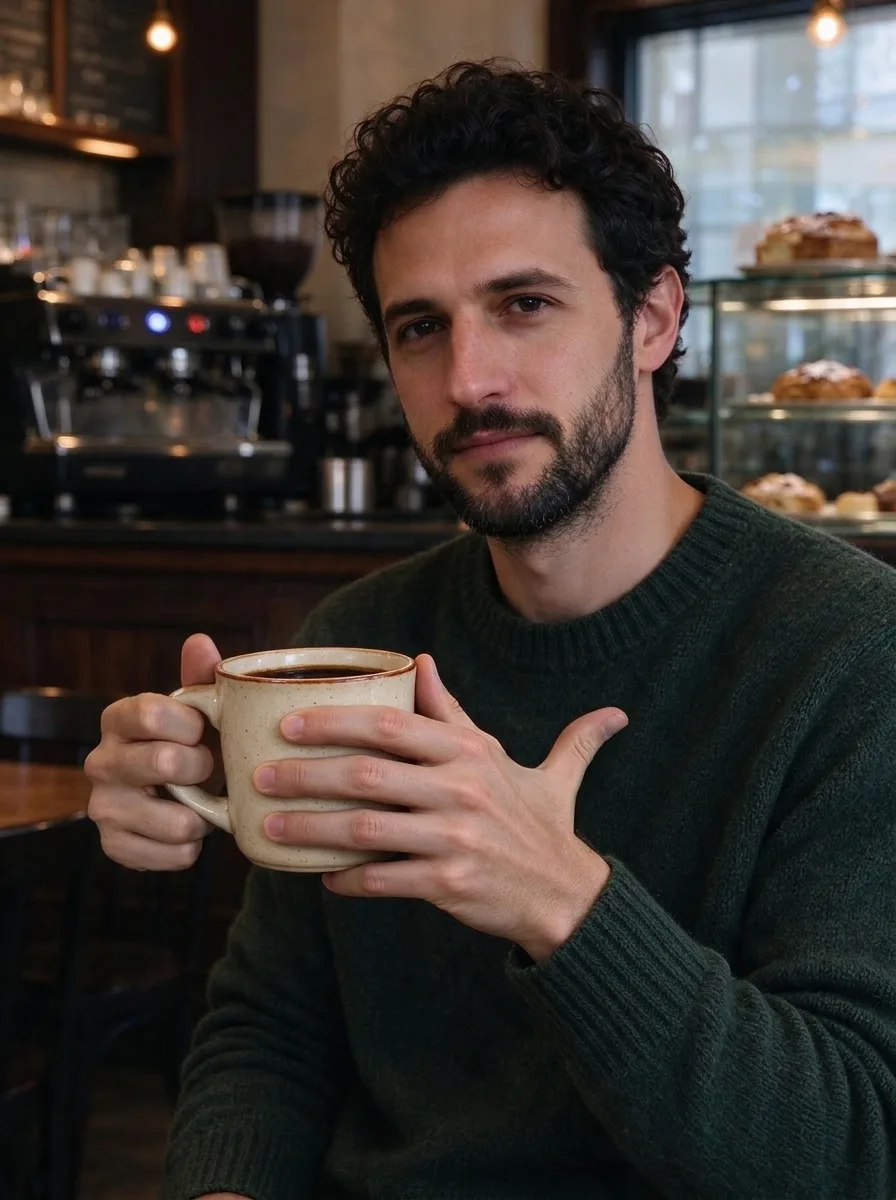 Before
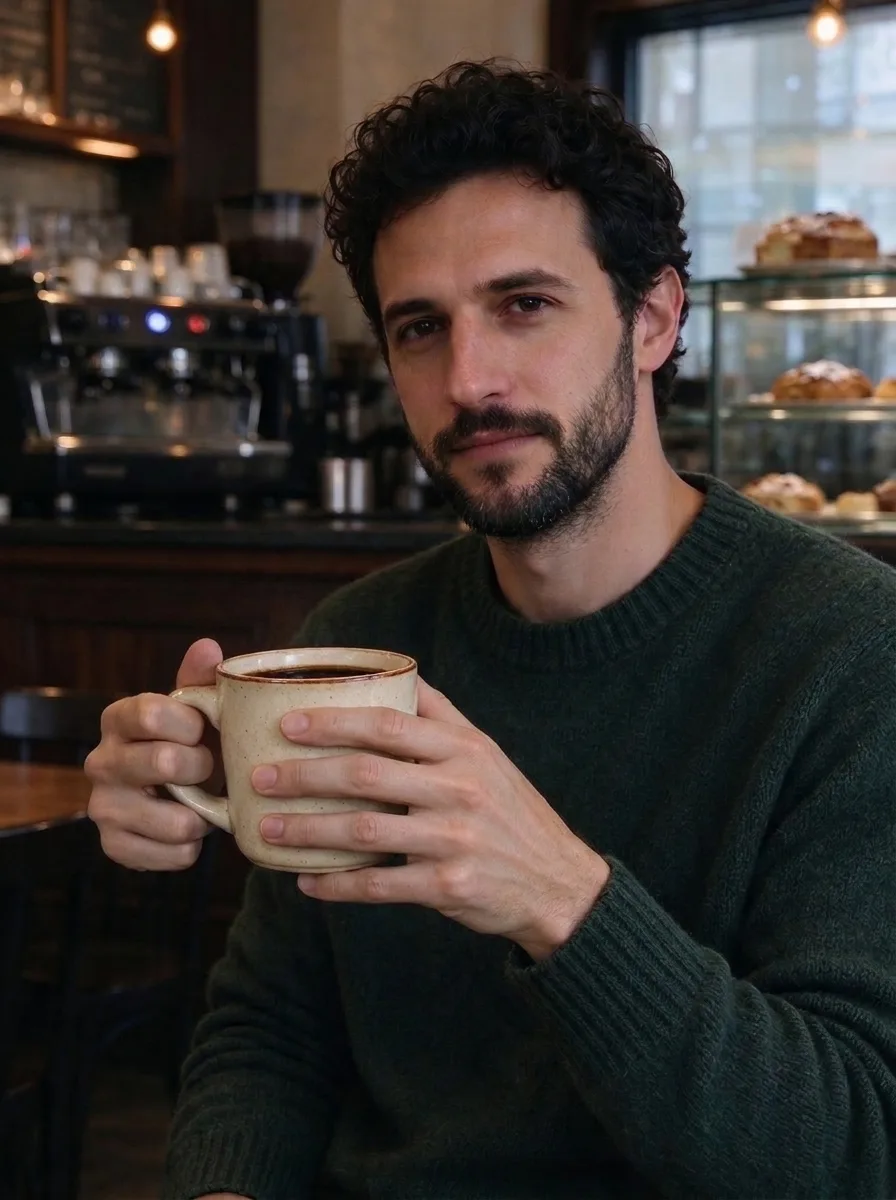 AI Result
Extra fingers sticking up and two fingers melting into the keys. Both hands come back with five fingers resting on the keyboard, and the keys keep their shape.
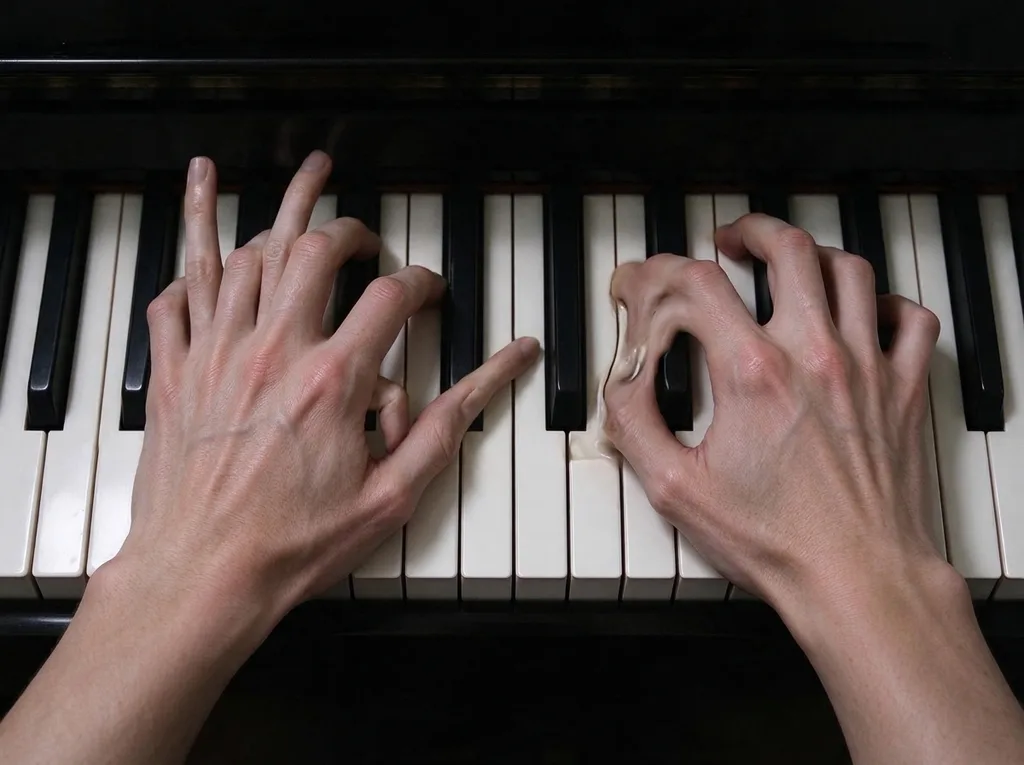 Before
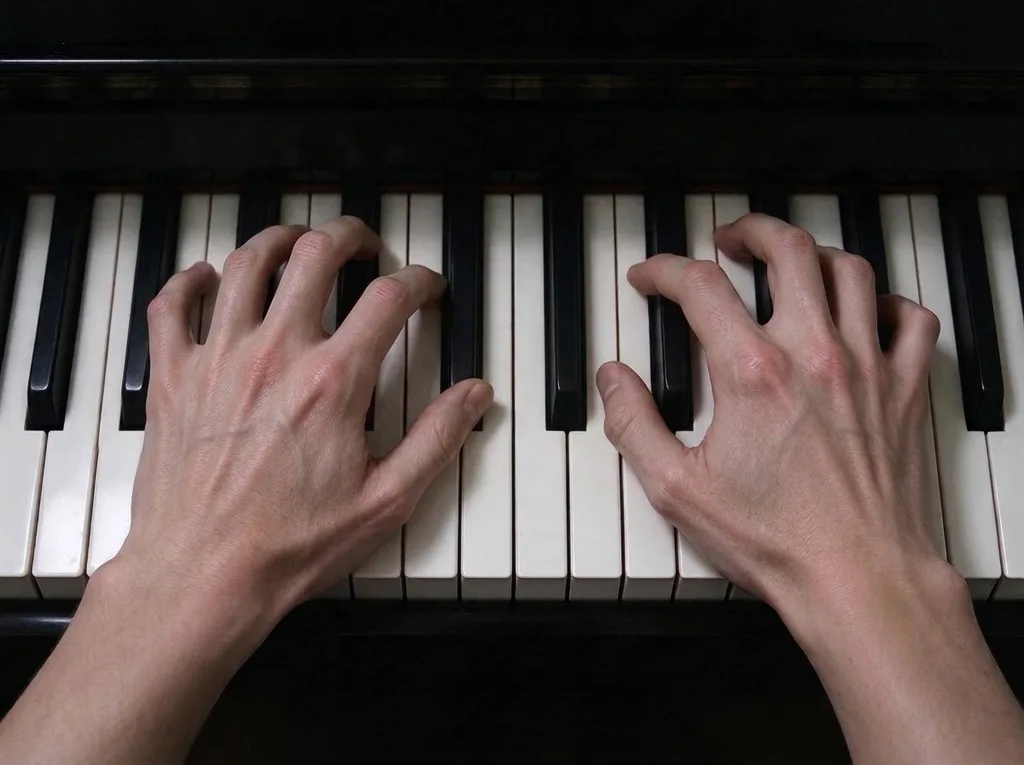 AI Result
Hands in AI art are fixed as art: this anime peace sign had too many fingers, and it comes back as a clean two-finger peace sign with the same line work and shading. Nothing turns photographic.
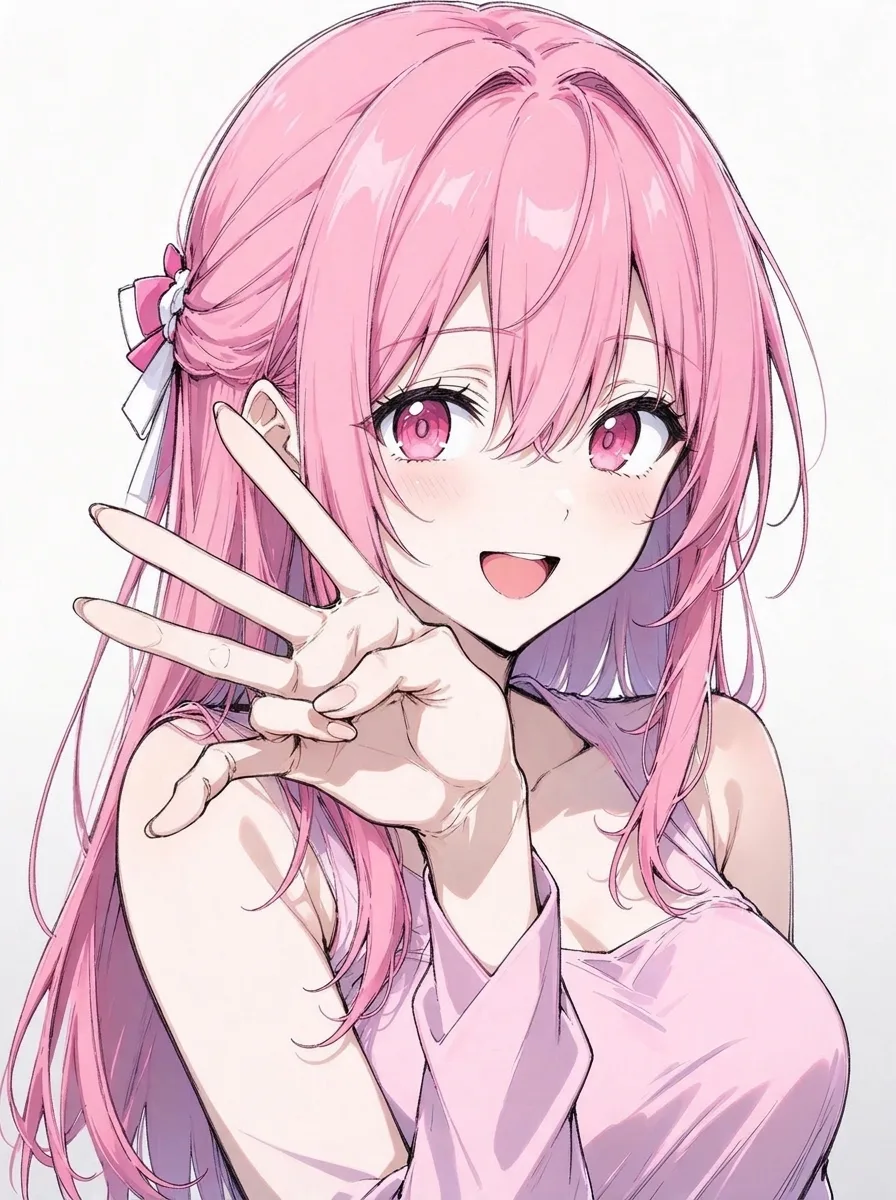 Before
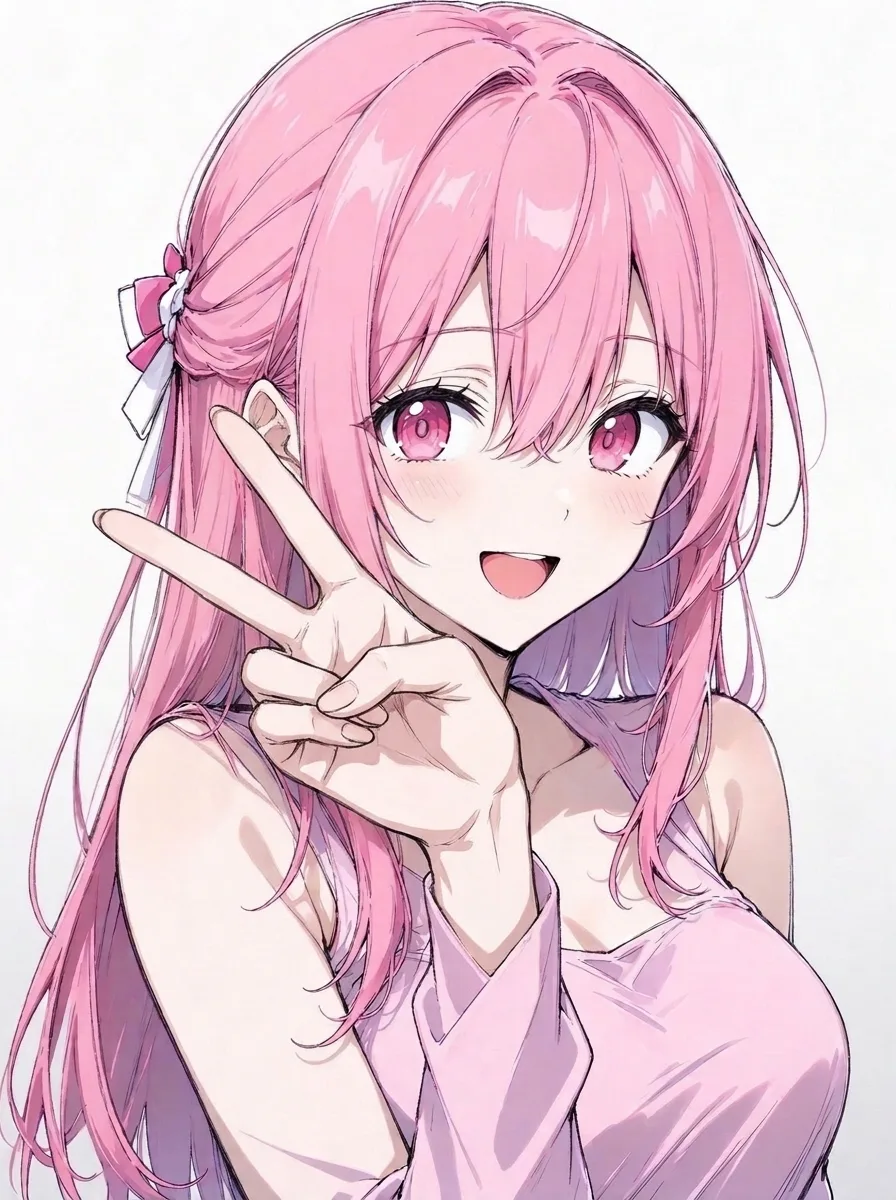 AI Result
Bare feet get the same treatment as hands: the toe growing from the side of a foot and the extra toes are gone, and the feet still dip into the same water by the same dock.
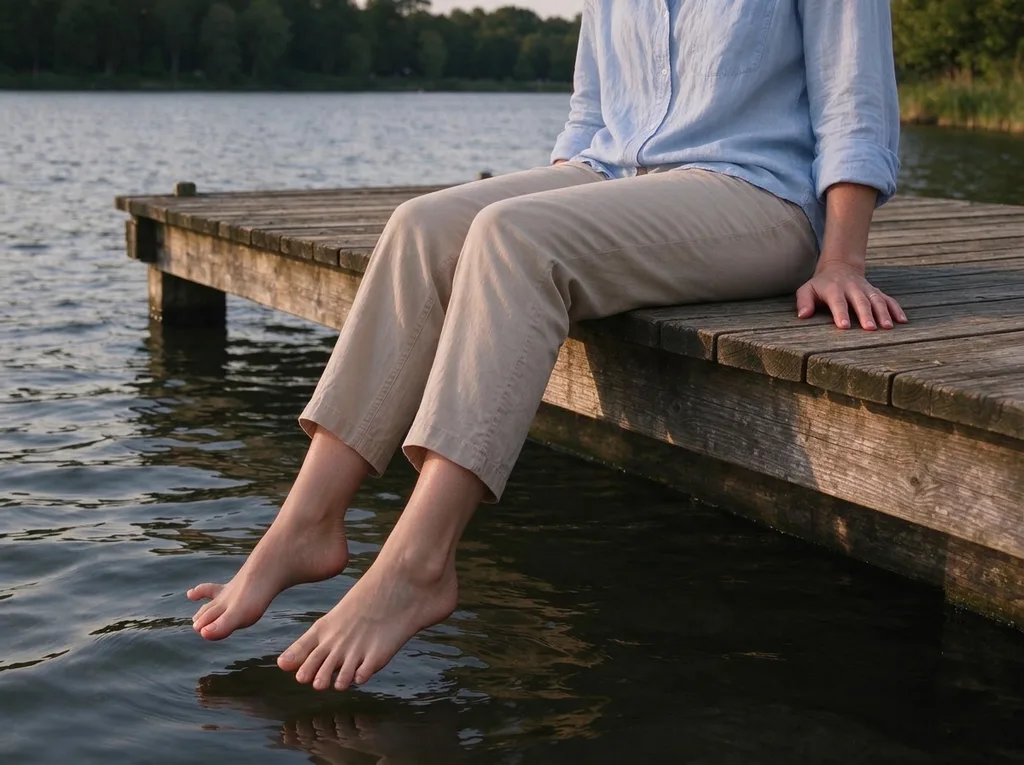 Before
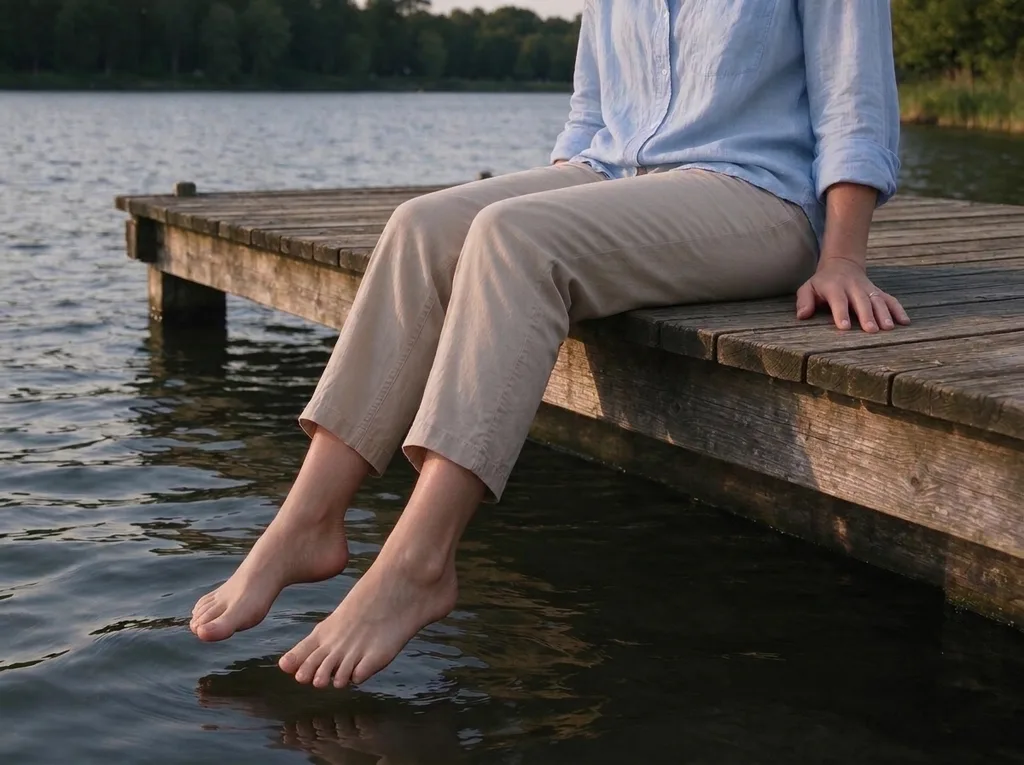 AI Result
What the fixer does, why AI hands break, and the other ways to fix them.
An AI hand fixer is a tool that repairs the hands in an AI-generated image (extra, missing, fused or twisted fingers, thumbs on the wrong side, hands that pass through what they hold) without regenerating the rest of the picture. Use it when an image is right except for the hands.
This one runs on Nano Banana 2.1. It counts the fingers on every visible hand, and where the count or shape is wrong it redraws that whole hand in the gesture it is most plausibly making: a wave, a peace sign, a fist, a grip on a cup. Faces, pose, clothing, background, light and the image's style are kept by instruction. Bare feet with extra or fused toes are fixed in the same pass.
Hands are small in most pictures, bend into thousands of shapes, and are often half hidden behind an object or another hand. An image model learns what hands look like from pictures, not how many bones they have, so it can produce something that looks hand-like at a glance and falls apart when you count: six fingers, a finger merging into a cup, two hands fused into one.
Newer models fail less often, but the failures that remain are the hard poses: interlocked hands, hands gripping objects, hands seen end-on, and hands in illustrations. Those are exactly the cases this fixer was tested on.
The fixer runs in the browser: upload, click, download, with nothing to install. One fix costs 5 credits and new accounts get 5, so your first fix is free. Free fixes come out at 1K; after you buy credits they come out at 2K.
After that, packs start at $9.99 for 350 credits, about 70 fixes or roughly 14 cents each, with no subscription. If a hand still looks off, running the fix again on the result is usually enough, because each run re-reads the image from scratch.
Hands in illustrations are fixed in the illustration's own style. An anime character keeps its line work and cel shading, a painted image keeps its brushwork, and a photo keeps its skin texture and light. The fixer never turns a drawing into a photo; if that is what you want, Anime to Real Life does it on purpose.
Gestures matter more in art than in photos, so the fixer redraws a broken hand as the gesture it is most plausibly making. In our tests a peace sign with too many fingers came back as a clean two-finger peace sign. If it ever reads the gesture differently from what you meant, run it again.
Want the character as a real person instead? Try Anime to Real Life .
If you edit images in a chatbot, this prompt asks for the same repair. Paste it with your image: "Fix the hands in this image. Count the fingers on each hand, then redraw any wrong hand in the gesture it is most plausibly making, with five fingers, natural joints, no extra, missing or fused fingers, and a believable grip on anything it holds. Change nothing else: keep the faces, pose, clothing, background, lighting and style exactly as they are."
Chatbots often regenerate the whole picture, so faces and backgrounds can shift along with the hands. The fixer on this page runs a longer, tested version of this prompt and keeps everything outside the hands as it was.
The classic AI hand failures, in photos and in art.
Six, seven or four fingers brought back to a thumb and four fingers.
Examples:
Fingers merged into each other or into an object, separated with real joints and nails.
Examples:
Hands that pass through cups, phones or rails, redrawn to wrap around them.
Examples:
Holding hands, handshakes and interlocked fingers, with each finger belonging to one hand.
Examples:
Anime, illustration and painterly images, fixed in the same style.
Examples:
Extra, fused or sideways toes on bare feet, fixed in the same pass.
Examples:
Three steps, about a minute.
Any image with broken hands: JPG, PNG or WebP up to 20MB, from any generator. Uploads are deleted within 3 days; your results are yours to keep.
Nothing to type or select. Every visible hand (and any bare foot) is checked and repaired; the rest of the image is kept.
About 30 seconds later, download it: 1K on free credits, 2K once you have bought credits. Run it again on the result if one hand still looks off.
Four common fixes, and where each one wins.
| This fixer | Photoshop Generative Fill | Re-generating the image | Inpainting in Stable Diffusion | |
|---|---|---|---|---|
| How it works | One click on the whole image; hands found automatically | You select the hand and generate variations | A new image from the same prompt | You mask the hand and re-generate that area |
| Keeps the rest of the image | Yes, by instruction | Yes, outside the selection | No, everything changes | Yes, outside the mask |
| Handles clasped hands and grips | Yes, tested | Often needs several tries | Only by luck | Depends on the model and settings |
| Skill and setup | None | Photoshop and some practice | None | A local install, models and masks |
| Cost | 5 credits (first fix free) | Photoshop subscription | Free in your generator | Free, on your own GPU |
| Use it when | The image is right except the hands | You want to pick from variations by hand | You do not mind losing this image | You already work in Stable Diffusion |
Prices as of November 2026.
An AI hand fixer repairs the hands in an AI-generated image (extra, missing, fused or twisted fingers, wrong thumbs, broken grips) without regenerating the rest of the picture. This one counts the fingers on each visible hand and redraws any wrong hand in its most plausible gesture, keeping faces, pose, clothing, background and style as they were.
Your first two fixes are free: new accounts get 10 credits and a fix costs 5. Free fixes are 1K; after you buy credits they are 2K. Packs start at $9.99 for 350 credits, about 70 fixes, with no subscription.
It is told not to: faces, expressions, pose, the position of each arm and hand, clothing, objects, background, light, colours, framing and size are kept. The hand itself is redrawn, so its exact shape changes, and an object the hand holds can shift slightly where the grip is rebuilt.
Yes. Hands in anime, illustrations and digital paintings are fixed in the same style, with matching lines and shading, and the picture stays a drawing. In our tests an anime peace sign with too many fingers came back as a clean two-finger peace sign.
Yes. If bare feet are visible, extra, fused or sideways toes are fixed in the same pass, five toes each. There is nothing extra to select.
The fixer redraws a broken hand as the gesture it is most plausibly making, which is usually right but is a guess when the original is badly mangled. Run it again on the original or on the result; each run re-reads the image. If you need a specific new gesture, describe it in the AI image editor instead.
Every visible hand in one pass: our tests included two hands on a piano, two hands on a mug and two people holding hands. Very small hands in crowd scenes give the model little to work with and are the least reliable case; we have not tested crowds.
If the whole image looks AI-generated (plastic skin, studio glow), use the AI to Real image converter, which re-renders the whole picture as a photo. If the hands are fine and you want a different pose, use an editor that takes instructions. The fixer is for images that are right except for the hands.
Upload it and get the same image back with five fingers on every hand, in about 30 seconds. The first fix is free.
The realism hub: taking the AI look out of images
When the whole image looks AI, not just the hands
The other classic AI tell: plastic skin, fixed on its own
Subtract the AI tells from a finished image
Turn an anime or cartoon character into a real person
Describe any other change in your own words
All of these are part of the sparkpix.ai AI photo editor, so one account works across every tool.