FREE
Loading…
Just upload and click to process - no prompt needed
Result
Your result will appear here
Upload a photo and click the button to start processing
Free until December 6
Per Conversion
Output Resolution
No Prompt Needed
Last updated:
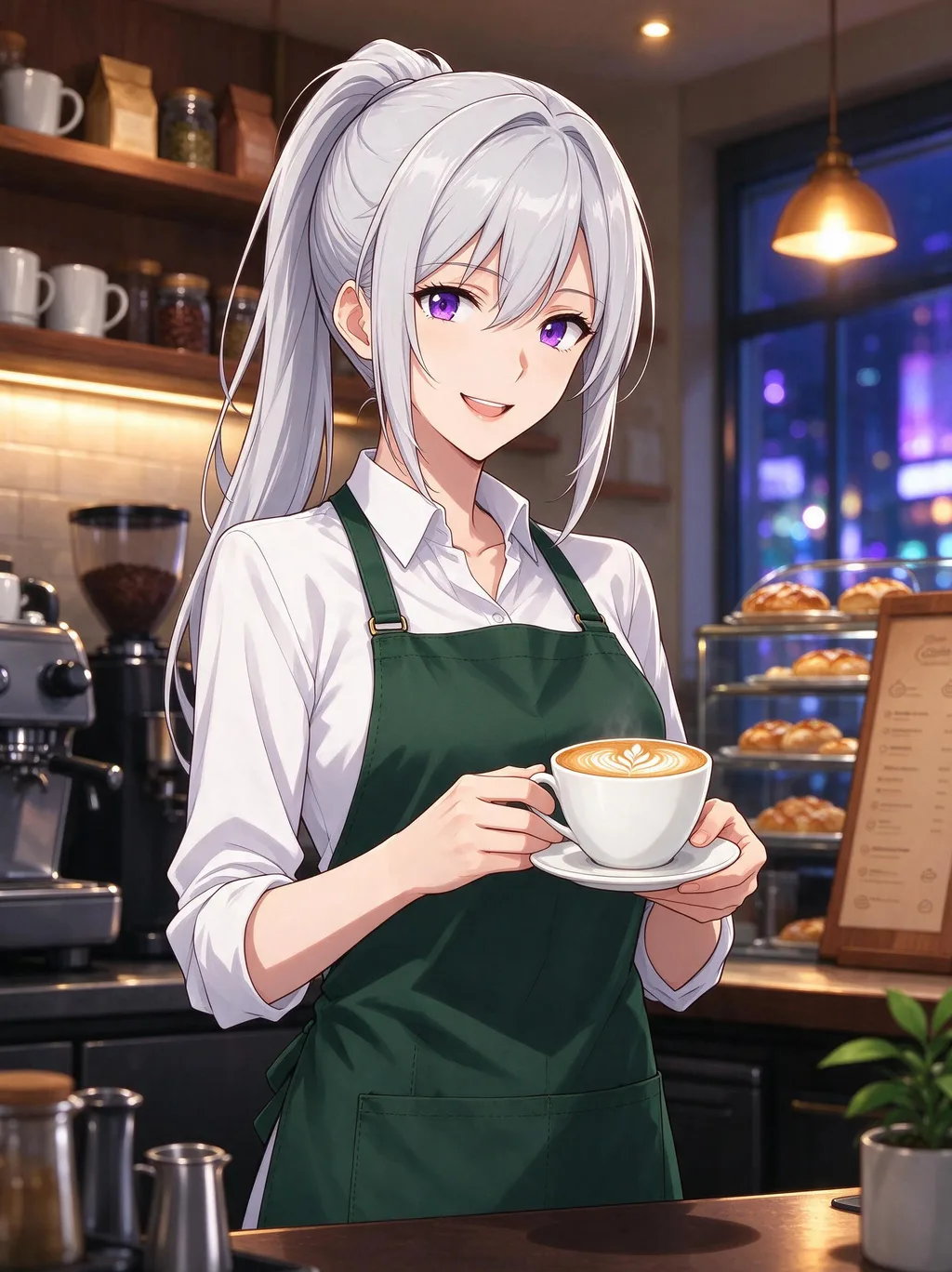
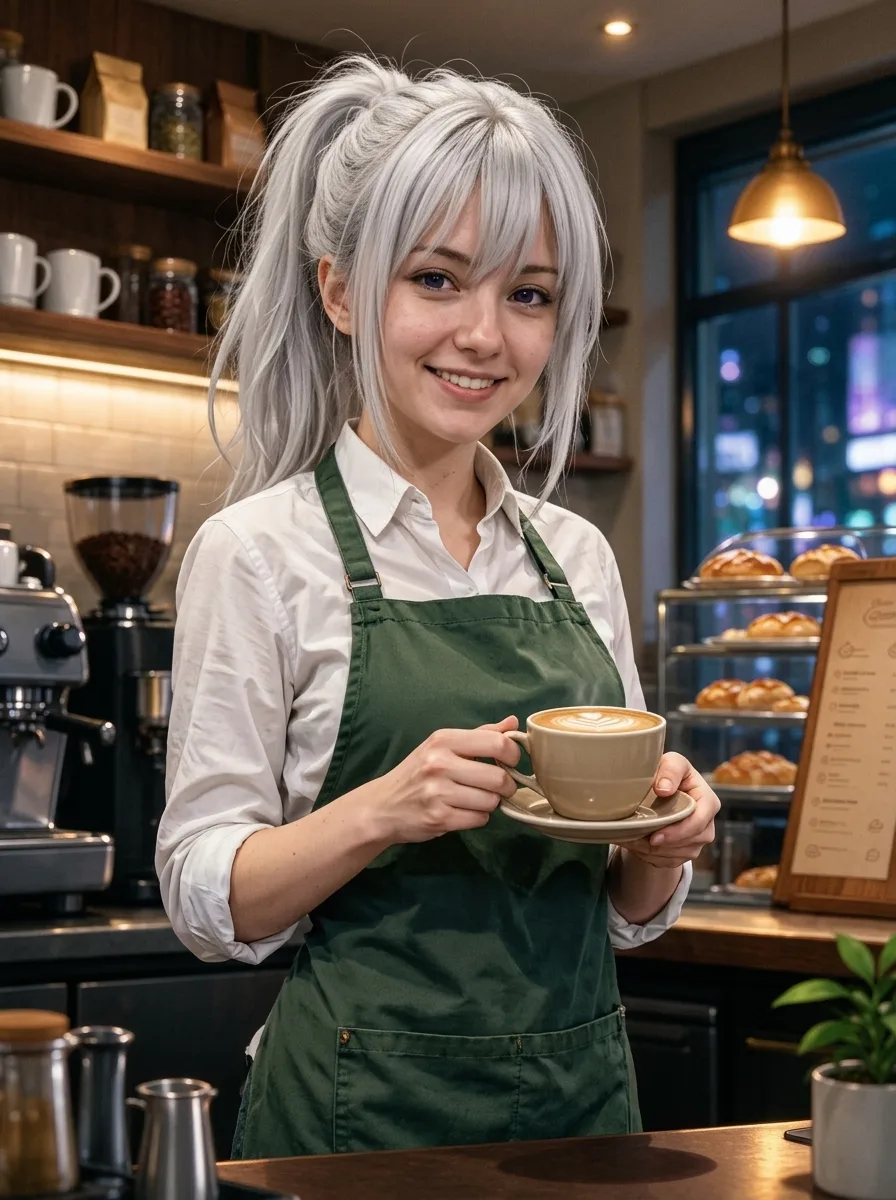
The left picture went in, the right one came out, unretouched. All six characters are originals drawn for this page, so you can see what the tool does without guessing what it was trained to copy.
A cel-shaded anime barista with silver hair and violet eyes becomes a real young woman behind a real café counter. The ponytail, apron, latte and lit pastry case all carry over; the eyes shrink to human size and keep a hint of their colour.
 Before
 AI Result
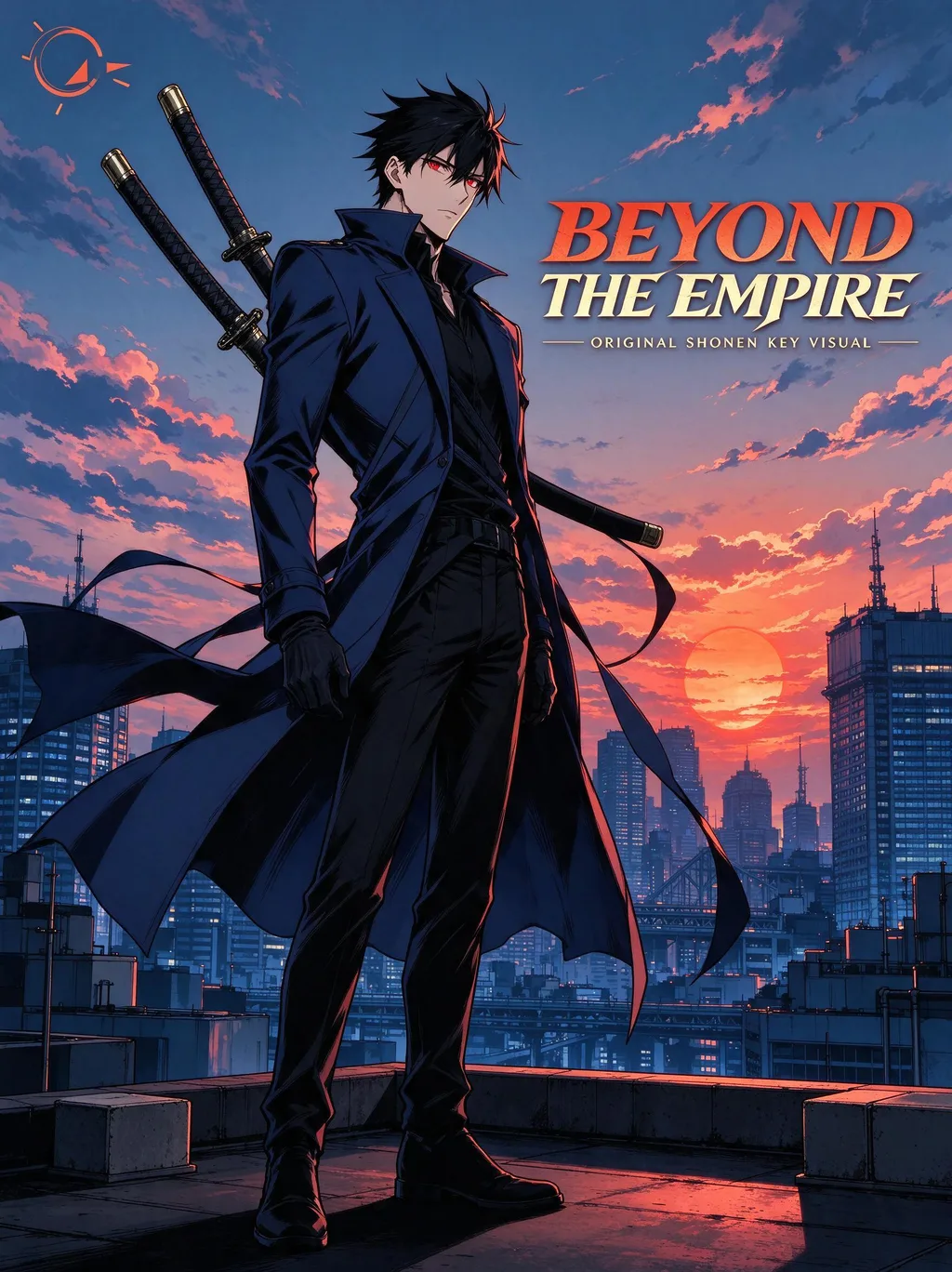
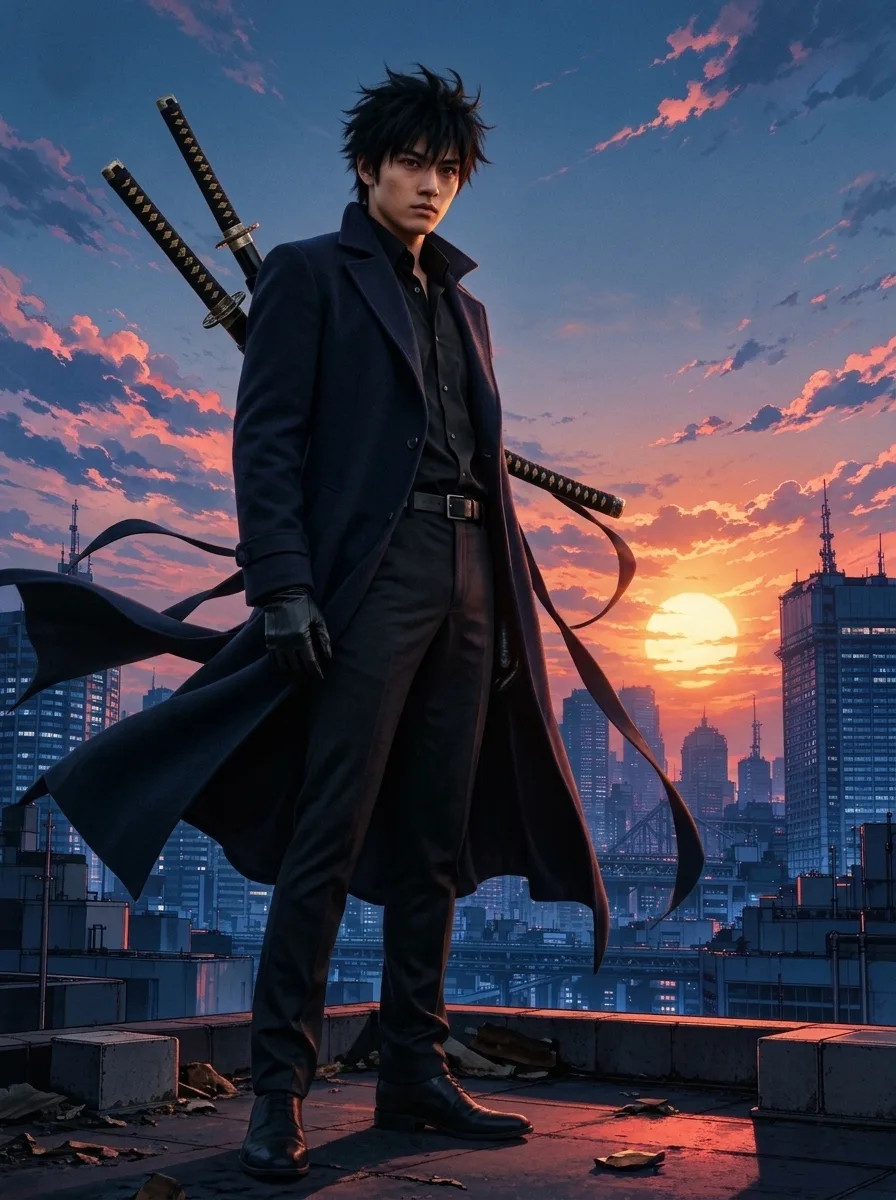
A key-visual swordsman on a sunset rooftop, rendered with the Live-action movie still look: a real actor in a real long coat with two sheathed swords, the same city skyline and sun. The poster title in the original is gone, because the result is meant to be a photo, not a poster.
 Before
 AI Result
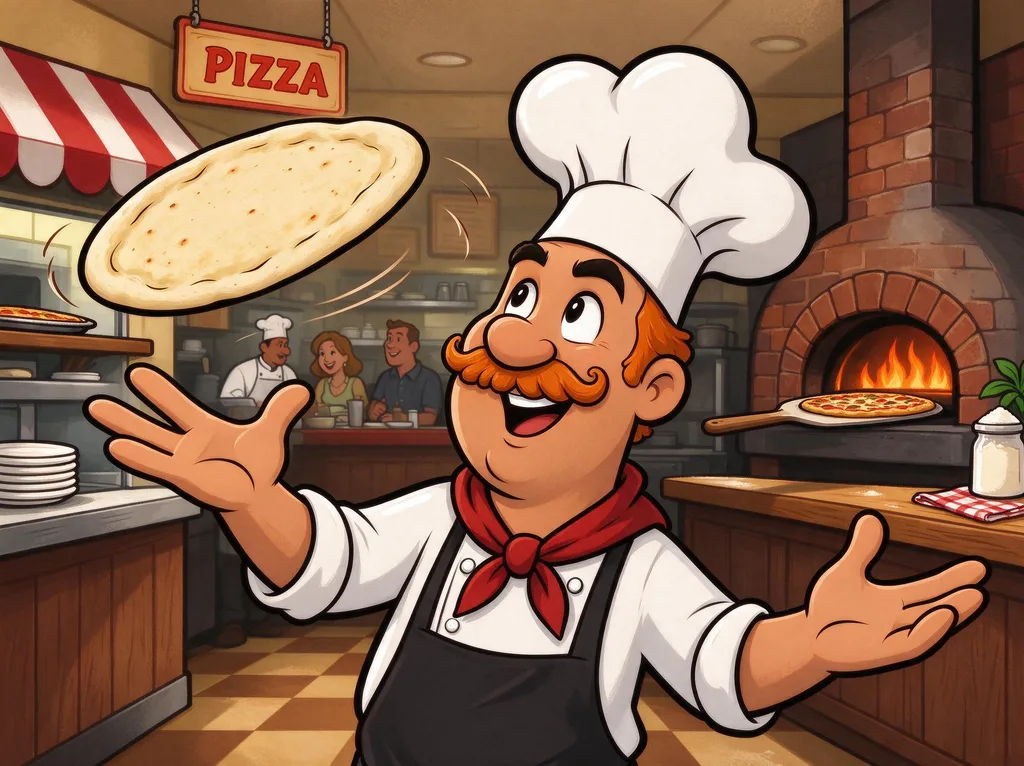
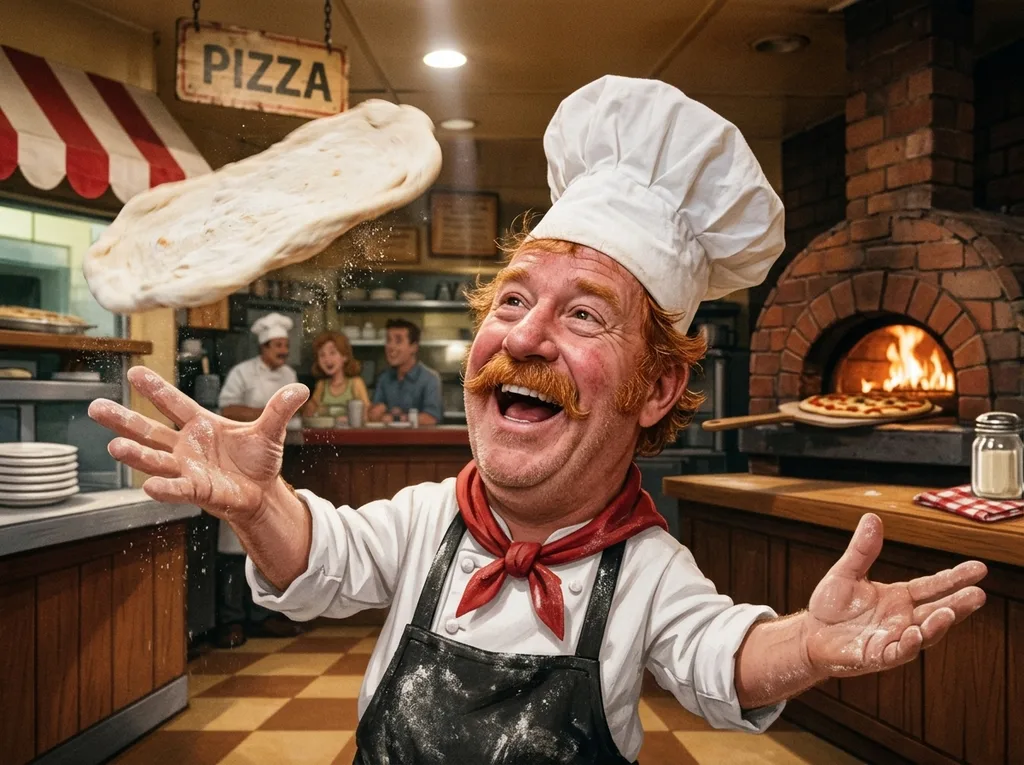
A thick-outlined Saturday-morning cartoon turned into a real cook mid-toss: ginger moustache, red neckerchief and tall hat kept, the brick oven and diners behind him rebuilt as a real restaurant. Exaggerated cartoon hands come back as real hands with five fingers.
 Before
 AI Result
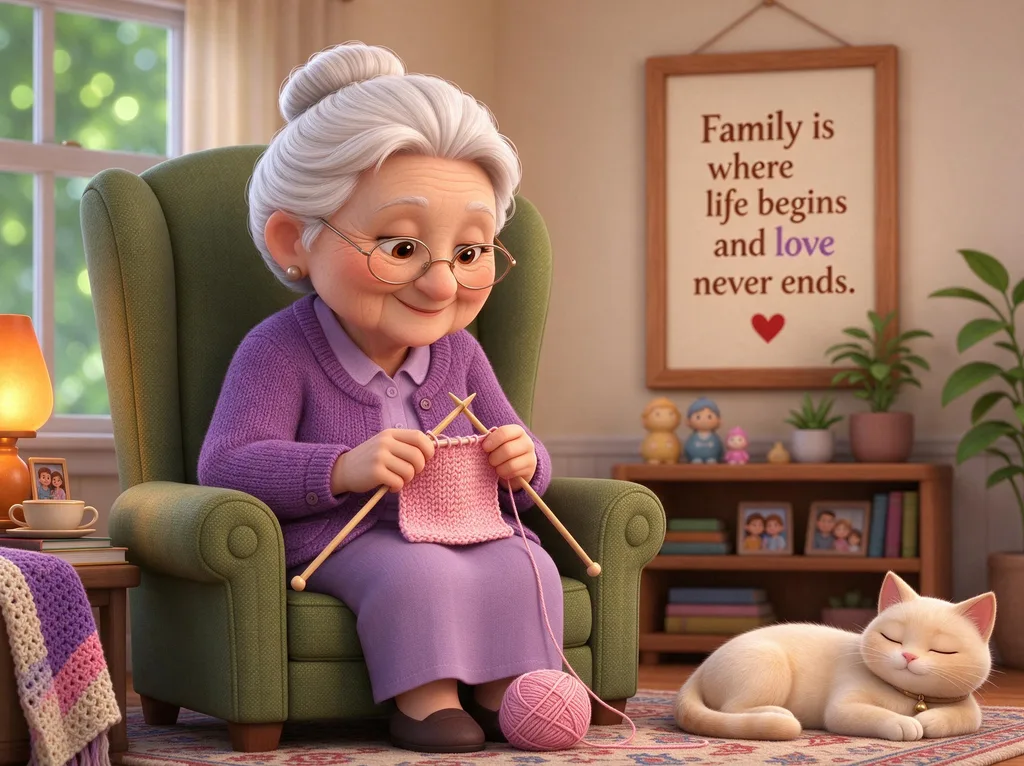
The soft, big-eyed look of a 3D animated film becomes an elderly woman with real wrinkles, glasses and a knitted purple cardigan, in the same armchair with the same sleeping cat. The framed quote on the wall was part of the scene, so it stays.
 Before
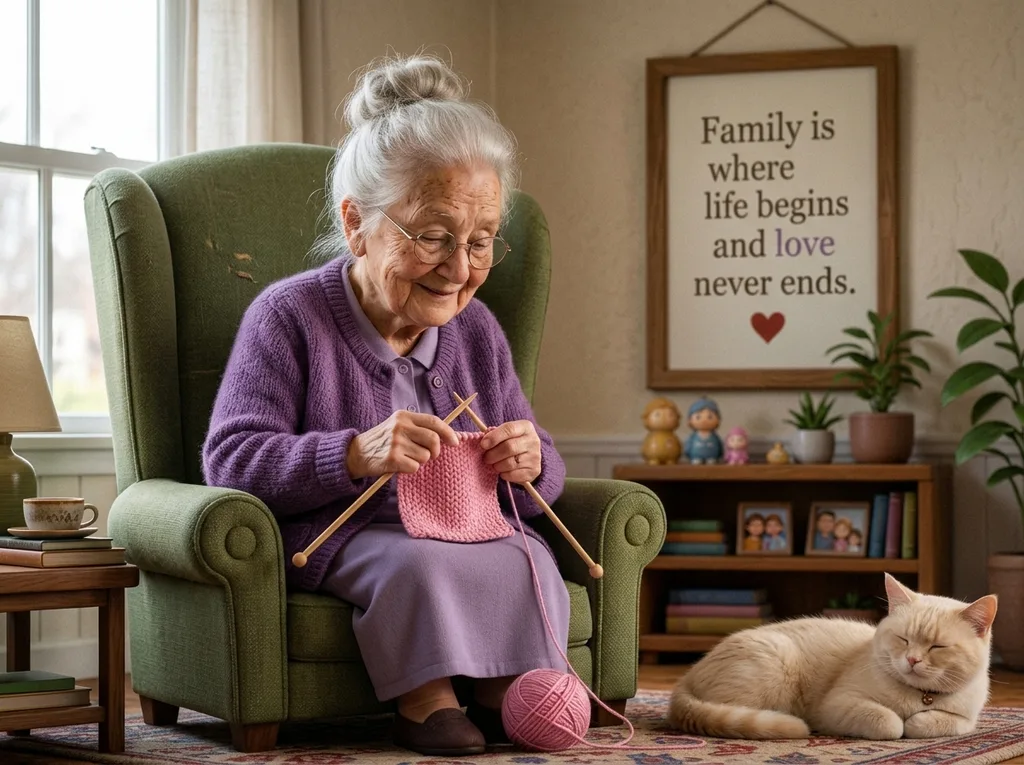 AI Result
Non-human characters become the real-world animal: this cartoon fox comes out as a real red fox with a white-tipped tail, still wearing its blue scarf, sitting by a stream in the same autumn forest.
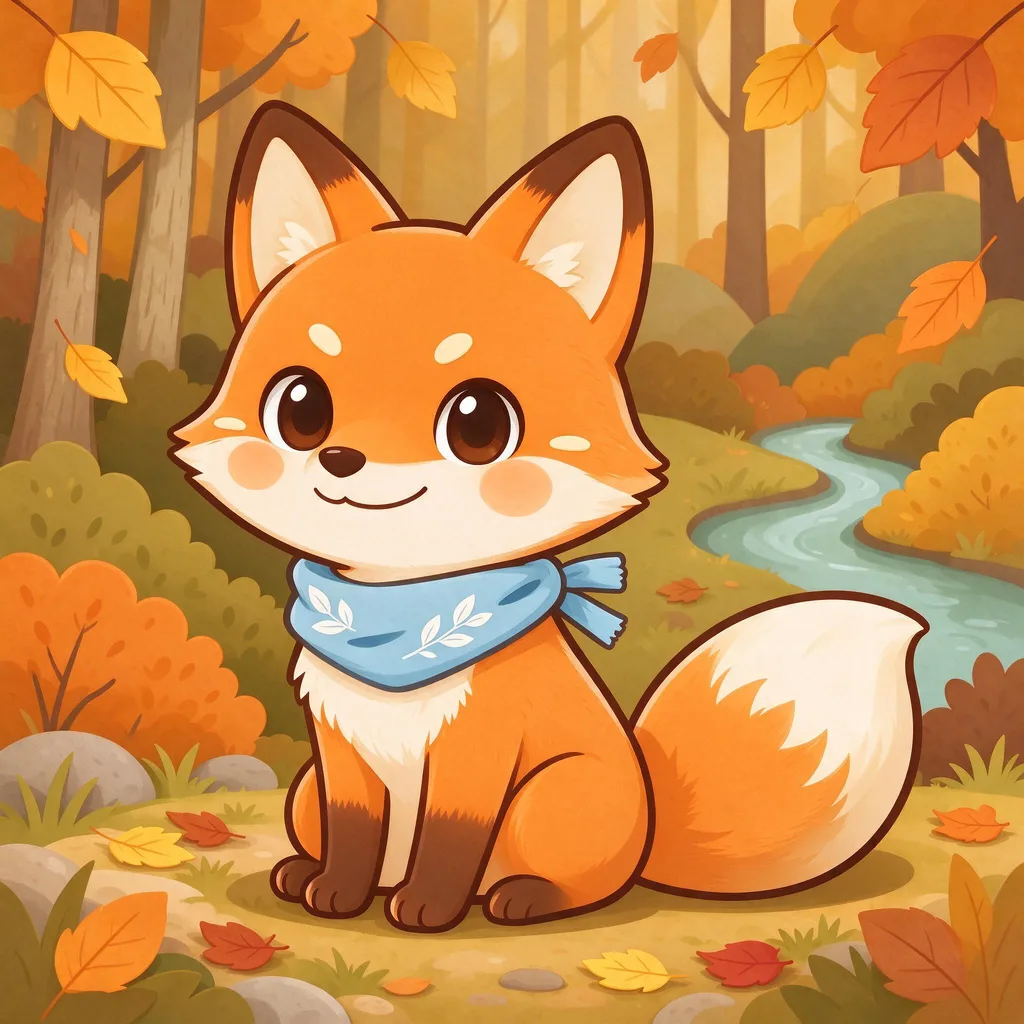 Before
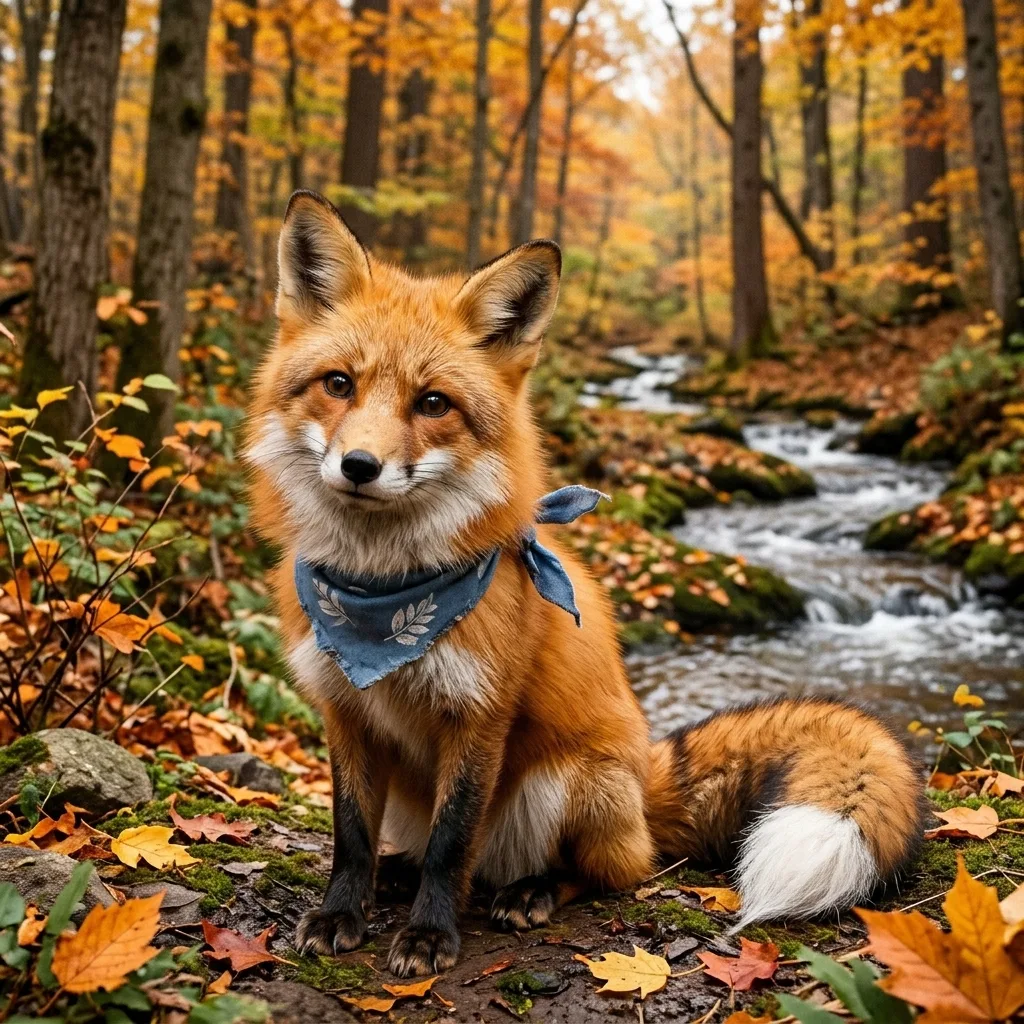 AI Result
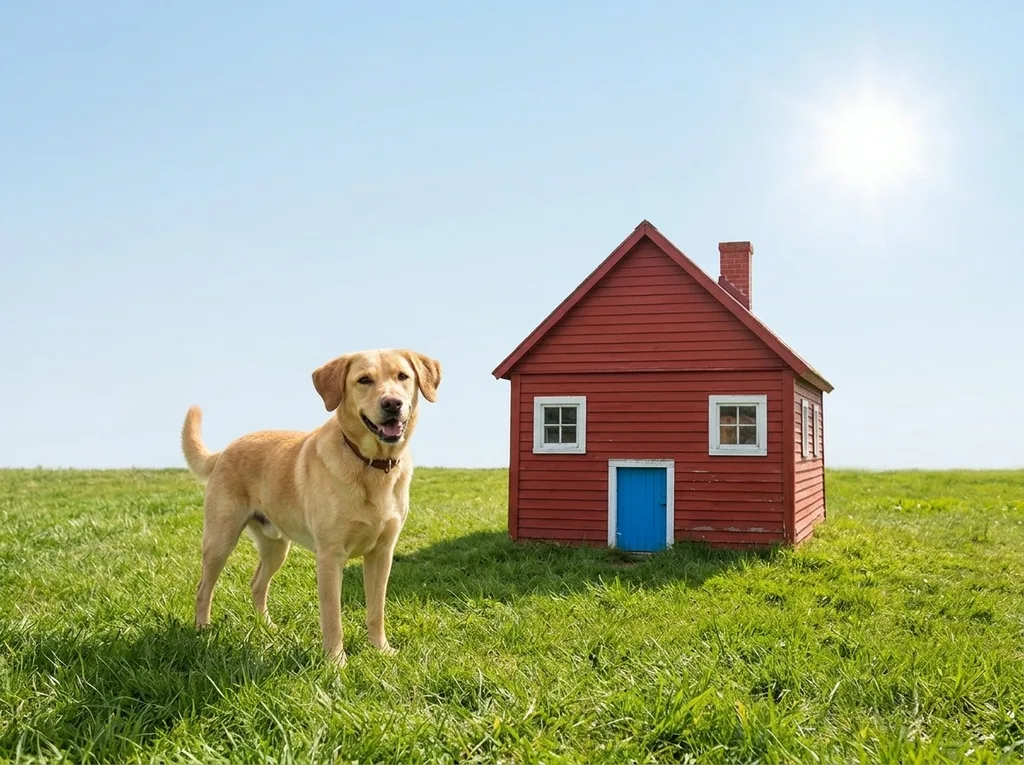
A crayon drawing of a yellow dog and a red house, photographed as the real thing: a golden dog, a red cabin with the same blue door and windows, green grass and a bright sun. It reads the drawing's intent rather than its wobbly lines, so expect a real-world version, not a traced one.
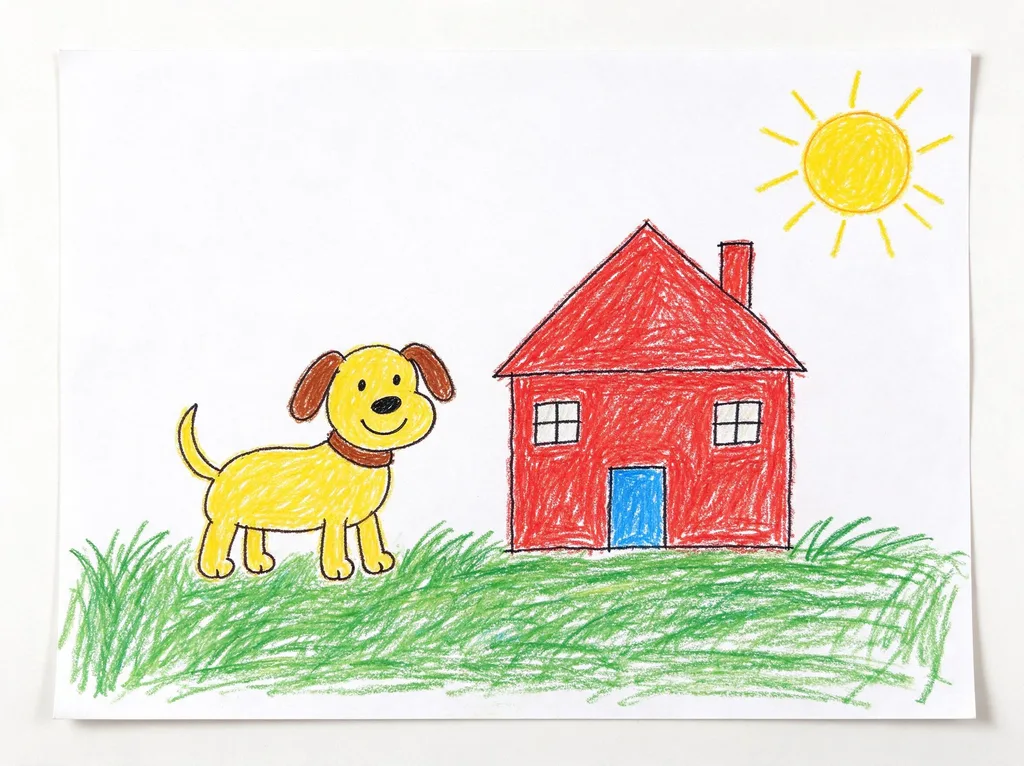 Before
 AI Result
What the tool does, which pictures it handles, and what it is not for.
Anime to real life AI is a tool that takes a drawn character (anime, manga, a Western cartoon, a 3D animated film still, fan art or your own OC) and re-creates it as a real person in a real photograph. Use it when you want to see what a character would look like if they existed, or how a live-action adaptation might cast them.
This one keeps the character recognisable: hairstyle and hair colour, eye colour, outfit, accessories, pose, expression and the setting all carry over. What changes is everything that makes it a drawing. Oversized anime eyes become human eyes, outlines and flat colour become skin with pores, solid hair shapes become real strands, and the background is rebuilt as a real place with natural light.
The same button works for Western cartoons with thick outlines, 3D animated-movie characters, chibi and kawaii mascots, and webcomic art. Cartoon proportions are the hardest part, so the tool rebuilds the anatomy rather than tracing it: an oversized head gets a real body under it, and three-fingered or mitten hands come back as human hands.
Non-human characters become the real-world version of what they are. A cartoon fox becomes a red fox, a cartoon dog a real dog, keeping its colours, markings and any clothing it wears. Characters with no real-world animal behind them (a blob, a robot, a talking object) come out as a real-looking prop or creature, which is the least predictable case.
Upload one picture of the character (a screenshot, fan art or your own drawing), pick a look, and press Make It Real. Real photo gives an everyday camera look with natural light; Live-action movie still gives cinematic light and a film colour grade, as if the character were played by an actor on set. About 30 seconds later you can download the result.
Pictures with one clearly drawn character work best. Busy group shots, very small faces and heavily stylised art (a few lines for a face) give the model less to keep, so details like eye colour or a hair accessory can drift. If one character matters, crop to them before uploading.
If you would rather use a chatbot, this is a prompt that does the same job. Paste it with your picture: "Turn this anime character into a real person in a real photograph, like a live-action adaptation. Keep the same hairstyle, hair colour, eye colour, outfit, accessories, pose, expression and background. Give them real human proportions with normal-sized eyes, real skin with pores, real hair strands and real fabric, and rebuild the background as a real place with natural light. No line art, no cartoon or 3D-render look, no text."
Chatbots tend to redraw the whole picture, so the character often comes back in a new pose, a new outfit colour or a different setting, and some refuse to convert a recognisable character at all. The tool on this page runs a longer version of this prompt on Nano Banana 2.1, with the parts that keep the design fixed spelled out, and needs no typing.
A child's drawing works too: the tool photographs what the drawing shows. A crayon dog becomes a real dog, a crayon house a real house with the same colours and door. It follows the intent, not the exact lines, so a wobbly four-legged animal comes back as a believable animal rather than a sculpture of the scribble.
Pencil sketches and concept art behave the same way. The cleaner the sketch, the closer the result follows it.
Any drawn or animated character, from any style.
TV anime, key visuals, manga panels and anime-style fan art, as a real person with the same hair, eyes and outfit.
Examples:
Thick outlines and flat colour, rebuilt with real anatomy and real hands.
Examples:
The soft, big-eyed 3D-film look, turned into a real face with real skin and fabric.
Examples:
Cartoon animals and mascots become the real animal, keeping colours, markings and clothing.
Examples:
Original characters from your own drawings or character sheets, to see them as a real person.
Examples:
Crayon drawings, doodles and pencil sketches, photographed as the real thing they show.
Examples:
Three steps, about a minute.
One picture of one character works best: JPG, PNG or WebP up to 20MB. Uploads are deleted within 3 days; your results are yours to keep.
Real photo for an everyday camera look, Live-action movie still for cinematic light. Nothing to type: the character design, pose and setting are kept by instruction.
About 30 seconds later, download the photo: 1K on free accounts, 2K once you have bought credits. 3 conversions a day are free until December 6, 2026.
Four things people try, and where each one wins.
| This tool | ChatGPT or Gemini with a prompt | AI to Real image converter | Face-swap apps | |
|---|---|---|---|---|
| What it does | Re-creates the drawn character as a real photo | Redraws the picture from your prompt | Fixes AI photos; keeps drawings drawn on purpose | Pastes a real face over a template |
| Keeps outfit, pose and scene | Yes, by instruction | Often changes them | Yes, but the picture stays a drawing | No, uses the app’s own template |
| Works on cartoons and mascots | Yes, animals become real animals | Usually | No | Faces only |
| Typing needed | None | A prompt (ours is above) | None | None |
| Price | Free: 3 a day until December 6, 2026 | Free tiers with daily limits | 5 credits (first one free) | Usually a subscription |
| Use it when | You want the character as a real person | You already pay for a chatbot and do not mind re-rolls | Your picture is an AI photo of a person that looks fake | You want your own face on a character |
Prices as of November 2026.
Anime to real life AI turns a drawn character (anime, manga, cartoon, 3D animation or a drawing) into a real person in a real photograph. This tool keeps the hairstyle, hair colour, eye colour, outfit, pose, expression and setting, and replaces everything that makes it a drawing: human proportions and eyes, real skin, real hair and fabric, and a real background with natural light.
It is free during the launch: every signed-in account gets 3 free conversions a day until December 6, 2026. After the daily 3, or after the launch, a conversion costs 5 credits; new accounts get 10 credits, and packs start at $9.99 for 350 credits. You need to sign in so the daily allowance can be counted.
Yes. Western cartoons, 3D animated characters and mascots all work. Cartoon anatomy is rebuilt rather than traced, so an oversized head gets real proportions and mitten hands become human hands. Cartoon animals become the real animal, keeping colours, markings and clothing.
It is built to: hair, eye colour, outfit, accessories, pose, expression and the scene are kept by instruction. The face itself has to change, because no real face has anime proportions, so the result is a believable person who matches the design rather than a copy of the drawing. Small details in busy pictures can drift; crop to one character for the closest match.
Real photo looks like an everyday camera shot: natural light and true-to-life colour. Live-action movie still looks like a frame from a film adaptation: cinematic lighting, shallow depth of field and a subtle film colour grade, as if an actor were playing the character on set.
Yes. Your own characters are the best use of it. For characters owned by someone else, converting them for personal fun is the common use; publishing or selling the results is up to you and the rights holder, the same as with fan art.
No. It keeps the apparent age and the outfit, and it never makes a picture more revealing than the original. Characters that look under 18 are shown fully clothed.
If your picture is already an AI photo of a real-looking person and it just looks fake, use the AI to Real image converter instead, which keeps the image and fixes the rendering. If you want the reverse (a photo of you drawn as anime), use Photo to Anime.
Upload one picture and get the live-action version in about 30 seconds. 3 conversions a day are free until December 6, 2026.
The realism hub: taking the AI look out of photos
For AI photos of people that look fake, rather than drawings
The same idea for game scenes: a 3D screenshot rebuilt as a photo
A realistic phone selfie of you, from one photo
The reverse: a real photo drawn as anime
Colour black-and-white manga pages before converting a panel
All of these are part of the sparkpix.ai AI photo editor, so one account works across every tool.