
AI Headshot Generator — a professional headshot from one photo
Upload a single selfie and get a studio-quality headshot in about 30-60 seconds. No 10-to-20 photo upload, no model to train, no queue to wait out. Your face stays exactly as it is — only the attire, background and lighting are rebuilt.
Add up to 4 photos of the same person — more angles help the likeness. One is enough.
Result
Your result will appear here
Upload a photo and click the button to start processing
Different attire, different backgrounds — from the same photo
Every result below started as the same ordinary living-room selfie in a t-shirt. Only the attire and background settings changed between them; the face is held fixed across all four.
Business Formal + Studio White — the LinkedIn default
Navy suit jacket, crisp white collared shirt, no tie, on pure white. This is the combination most people are actually after: it is what LinkedIn, a CV and a firm directory all expect, and white is the safest background because the photo usually ends up on a white page anyway.
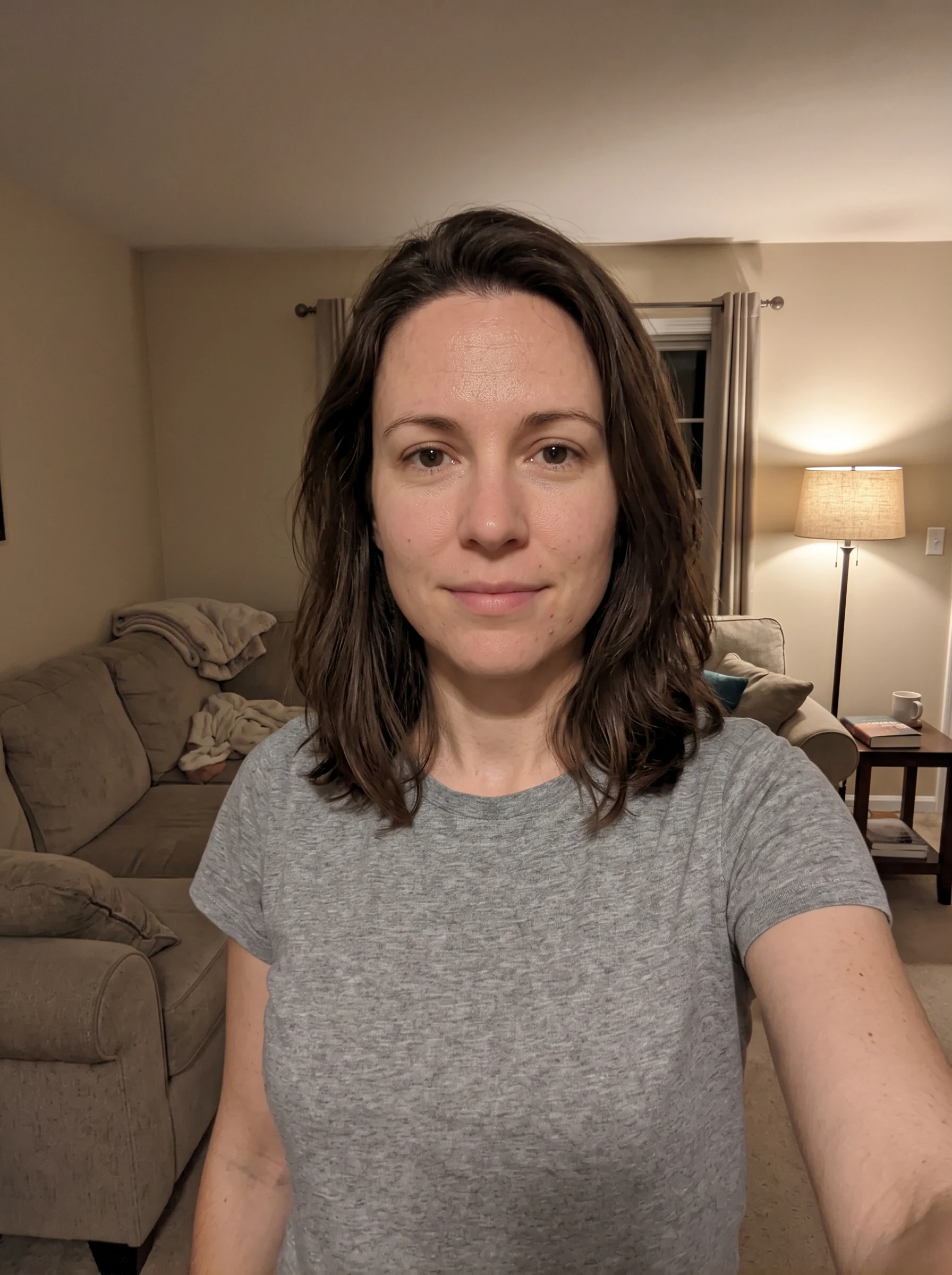 Before
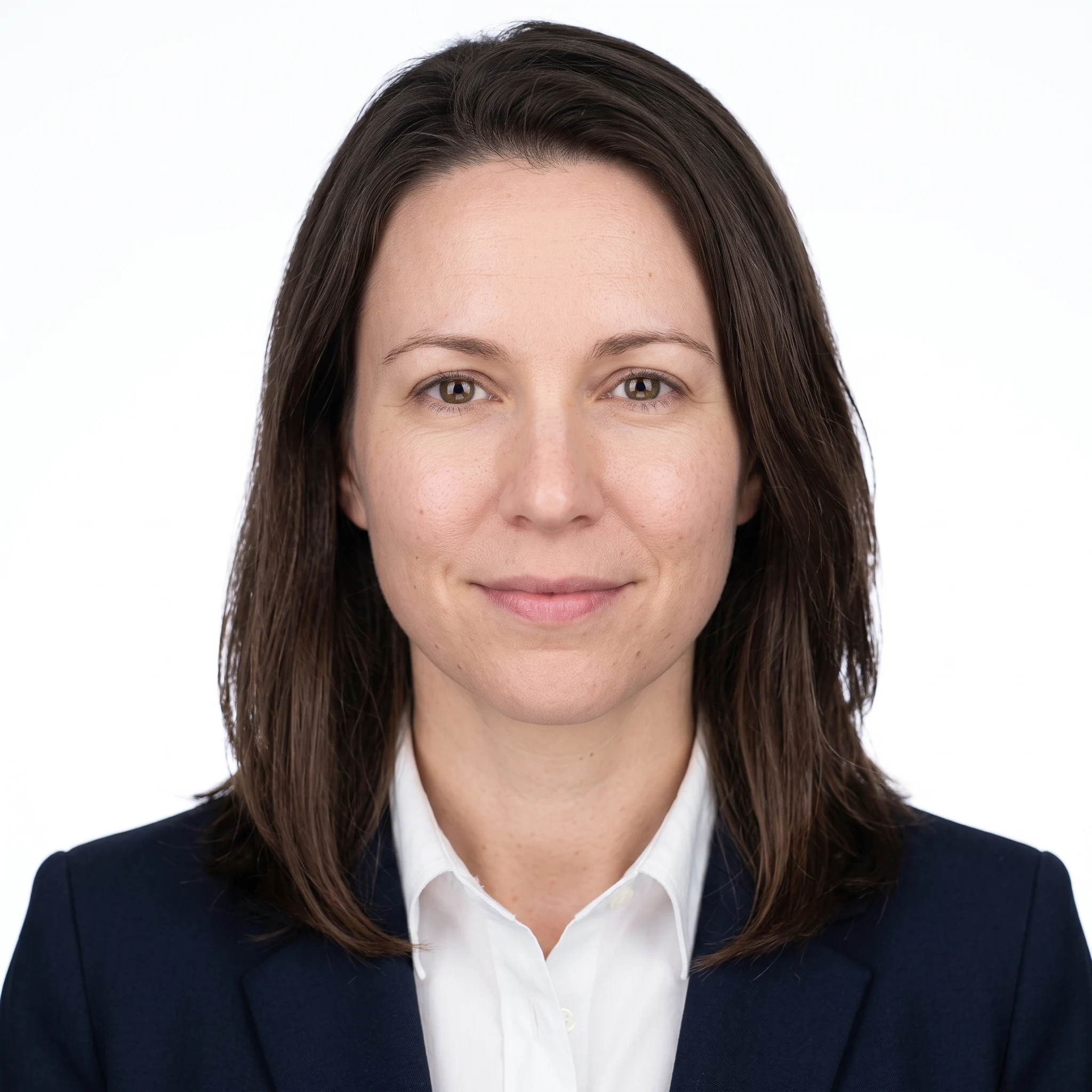 AI Result
Business Formal + Charcoal Black — for a dark site or a speaker page
The same suit against a near-black backdrop. Worth having when the photo sits on a dark website, a conference speaker page or a slide, where a white cut-out reads as a mistake. Highest contrast of the four, and it holds a light shirt well.
Before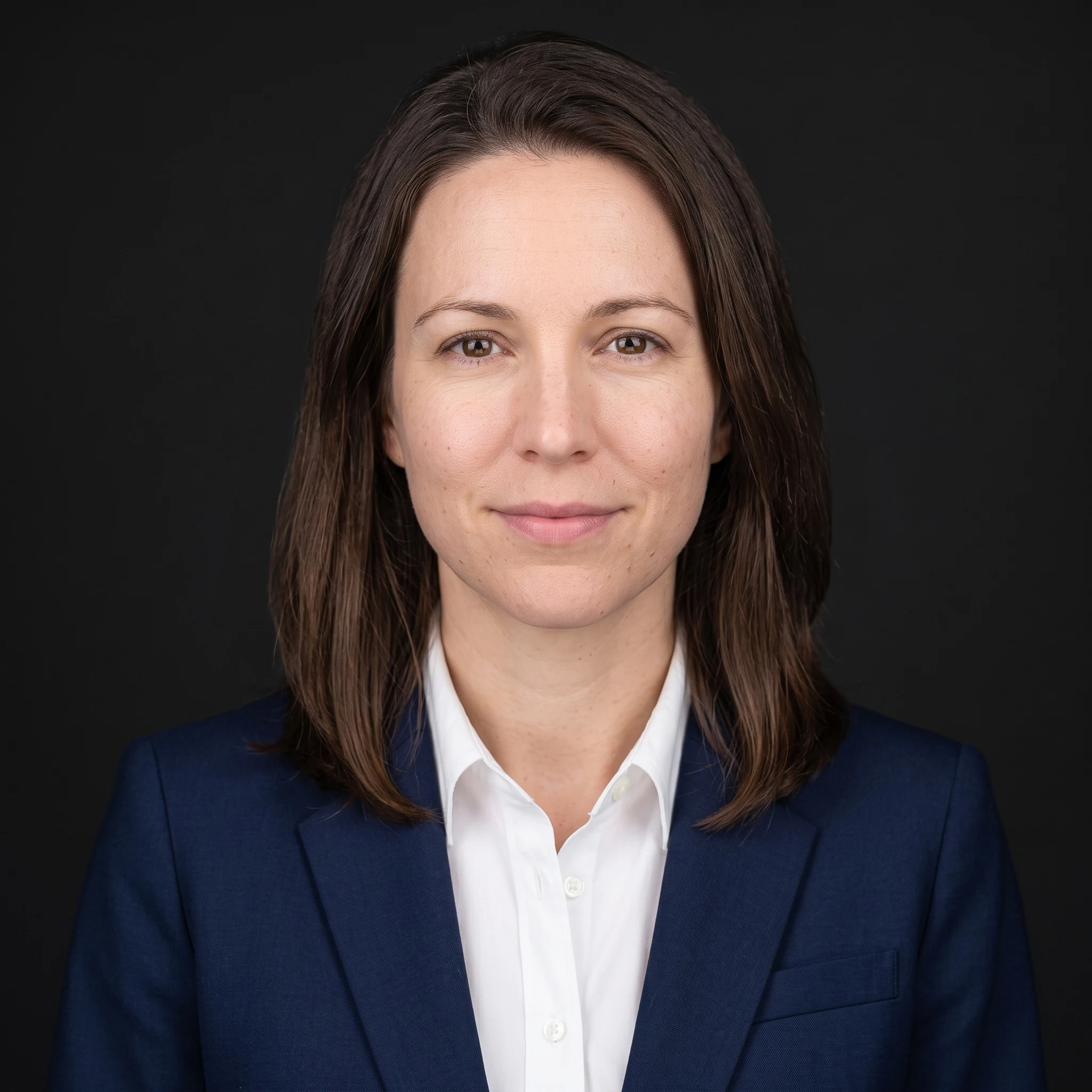 AI Result
Business Casual + Neutral Grey — startup and agency team pages
Charcoal blazer over a light shirt, open collar, on light grey. The register most tech, agency and consultancy team pages use, where a tie reads as overdressed. Grey also keeps dark hair from merging into the backdrop the way it can on white.
Before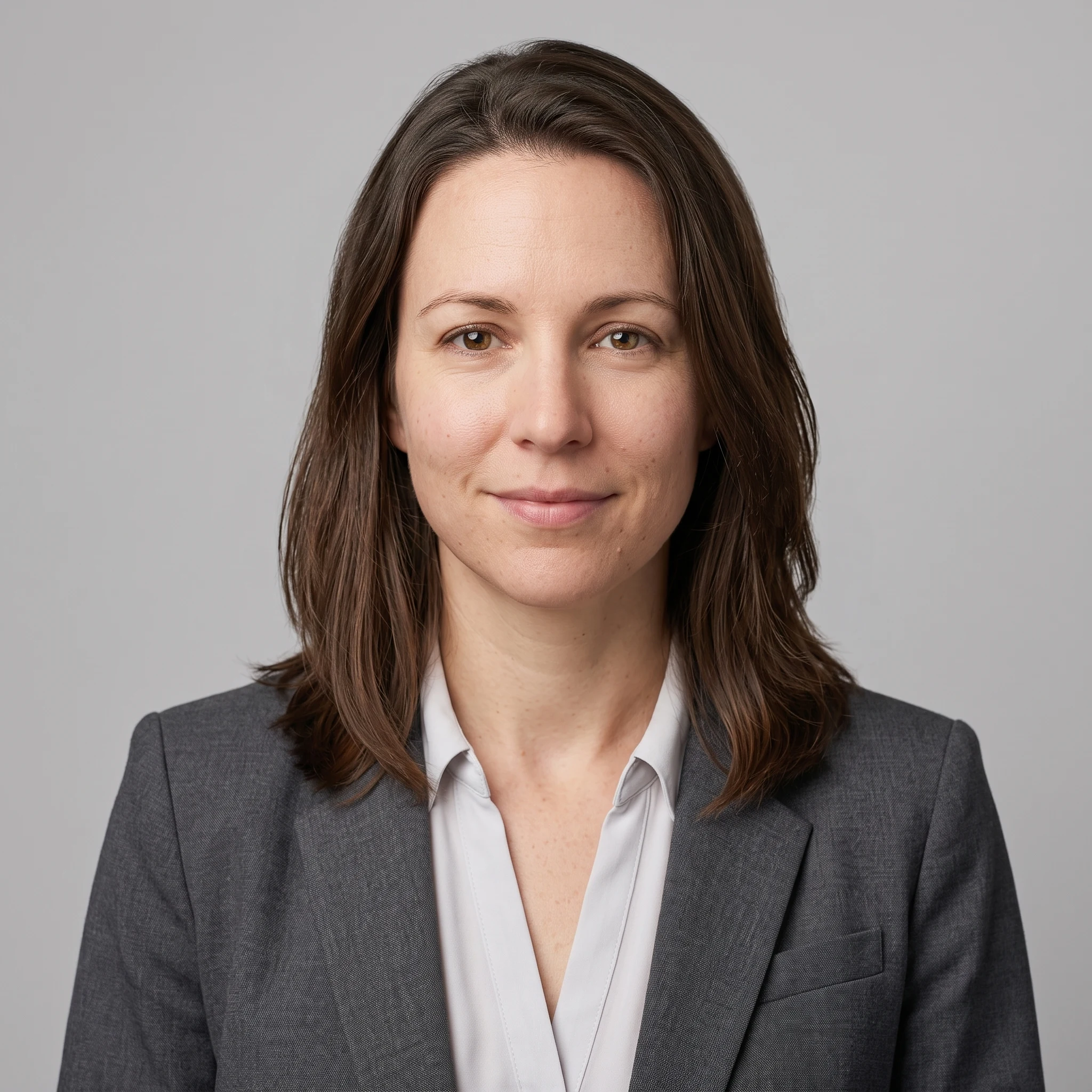 AI Result
Medical / Clinical + Neutral Grey — for a practice or hospital profile
White coat over a plain collared shirt. Clinical directories, practice websites and hospital staff pages all expect the coat, and it is the one attire choice on this page that signals a specific profession rather than a level of formality.
Before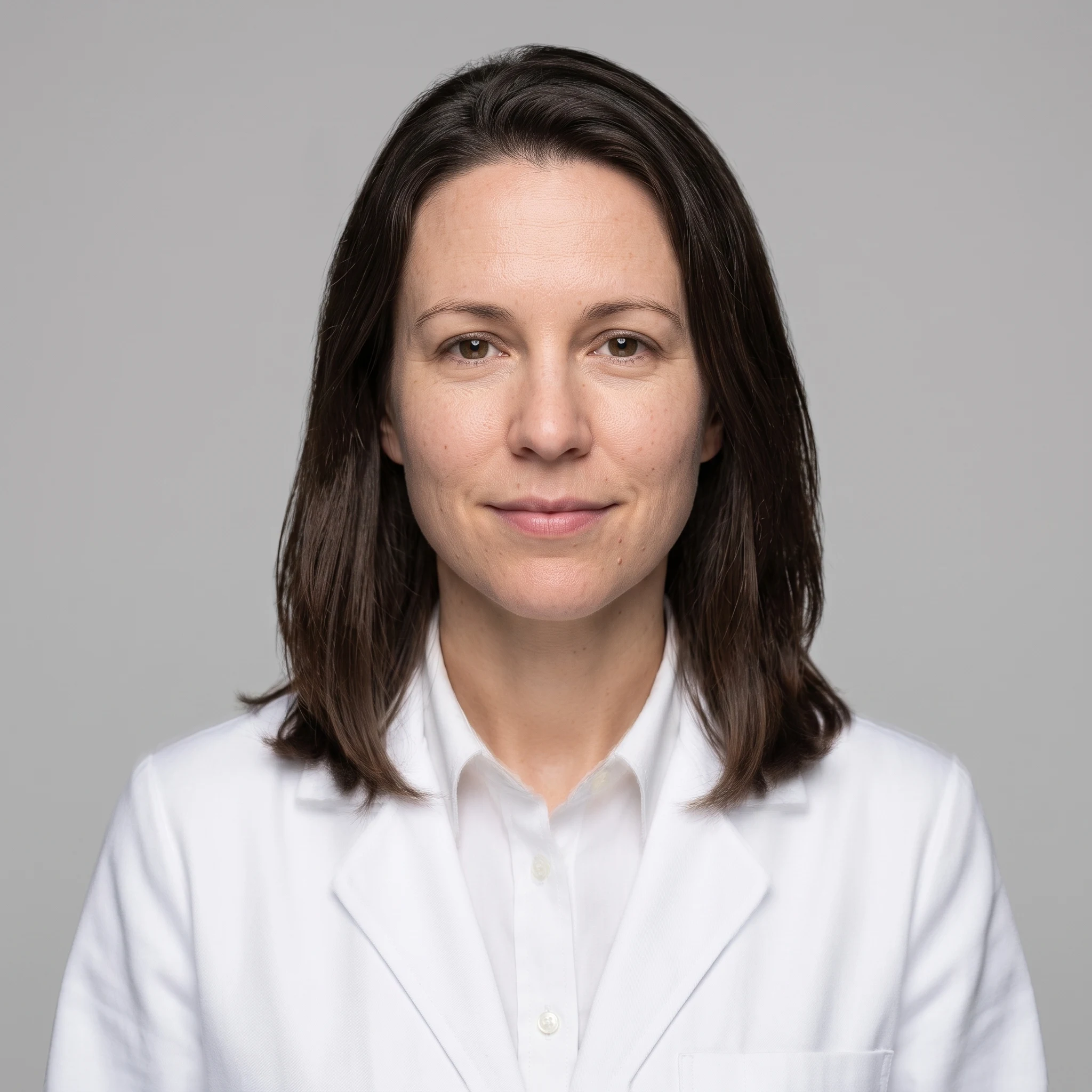 AI Result
Your photo does not need to be good
Every source below is one people assume is unusable — blown-out sun, a dark grainy room, a crop out of a group shot. All three are front-facing with the face visible, which is the whole requirement.
Harsh midday sun, squinting → clean studio headshot
Direct overhead sun, hard shadows under the brow and nose, a creased t-shirt and a car park behind him. The generator does not need flattering light in the source — it replaces the lighting outright, so what the original had is close to irrelevant as long as the face is visible and pointed at the camera.
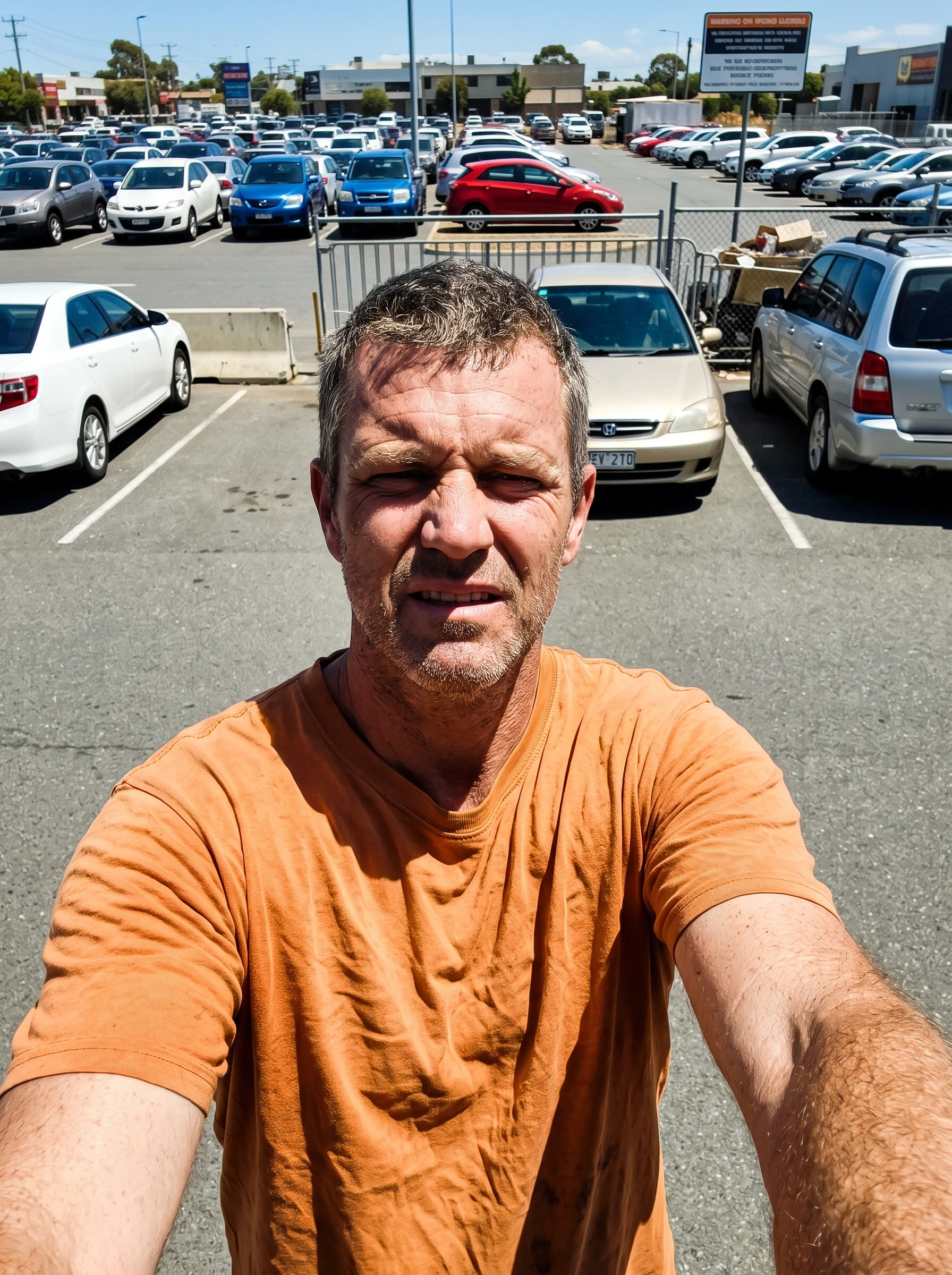 Before
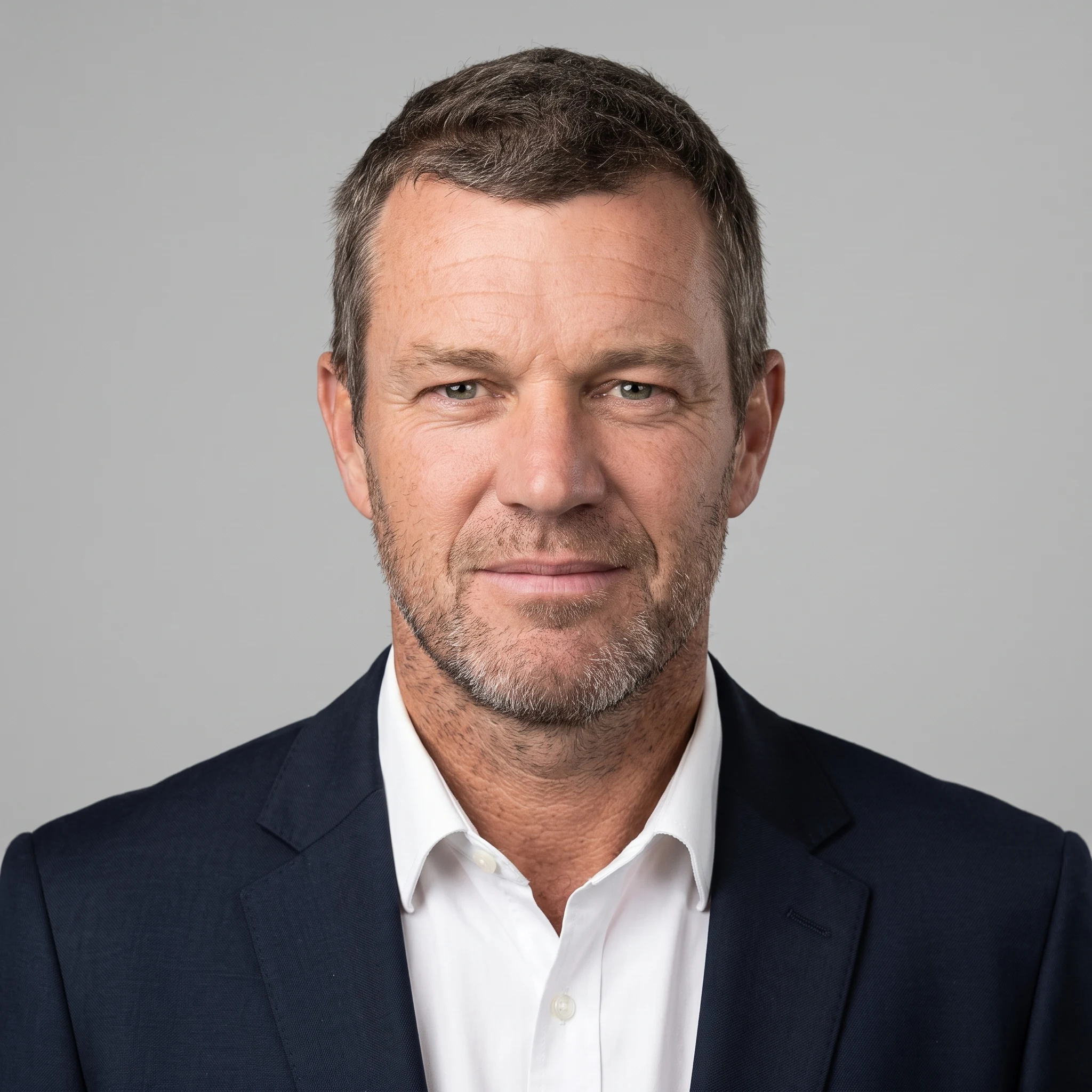 AI Result
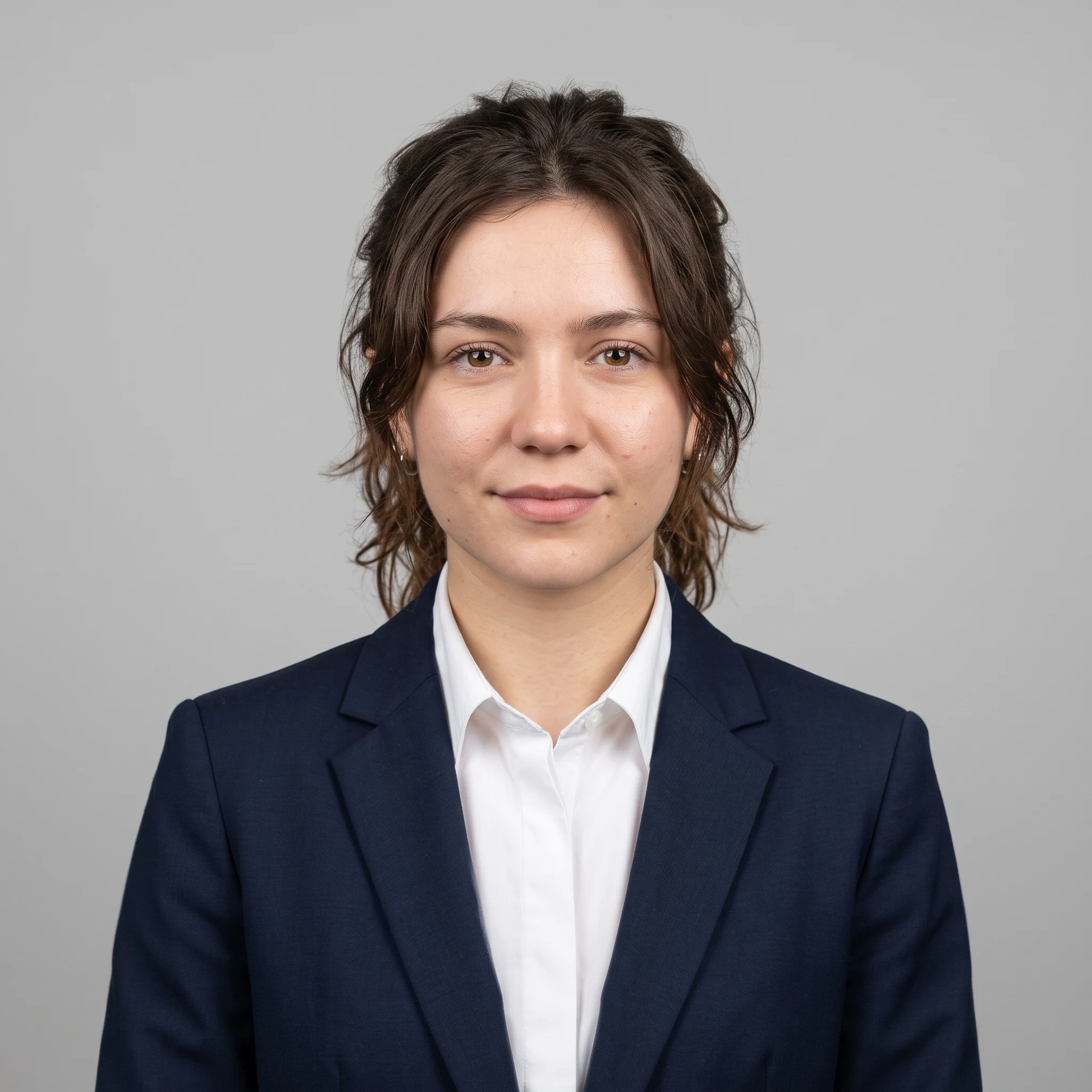
Dark, noisy, slightly blurred → clean studio headshot
A dim room lit by a television, visible grain and a trace of motion blur, hood down, cluttered shelves behind. Low light is the most common reason people assume their photo is unusable. It is the least important of the three, because grain and colour cast are both discarded when the frame is re-rendered.
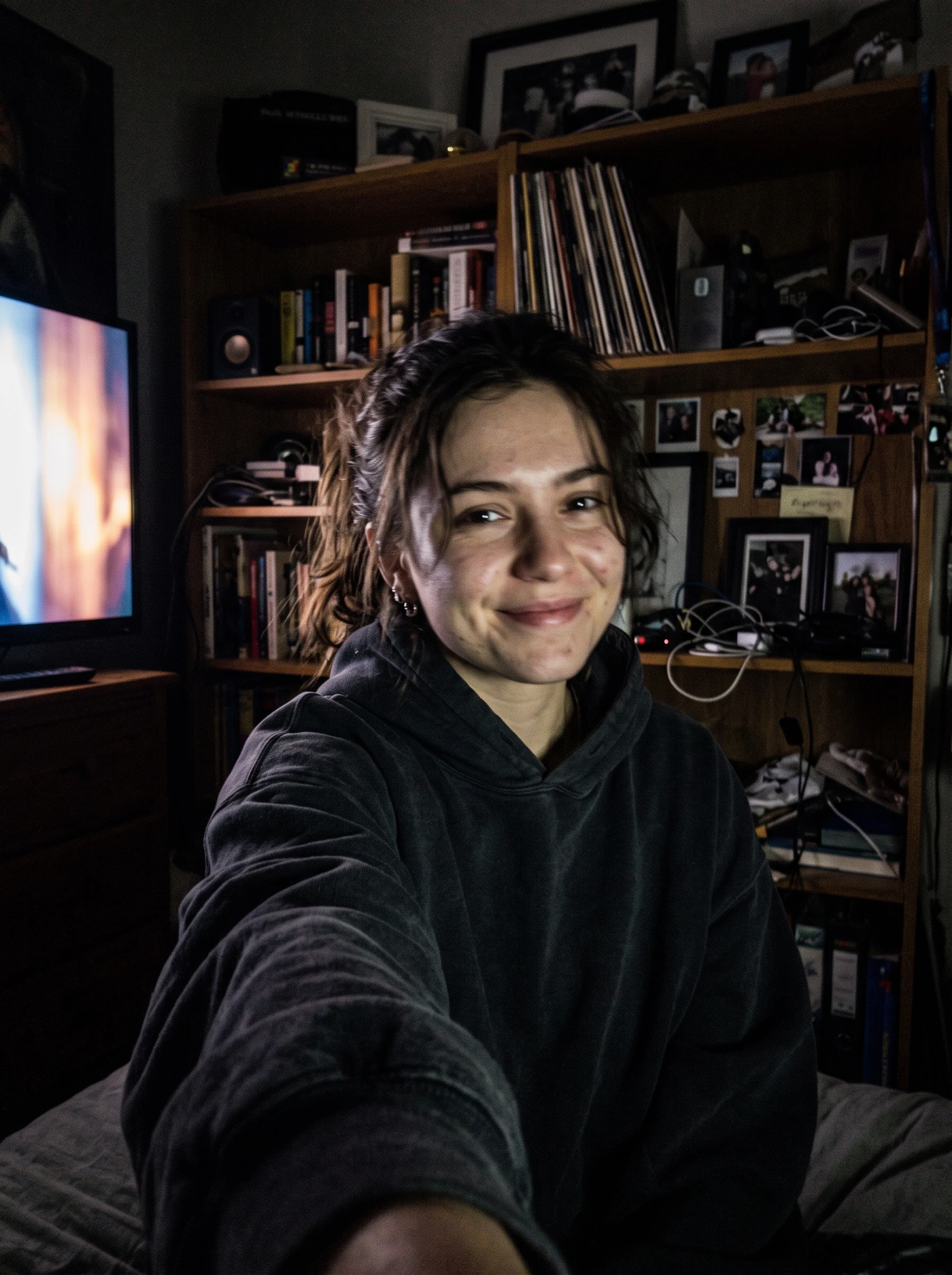 Before
 AI Result
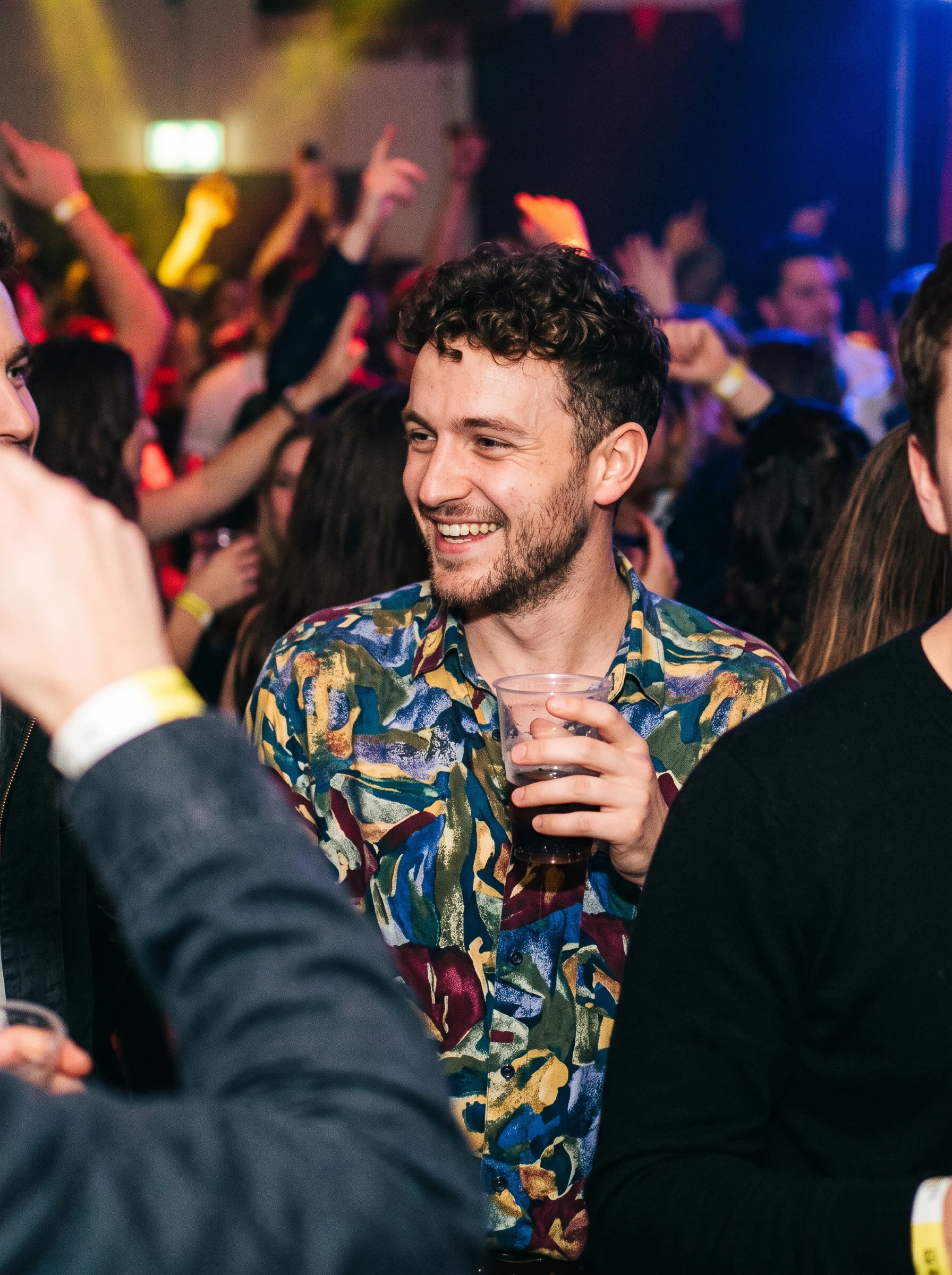
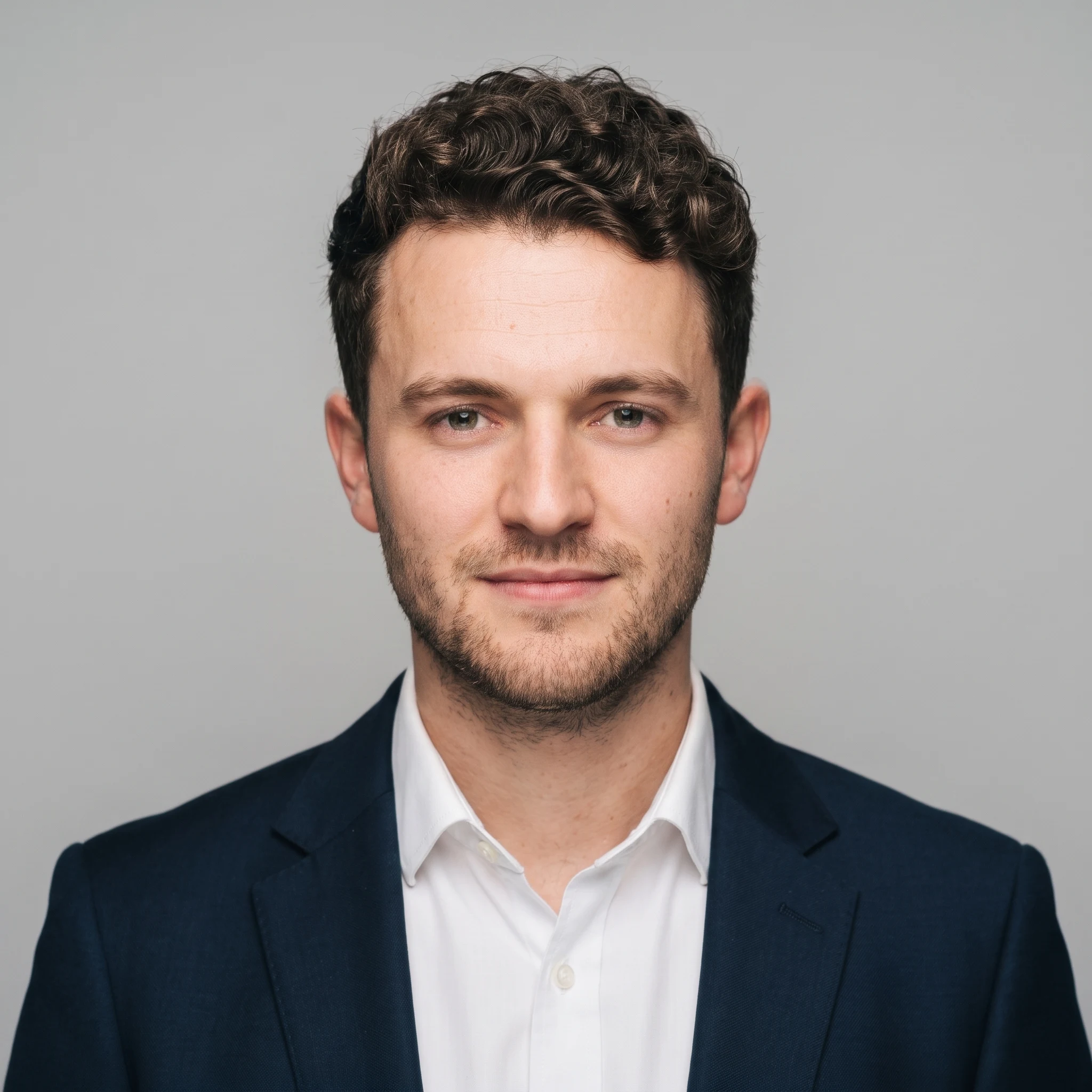
Cropped out of a group photo → clean studio headshot
Cropped from a wider party shot, with other people's shoulders still in the frame on both sides and coloured party lighting across his face. Strangers at the edges are removed along with the rest of the background — there is nothing to mask out by hand first.
 Before
 AI Result
What is an AI headshot generator?
An AI headshot generator is a tool that turns an ordinary photo into a professional headshot by regenerating the lighting, background and clothing around your face. It covers the common case that used to require a photographer: you need one clean, professional photo for a profile, and you need it today.
What it is not is a filter. Nothing here slides a beauty setting over your photo — the picture is re-rendered with studio lighting and the attire you choose, while your facial structure is held fixed. That distinction is the whole product: a headshot that no longer looks like you is worthless no matter how polished it is.
How to make an AI headshot from one photo
- 1
Upload one photo
Any clear, front-facing photo works — a phone selfie is fine. One is enough; there is no multi-photo upload and nothing to train.
- 2
Pick attire, background and format
Choose business formal, business casual, smart casual, medical, or keep the clothes you are already wearing, then pick a backdrop and a crop.
- 3
Download in about 30-60 seconds
The headshot comes back at 2K in whichever format you picked — square for LinkedIn, 3:4 or 2:3 for a bio page or a print.
AI headshot generator vs a photo shoot vs trained photo packs
Three ways to end up with a professional headshot. The categories differ far more in what they ask of you up front than in what they hand back.
| Photo studio | Trained AI photo packs | This generator | |
|---|---|---|---|
| Photos you upload | You attend in person | Typically 10–20 selfies | One |
| Wait | Days to schedule + edit | Typically 15 min – 4 hours | About 30-60 seconds |
| Typical cost | $150–500 per session | $29–79 per pack | First one free, then $9.99 packs |
| Retakes | Book again | Re-run the whole pack | Change attire and re-run |
| Best for | Executive and brand photography | Dozens of varied shots at once | One good headshot, right now |
Trained-pack figures are the ranges those tools publish for their own turnaround and upload requirements; they change as products change. If you want dozens of varied shots in one go, a trained pack is genuinely the better tool — this one is built for the case where you need a single usable headshot and you need it now.
Who uses it
Different fields have different unwritten rules about what a headshot should look like. The attire presets map onto them directly.
Lawyers & attorneys
Navy or charcoal formal, plain backdrop — the firm-directory standard.
Real estate agents
Approachable business casual; used on listings, signage and cards.
Doctors & healthcare
White coat over a collared shirt for clinic and hospital profiles.
Consultants & finance
Formal suit, neutral background, conservative framing.
Engineers & tech
Business casual — blazer optional, open collar reads right in tech.
Academics & teachers
Smart casual for faculty pages, conference bios and grant profiles.
Frequently asked questions
What is an AI headshot generator?
An AI headshot generator turns an ordinary photo into a professional headshot by regenerating the lighting, background and clothing while keeping the person's face. It replaces a studio session for the common case where you need one clean, professional-looking photo for a profile.
How many photos do I need to upload?
One. Most AI headshot tools train a model on your face and need 10 to 20 photos plus a wait of roughly 15 minutes to 4 hours. This one reads a single photo directly and returns a result in about 30-60 seconds, with nothing to train.
Is the AI headshot generator free?
New accounts get 5 free credits on sign-up, and a headshot costs 15 — so the welcome credits are a start rather than a whole headshot. Credit packs begin at $9.99 for 350 credits, which is around 23 headshots. There is no subscription and no credit card needed to create an account.
Will it still look like me?
That is the constraint the whole thing is built around. The generator is instructed to preserve facial identity, bone structure, eye shape, nose, jawline, hairline and natural skin tone exactly, and to change only attire, background and lighting. Skin keeps its real texture rather than being smoothed into plastic.
Can I keep the clothes I am wearing?
Yes. Choose "Keep My Outfit" and the clothing in your photo is left as-is in cut, colour and pattern — only the lighting and background are rebuilt. Every other option swaps in business formal, business casual, smart casual or a medical white coat.
What aspect ratio should a professional headshot be?
Square (1:1) for anything shown as an avatar — LinkedIn, Slack, Teams, most company directories and applicant tracking systems all crop to a circle or a square, and a square original survives that crop while a portrait loses its top and bottom. Use 3:4 for a firm bio page, a speaker profile or a staff directory that shows a rectangle, and 2:3 if you are printing at 4x6. The generator offers all three and defaults to square. Output is 2K in every format. The one ratio missing is 4:5, the classic 8x10 crop still standard for acting and print headshots; 3:4 is the closest we can render at 2K.
Can I use an AI headshot on LinkedIn?
Yes. LinkedIn asks that your profile photo be a likeness of you, which is exactly why identity preservation matters — a headshot that has quietly changed your face is the one that causes problems. Attire and background changes are ordinary retouching.
Related tools
Lawyer Headshots
What to wear, firm-directory conventions and common mistakes.
LinkedIn Headshot Generator
The same engine, tuned for LinkedIn profile photos.
AI Outfit Changer
Change clothing in a photo without touching anything else.
AI Background Changer
Swap the backdrop for a studio, office or solid colour.
Open Closed Eyes
Rescue the shot where the only good frame has a blink.
AI Hairstyle Changer
Try a different cut or colour before committing.
Dating Profile Photos
Same idea, styled candid instead of corporate.
Passport Photo Maker
Photos cropped and sized to official ID requirements.
Last updated: 2026-07-25