
FREE
Loading…
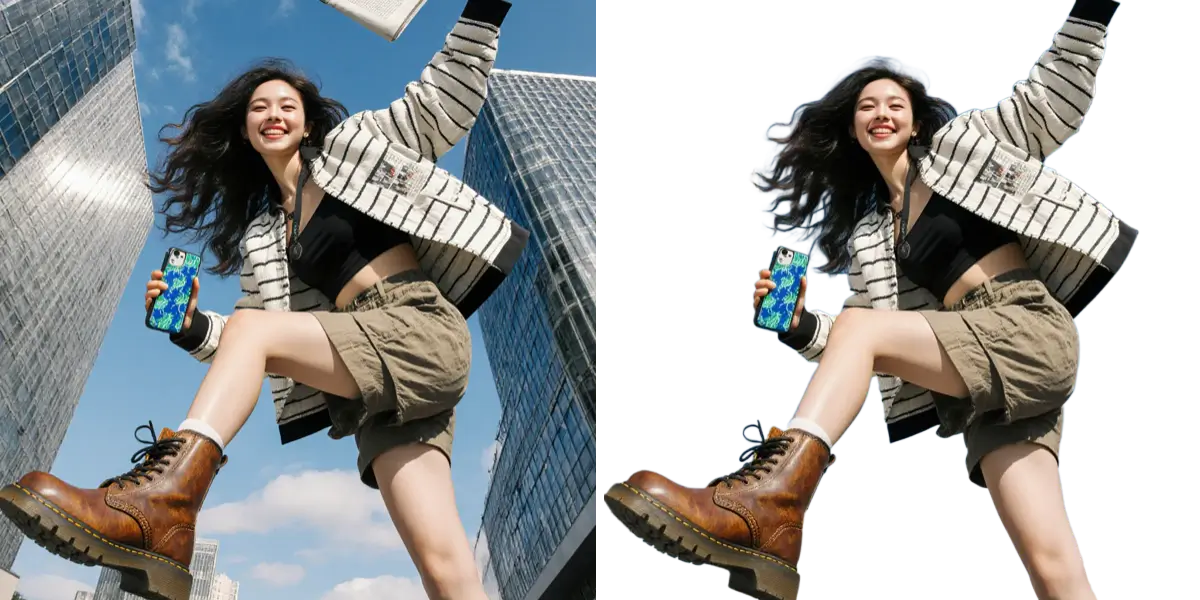
Upload a photo and our AI background remover deletes the background in 5 seconds, giving you a clean transparent PNG. Free to try, perfect for products, portraits, and e-commerce.
Upload a photo and we will remove the background instantly
Backgrounds Removed
Edge Accuracy
Average Time
User Rating
We built this background remover because we were tired of these problems too
Spending 30 minutes in Photoshop just to remove one background
Fighting with the magic wand tool that never quite gets the edges right
Paying expensive monthly subscriptions for software you barely use
Watching tutorials just to figure out how to cut out hair properly
Upload your photo, get a clean transparent background in 5 seconds flat
AI handles tricky edges like hair and fur without breaking a sweat
No subscriptions needed - pay only for what you use
Zero learning curve - if you can drag and drop, you can use this
Whether you need to remove background from a product shot or clean up a portrait, we have got you covered
Selling on Amazon or your own store? Our background remover gives you that clean, professional white background that makes products pop.
Perfect for:
Need a new headshot or profile pic? Remove background from your portrait and place yourself anywhere - or keep it clean with transparency.
Perfect for:
Hair, fur, translucent objects - the stuff that usually takes forever. Our AI handles these tricky edges like a pro.
Perfect for:
Got 50 product photos to process? Upload them all at once and let our background remover handle the rest while you grab a coffee.
Perfect for:
Once you remove background, why stop there? Swap in a new scene, add a solid color, or create something totally unique.
Perfect for:
Get your images in high-quality PNG format with perfect transparency. Ready to use in design software or upload anywhere.
Perfect for:
You are selling online and need clean product photos that convert. Our background remover helps you create professional listings in minutes, not hours.
Clean white backgrounds for marketplaces
Consistent look across your catalog
Process hundreds of photos quickly
Your content needs to stand out. Remove background from your photos to create eye-catching posts, stories, and thumbnails that stop the scroll.
Transparent PNGs for overlays
Quick edits for stories
Professional-looking content
Need a quick passport photo background or want to update your profile pic? Our background remover makes it simple for anyone to get great results.
ID and passport photos
Profile pictures
Fun photo projects
Seriously, it is this easy. No tutorials needed, no manual required.
Drag and drop or click to upload. We support JPG, PNG, and WebP files up to 10MB. Your photo never leaves your control.
Our background remover AI analyzes your image and precisely detects every edge. Even the tricky ones like hair and transparent objects.
Get your clean, transparent PNG in seconds. Want a different background? Add one with a click before downloading.
A background remover keeps one subject and throws everything else away. When you want the headline, the badge and the product each on its own layer, with the background behind them rebuilt, LayerGrab from the same team can split the image into editable layers instead.
Our background remover achieves 99% accuracy on edges, including tricky areas like hair, fur, and semi-transparent objects. The background remover AI is trained on millions of images, so the background remover knows exactly where the subject ends and the background begins. Most users are surprised at how clean the background remover results are on their first try.
Absolutely. The trickier the photo, the more our background remover shines. Curly hair against a busy background? The background remover handles it perfectly. Glass products with reflections? Our background remover manages that too. Multiple subjects with overlapping edges? The background remover AI loves a challenge.
The background remover supports JPG, PNG, and WebP images up to 10MB. After the background remover processes your photo, download as PNG (transparent) or JPG. Our background remover automatically optimizes file size without sacrificing quality.
Yes! Our background remover batch processing lets you remove background from dozens of photos in one go. The background remover is perfect for e-commerce sellers who need their entire product catalog processed. Just upload your photos and let our background remover work through them.
Yes, the background remover is free to try! You get free credits when you sign up — use the background remover on your photos and see the quality. Our background remover credits are way more affordable than monthly subscriptions to other background remover tools.
Try our free background remover today. The background remover gives you professional transparent PNGs in seconds. Use the background remover free — your first edits are on us.
4.9/5 rating
5-second results
Free to try
Remove unwanted objects and people from your photos with AI.
Upscale and enhance image quality with AI technology.
Upscale images to 2x or 4x resolution without losing quality.
Generate any image from text — no restrictions, no watermark, free daily use.
Cut out a product AND restyle it in one prompt — GPT Image 2.5 returns a real alpha PNG.