
FREE
Loading…
Edit any photo with OpenAI's latest gpt-image-2 model. Upload a reference image, describe what you want to change, and get a high-fidelity result in seconds.
OpenAI released GPT Image 2.5 on 9 September 2026. Its gains are almost entirely in editing: name one part of a photo and only that part changes, a subject holds together across many rounds of edits, and a transparent-background request returns real alpha — something GPT Image 2 cannot do at all. It also runs at roughly half the latency. Same 10 credits. See 16 GPT Image 2.5 examples with their prompts.
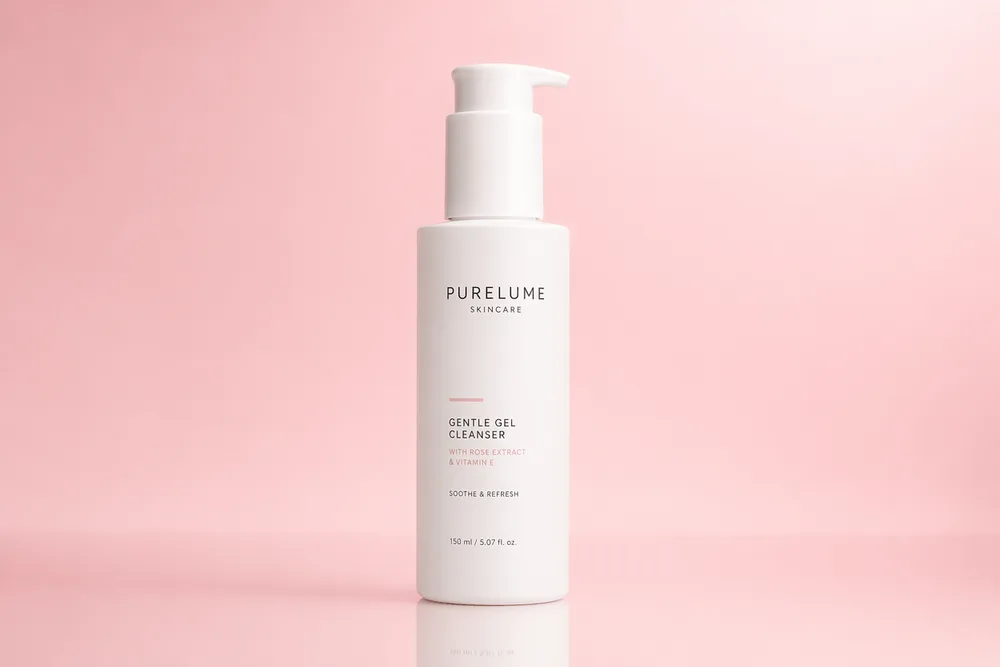
Turn a plain phone photo of your product into a studio-quality shot — seamless white or gradient backdrops, soft lighting, and reflections ready for e-commerce listings, Amazon, and ads. A go-to GPT Image 2 use case for online sellers.
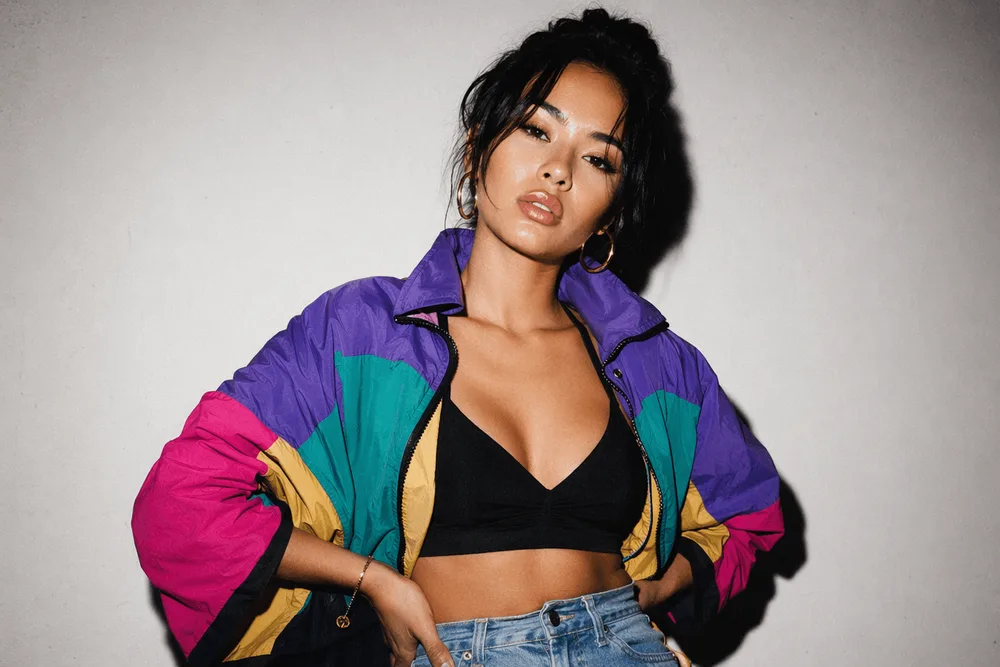
Restyle everyday portraits into editorial, film-emulation, or neon looks — 35mm flash, Fujifilm grain, convenience-store neon — while keeping the person recognizable. Popular for profile pictures and social content.
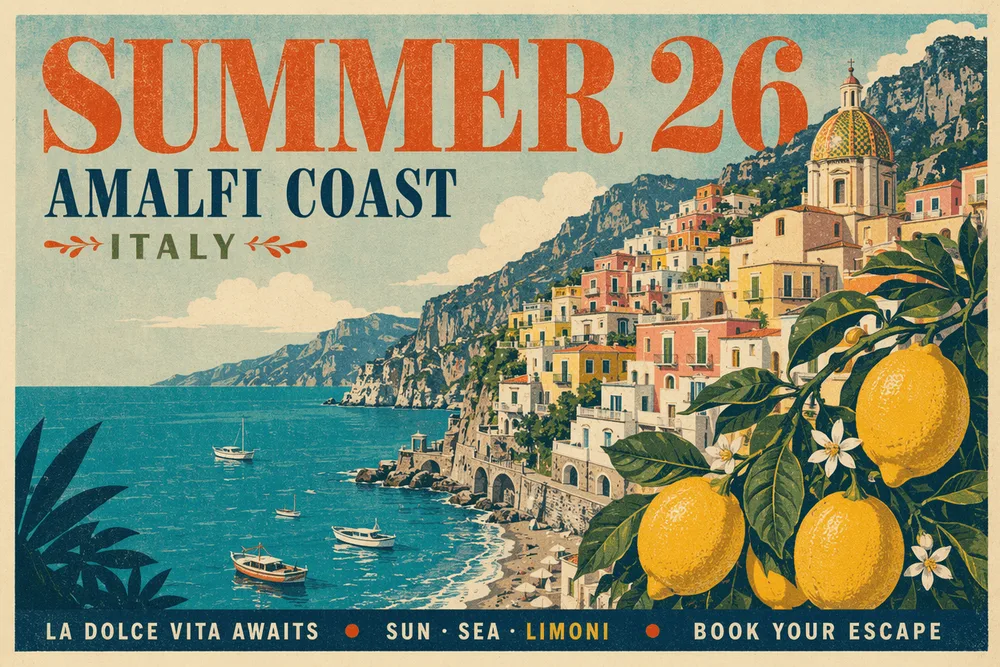
Design posters, ad creatives, and social graphics with headlines and layout. GPT Image 2 renders legible, correctly-spelled in-image text — its standout strength over other AI image generators for marketing designs.
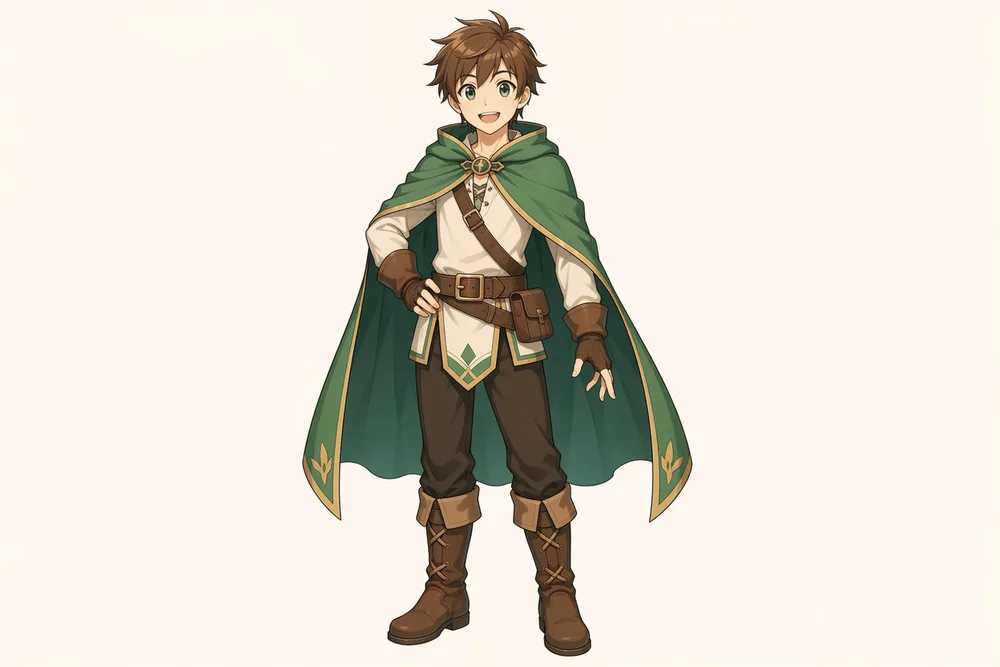
Redraw a reference photo as a 2D anime or illustrated character, or build a consistent character design sheet with multiple poses — a favorite GPT Image 2 use case for concept art, avatars, and game assets.
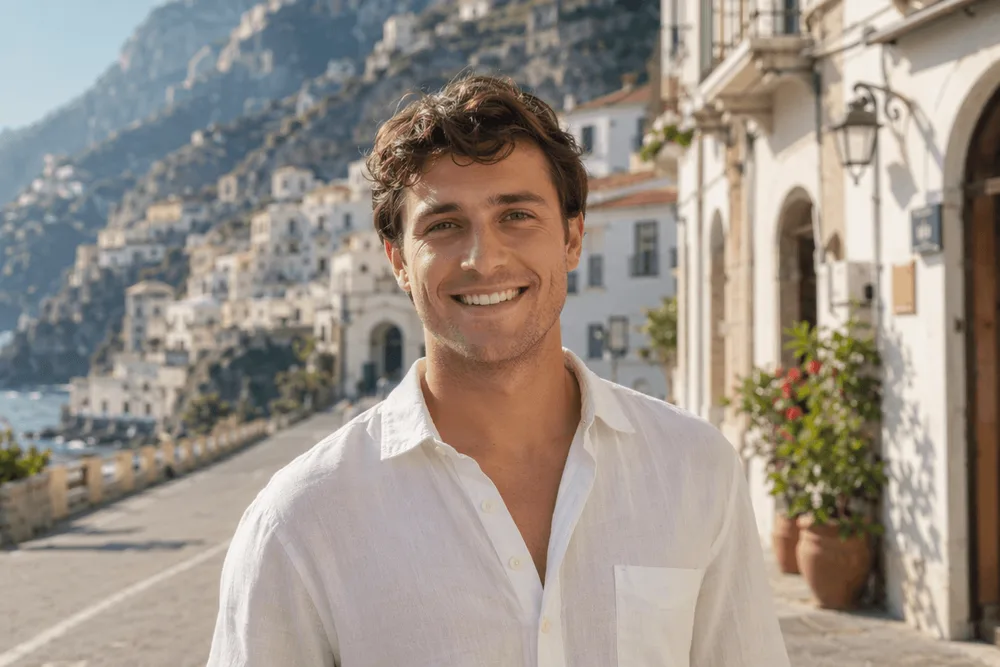
Swap the background of any photo for a new location — beach, studio, city, or any scene you describe — while keeping the subject sharp and the lighting consistent. No green screen or manual masking.
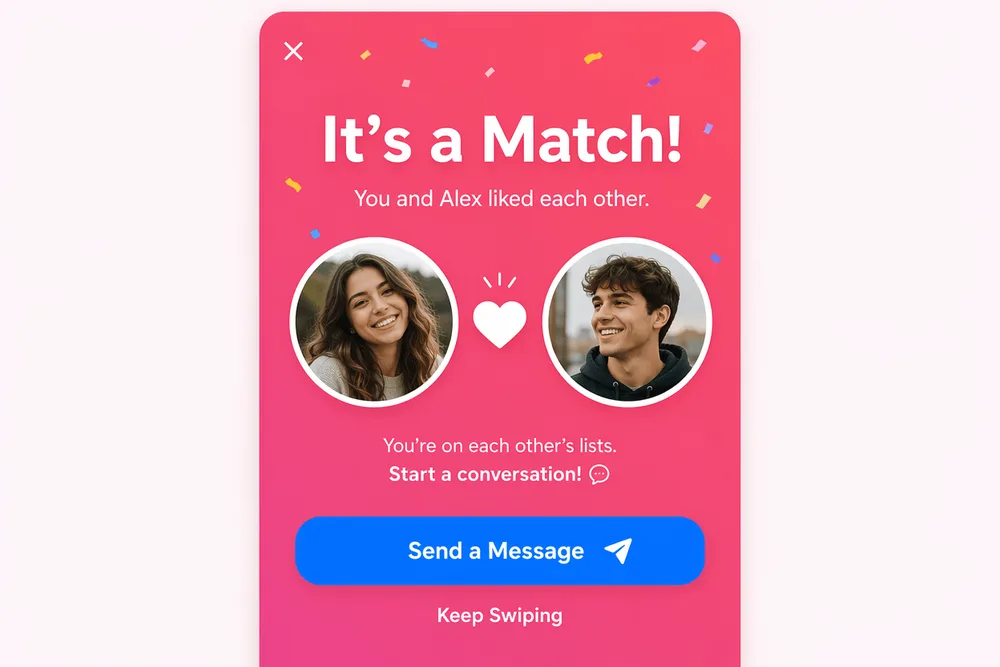
Generate app screens, dashboards, infographics, and layout mockups from a description — handy for pitching designs, social previews, and marketing decks where clean text and structure matter.
GPT Image 2 is OpenAI's most capable image model — built on the GPT-4o architecture, it reasons about your prompt before it draws. These are the areas where it leads.
Near-perfect character-level text — headlines, fine print, even multilingual labels (Latin, Chinese, Japanese, Korean, Arabic). The clear leader for posters, packaging and infographics.
Handles long, multi-constraint prompts and keeps composition, lighting and fine details exactly as described — far fewer "close but not quite" results.
A quality-first, single-pass architecture that drops the warm "AI look" and produces genuinely lifelike detail, up to 4K.
Runs on the same reasoning pipeline as ChatGPT — it thinks about your request and self-checks the output before returning it, so results match intent.
Renders accurate text on labels, logos and packaging — brand-consistent product shots that other image models tend to garble.
A new single-pass architecture roughly doubles generation speed versus the previous generation of image models.
Drop in any JPG, PNG, or WebP photo up to 20 MB. GPT Image 2 processes every reference at high fidelity, preserving subjects, textures, and lighting.
Tell GPT Image 2 exactly what to change — swap a background, add props, transform the style, or adjust lighting. Specific instructions produce the best results.
One click. Auto quality picks the right settings for your prompt. Most edits finish in 20–60 seconds at up to 2K resolution.
Upload a photo and paste any of these into the editor. GPT Image 2 follows detailed instructions closely — including legible text rendered inside the image.
“Place this product on a seamless white studio backdrop with soft top lighting and a subtle floor reflection.”
A plain phone photo becomes a clean e-commerce product shot.
“Relight this portrait as a 35mm on-camera flash editorial with high contrast, hard shadows and a glossy magazine look.”
A casual photo gets a bold fashion-editorial feel.
“Add a bold retro headline reading SUMMER 26 across the top in a 1960s serif, blended naturally into the scene.”
Legible, correctly-spelled text — GPT Image 2's standout skill.
“Redraw this photo as a clean 2D anime illustration with cel shading and soft gradients, keeping the original pose.”
A real photo becomes an anime-style character.
“Replace the background with a sunlit Amalfi-coast street, keep the subject sharp and match the lighting.”
Your subject moves into a new scene — no green screen.
“Turn this rough sketch into a clean mobile app success screen with avatars, a primary button and a subtle confetti accent.”
A sketch becomes a polished app-screen mockup.
How GPT Image 2 compares to the other top AI image models on sparkpix — pick the right one for your task.
| Feature | GPT Image 2 | NanoBanana Pro | NanoBanana 2 |
|---|---|---|---|
| Underlying model | OpenAI gpt-image-2 | Google Gemini 3 Pro Image | Google Gemini 3.1 Flash Image |
| Best for | Precise instruction-following & in-image text | Highest-fidelity, text & identity-critical work | Fast, high-volume everyday generation |
| Input | Image + text (or text-only) | Image + text prompt | Image + text prompt |
| Output resolution | 1K / 2K / 4K | High-resolution | High-resolution |
| Credits per image | 10 | 10 | 10 |
| Commercial use | Yes | Yes | Yes |
Last updated: July 2026
GPT Image 2 (gpt-image-2) is OpenAI's latest image generation model, specializing in image-to-image editing. It reads a reference photo plus a natural-language instruction and produces a new image with high fidelity to the source. On sparkpix it's served through apimodels.app, a unified AI image generation API.
Its standout strength is in-image text — headlines, fine print and multilingual labels (Latin, Chinese, Japanese, Korean, Arabic) rendered at around 99% character-level accuracy, making it the leader for posters, packaging and infographics. It also excels at instruction-following on complex prompts (~98%), 4K photorealism, and accurate product and packaging shots, because it runs on OpenAI's GPT-4o reasoning pipeline and can self-check its output.
NanoBanana Pro runs on Google's Gemini image model. DALL·E is OpenAI's earlier generation. GPT Image 2 is OpenAI's newest image model, with improved instruction-following, text rendering, and input-image fidelity. Different models excel at different prompts — try multiple for any given task.
10 credits per generation. New accounts get 5 welcome credits and credit packs start at $9.99 for 350 credits. Quality is auto-selected by the model — no tier configuration needed.
Typically 20–60 seconds. Complex prompts or 2K outputs can take up to 2 minutes. The page shows an elapsed timer while the job runs.
Credits are automatically refunded on any failure — network errors, content policy, timeouts, etc. You can see the refunded balance in your profile immediately.
Yes. Per OpenAI's terms, you own the images you generate through the API and may use them commercially. Always double-check the current OpenAI usage policy for the specific use case.
Be specific. "Change background to a sunset beach with warm golden lighting" beats "make it nicer." Tell the model what to keep as well as what to change. For best results with text, keep prompts short and concrete. New to prompting? The step-by-step guide to creating images with AI covers prompt structure, sizes and the usual fixes.
This page's model will render text into an image, but you still have to describe the layout every time. CoverHook is the same idea with the layout already solved — pick a format, write the title, and it comes back typeset at the right dimensions.
High-contrast 16:9 at 2048x1152, title rendered into the frame rather than pasted over it.
Square artwork at 3000x3000, the size streaming and physical pressing both ask for.
Genre-appropriate ebook and print covers with title and author name laid out in the image.
Vertical 9:16 covers for TikTok and Reels, text kept clear of the platform UI.
Edit photos by typing what you want — remove objects, change backgrounds, restore details. No Photoshop skills needed.
Sharpen, denoise, and boost photo quality in seconds. Restore detail in soft or low-light shots automatically.
Fix blurry photos with AI. Recover sharpness from motion blur, out-of-focus shots, and camera shake — all online.
Remove image backgrounds in one click. Get clean transparent PNGs for product photos, headshots, and design work.
Generate any image from a text prompt in about 3 seconds. No watermark, 3 free generations every day.
Premium AI image generation powered by Google AI. Text-to-image and image-to-image with 2K resolution.
OpenAI's latest image editing model. Upload a photo, describe the change, get high-fidelity edits in seconds.
Name one part of a photo to change and the rest stays exactly as it was. Real transparent PNG cutouts, 1K to 4K.
Check whether a photo was made by ChatGPT, Gemini, Midjourney or Flux. Reads C2PA labels, then analyses the pixels.