
FREE
Loading…
Pick a target aspect ratio — square, vertical, landscape, ultrawide — and AI fills the missing surrounding area naturally. The original subject stays pixel-identical; only the new canvas is generated.
Convert: phone vertical → YouTube 16:9 · landscape → TikTok 9:16 · crop too tight → full scene back
Upload, then check the instruction below — you can edit it before generating.
Instagram feed, profile photos, product thumbnails
Upload a photo and click the button to start processing
Same photo, completely different aspect. Each result was generated with one click — AI extended the missing area while keeping the original subject intact.
Generative expand widens a 0.68 (roughly 2:3) frame to 0.75 (3:4) by painting in scene that was never photographed — more railing, more ground, more sky at the edges. The character is untouched; every new pixel is outside the original crop. Artwork and photos both work, since the model is continuing a scene rather than recognising a subject.
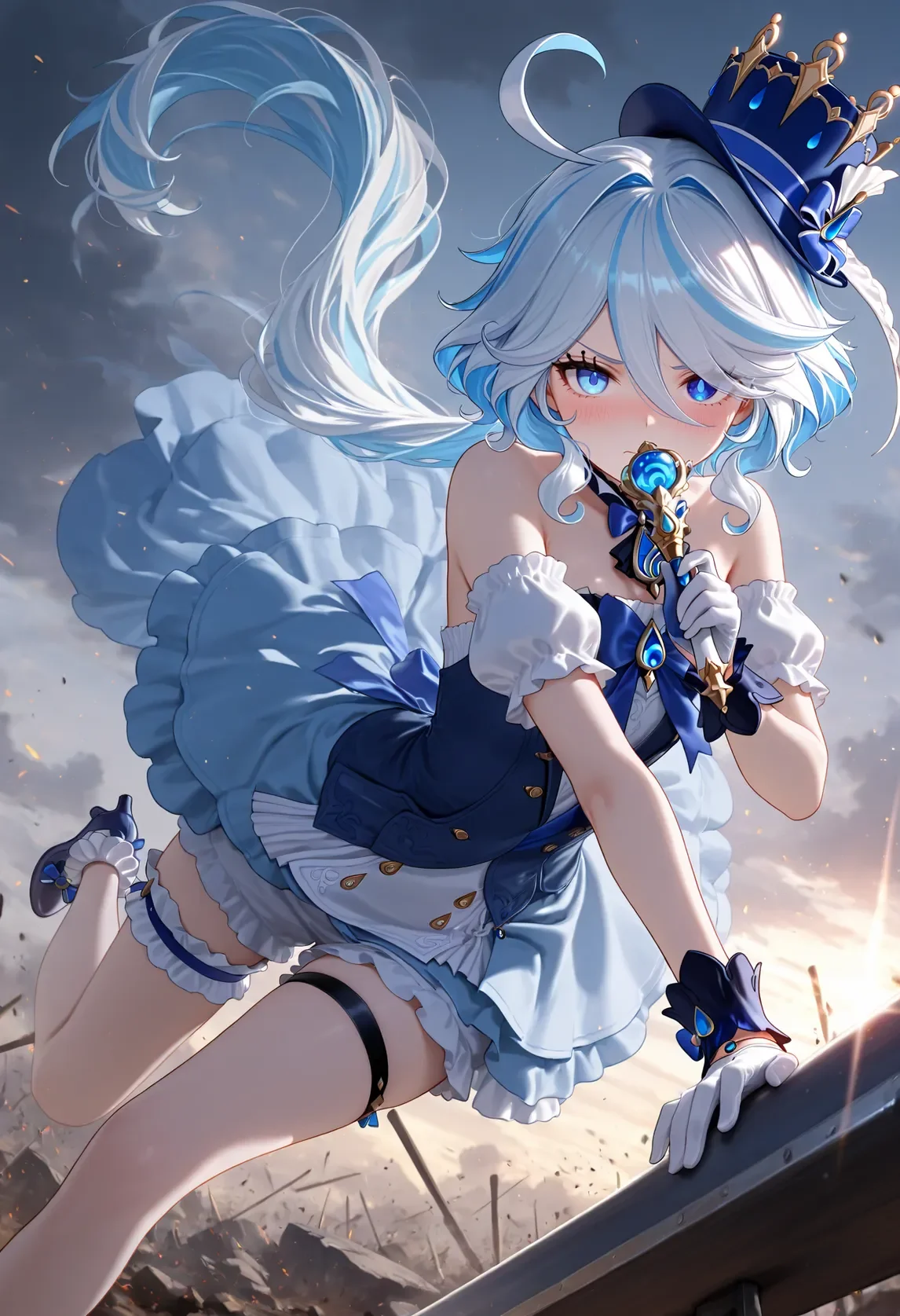 Before
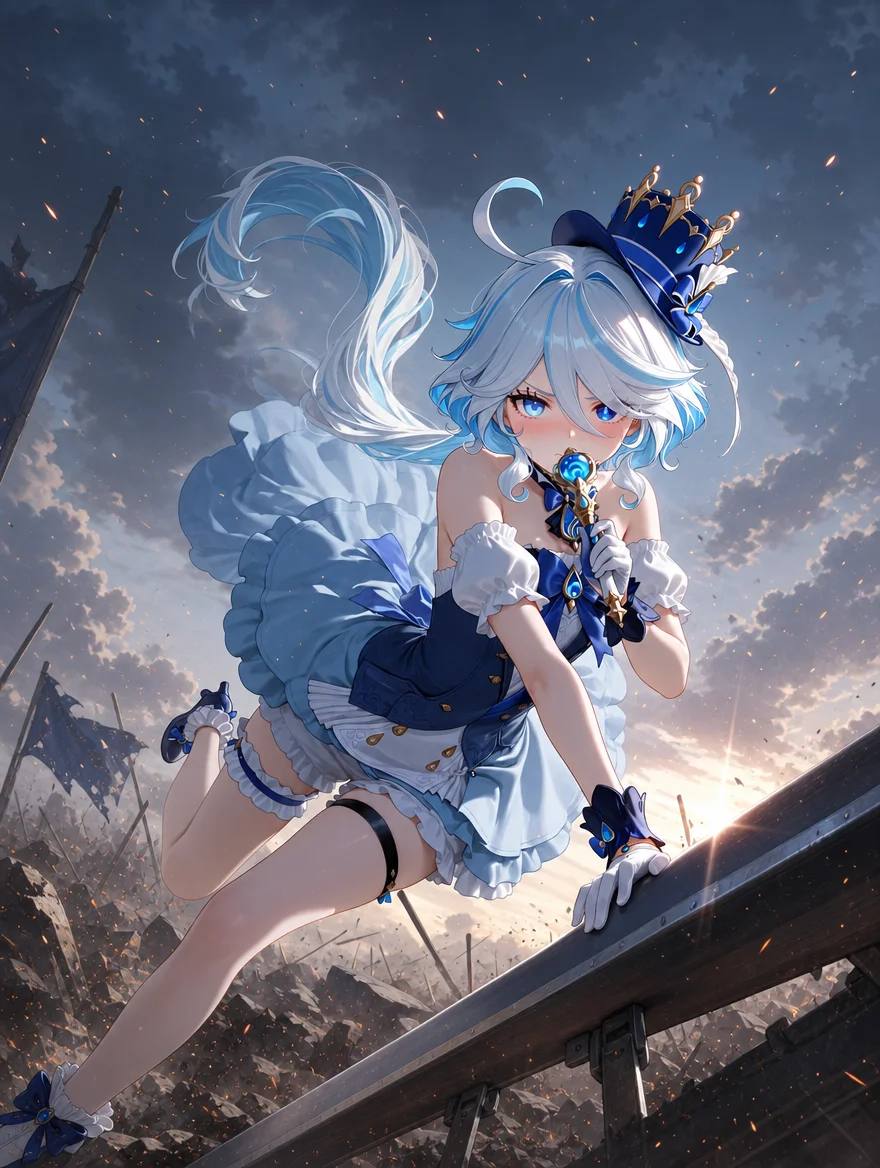 AI Result
A 9:16 phone shot of a woman on a street, expanded to a genuine 16:9 frame — 1536×2752 in, 2752×1536 out. Everything to her left and right is generated: more shopfronts, more cobblestones, more of the crowd, carried on in the same golden-hour light and perspective. She is not moved, resized or redrawn. Note the frames below are letterboxed rather than cropped, so you can see the shape actually change.
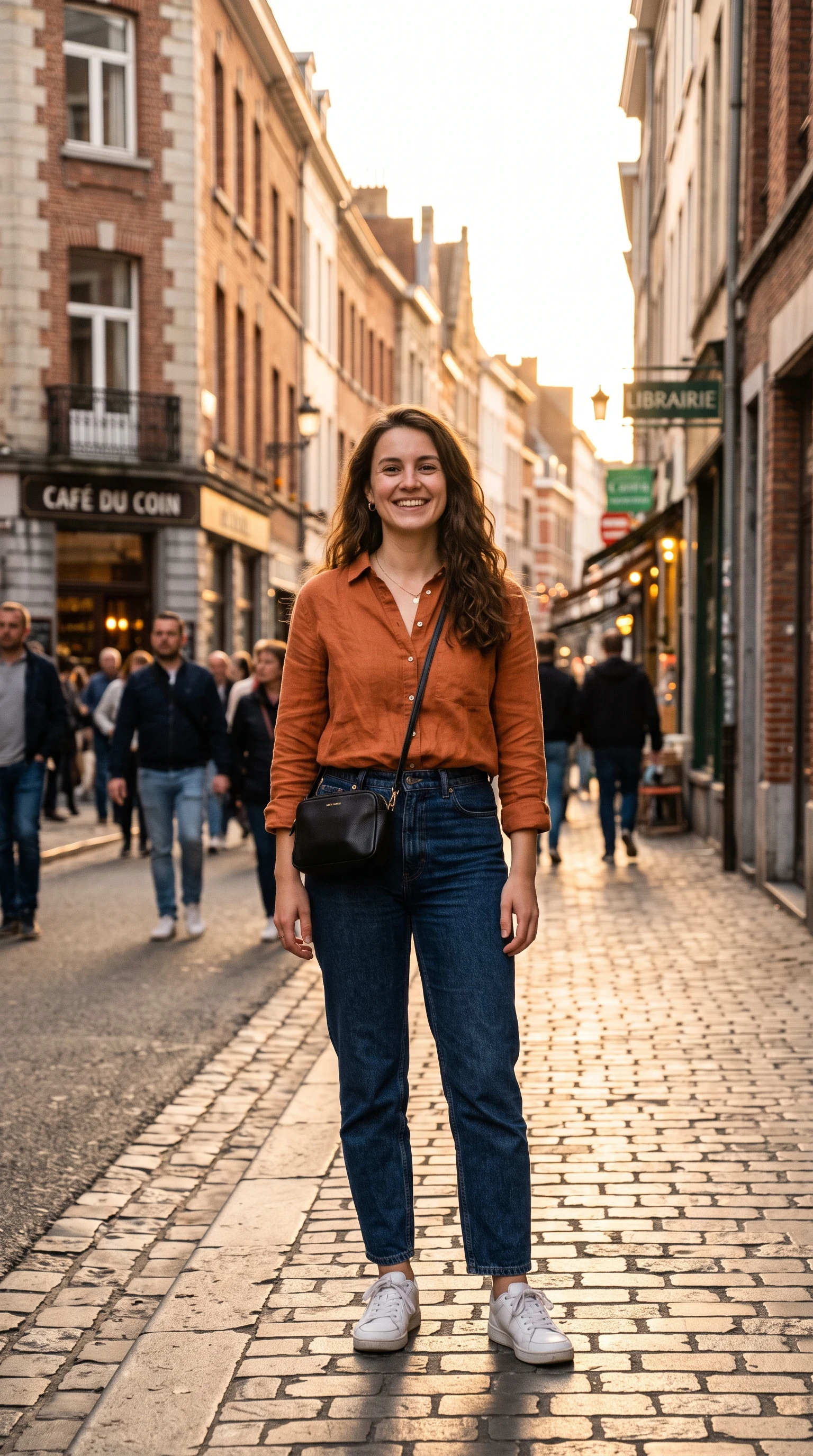 Before
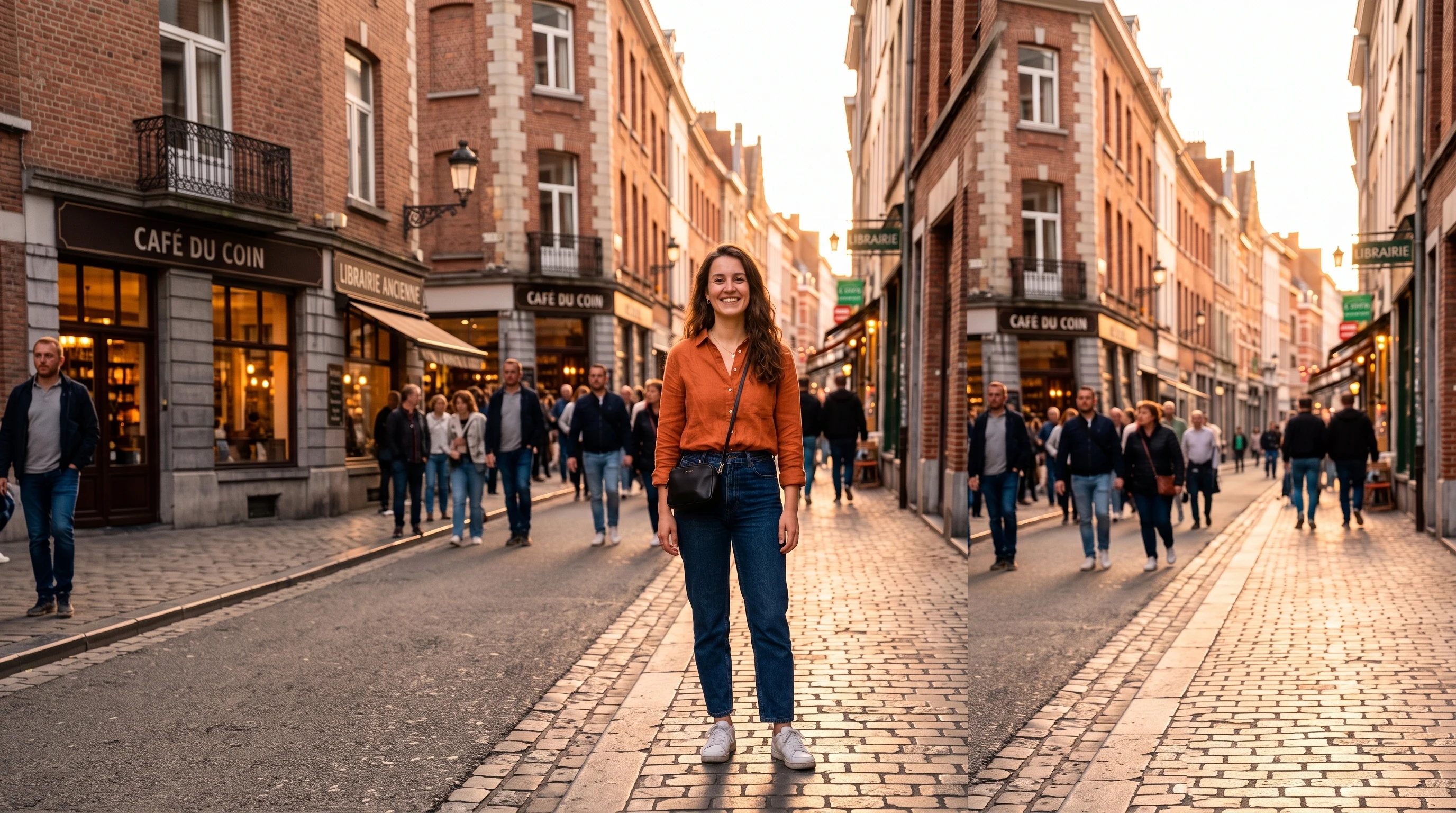 AI Result
Reframing is not only about getting wider. A 16:9 beach shot where the couple sits small in a lot of empty sand becomes a 1:1 square built around them — 2752×1536 in, 2048×2048 out. Rather than cropping the sides off and losing the sunset, the AI generates the extra sky the taller frame needs and recentres the composition. Same couple, same beach, same light.
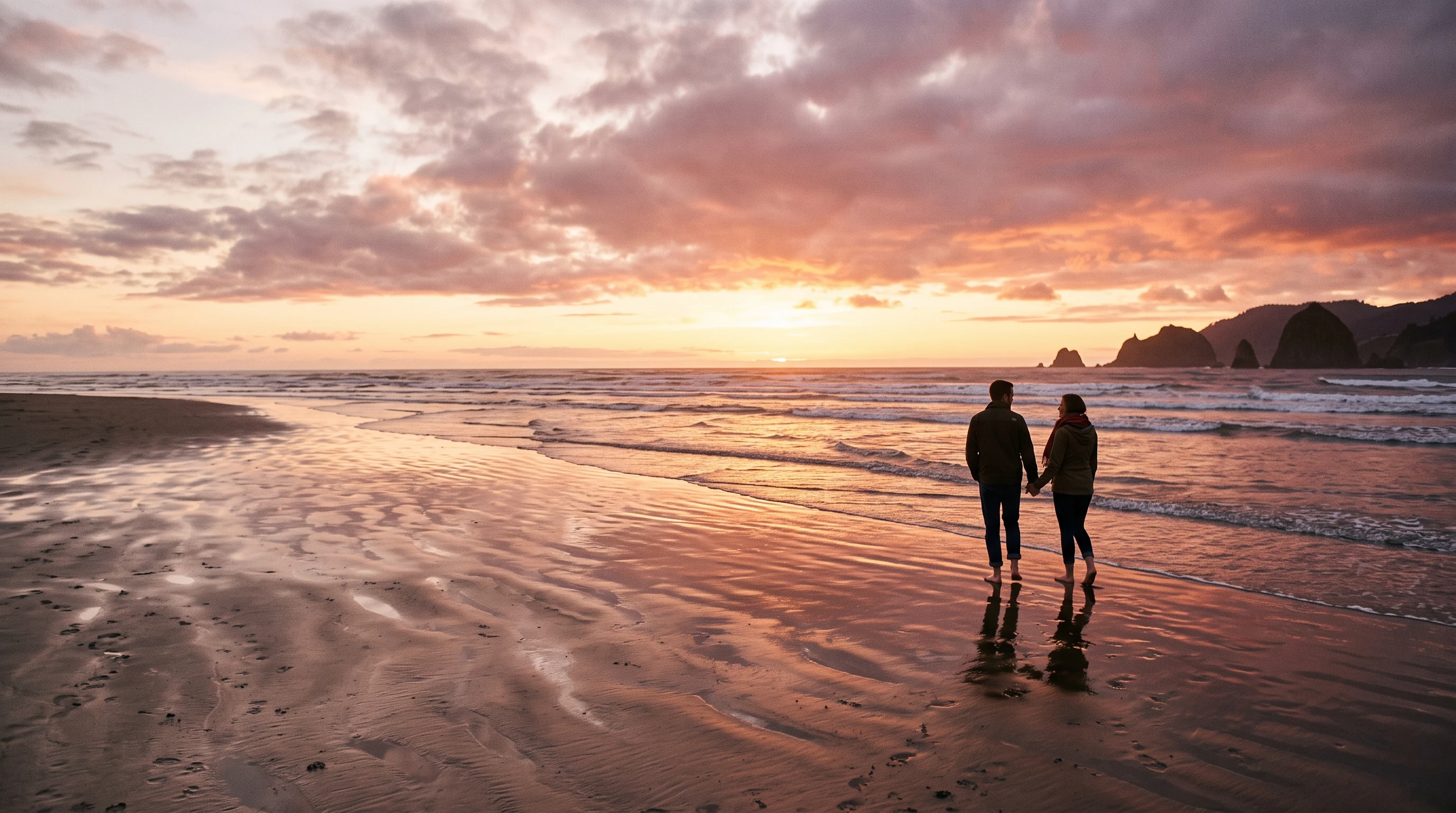 Before
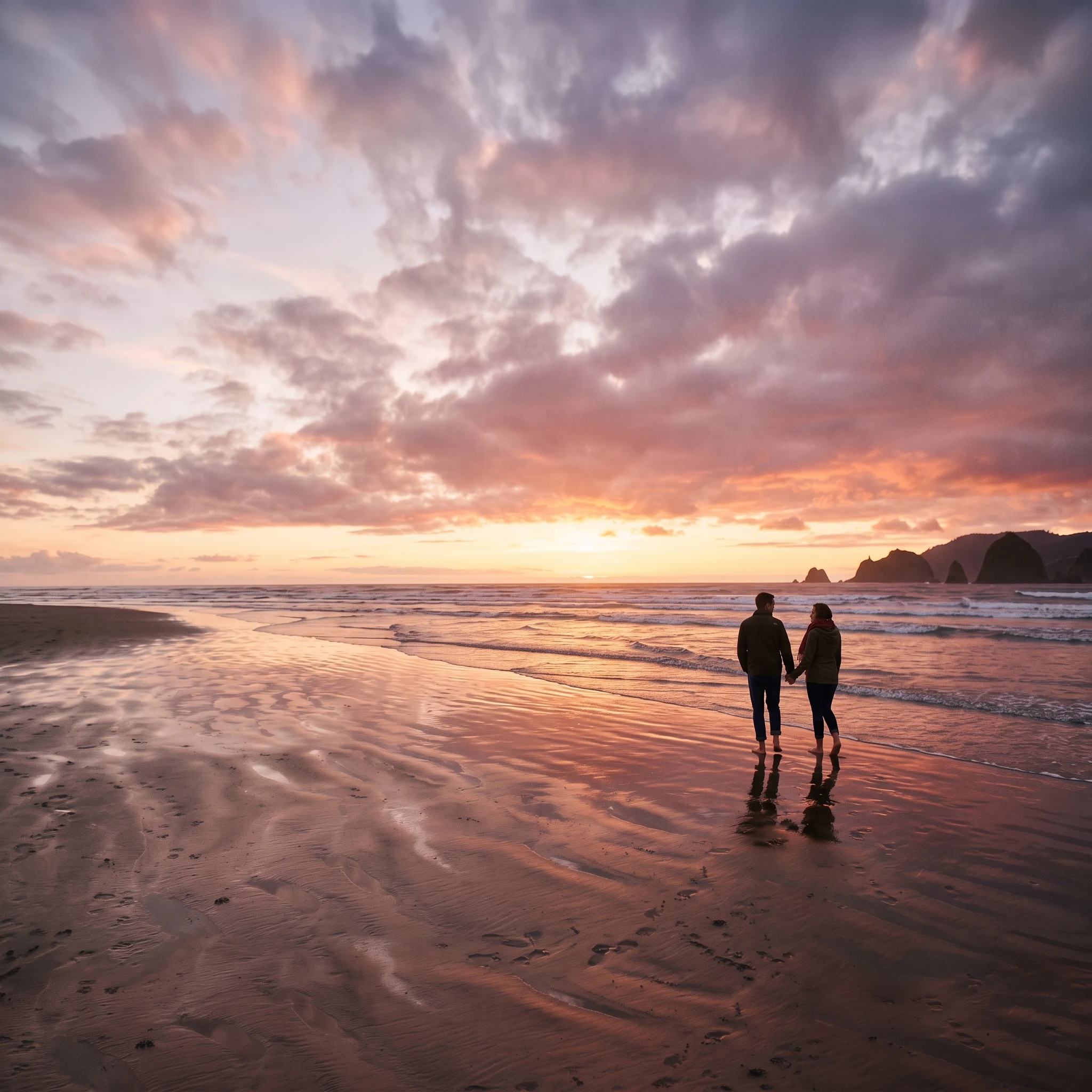 AI Result
Social platforms demand different aspect ratios — and one shoot increasingly has to feed all of them. The data below shows why AI reframing is now standard.
“The aspect-ratio explosion across social platforms broke the old workflow of "shoot once, post everywhere". Brands now need at least four different crops from every hero photo. Generative outpainting flips the math — instead of paying photographers to shoot four times, you shoot once at high resolution and let AI extend the canvas to match every platform spec.”
Six high-intent aspect-ratio categories cover every major social, ad, and print output. The AI generates the new area to match the original scene naturally.
Instagram feed posts, profile photos, product thumbnails. The classic social aspect that still dominates feed engagement.
"extend to a square 1:1 aspect, balanced on all sides"
TikTok, Reels, Stories, YouTube Shorts. The vertical aspect that now drives 67% of Instagram engagement.
"extend to 9:16 vertical, fill top and bottom naturally"
YouTube thumbnails, desktop wallpapers, TV displays, web hero images. The widescreen video standard.
"extend to 16:9 landscape, widen the left and right scene"
Facebook ads, Instagram portrait posts, magazine layouts. Tall enough for thumb-friendly mobile but not full vertical.
"extend to 4:5 portrait, slightly taller composition"
Cinematic banners, website heroes, ultrawide monitor wallpapers, film aspect. Premium dramatic feel.
"extend to 21:9 ultrawide, dramatic horizontal banner"
Traditional photo prints, presentations, DSLR-native frame. The aspect of pre-smartphone photography.
"extend to a classic 4:3 photo aspect ratio"
The modern social workflow: shoot one master photo, post it everywhere. But Instagram feed wants 1:1, Stories wants 9:16, YouTube wants 16:9, Facebook ads want 4:5, and Pinterest wants tall portrait. Without AI reframing, that means either awkward black bars, hard crops that lose key content, or four separate photoshoots. AI outpainting collapses all four into one upload + four clicks.
Aspect ratios a typical brand campaign needs from one hero photo
Brands historically shot each aspect ratio separately — paying for four crops or hiring a designer to hand-fill the missing area in Photoshop. AI uncrop turns that line item into a 20-second click per aspect.
Try Multi-Aspect ReframeCropped too tight? Lost the original wide version? AI uncrop generates the missing surrounding area naturally — the same scene a wider-lens camera would have captured. Useful for legacy photos, downloaded stock images, and recovering pre-crop framing.
Tight crop chopped the top of the subject’s head or hat? AI extends the canvas upward and generates natural ceiling, sky, or background continuation.
"extend upward, add natural headroom and sky"
Need more of the room or landscape next to the subject? AI extends left or right and continues the wall, furniture, plants, or landscape naturally.
"extend leftward, continue the natural background scene"
E-commerce product shot too tight? AI generates background, surface, and surrounding props to give the product breathing room for ad design.
"extend outward, add neutral product display background"
Six audiences rely on AI uncrop and reframing as a daily workflow tool.
One shoot → every platform. Generate 1:1, 9:16, 16:9, and 4:5 versions of every hero photo without paying for multi-aspect reshoots.
Reframe product photos for Shopify hero (16:9), product thumbnail (1:1), social ad (4:5), and Pinterest (3:4) from a single master image.
Convert horizontal video stills (16:9) into TikTok / Reels (9:16) without awkward black bars or losing key subjects to crops.
Turn vertical phone photos into 16:9 YouTube thumbnails — preserve the subject, generate the missing left and right context.
Stock photo too small for a billboard? AI generative expand extends the scene naturally to fit any large-format aspect.
Recover the wider framing a tight crop lost. Recompose tight shots into balanced compositions without reshooting.
Three steps. Under one minute. No skills required.
Drop any photo (JPG, PNG, or WebP, up to 20 MB). The AI handles portraits, landscapes, products, and abstract scenes equally well.
Choose from 8 aspect ratios — 1:1 square, 9:16 vertical, 16:9 landscape, 4:5, 4:3, 21:9 ultrawide, 3:4, 3:2 — or describe custom framing.
Click "Reframe Photo" and the AI fills in the missing area in 10–20 seconds. Original subject preserved; canvas extended naturally. Download HD.
How sparkpix reframe compares to Photoshop and other AI uncrop tools.
| sparkpix.ai | Adobe Photoshop Generative Expand | ClipDrop Uncrop | |
|---|---|---|---|
| Aspect ratio selection | Pick from 8 preset aspects | Drag canvas edge manually | 4 presets (Square, Portrait, Landscape, Custom) |
| Pricing | Free to start, $9.99 for 350 generations | $22+/month Creative Cloud | Free tier limited, paid for HD |
| Installation | Browser only, no install | Desktop install required | Browser only |
| Multi-tool integration | 100+ tools (outfit, hair, restore, restyle) | Comprehensive but Photoshop-only | Single-purpose uncrop |
| Learning curve | Pick preset, click button | Steep — masks, layers, prompts | Easy |
Everything you need to know about reframing photos with AI.
AI outpainting (also called uncrop or generative expand) analyzes the edges of your existing photo, predicts what the surrounding scene would naturally look like, and generates new pixels to fill the extended canvas. It studies lighting direction, color palette, texture continuity, and perspective to make the new area seamlessly match the original. The original subject is preserved pixel-for-pixel — only the new surrounding area is generated.
Yes. The AI is explicitly prompted to leave the original photo pixels untouched and only generate new content in the extended area. Subject identity, pose, facial features, clothing, and any text or logos in the original frame all stay identical. Only the new canvas area outside the original frame is AI-generated.
The 8 presets cover every major aspect: 1:1 square (Instagram feed), 9:16 vertical (TikTok / Reels / Stories), 16:9 landscape (YouTube / desktop / TV), 4:5 portrait (Facebook ads), 4:3 classic photo, 21:9 cinematic ultrawide, 3:4 print portrait, and 3:2 DSLR landscape. You can also describe custom framing with a prompt like "extend symmetrically by 25%" or "show more of the kitchen behind".
Yes — this is one of the most popular use cases. Upload a 9:16 vertical phone photo, pick the Landscape 16:9 preset, and the AI generates the missing left and right sides naturally. Same logic works in reverse for converting horizontal 16:9 video stills into 9:16 TikTok / Reels content without awkward black bars.
Yes. New accounts get 5 free credits on sign-up — enough to try several aspect ratios on a single photo. Each reframe costs 5 credits. No subscription, no credit card to start. Additional credit packs begin at $9.99 for 350 credits (~70 reframes).
Cropping REMOVES pixels. AI reframing ADDS pixels. If you crop a horizontal photo to a square, you lose information on the sides. If you uncrop / outpaint with AI, you keep all the original content and the AI generates new surrounding pixels — useful when the original is too tight or you need a different platform aspect.
Yes. The most common workflow: shoot one master photo, then use AI reframing to generate platform-specific versions — 1:1 for Instagram feed, 9:16 for Stories and Reels, 4:5 for Facebook ads, 16:9 for YouTube. Skips the cost of multiple shoots or hand-cropping in design tools.
Adobe Generative Expand and Photoshop Generative Fill require a $22+/month Creative Cloud subscription plus Photoshop installation, and they are designed for desktop power users. sparkpix runs in any browser, costs $0 to start (5 free credits), and uses preset chips so you do not need to manually drag the canvas edge. For one-off social posts and simple uncrops, sparkpix is faster; for granular pixel-level edits, Photoshop still wins.
AI outpainting can occasionally generate unexpected content if the original photo has unusual elements at the edge. If the result is off, try a slightly different prompt — for example add "natural extension, no people in the new area" or "extend with the same background pattern". You can also pick a different aspect ratio that requires less generated area.
Yes. All paid plans include full commercial usage rights for AI-edited images. This makes sparkpix suitable for e-commerce product photos, social media campaigns, marketing creative, real estate listings, and client work. The free tier includes a small watermark only on trial generations.
Upload a photo, pick a target aspect ratio, and let AI fill the missing area.
Reframe Photo Now