
FREE
Loading…
GPT Image 2.6 is OpenAI's image model that can return an animated GIF, running here as gpt-image-2.6-flare. Upload a photo and describe one small motion to get a looping GIF of it, write a prompt to make one from nothing, or pick 1K, 2K or 4K for an edited or generated still.
Every result below came from gpt-image-2.6-flare on 6 November 2026, with the same settings this page uses. The first six move: GIFs are shown as lightweight animated previews, and the download is a real GIF. Copy any prompt into the box above.
One portrait in, a nine-frame loop out. The hand comes up, waves and goes back down, and her face, hair, blazer and the grey wall stay the same person and the same room in every frame. Naming what must not change is what keeps the face from drifting between frames.
“Animate this photo as a short looping GIF: the woman smiles and gives a small friendly wave, her hair moves slightly. Keep her face, outfit, background and lighting exactly the same in every frame.”
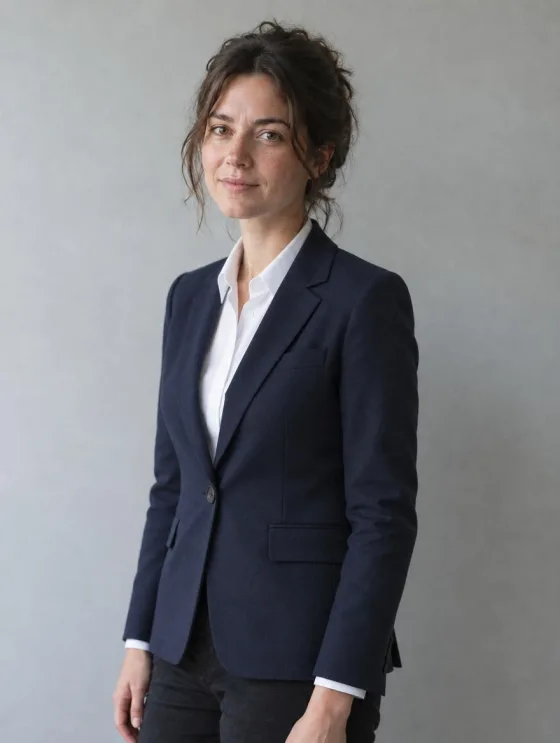 Before
 GIF
Only two things move: steam curling off the coffee and the sheer curtain swaying. The cup, the marble, the flowers and the window stay put, which is what makes it read as a cinemagraph rather than a shaky video. Say which parts move and tell everything else to stay still.
“Turn this photo into a looping cinemagraph GIF: only the steam rises and curls from the coffee and the sheer curtain sways slightly. Everything else stays perfectly still and identical in every frame.”
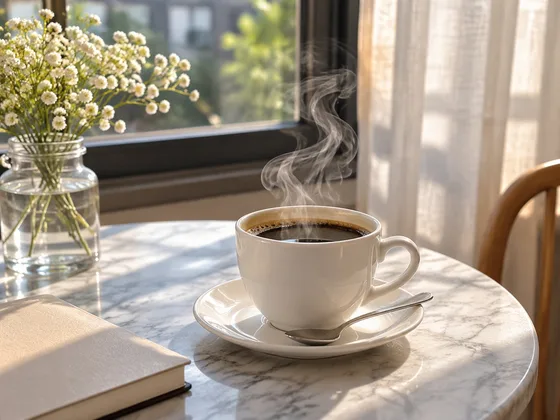 Before
 GIF
The retriever wags its tail and tilts its head a little while the lawn and the fence behind it hold still. Small, repeatable motions like this loop cleanly in nine frames; a run across the garden would not.
“Animate this photo as a short looping GIF: the dog wags its tail and tilts its head a little, ears moving. Keep the dog, the grass, the background and the light exactly the same in every frame.”
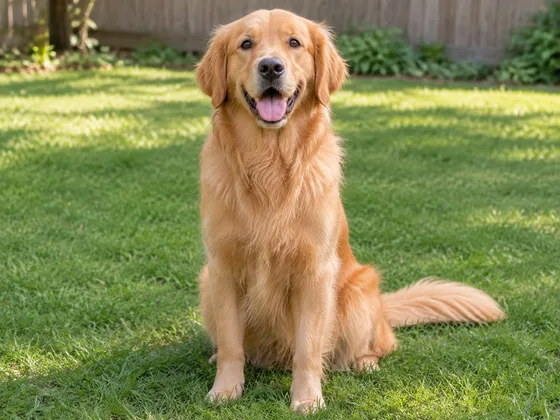 Before
 GIF
No photo at all: the prompt asked for a white sneaker turning a full circle on a turntable, and the nine frames step through front, side, back and round again with the same shoe each time. Useful for a product listing or a quick social post before a real 360 shoot exists.
“A white leather sneaker slowly turning a full 360 degrees on a small round turntable, studio product shot on a light grey seamless backdrop, soft even light, the same shoe in every frame, smooth looping rotation.”
 GIF from text
A cartoon cat waves while "HI!" bounces above it, with the thick white outline stickers have. The background came back transparent without being asked for, so the GIF sits on any chat colour.
“A cute cartoon cat sticker with a thick white outline, waving its paw, the word "HI!" bouncing above its head, flat bright colours, looping animation.”
 GIF from text
A paper boat rides small waves in a flat illustration. Water, wind and breathing are the motions that loop best, because the last frame can flow straight back into the first.
“A small red paper boat bobbing on gentle blue waves, looping animation, soft morning light, flat illustration style.”
 GIF from text
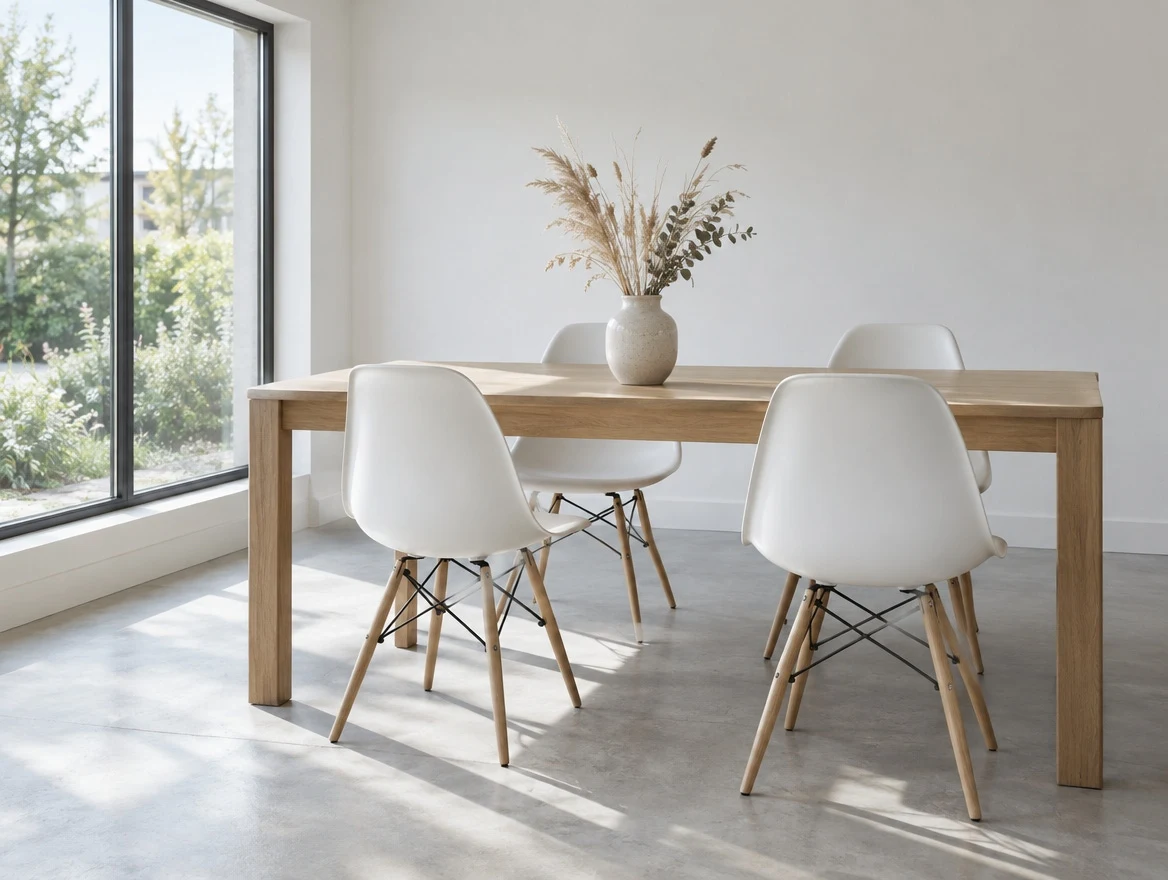
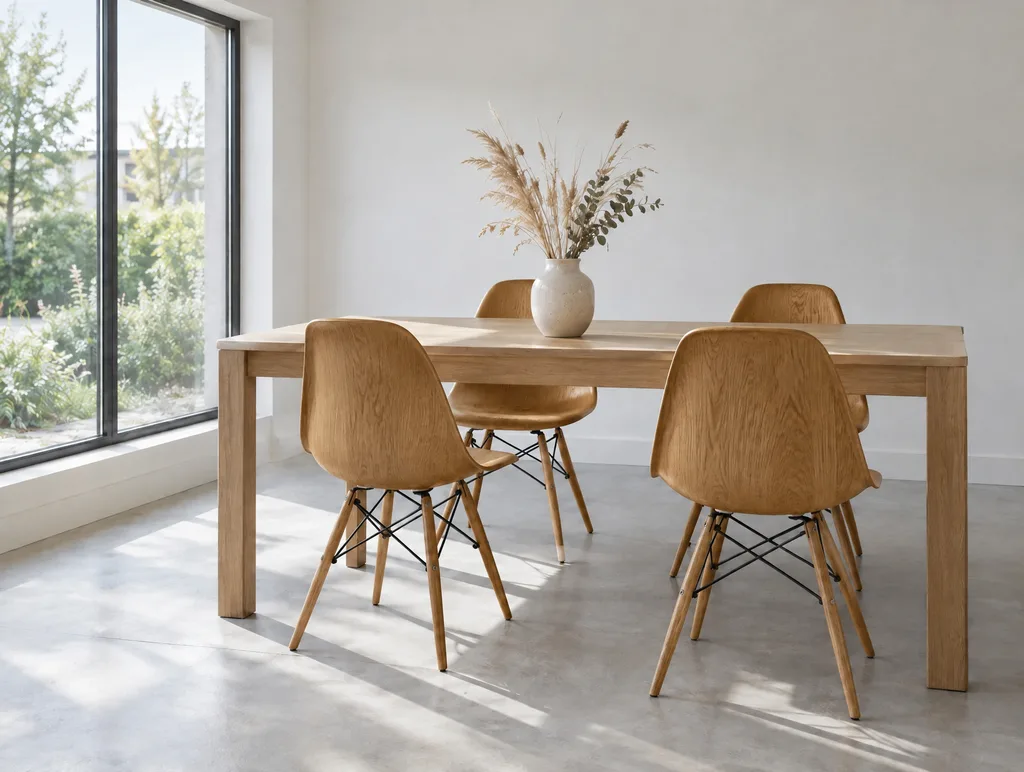
The same test we ran on GPT Image 2.5, on 2.6. The white chairs became oak; the window light, the floor shadows, the table and the vase stayed where they were. Pick 1K, 2K or 4K instead of GIF for a still result.
“In this room photo, replace ONLY the white chairs with chairs made of warm mid-brown solid oak, same silhouette and same positions. Preserve the camera angle, the room lighting, the direction and softness of every floor shadow, the table, the vase and every surrounding object exactly as they are.”
 Before
 AI Result
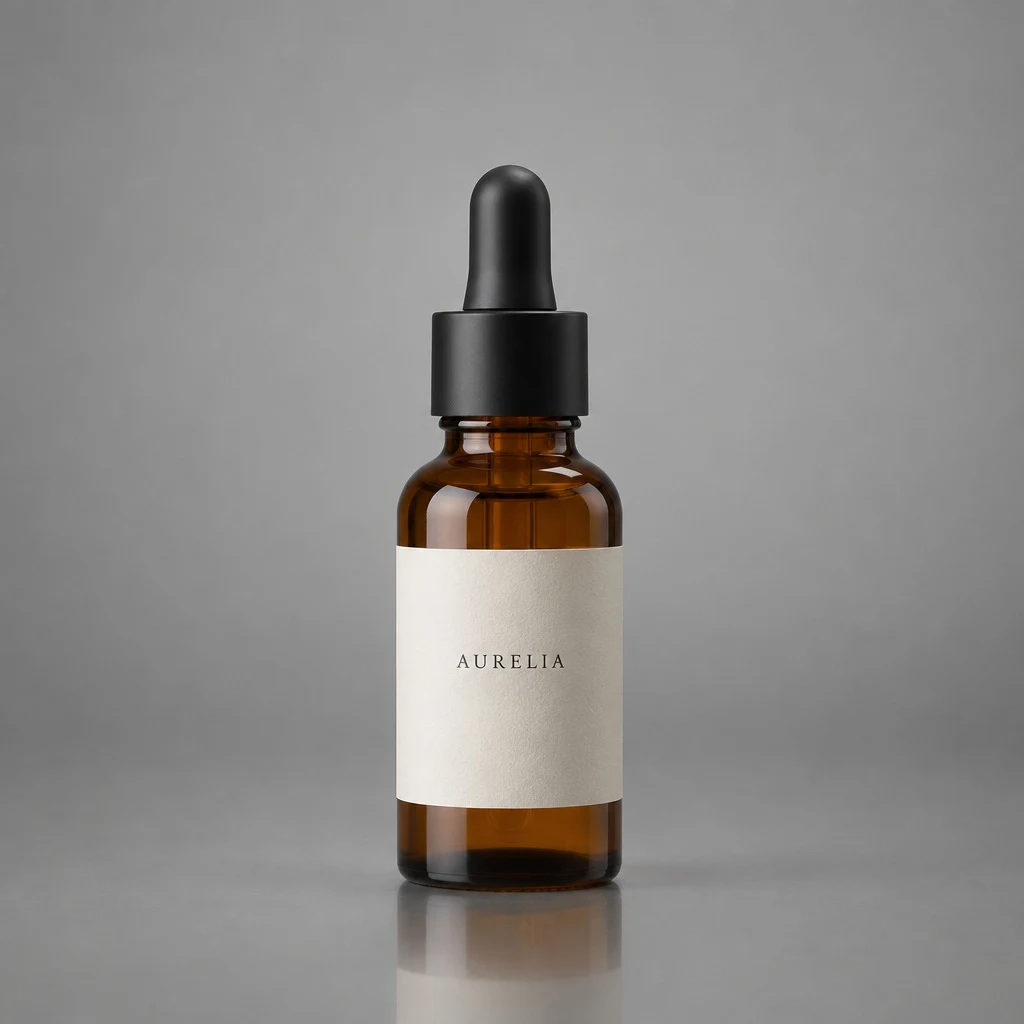
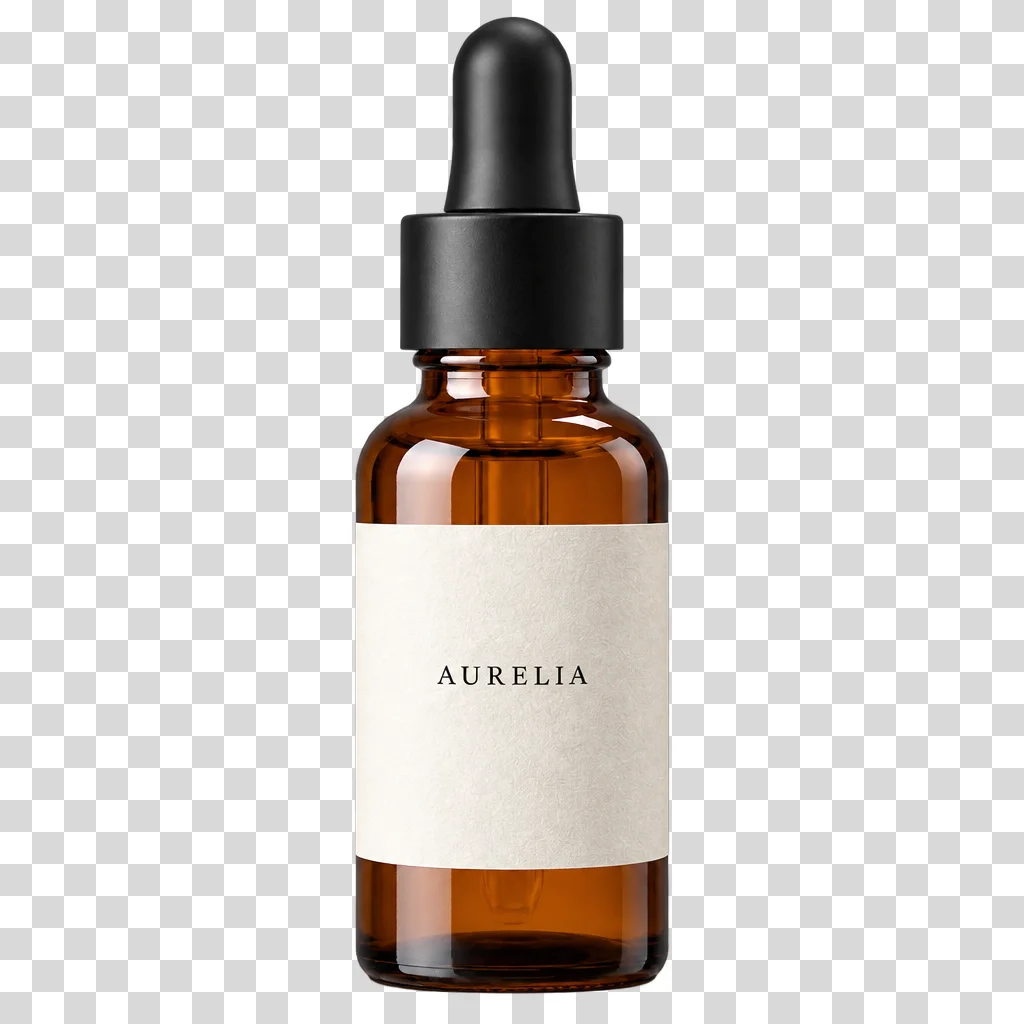
Ask for a transparent background and the result is a PNG with real alpha, shown here on a checkerboard the way image editors display transparency. The glass and the label kept their shape and colour.
“Extract the product from this image and isolate it on a fully transparent background. Centred product, crisp silhouette, no halos or fringing, no drop shadow.”
 Before
 AI Result
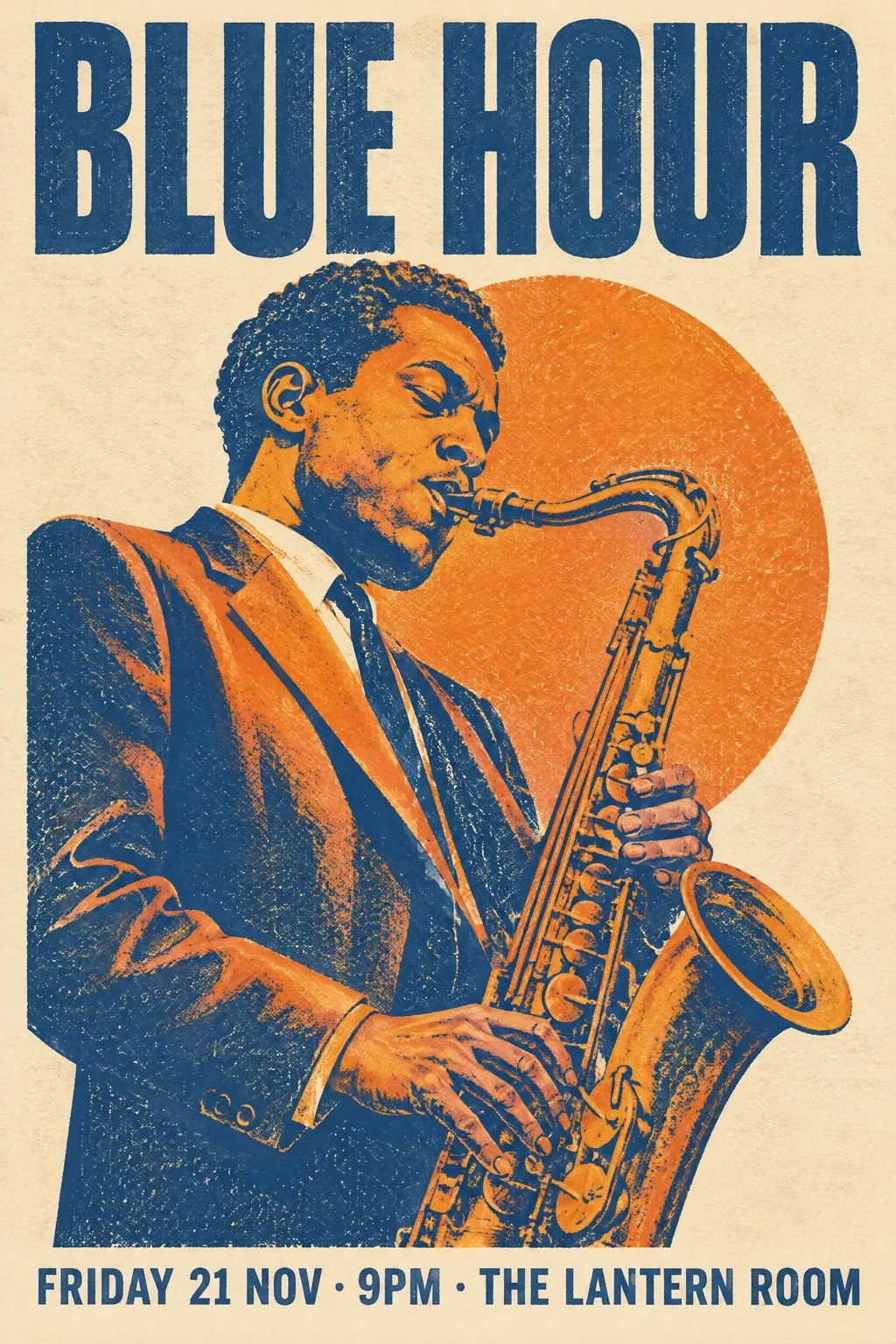
A two-ink screen-print poster with the title, the date line and the venue set exactly as written. Put the words you need in quotation marks and the model renders those words.
“A screen-printed poster for an invented jazz night. Bold condensed type at the top reads "BLUE HOUR", below it a saxophone player drawn in two flat inks, deep blue and warm orange, on cream paper with visible print grain. At the bottom in small caps: "FRIDAY 21 NOV · 9PM · THE LANTERN ROOM". All text crisp and correctly spelled.”
 Generated
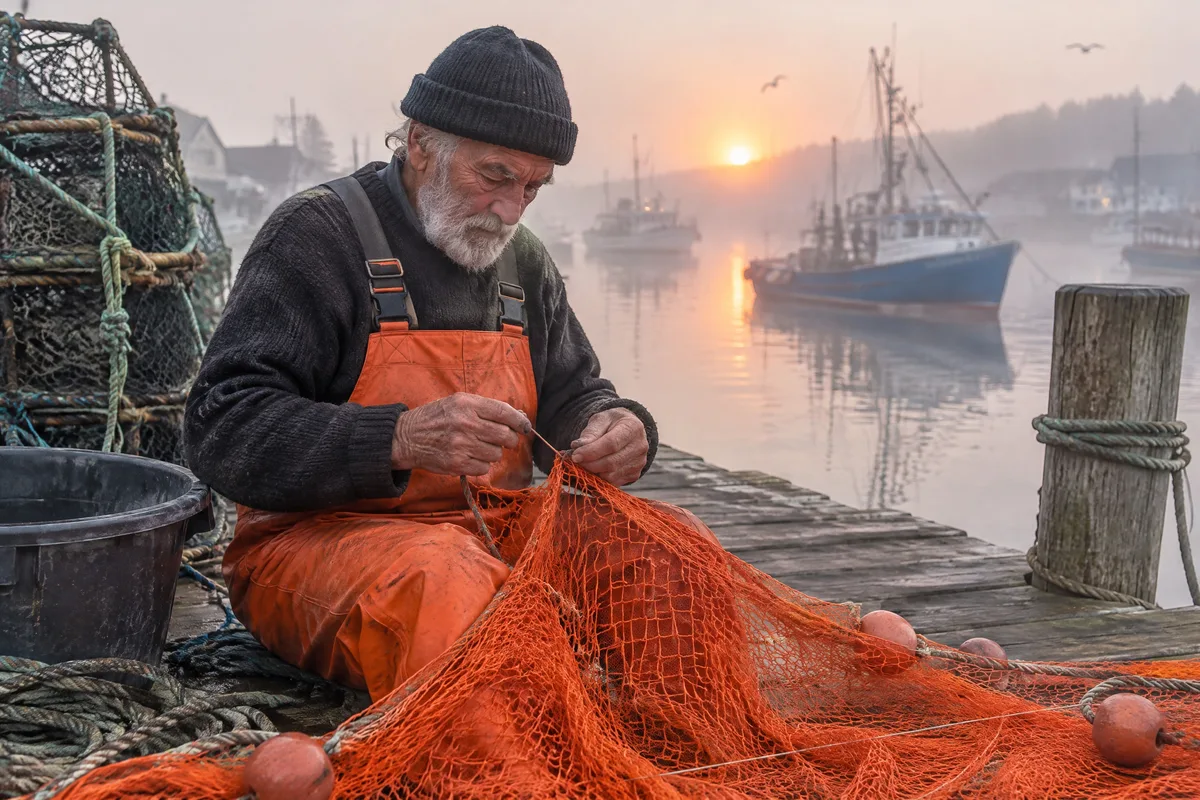
Camera language does the work here: a 50 mm lens, dawn mist, fine grain. The skin, the knitted hat and the orange net read as a photograph rather than a render. 2K, generated in 19 seconds.
“A photograph of an elderly fisherman mending a bright orange net on a wooden pier at dawn, mist over the harbour, shot on a 50mm lens, natural skin texture, fine grain.”
 Generated
GPT Image 2.6 adds new kinds of output rather than sharper pictures. On this page that means animated GIFs, alongside the still edits and transparent PNGs that GPT Image 2.5 already made.
A looping animated GIF straight from the model, from a text prompt or from your photo. Earlier GPT Image models only ever returned a still.
Each GIF here is 9 frames at 150 ms, about 1.4 seconds, looping forever. That length suits waves, nods, steam, tails and turntables.
Still images took 19-25 seconds in our 6 November 2026 runs and GIFs 23-37 seconds, on the Flare tier this page uses.
Tell it what must not change and the person, clothes and background carry through every frame. In our portrait test the face held from the first frame to the last.
Ask for a transparent background and you get real alpha, stored as PNG. Animated stickers can come back transparent too.
Everything 2.5 does for a still: edit one part of a photo from one instruction, set exact text in quotes, ten aspect ratios from 1:1 to 21:9 at 1K, 2K or 4K.
Attach a photo to animate or edit it, up to five reference images. Without one, the prompt generates from scratch.
Open the Quality menu: GIF gives a looping animation, 1K, 2K and 4K give a still. The ratio menu sets the shape of either.
Name one small motion and what stays still. Ten credits, refunded if it fails, and the GIF downloads with no watermark.
A good GIF prompt names one motion, then locks everything else.
One motion + who or what makes it + what stays the same in every frame + the word “looping”
A wave, a blink, a head tilt, a tail wag, steam, a turning product. Nine frames is a gesture, not a scene; "she walks across the room and sits down" comes back as a blur of poses.
"Keep her face, outfit, background and lighting exactly the same in every frame." Every frame is drawn again, and this sentence is what stops the background from wandering.
Words like "looping", "seamless loop" and motions that return to where they started (waves, breathing, a full turn) give a GIF with no jump at the seam.
"Thick white outline", "flat bright colours" and the exact word in quotes ("HI!") produce something that looks like a chat sticker rather than a cartoon still.
GIF frames come out around 720 px. When you need a print or a sharp hero image, choose 2K or 4K and the same prompt returns a still at that size.
Say "on a fully transparent background", "no background" or "cut out". Without one of those phrases the result has a background.
GPT Image 2.6 can do more through the API than this editor offers. Here is what is missing and why, so you know before you spend credits.
The model lists SVG output, but our test SVG request on 6 November 2026 failed upstream. It will appear here once it works reliably.
Through the API, 2.6 can follow a painted mask or a copy of the image with circles and arrows drawn on it. Both need a drawing tool, and this editor takes plain-language instructions only.
The API allows 2 to 64 frames. More frames share the same sheet, so each one gets smaller; this page fixes 9 frames at 150 ms, which gave frames of about 720 px in our tests.
A GIF is a short silent loop. For a clip with real camera movement or audio, use a video model instead.
All three run in the same editor at the same price. For a still edit, 2.5 and 2.6 behave alike; the reason to pick 2.6 is a result that moves. GPT Image 2 is still there for long, text-heavy instructions.
| Feature | GPT Image 2.6 | GPT Image 2.5 | GPT Image 2 |
|---|---|---|---|
| Made by | OpenAI | OpenAI | OpenAI |
| On the API since | 5 November 2026 | 9 September 2026 | 2026 |
| Best for | Pictures that move: GIFs from text or a photo | Changing one part and keeping the rest | Instruction-following and text-rich layouts |
| Animated GIF | Yes, 9-frame loop on this page | No | No |
| Edit one part of a photo | Yes | Yes | Partial, tends to redraw the frame |
| Transparent PNG | Yes | Yes | No |
| SVG / mask / markup edits | API only, not on this page | No | No |
| Still resolution | 1K / 2K / 4K | 1K / 2K / 4K | 1K / 2K / 4K |
| Credits per result | 10 | 10 | 10 |
Timings and GIF sizes are our own measurements on the Flare tier at medium quality. Last updated: 6 November 2026.
GPT Image 2.6 is OpenAI's image model that reached the API on 5 November 2026. It generates and edits images like GPT Image 2.5, and adds new kinds of output: animated GIF, SVG vector files, and edits guided by a mask or a marked-up copy of the image. This page runs the Flare tier and offers the animated GIF, along with still images and transparent PNGs.
Yes. Upload the photo, pick GIF in the Quality menu and describe one small motion: a wave, a head tilt, a tail wag, rising steam. The model redraws the picture as 9 frames played at 150 ms each, a loop of about 1.4 seconds, and keeps the person, clothes and background from your photo. In our tests the face held across all frames; fine detail such as background texture can shimmer slightly, because every frame is drawn again.
It adds outputs rather than sharper pictures. 2.6 can return an animated GIF, which 2.5 cannot, and through the API it also offers SVG and mask or markup edits. Both edit a photo from one instruction and both return a real transparent PNG when you ask for one. If you only need a still edit, either works; if the result should move, use 2.6.
In our runs on 6 November 2026: 19-25 seconds for a still image at 1K or 2K, about 24 seconds for a 2K edit of a photo, 23-26 seconds for a GIF from text and 25-37 seconds for a GIF made from a photo. Very long prompts and 4K images can take longer.
Frames come out around 720 px: 720x720 for a square GIF, 624x816 from a portrait photo, 816x608 from a landscape one. Every GIF here is 9 frames at 150 ms and loops forever; the files we made were 0.6-2.3 MB. Frame count and speed are fixed on this page, so it suits short reactions, stickers and cinemagraphs rather than longer clips.
Not yet. The model can return SVG through the API, but our test SVG request on 6 November 2026 failed upstream, so this page does not offer it until it works reliably. Mask and markup edits are also API features that need a drawing tool this editor does not have.
Yes. Write "on a fully transparent background", "no background" or "cut out" in the prompt and the page asks for a transparent background and stores the result as a PNG, so the alpha edge is never converted to lossy WebP.
Ten credits per image or per GIF. Credit packs start at $9.99 for 350 credits, about 35 generations, with no subscription. If a generation fails, the credits go back automatically.
Yes. Under OpenAI's terms you own what you generate through the API, and the download has no watermark. Check OpenAI's current usage policy for your specific use, and only animate photos of people who agreed to it.
All of these are part of the sparkpix.ai AI photo editor, so one account works across every tool.
OpenAI's previous model, built around editing one region of a photo and leaving the rest alone. The still-image twin of this page.
The model before that, still strong on long instructions and text-heavy layouts.
Google Gemini 3 Pro Image, for work with several reference images and dense in-image typography.
Google Gemini 3.1 Flash, the fast tier for trying many variations of a still in a row.
ByteDance's flagship, for a precise single-instruction edit of a still at 1K or 2K.
xAI Aurora at 5 credits, for photorealistic scenes and accurate logos and text.
Make an AI image look like a real photo: natural skin, true colour and real depth of field.
Just need a cutout? One click, no prompt to write.
For longer clips: a 4-30 second video of a person from photos or a character, with a scene you describe.