
FREE
Loading…
Make a Christmas card from a photo you already have. Upload the photo, type your greeting and pick a style: in about a minute you get a finished, print-ready card with your real faces and your words lettered into the design. Or switch to an animated GIF card to send by message.
This model edits a photo: add one with + first.
Last updated:
Six unretouched cards from this tool, one per style. The small pictures are the photos that were uploaded; the greeting under each card is what was typed. The people and pets are AI-generated stand-ins: we never publish customers’ photos.
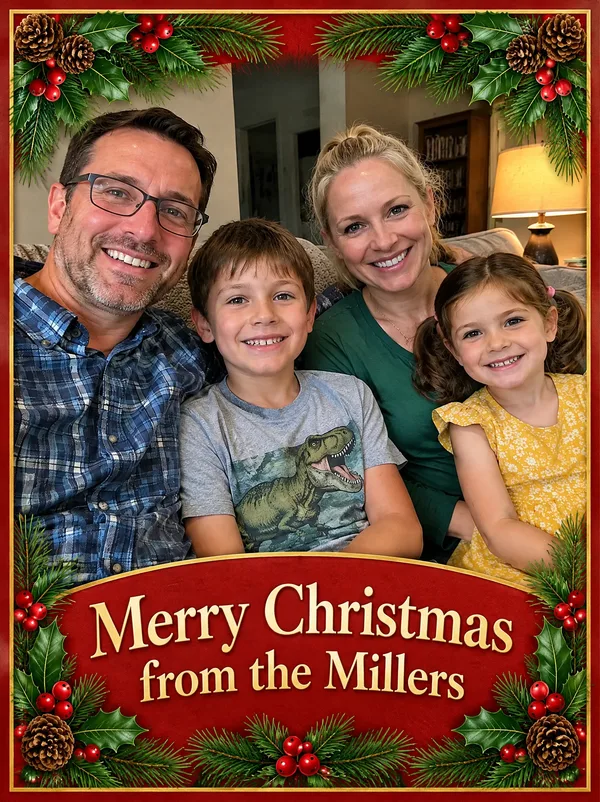
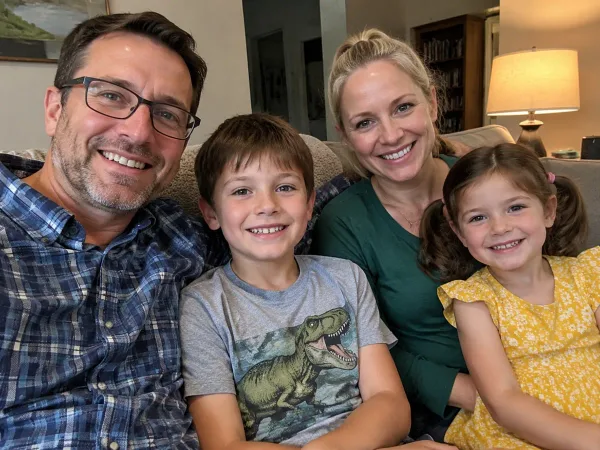
Style: Classic red & green
Greeting typed: “Merry Christmas from the Millers”
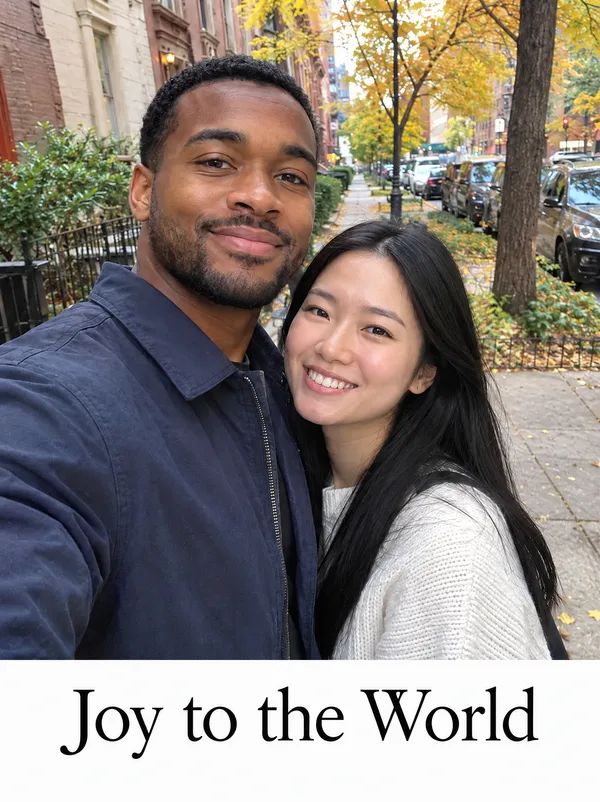
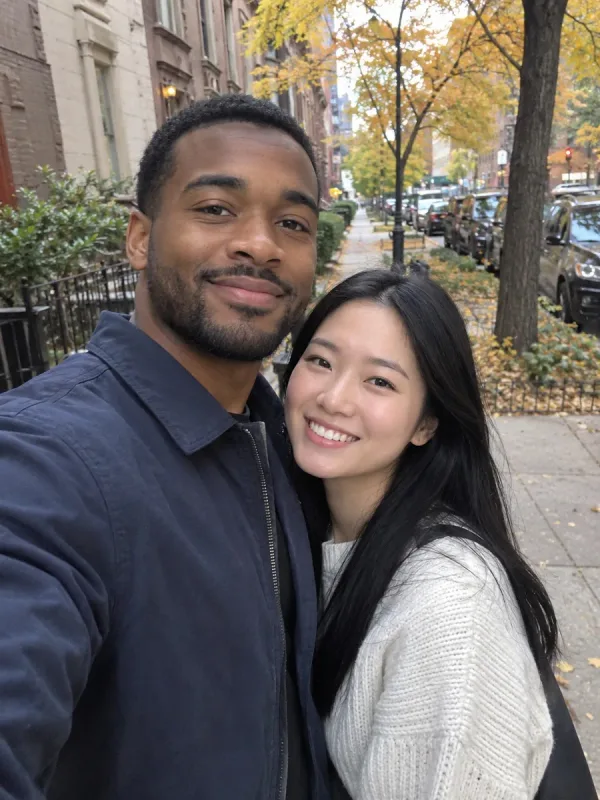
Style: Modern minimal
Greeting typed: “Joy to the World”


Style: Retro candy stripe
Greeting typed: “Sleigh All Day”
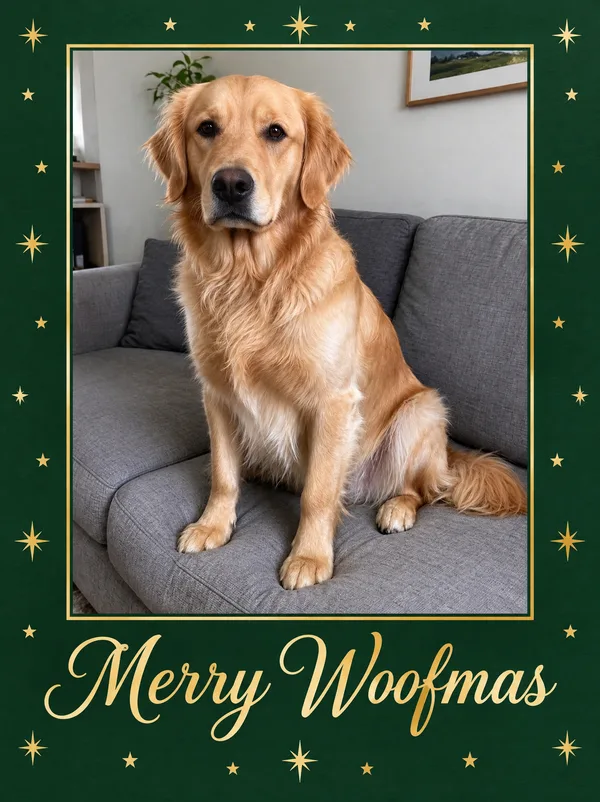
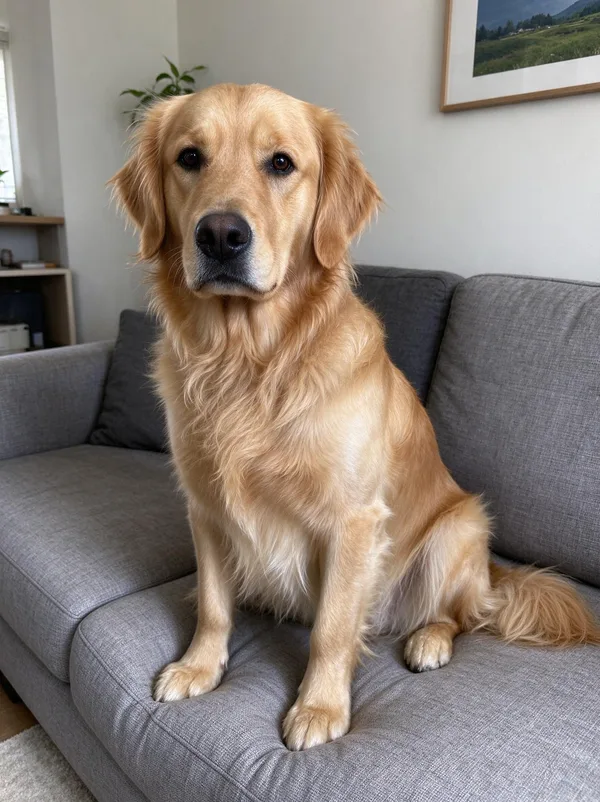
Style: Green & gold
Greeting typed: “Merry Woofmas”
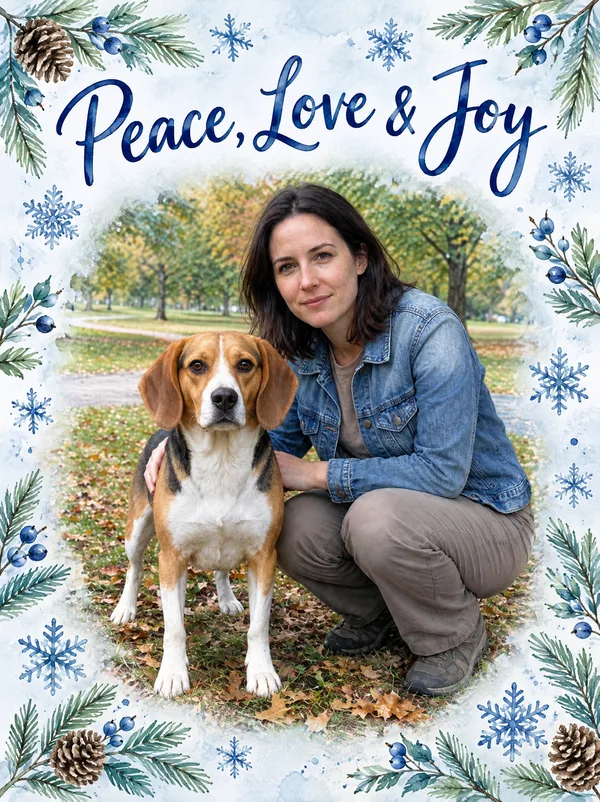
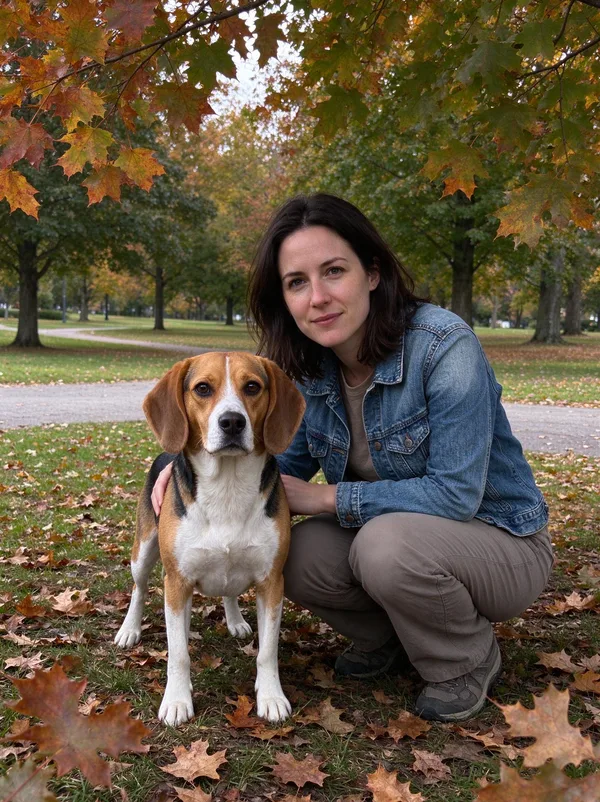
Style: Winter watercolour
Greeting typed: “Peace, Love & Joy”
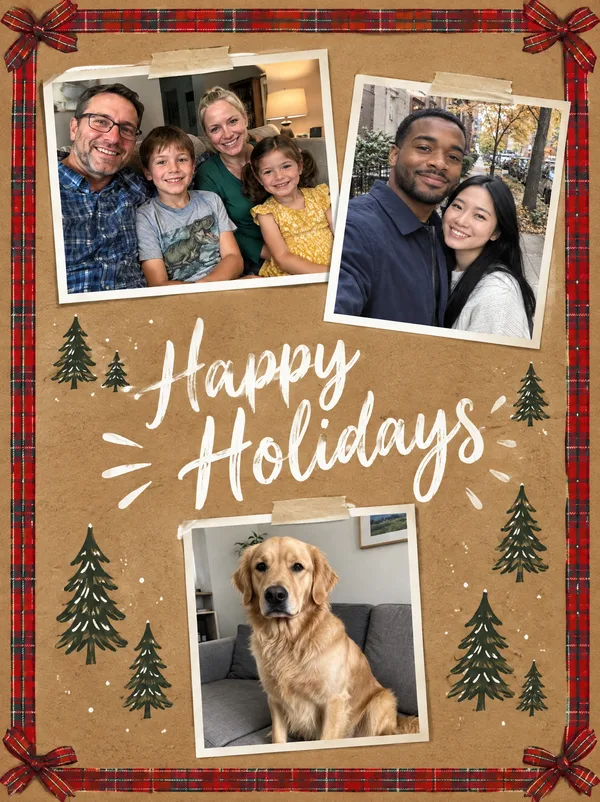
Style: Rustic kraft
Greeting typed: “Happy Holidays”
A printed card goes in the post; most greetings now go by message. Switch the editor to Animated GIF and the same photo and greeting come back as a short looping animation: lights twinkle and snow drifts around the photo, while the photo and the lettering hold still so the card stays readable.
The example was made from the family photo used above with the classic style and the greeting “Merry Christmas from the Millers”. A GIF plays on its own in WhatsApp, iMessage, email and most social apps, with nothing for the receiver to open.
9 frames in a 1.35-second loop
About 608 × 816 pixels, 2 to 3 MB
One photo per animated card
10 credits, the same as a printed card
sparkpix.ai AI Christmas Card Generator is a browser-based tool that turns your own photo and a greeting into a finished Christmas card. You upload one to five photos, type up to 60 characters of greeting and pick one of six styles; in about a minute you get a 3:4 portrait card, about 1,760 × 2,352 pixels, with your real faces and your words lettered into the design. Each card costs 10 credits (under $0.30 on the $9.99 monthly plan). An animated GIF version is available for sending by message. It does not print or post cards.
| From your photo (here) | Template editors | Text-to-image AI | Print shops | |
|---|---|---|---|---|
| What you do | Upload a photo, type a greeting, pick a style | Choose a template, place the photo, edit each text box | Describe a card; it invents the people | Choose a design, upload, order |
| Your real photo on the card | Yes | Yes | No | Yes |
| Design made around your photo | Yes, drawn for it | A fixed template | Yes, but not of you | A fixed template |
| Greeting lettered into the design | Yes, your exact words | Typed in a font | Often misspelled | Typed in a font |
| Animated version | Yes, a GIF | Some, as video | No | No |
| Time | About a minute | 10 to 30 minutes | A minute | Days, with delivery |
| Cost | 10 credits, under $0.30 | Free to subscription | Free tiers | Per card, plus postage |
One photo of your family, your partner, yourself or your pet. For a collage card, upload up to five photos.
Up to 60 characters: "Merry Christmas from the Millers", "Happy Holidays", "Peace, Love & Joy". It is lettered on the card exactly as typed.
Classic red and green, modern minimal, retro candy stripe, green and gold, winter watercolour or rustic kraft. Or describe your own.
The card is ready in about a minute as a 3:4 portrait image for 5×7 prints. Switch to Animated GIF for a version to send by message.
Short greetings letter best. All of these fit the 60-character box; add your family name after “from the” to sign the card.
Merry Christmas
Merry Christmas from the Millers
Season’s Greetings
Happy Holidays
Peace, Love & Joy
Joy to the World
Merry & Bright
With Love This Christmas
Sleigh All Day
Merry Woofmas
Meowy Christmas
We Tried
Happy New Year
Cheers to 2027
Merry Christmas & Happy New Year
Hello 2027
A card from this tool is about 1,760 × 2,352 pixels. At the 300 dots per inch that print shops ask for, that covers the common card sizes without any extra step.
| Card size | Pixels at 300 DPI | This card |
|---|---|---|
| 4×6 in (10×15 cm) | 1200 × 1800 px | Sharp as generated |
| 5×7 in (13×18 cm) | 1500 × 2100 px | Sharp as generated; the 3:4 card is trimmed slightly at top and bottom |
| A5 / half letter | 1748 × 2480 px | Good as generated (about 285 DPI) |
| 8×10 in (20×25 cm) | 2400 × 3000 px | Upscale first |
This is the exact prompt the tool sends for the classic style. It also works in ChatGPT or Gemini with your photo attached: change the greeting inside the quotation marks and the style in the first sentence.
Design a finished, print-ready Christmas card from the photo: a classic red and green Christmas card with holly, pine branches and a thin gold border. Greeting on the card: "Merry Christmas from the Millers". The photo is the main picture on the card, shown large. The people stay photographs of themselves: the same faces, hair, skin tone, ages, expressions and clothing as in the original, no one added and no one removed. Do not turn them into illustrations and do not beautify or restyle them, unless the design explicitly asks for an illustrated style. Lettering: print the greeting given in quotation marks exactly as written, letter for letter, once, in large clear lettering that is easy to read and does not cover any face. Print no other words, names, dates or small print anywhere. If no greeting is given in quotation marks, print "Merry Christmas". The card design fills the whole image edge to edge, flat and front-on, exactly as the file sent to a print shop: no mockup, no envelope, no table, no hands and no perspective. Family-friendly, with no logos or watermarks.
Two to five words letter best and read best. Long sentences are drawn smaller and are where spelling slips happen.
The greeting is drawn, not typed, so check every letter, especially family names. If one is off, run it again.
The design needs room for a border and the greeting. A tightly cropped photo gets cropped further.
Make the Christmas photo first (pyjamas, sweaters, the tree), then bring that result here for the card.
Printers trim a few millimetres from each edge. Styles with a border keep faces and lettering clear of the trim.
Type the name exactly as it should appear, with capitals. The tool is told to copy the greeting letter for letter.
A family, couple or pet card from a photo you already have
A card you need today, to print at home or at a photo kiosk
An animated card to send by message
Several styles of the same card to choose from
Long messages: a paragraph of text belongs inside the card, typed
Exact brand fonts, foil or die-cut finishes from a print shop
Folded cards with an inside spread: this makes the front
Cards using photos of people who have not agreed to it
Upload a photo, type the greeting you want on the card and pick a style. In about a minute you get a finished card: your photo set in a Christmas design with the greeting lettered on it. Download it to print or send.
Not entirely. Each card costs 10 credits; new accounts get 5 free credits, which covers our 5-credit tools but not a card. The $9.99 monthly plan has 350 credits, enough for 35 cards, and results have no watermark. You sign in before the first one.
Yes. The people stay photographs of themselves, with the same faces, clothes and expressions as in the photo you upload. The design, border and greeting are built around the photo.
It is told to print the greeting exactly as typed, letter for letter, and it does so in most runs, including names. Lettering is drawn rather than typed, so always read it before printing and run the card again if a letter is wrong.
Yes. Upload up to five photos and they are arranged as a collage on one card, each shown once, around a single greeting. The rustic kraft and classic styles suit collages best.
Yes. Switch the editor to Animated GIF: you get the card as a short looping GIF with snow falling and lights twinkling around your photo, while the photo and the greeting stay still. It uses one photo and costs 10 credits.
A portrait 3:4 image about 1,760 × 2,352 pixels, which prints sharply at 4×6 and 5×7 inches. For 8×10 or larger, run it through the print upscaler first. Choose 4:3 in the Ratio menu for a landscape card.
Upscale for printingYes. A pet photo works the same way, and greetings like "Merry Woofmas" or "Meowy Christmas" are lettered as typed. The animal stays exactly as in your photo.
In two steps. First turn your photo into a Christmas photo with the scene you want; then upload that result here and add the greeting. Doing it in two steps keeps the faces more reliable than asking for everything at once.
Make the Christmas photo firstYes, in two ways. Type a funny greeting, such as "We tried" or "Merry Christmas from the chaos", and it is lettered as typed. Or make the photo itself funny first, with the ugly sweater or Santa’s elves scene on the Christmas photo page, then upload that result here for the greeting.
Ugly sweater and elf scenesYes. The card is built around the photo you upload, and the faces on it are the ones in that photo, not generated lookalikes. Generators that work from text alone draw strangers; this one starts from your picture.
Yes. The greeting is whatever you type, and the style box accepts your own description: "a navy and gold New Year card with fireworks" or "a blue and silver Hanukkah card with a menorah".
Uploaded photos are deleted within 3 days. The cards you make are saved to your account so you can download them again, and you can delete them at any time.
A photo, a greeting and a style.
About a minute
No watermark
All of these are part of the sparkpix.ai AI photo editor, so one account works across every tool.
Christmas clothes and a Christmas scene around your real faces.
Scenes for the card photo, each with its real result.
A Santa hat on everyone before the photo goes on the card.
Santa caught leaving presents in your living room.
Make the card big enough for 8×10 and posters.
Add the family member who missed the photo.
Add, remove and change anything in a photo by describing it.
Take out tourists, strangers, or anyone you don’t want.
Clear text, watermarks, emojis, and date stamps.
Erase clutter, power lines, fences, reflections, shadows.
Describe any change in words, or draw over the area to edit.
Add a missing friend, a late relative, or your younger self.
All of these are part of the sparkpix.ai AI photo editor, so one account works across every tool.