
FREE
Loading…
Upload an image to transform or edit
Upload an image and describe your transformation to generate
sparkpix.ai is a free, browser-based AI photo restorer that repairs old and damaged photos — fading, scratches, tears, water damage, yellowing, and blur — and can colorize black-and-white images. You describe what you want fixed and the AI regenerates the damaged pixels, with results in about 10 seconds and no signup to start. It handles most everyday damage instantly; for severe loss (large missing sections or a destroyed face) AI fills in plausible detail rather than the exact original.
| sparkpix.ai AI | Professional service | Manual Photoshop | |
|---|---|---|---|
| Cost | Free to start | $40–$500+ per photo | Software + your time |
| Turnaround | ~10 seconds | 2–4 weeks | 1–5 hours / photo |
| Skill needed | None — describe it | None — you send it | Advanced |
| Best for | Most damage, fast | Severe heirloom pieces | Full manual control |
See how AI photo restoration technology repairs decades of damage in seconds, preserving the memories that matter most to your family.
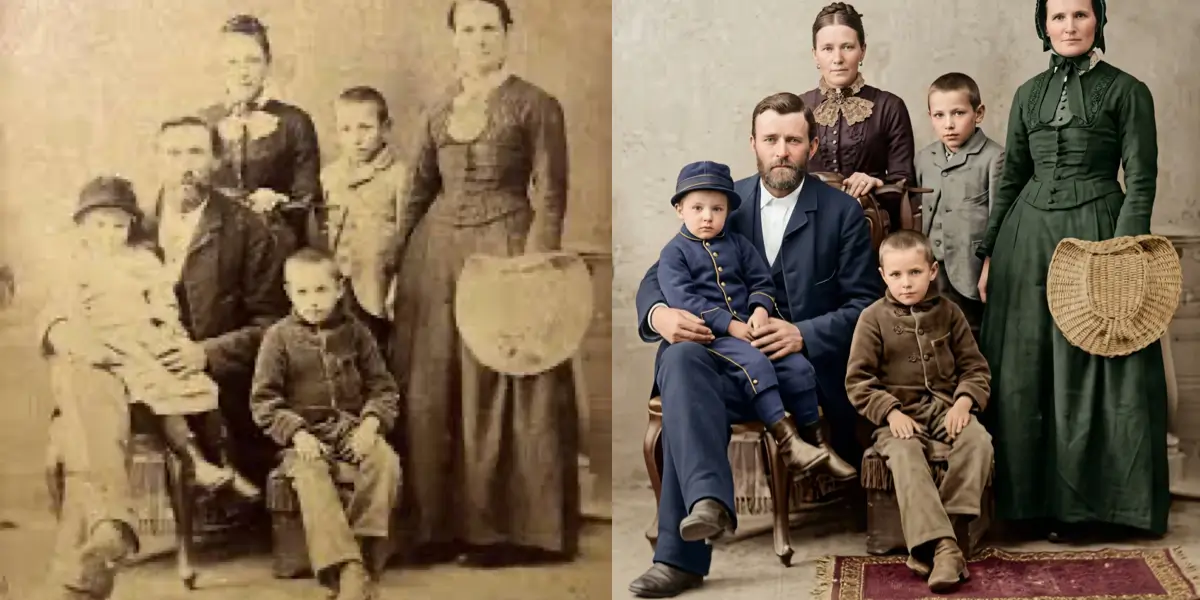
Color dyes in photographic prints fade at a rate of 20–30% per decade without proper archival storage, according to preservation research by the Image Permanence Institute. By the time a family photo reaches its 50th anniversary, it may retain less than half its original color saturation — and the loss accelerates in humid or sunlit environments.
Our AI photo restoration engine performs spectral analysis on each color channel independently, reconstructing the original chromatic balance through pixel-level color channel reconstruction. The neural network cross-references thousands of era-appropriate color profiles to recover hues that match the photographic chemistry of the original print, whether it was a Kodachrome slide from the 1960s or an inkjet print from the early 2000s.
The result is a photograph that looks freshly printed — vibrant skin tones, rich backgrounds, and natural contrast — without the over-saturated, artificial look that manual color correction often produces.
Restore Faded Photos Now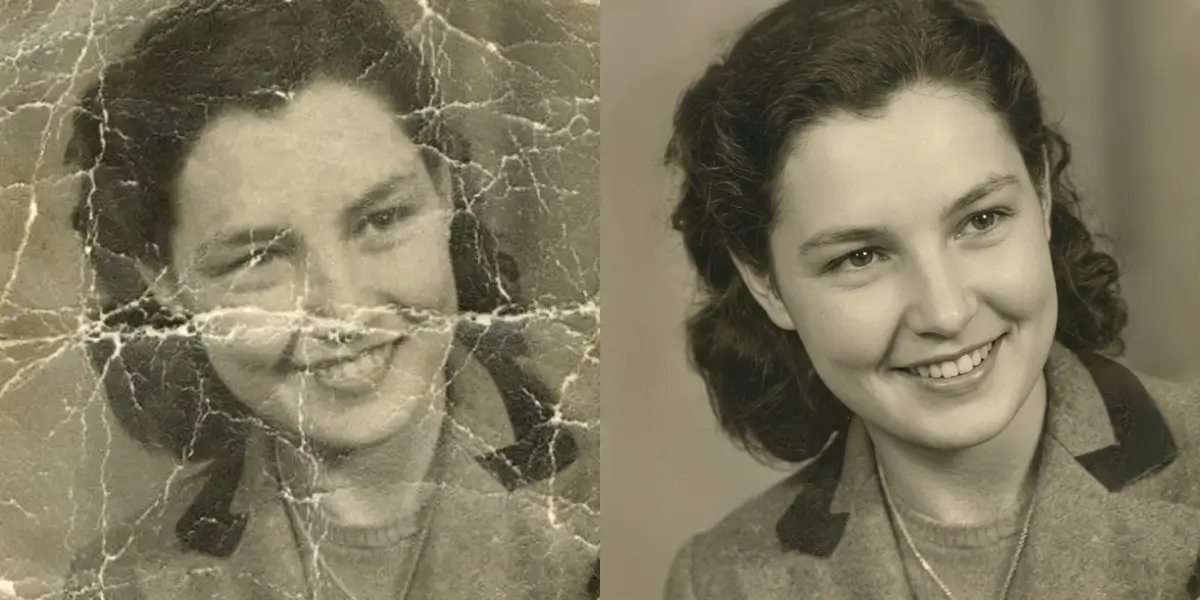
Physical prints accumulate micro-scratches and surface abrasions with every handling — visible degradation typically becomes apparent after just 5–10 years of regular use, as documented by the American Institute for Conservation. Folding, stacking, and improper storage compound the damage, leaving networks of white lines and deep creases across the faces of people you love.
Our photo restoration neural network identifies scratches, creases, and fold marks with sub-pixel accuracy, distinguishing genuine image content from surface artifacts. It then applies advanced texture synthesis to reconstruct the underlying photograph, sampling surrounding skin tones, fabric patterns, and background textures to fill each damaged region seamlessly.
Whether it is a single deep crease across a portrait or hundreds of fine scratches across an entire print, the AI restores the surface to a clean, natural appearance while preserving every authentic detail of the original image.
Repair Scratched Photos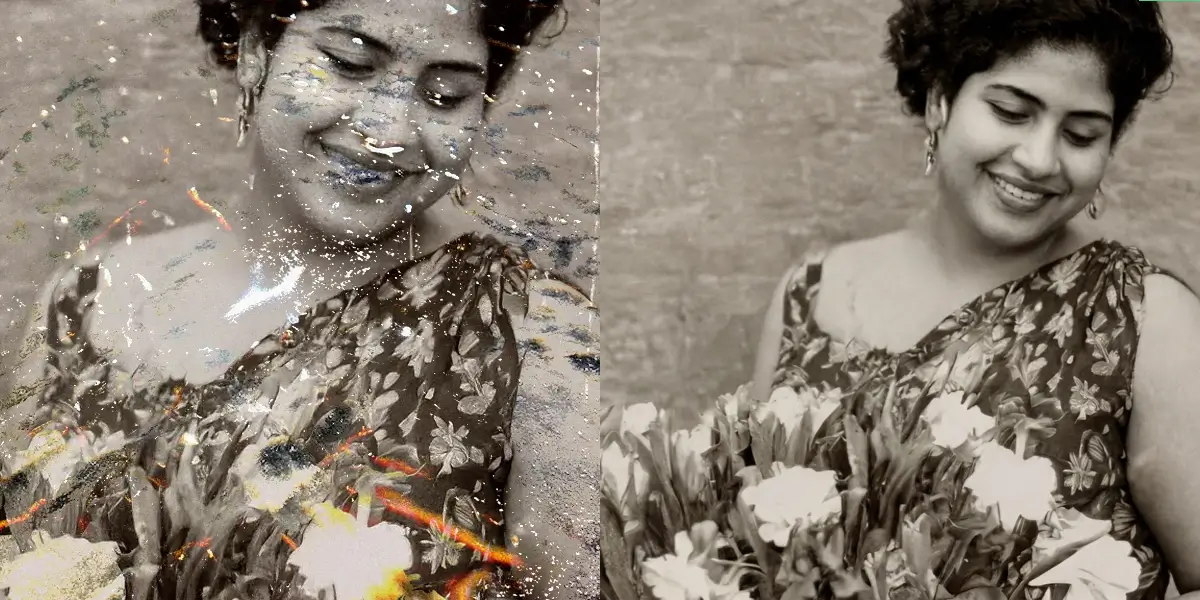
FEMA reports that water damage is the number-one cause of irreversible photo loss following natural disasters — floods, hurricanes, and burst pipes destroy millions of family photographs every year. Even minor humidity exposure causes foxing, mold spots, and tide-line stains that progressively consume the image underneath.
Our photo restoration AI uses multi-layer damage segmentation to separate stain patterns from the original photographic content beneath them. The stain pattern recognition system identifies water marks, mold discoloration, chemical spots, and adhesive residue individually, then removes each layer while reconstructing the image data that was obscured.
Photographs that appear ruined to the naked eye often contain more recoverable data than you would expect. Photo restoration AI reveals details hidden beneath decades of water staining, giving families back images they believed were lost forever.
Fix Water-Damaged Photos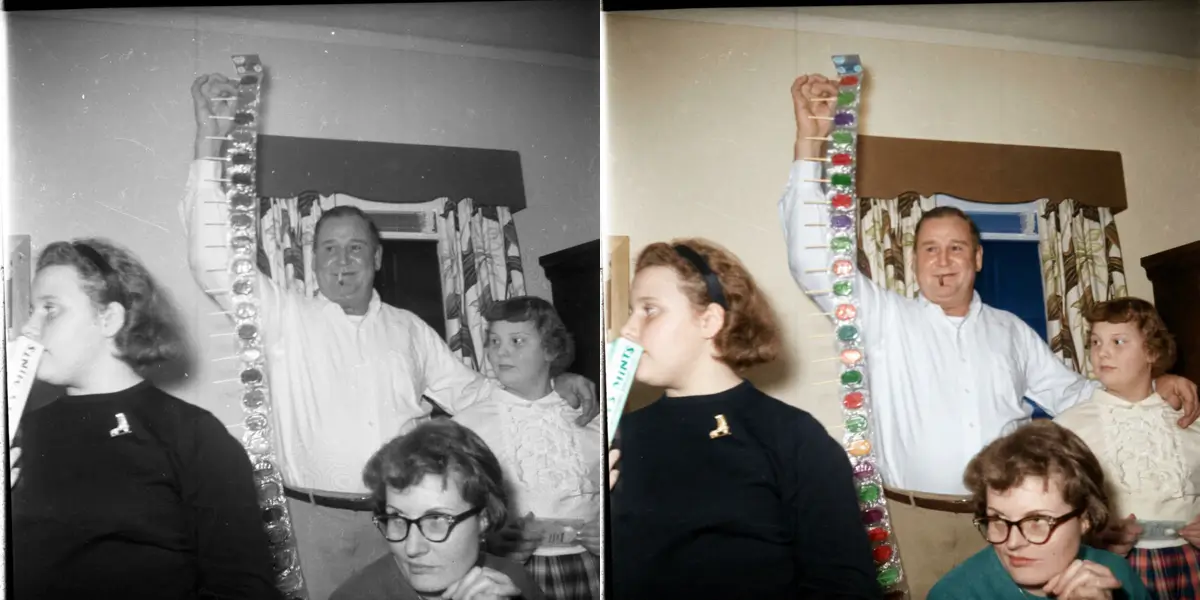
Every photograph taken before 1907 — the year the Autochrome Lumière became the first commercially viable color process — exists only in monochrome. Billions of family photos from the early and mid-twentieth century capture weddings, childhoods, and historic moments in nothing but shades of gray, leaving entire generations without a true sense of how their ancestors looked in life.
Our AI colorization engine uses chrominance prediction trained on millions of historically labeled color photographs. It applies historically-aware color mapping that accounts for era-specific clothing dyes, architectural materials, and natural environments, producing results that feel authentic rather than artificially tinted. Deep learning models analyze contextual cues — uniforms, vegetation, skin tone variations — to assign colors with remarkable accuracy.
The effect is transformative: monochrome ancestors become vivid, real people. Families consistently describe colorized photos as the moment history "came alive" for them, bridging the emotional gap between past and present in a way that black and white images alone cannot achieve.
Colorize Old Photos Now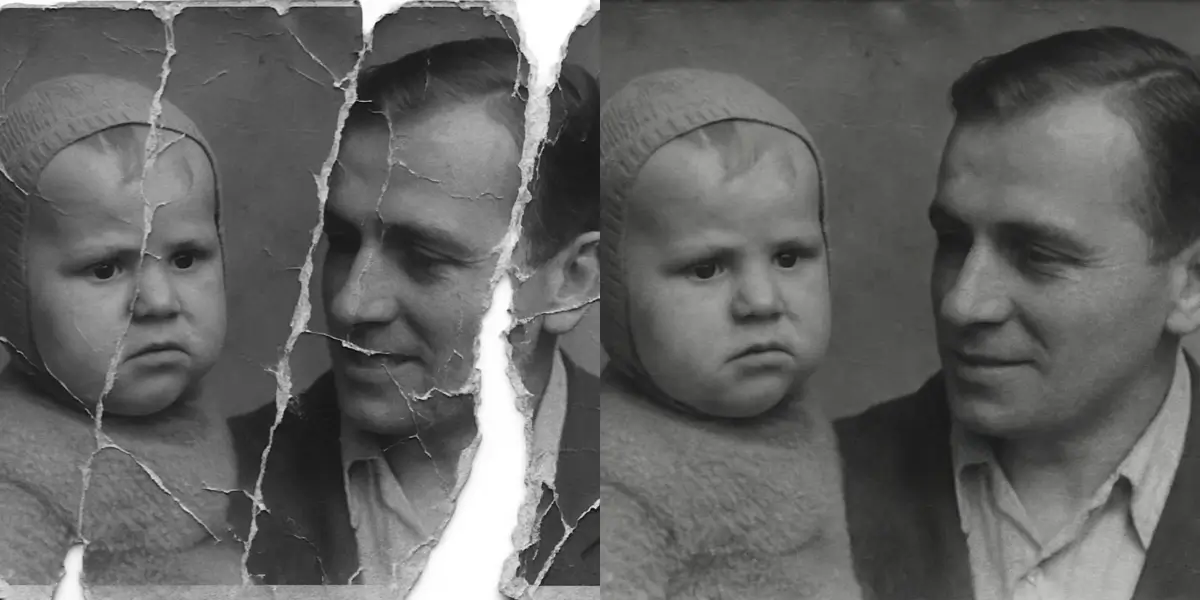
A study from the University of Tokyo demonstrated that modern AI inpainting can faithfully reconstruct missing regions covering up to 30% of an image’s total area — a capability that would have been considered impossible just a decade ago. Torn corners, ripped edges, and missing fragments no longer mean a photograph is beyond saving.
Our system uses generative adversarial inpainting combined with context-aware reconstruction to analyze the surviving portions of the photograph and synthesize plausible content for the missing areas. The AI considers composition, perspective, lighting direction, and texture continuity to generate fills that blend invisibly with the original image.
For family portraits where part of a face or body is missing, the restoration engine draws on its understanding of human anatomy and facial structure to produce natural-looking reconstructions. The result is a complete photograph that honors the original while making the damage disappear entirely.
Restore Torn Photos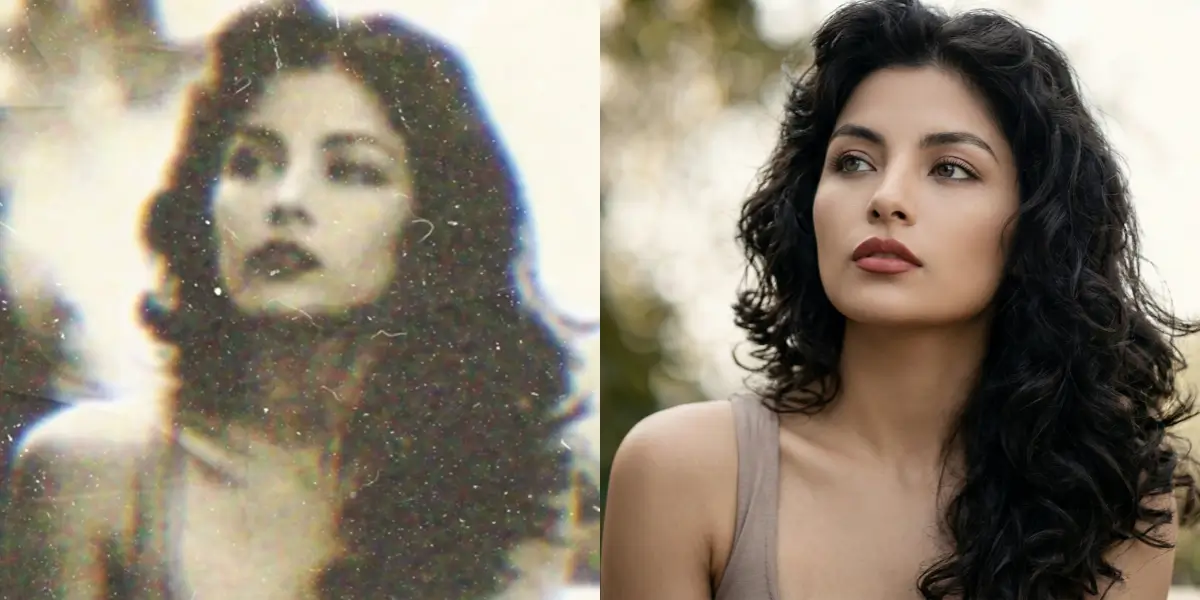
Most consumer cameras manufactured before 1990 captured at less than one megapixel of effective resolution, and many popular point-and-shoot models of the era produced images that appear noticeably soft by modern standards. Decades of analog-to-digital scanning at low DPI settings have compounded the problem, leaving families with thumbnails where faces are barely recognizable.
Our super-resolution neural networks upscale and sharpen these low-resolution originals by predicting the fine detail that the original camera could not capture. For portraits, dedicated facial feature hallucination models reconstruct eyes, lips, and skin texture with photographic realism, drawing on training data from millions of high-resolution face images to fill in what the source material lacks.
The enhancement process transforms small, blurry snapshots into crisp, printable photographs — often revealing details that were invisible in the original. Freckles, fabric weaves, and background elements emerge with a clarity that makes the restored image feel like it was taken with a modern camera.
Enhance Old Photos NowAnd these stories deserve to be preserved for generations to come
That box of old photos in your parents closet? The ones that are starting to fade, with corners bent and surfaces scratched? Those are not just pictures - they are windows to a world you may never have known firsthand. Your grandmother in her youth. Your father as a boy. Relatives who have passed on but whose faces you want future generations to know.
Photo restoration brings these faces back. AI photo restoration can save images that seem too damaged, repairing decades of wear and bringing forgotten details back to life.
Old photos continue to deteriorate. Every year that passes, colors fade a little more, paper degrades, and details become harder to see. Water damage, mold, and improper storage accelerate the decay. Once they are gone, they are gone forever.
Do not wait until it is too late. Start your photo restoration now, while there is still something to restore. Our AI can work with images in surprisingly poor condition, recovering details that seem lost and preserving them digitally for eternity.
No matter what time and circumstance have done to your photos, we can help
Years of handling leave their mark. Our AI identifies and removes scratches, creases, and fold lines to restore old photos to their original smoothness.
Time drains the life from photos. We bring back vibrant colors and proper contrast, making images look freshly printed even after decades.
Floods, humidity, and accidents leave devastating marks. Photo restoration AI can often remove these stains and reconstruct damaged areas.
For tears and missing corners, our AI intelligently fills in what is missing based on the surrounding image content.
See your ancestors as they really looked. Our colorization AI adds historically accurate, natural-looking color to black and white photos.
Old cameras and deteriorating prints create soft, unclear images. We sharpen details and enhance quality to restore old photos to clarity.
Your family history lives in those old photos. Restore old photos now before they deteriorate further, and create digital copies that will last forever. Share them with relatives, create photo books, or display them proudly at family gatherings.
Preserve for future generations
Share with distant relatives
Create family history books
Nothing touches the heart like a restored photo of a loved one who has passed, or a childhood image of a parent. Photo restoration transforms damaged old prints into frame-worthy gifts for birthdays, holidays, and memorial occasions.
Birthday and anniversary gifts
Memorial tributes
Surprise a parent with their own childhood
Old photos document places and times that no longer exist. Restore photos of your old neighborhood, historical events, or family businesses to preserve important historical records.
Document family businesses
Preserve neighborhood history
Historical research
Weddings, reunions, and milestone birthdays are perfect occasions to restore and share old family photos. Create slideshow presentations, memorial displays, or custom prints to celebrate and remember.
Wedding displays
Reunion presentations
Milestone celebrations
Professional photo restoration used to require expensive retouchers and weeks of waiting. Now AI photo restoration takes minutes.
Scan your old photo at the highest quality your scanner allows. Or take a well-lit, straight-on photo with your phone. Upload it to our photo restoration tool.
Tell us what needs fixing. "Remove scratches and restore colors" or "colorize this black and white photo" or "fix the tear on the left side" - just describe it naturally.
In seconds, your restored photo is ready. Compare it with the original, make adjustments if needed, then download in high resolution for printing or sharing.
Our AI photo restoration produces results comparable to professional services that charge $50-200 per photo. It excels at common damage types — scratches, fading, tears, and color loss. For family photos, photo restoration with AI delivers excellent results at a fraction of the cost. Complex restorations involving extensive face reconstruction may still benefit from human expertise.
Not at all. The photo restoration process is entirely digital — we work on a copy of your scanned image. Your physical photo stays completely safe. In fact, creating a digital backup through photo restoration is one of the best ways to preserve originals for future generations.
Yes, AI colorization delivers remarkably realistic results. The neural network learned from millions of color photographs to understand contextually appropriate colors — natural skin tones, period-accurate clothing, realistic vegetation and skies. The results look authentic rather than artificially tinted.
Yes — the AI often surprises people with what it can recover. Even heavily damaged photos with multiple types of degradation see significant improvement. If faces and subjects are at least partially visible, meaningful restoration is usually possible. Upload your photo to see what the AI can do.
For best results, scan at 600 DPI or higher. This gives the AI enough pixel data for high-quality restoration and large reprints. For small originals (wallet-size or smaller), scan at 1200 DPI. The tool works with any resolution, but higher-quality scans produce better output.
Upload your damaged photo and see the AI restoration in action. Fix scratches, restore faded colors, repair tears, and even colorize black and white images — all in seconds. Preserve your family memories for generations to come.
4.9/5 rating
Results in seconds
Free to try
Generate any image from text — no restrictions, no watermark, free daily use.
Restore photos for memorial displays and funeral services
Restore old and damaged wedding photographs
Restore vintage military and veteran photographs
Restore historical and archival photographs with AI
Restore faded and damaged Polaroid instant photos
Remove yellowing and restore natural colors
Remove fold lines and creases from old photos
Easy photo restoration without any software skills
Add realistic colors to black and white photos
Remove scratches and damage from old photos
Fix blurry and out-of-focus photos with AI
Enhance photo quality and details with AI
Restore, colorize and repair damaged old photos with AI — every tool in one place.
Bring damaged, faded, or torn photos back to life.
Add natural, lifelike color to black-and-white photos.
Fix scratches, creases, water damage, and yellowing.