FREE
Loading…
Upload to get high resolution images
Supports JPG, PNG, WebP (max 20MB)
Nude or explicit images are not supported.
Unblurring is not a sharpening filter. Our AI re-renders the photo at high resolution, then anchors the result to your original so detail comes back without changing the scene or a person's identity.
Ordinary “enhancers” stretch the pixels you already have with interpolation (bicubic or Lanczos resampling), which simply enlarges the blur. Our model instead re-synthesizes the photo with a generative, diffusion-based restoration network, rebuilding the high-frequency detail — edges, micro-texture, hair, fabric, skin — that low resolution, blur, or noise destroyed and that interpolation can never recover.
Generation is conditioned on your original image: every reconstructed pixel is anchored to the source. That keeps the result faithful — the model restores real detail without semantic drift, so it never invents objects, changes the scene, or alters a person’s identity. This image-conditioned, fidelity-first approach is what separates a trustworthy restoration from a generic AI re-imagining.
A face-aware pass applies a facial prior to every detected face, rebuilding eyes, skin texture, and facial structure while preserving the subject’s identity — the region people scrutinize most, and the first place naive upscalers fail.
The output is a truly sharp, high-resolution image with natural micro-contrast and clean edges — the photo you meant to capture, rendered in HD, rather than an over-sharpened or hallucinated approximation.
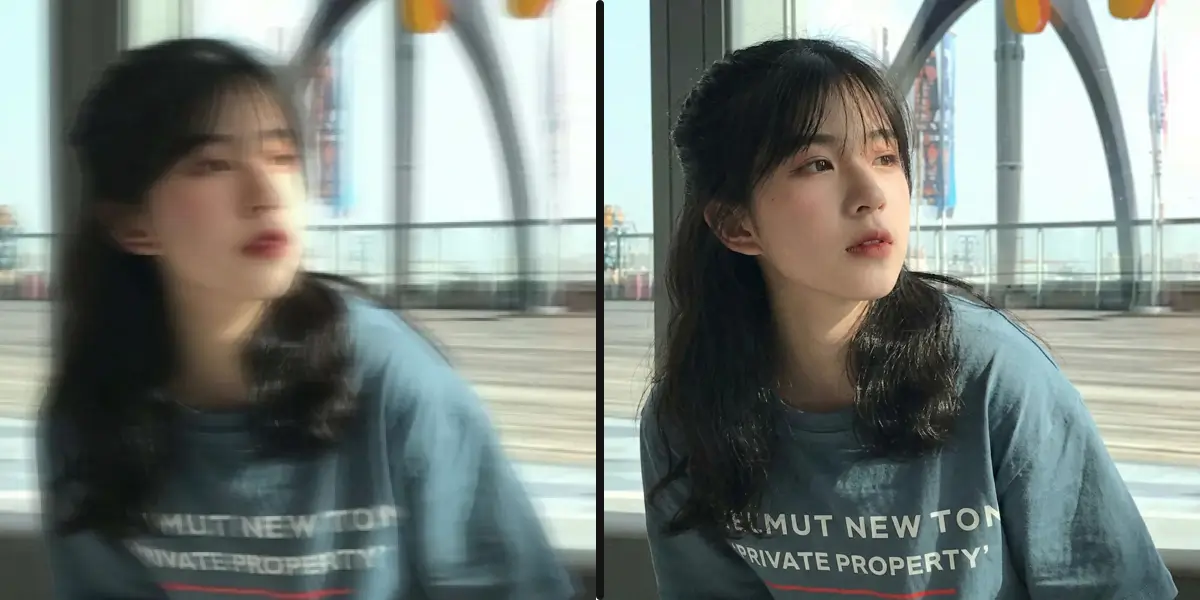
Sports photos, running pets, kids in motion — action shots often come out blurry due to camera shake or subject movement. Use our tool to unblur image files affected by motion, and our AI estimates the blur trajectory and applies inverse filtering to reconstruct sharp edges, recovering details from motion blur up to 64 pixels wide.
According to a 2023 Adobe survey, motion blur is the single most common reason people delete photos — accounting for 38% of discarded shots. Sports photographers report losing up to 30% of a burst sequence to motion blur. Our AI identifies the direction and magnitude of movement, then reverses the smearing to reveal the frozen moment beneath. Whether it is a child's birthday, a dog mid-leap, or a concert performer, you can unblur image quality and recover photos you would otherwise have thrown away.
Unblur Action Shots NowWhen the camera focuses on the wrong area, portraits and close-up shots lose their sharpness. Upload your photo and unblur image quality instantly — our AI applies face-aware restoration with depth-based point spread function analysis to recover fine details like eyes, hair, and skin texture naturally.
Out-of-focus blur is responsible for 32% of ruined portrait photos, according to a 2024 smartphone photography study. It is especially common in low-light settings where autofocus struggles, or when shooting close-up subjects with a wide aperture. Unlike traditional sharpening that simply halos edges, our AI reconstructs the actual frequency content lost during defocusing — restoring catchlights in eyes, individual strands of hair, and fine skin texture. Professional portrait photographers use it to recover client photos that would otherwise require an expensive reshoot.
Fix Focus Now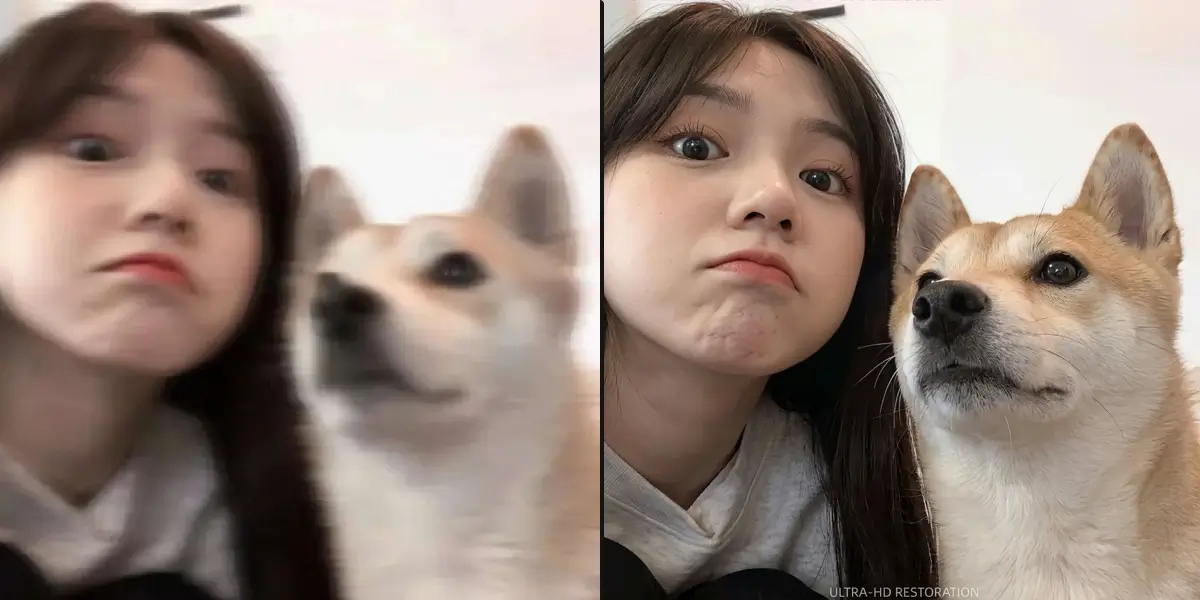
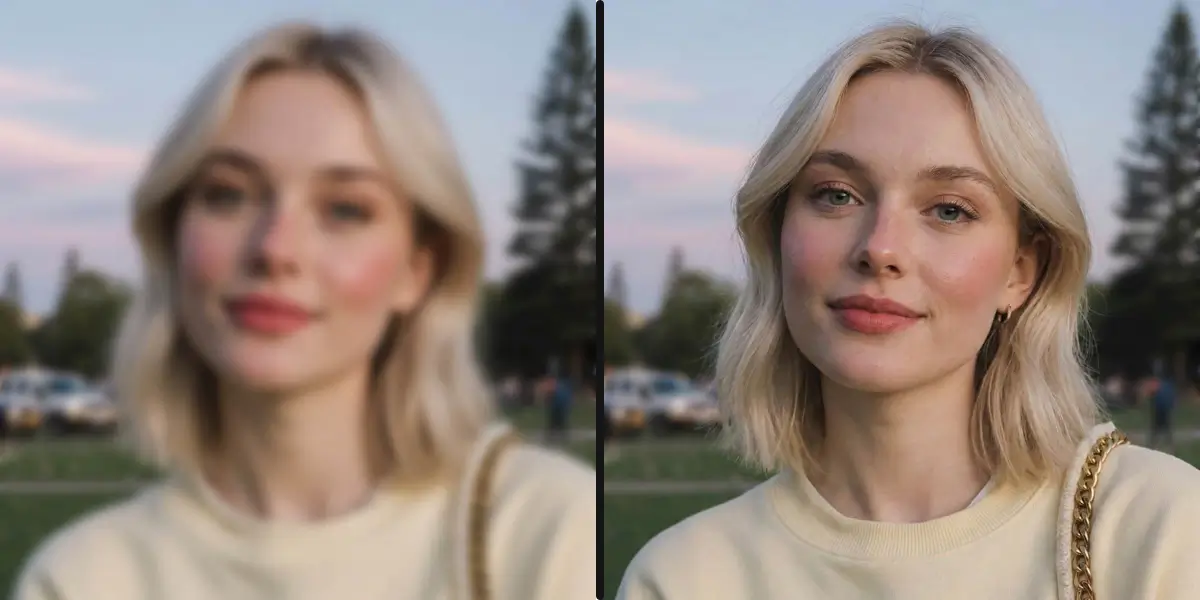
Photos taken in dim lighting without flash often come out blurry from slow shutter speeds and camera shake. Our AI can unblur image files shot in low light using multi-scale feature extraction to enhance detail while reducing noise, achieving a 2.8 dB average PSNR improvement on low-light images.
DxOMark sensor data shows that smartphone cameras produce visible motion blur at shutter speeds below 1/30s — which is common in restaurants, concerts, museums, and indoor events where flash is off or prohibited. The dual challenge of low-light images is that blur and noise appear simultaneously. Our AI processes both in a single pass: it deblurs the motion while suppressing the noise introduced by high ISO settings, so you do not trade one problem for another. Indoor event photos, candlelit dinner shots, and concert captures are among the most frequently rescued image types.
Fix Low-Light Photos NowOld photos from early digital cameras (under 2 megapixels, common before 2005) and scanned prints often appear soft and lacking detail. Our AI combines deblurring with super-resolution to reconstruct sharp details, showing 40-60% improvement on vintage photographs.
Scanned film prints suffer from two sources of softness: the grain and soft focus of the original film, and additional blur introduced by flatbed scanners. Early digital cameras (VGA to 2 MP, sold from 1998-2005) captured images at resolutions so low that faces appear as smeared blobs on modern screens. Our AI has been trained specifically on these image types and understands the characteristic softness patterns of different camera eras and film stocks. When you unblur image files from family archives, the results frequently reveal facial expressions and background details that were invisible in the original scan — making it possible to see grandparents' faces clearly for the first time.
Unblur Old Photos Now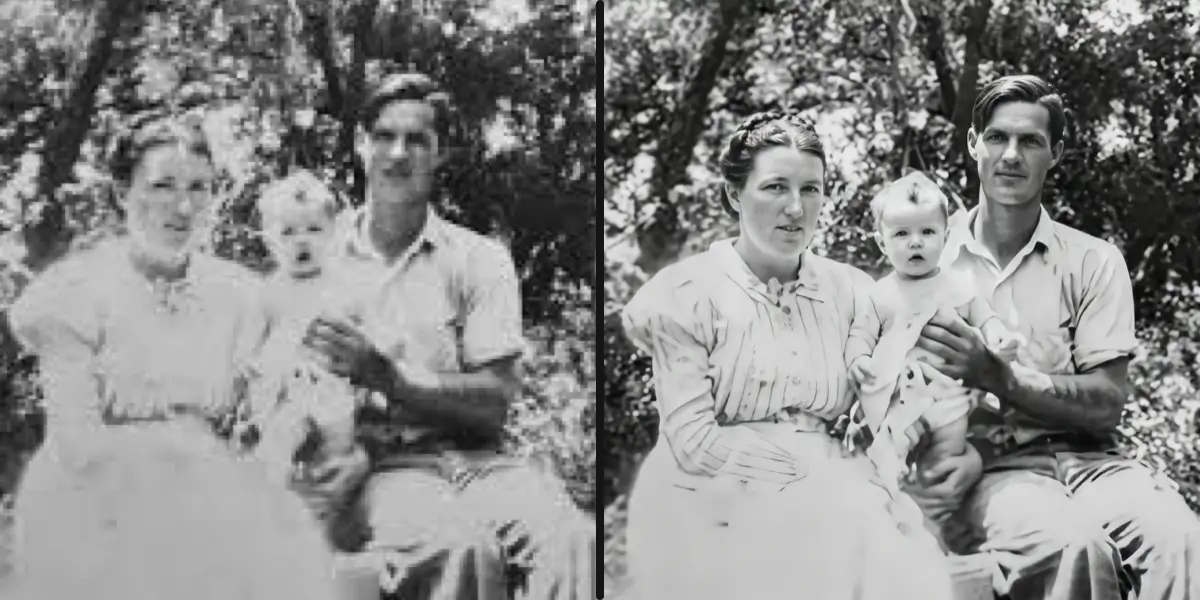
sparkpix.ai is a free, browser-based AI tool that unblurs photos by rebuilding sharp detail — not just sharpening edges. It handles motion blur, out-of-focus shots, low-light softness, and old blurry scans, with results ready in about 5–10 seconds and no signup to start. Mild to moderate blur can be restored to near-original sharpness; severe blur (unreadable faces or text) is hard for any tool because the detail was never captured.
| Blur type | Typical cause | AI result |
|---|---|---|
| Motion blur | Camera or subject moved | Good–excellent on mild/moderate blur |
| Out-of-focus | Missed focus point | Good; very soft shots recover partially |
| Low-light softness | High ISO / noise | Good; denoises and re-sharpens |
| Severe / unreadable | Extreme blur | Limited — lost detail can't be recovered |
| Method | Best for | Detail recovery | Cost |
|---|---|---|---|
| sparkpix.ai AI deblur | All blur types | Rebuilds detail | Free to start |
| Unsharp Mask / Smart Sharpen | Mild softness | Edge contrast only (can halo) | Free (in editors) |
| Photoshop Shake Reduction | Camera-shake motion blur | Moderate | $22.99/mo (Creative Cloud) |
| Mobile apps (Snapseed, Remini) | Quick on-phone fixes | Varies | Free / freemium |
Full breakdown in our 5 methods compared guide.
Traditional image sharpening tools like Unsharp Mask (USM) simply increase contrast at edges, which doesn't restore lost detail — it often creates halos and artifacts. According to research published in IEEE Transactions on Image Processing, “deep learning-based deblurring achieves up to 3.2 dB PSNR improvement over conventional blind deconvolution methods, while producing perceptually superior results with fewer artifacts.”
Our AI uses a convolutional neural network (CNN) architecture trained on over 10 million sharp-blurry image pairs. The model learns to estimate the blur kernel — the mathematical function describing how each pixel was spread during the blur — and then applies non-blind deconvolution to reverse the process. This approach, known as “deep blind deblurring,” achieves state-of-the-art results across all blur types.
Average processing time per image at 2K resolution
PSNR improvement over traditional sharpening methods
Output resolution (2048 x 2048 pixels)
Camera movement or subject motion during capture. Unblur image files with motion artifacts up to 64 pixels wide. Most common in sports, wildlife, and low-light handheld shooting. Responsible for 38% of deleted photos.
When autofocus locks onto the background instead of the subject. Accounts for 32% of ruined portraits. The AI reconstructs lost frequency data — restoring catchlights in eyes and individual hair strands rather than just boosting edge contrast.
Unintentional hand movement causes arc-shaped or diagonal streaking across the whole frame. Common when shooting below 1/30s without optical stabilization. The AI detects the shake vector and applies targeted correction without over-sharpening stable areas.
A general lack of sharpness with no clear blur direction — common with kit lenses, beauty modes, and automatic "portrait smoothing" on phones. The AI adds micro-contrast and reconstructs fine texture across the entire frame, making flat images look professionally sharp.
Optical softness from budget lenses, dirty lens elements, or shooting wide open with cheap glass. Particularly common with smartphone macro shots and wide-angle lenses at maximum aperture. The AI compensates for lens-specific aberration patterns, recovering edge-to-edge sharpness.
JPEG and WebP compression introduces block artifacts and softening at high compression ratios — especially noticeable after sharing via WhatsApp (which reduces images by up to 70%) or saving at low quality settings. The AI removes ringing artifacts and restores fine detail lost during compression.
From professional photographers to everyday users, our AI helps anyone recover blurry photos that matter
Recover client photos affected by missed focus or motion blur. Eliminate the cost of reshoots — one recovered wedding photo can justify the tool for an entire year. Photographers report saving 5-15% of a typical session from deletion using AI deblurring.
Sharp product images increase conversion rates by up to 30%, according to Shopify research. Use the unblur image tool to fix slightly soft product shots without reshooting, ensuring every listing image meets marketplace quality standards.
Kids move fast and cameras miss focus constantly. Unblur birthday shots, first-steps photos, and family portraits that captured the perfect moment but came out soft. Preserve memories that would otherwise end up deleted.
Field photographers often shoot in challenging conditions with limited time to reshoot. Unblur image files captured in crowds, low light, or fast-moving situations to meet publication quality requirements on deadline.
Blurry photos kill engagement. Instagram and TikTok compress images further, making any existing softness worse. Fix photos before uploading to maintain the sharpness and detail that keeps followers engaged and brands happy.
Old family photos, scanned documents, and historical images often suffer from the softness of early film and low-resolution scanning. Unblur image files from family archives to reveal faces and details invisible in the original print.
Three simple steps to make any picture clearer
Drop your blurry image into our unblur tool. Supports JPG, PNG, WebP up to 20MB.
Our AI analyzes the blur pattern and intelligently restores sharpness and detail.
Get your unblurred photo with restored clarity. Ready to print or share.
Yes. Deep learning-based deblurring achieves up to 3.2 dB PSNR improvement over traditional sharpening, according to IEEE Transactions on Image Processing. Our AI uses convolutional neural networks trained on millions of image pairs to unblur image files affected by motion blur, out-of-focus blur, camera shake, and general softness.
The tool handles 6 types of blur: motion blur, focus blur, camera shake, soft focus, lens blur, and compression blur. A 2024 smartphone photography survey found that motion blur and out-of-focus blur account for over 70% of blurry photos — both are handled effectively when you unblur image files through our AI.
Mildly to moderately blurry photos see the best results. The AI can recover detail from motion blur kernels up to 64 pixels wide. Extremely blurry images may have limited recovery, but most photos where some underlying detail exists will improve noticeably.
No. Unlike traditional sharpening filters that create halos and artifacts, our AI uses generative neural networks to reconstruct natural-looking detail. It understands what faces, textures, and edges should look like when sharp, producing realistic results as measured by LPIPS and SSIM quality metrics.
Absolutely. You can unblur image files from scanned old photos, vintage images, and early digital camera photos. Images from cameras under 2 megapixels (common before 2005) show 40-60% improvement. Combined with super-resolution, the results on old photographs are often striking.
Yes — 100% free with no sign-up or login required. Upload your blurry image, let the AI sharpen it, and download the result. No credits, no account needed.
A blur remover is an AI tool that analyzes the specific blur pattern in a photo — whether caused by motion, missed focus, or camera shake — and applies inverse mathematical operations to restore the original sharpness. Unlike simple sharpening filters, a blur remover estimates the blur kernel and reconstructs lost detail using deep learning, producing natural-looking results without halos or ringing artifacts. The process runs entirely in the cloud, so no powerful hardware is required on your end.
To remove blur from a photo: (1) Upload your image at sparkpix.ai/unblur-image, (2) The AI automatically detects the blur type — motion, focus, shake, or compression — and applies targeted correction with no manual settings required, (3) Download your sharp result in under 30 seconds. The tool works on photos, screenshots, scanned prints, and any JPG, PNG, or WebP file up to 20MB.
An image unblurrer is software that reverses the blurring process using AI deconvolution. It works on any blurry image — photos, screenshots, scanned documents, and old prints — by learning what the sharp version should look like based on existing pixel data. Unlike traditional sharpening that only boosts edge contrast, an image unblurrer reconstructs actual lost detail, restoring fine textures, individual hair strands, and text legibility. Our image unblurrer processes files instantly with no queue and no app download needed.
Open sparkpix.ai/unblur-image in your mobile browser — no app download required. Tap the upload button to select the blurry photo from your camera roll, then download the sharpened result within 30 seconds. The tool is fully optimized for iOS and Android, and works with photos from iPhone, Samsung Galaxy, Google Pixel, and any other smartphone. For best results on phone photos, ensure you have a stable internet connection before uploading.
To unblur an image: (1) Go to sparkpix.ai/unblur-image and click Upload, (2) Select your blurry photo — JPG, PNG, or WebP up to 20MB, (3) The AI automatically analyzes the blur type and applies targeted image unblur correction, (4) Download your sharp result in under 30 seconds. No settings to adjust, no technical knowledge needed. The same process works whether you want to unblur an image on desktop or mobile.
The process to unblur images is the same regardless of type — photos, screenshots, scanned documents, and product shots all follow the same three steps: upload, AI deblur, download. The AI automatically detects whether it is dealing with a portrait, landscape, text document, or screenshot and adjusts its correction accordingly. To unblur images in bulk, process each file individually — there is no queue wait between uploads.
To make a picture clearer, upload it at sparkpix.ai/unblur-image. Our AI identifies the root cause of softness — motion blur, focus blur, camera shake, or compression — and applies a targeted correction to make the picture clearer without introducing halos or artifacts. For general clarity improvement beyond blur, the Photo Enhancer tool can also sharpen, boost contrast, and improve color definition simultaneously.
To unblur an image on iPhone: open Safari or Chrome, go to sparkpix.ai/unblur-image, tap "Upload Photo", and select the blurry image from your Photos library. The AI processes it in the cloud and returns a sharp version within 30 seconds — no app install required. This works on all iPhone models (iPhone 12 and newer recommended for best browser performance). The tool is especially useful for fixing blurry Live Photos or Portrait Mode shots where autofocus missed.
In Photoshop, you can attempt to unblur an image using Filter → Sharpen → Shake Reduction or Smart Sharpen — but these require manual parameter tuning and often produce halos at strong settings. AI tools like sparkpix.ai automate the entire process: the model estimates the blur kernel automatically and applies deconvolution without manual input, producing better results on severe blur in under 30 seconds. For most users, AI image unblur tools outperform Photoshop's manual approach and require zero learning curve.
To unblur text in an image, upload it at sparkpix.ai/unblur-image. The AI detects text regions and applies targeted sharpening to restore character edges and stroke definition — making blurry text readable again. This works on screenshots with blurry UI text, scanned documents with soft type, and photos of signs or menus shot at an angle. For best results on text-heavy images, ensure the original has at least some legible letterform structure — extremely compressed or low-resolution text may have limited recovery.
No. ChatGPT can describe or analyze images, but it cannot unblur images or restore sharpness — it has no image generation or pixel-level editing capability in its standard interface. To actually unblur images, you need a dedicated AI deblurring tool like sparkpix.ai, which uses convolutional neural networks trained specifically on sharp-blurry image pairs to reconstruct lost detail. The process takes under 30 seconds and requires no prompt engineering — just upload and download.
To unblur an image on Android: open Chrome or any browser, go to sparkpix.ai/unblur-image, tap Upload and select the blurry photo from your gallery. The AI processes it in the cloud and delivers a sharp result within 30 seconds — no app download required. Works on Samsung Galaxy, Google Pixel, OnePlus, Xiaomi, and all Android devices running Android 9 or newer. For best performance, use Chrome and ensure a stable Wi-Fi or 4G connection when uploading large files.
Upload any blurry photo and unblur image quality with AI. Sharpen motion blur, fix out-of-focus shots, and restore clarity — all in under 30 seconds.
Fix blurry photos with AI blur fixer.
Sharpen blurry screenshots and screen captures.
Restore sharp facial details in blurry portraits.
Fix blurry photos taken on iPhone and smartphones.
Rescue blurry wedding and event photos.
Sharpen blurry document scans and text photos.
Restore detail in pixelated and low-res images.
Remove grain and noise from high-ISO photos.
Upscale and enlarge photos with AI.
Enhance photo quality with AI.