
FREE
Loading…
Upload an image to transform or edit
Upload an image and describe your transformation to generate
Real results from our AI style transfer tool — see how it reimagines photographs across six distinct artistic traditions, from Renaissance oil paintings to contemporary pop art.
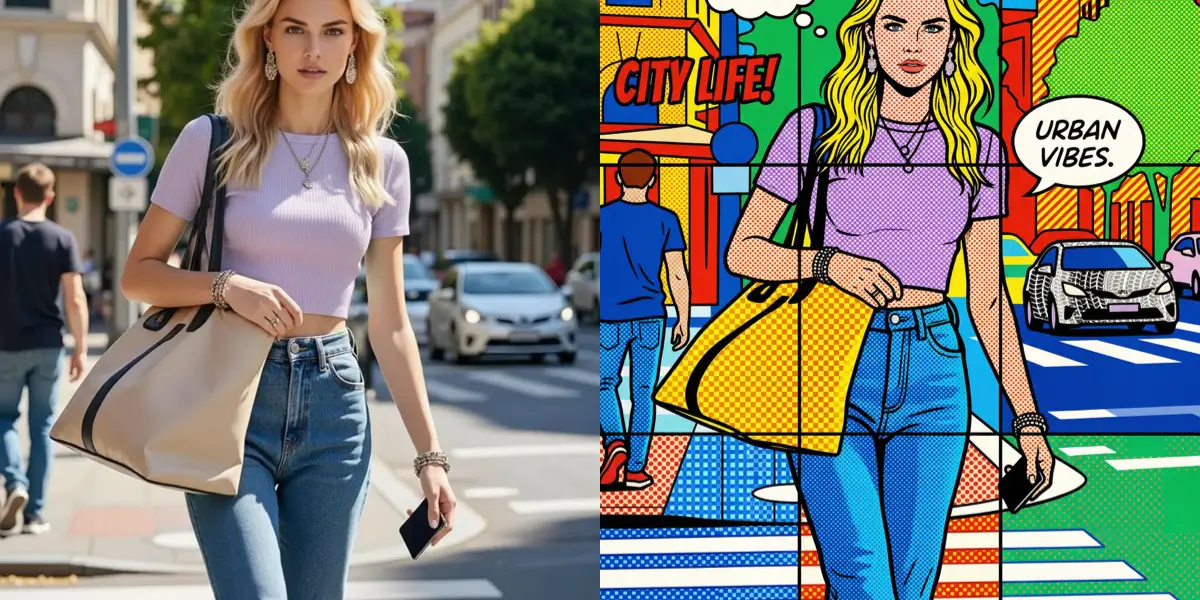
Pop art and retro aesthetics account for 18% of all AI-generated art shared on social media, according to a 2024 analysis by Sprout Social. The style’s bold, graphic impact — pioneered by Andy Warhol, Roy Lichtenstein, and Keith Haring — translates perfectly to the digital age where attention spans are measured in milliseconds.
The technical process involves color quantization to reduce the image to a limited, high-saturation palette, posterization algorithms that flatten tonal gradients into stark bands, and high-contrast edge enhancement that outlines subjects with the thick, decisive lines characteristic of screen printing. Optional halftone dot patterns add the Ben-Day dot texture associated with Lichtenstein’s comic-inspired works.
Pop art transfers are a favorite for social media avatars, event posters, and merchandise design. The style’s inherent boldness ensures your image commands attention whether displayed on a phone screen or a gallery wall.
Create Pop Art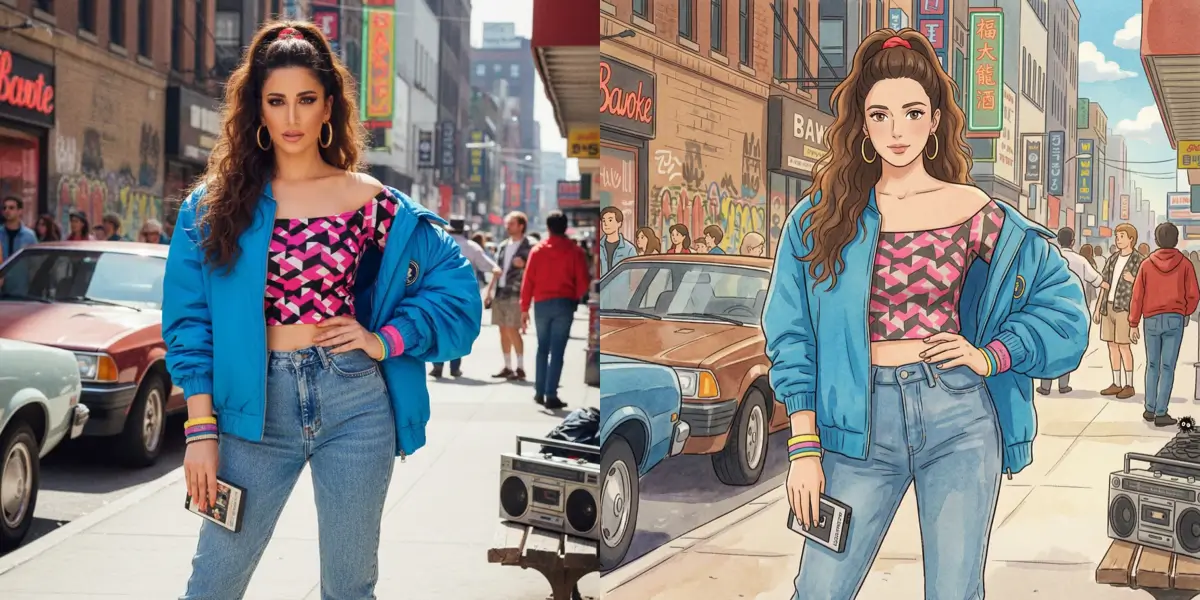
In early 2025, "Ghibli filter" became a top-10 trending search term across Google, TikTok, and Twitter simultaneously, driven by viral social media challenges. The aesthetic — warm pastoral landscapes, soft hand-painted textures, and the nostalgic color grading found in films like Spirited Away and My Neighbor Totoro — resonates with a massive global audience.
Producing a convincing Ghibli-style transfer requires specialized fine-tuned models that go beyond generic anime conversion. The pipeline extracts the distinctive color palette associated with Studio Ghibli films, applies hand-painted texture synthesis to eliminate the photographic "crispness" that would break immersion, and adjusts lighting to emulate the diffused, golden-hour quality that defines Miyazaki’s visual storytelling.
Portraits, cityscapes, and nature photography all take on a storybook quality when processed through this model. The output feels less like a filter and more like a frame from an animated film you would want to live inside.
Apply Ghibli Style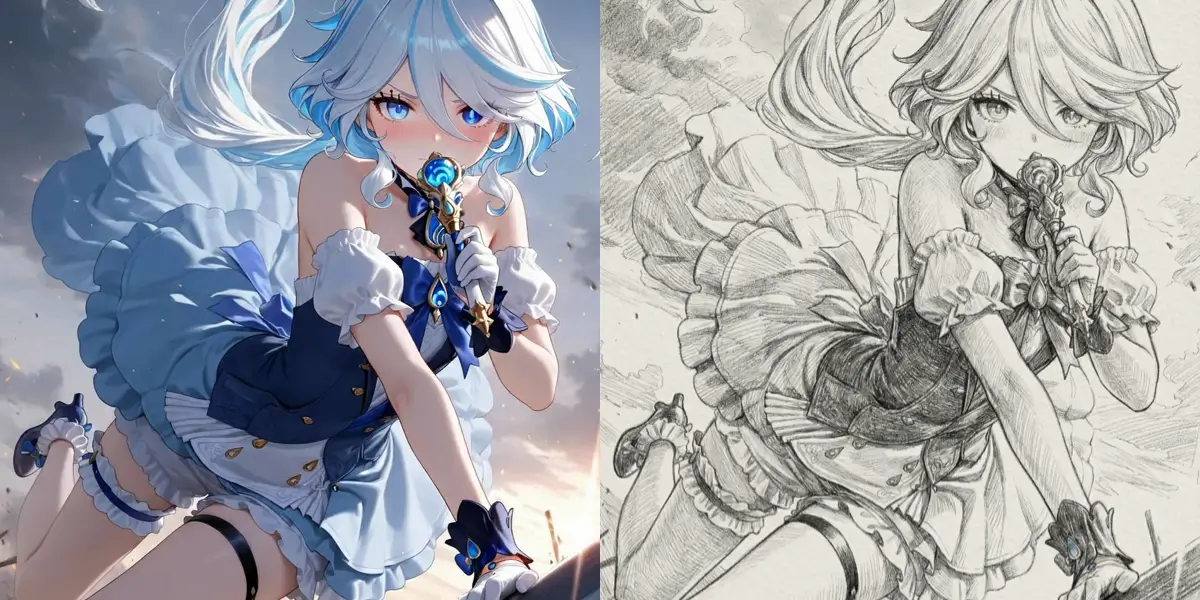
Pencil sketch conversion is the third most searched photo-to-art transformation globally, according to Google Trends data from 2024. Its enduring popularity stems from the timeless elegance of graphite on paper — a single pencil sketch can convey depth, emotion, and detail that color photographs sometimes obscure.
The AI pipeline combines edge detection algorithms such as Canny and Sobel filters with learned hatching simulation to replicate how a skilled artist would shade contours. Tonal mapping converts the full color gamut into a nuanced grayscale range, preserving the three-dimensional form of your subject through carefully graduated pencil strokes.
Pencil sketch transfers are especially popular for wedding portraits, pet memorials, and architectural renderings. The monochrome output also makes these images ideal for printing on fine-art paper or engraving onto personalized gifts.
Generate a Pencil Sketch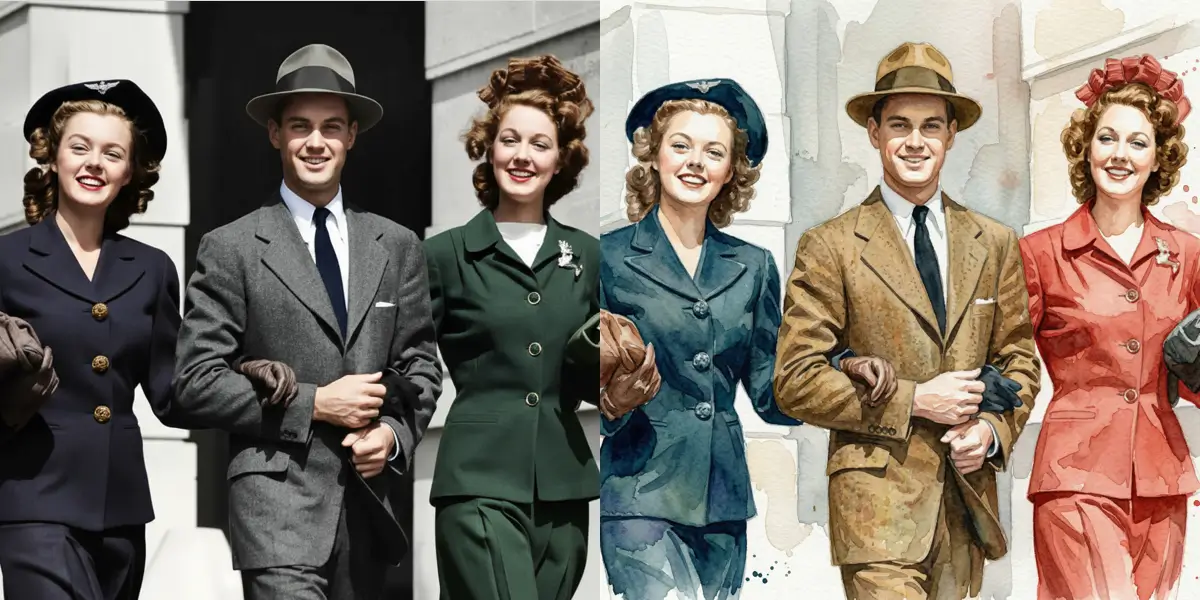
Watercolor carries a softness that no other medium quite matches, and research from Pinterest’s 2024 Visual Trends Report shows that watercolor-style content sees 2.3x higher save rates compared to standard photographs. Users gravitate toward the medium’s gentle color bleeds, translucent washes, and organic imperfections.
Replicating this effect digitally requires more than a simple filter. Our model uses wet-edge simulation to mimic how pigment flows along damp paper fibers, pigment blending algorithms that model how transparent layers interact, and paper texture synthesis that reproduces the subtle grain of cold-pressed watercolor stock.
The result retains the compositional structure of your original photo while introducing the luminous, airy quality that makes watercolor paintings feel alive. Floral shots, travel photography, and portraits all translate beautifully into this medium.
Make Watercolor Art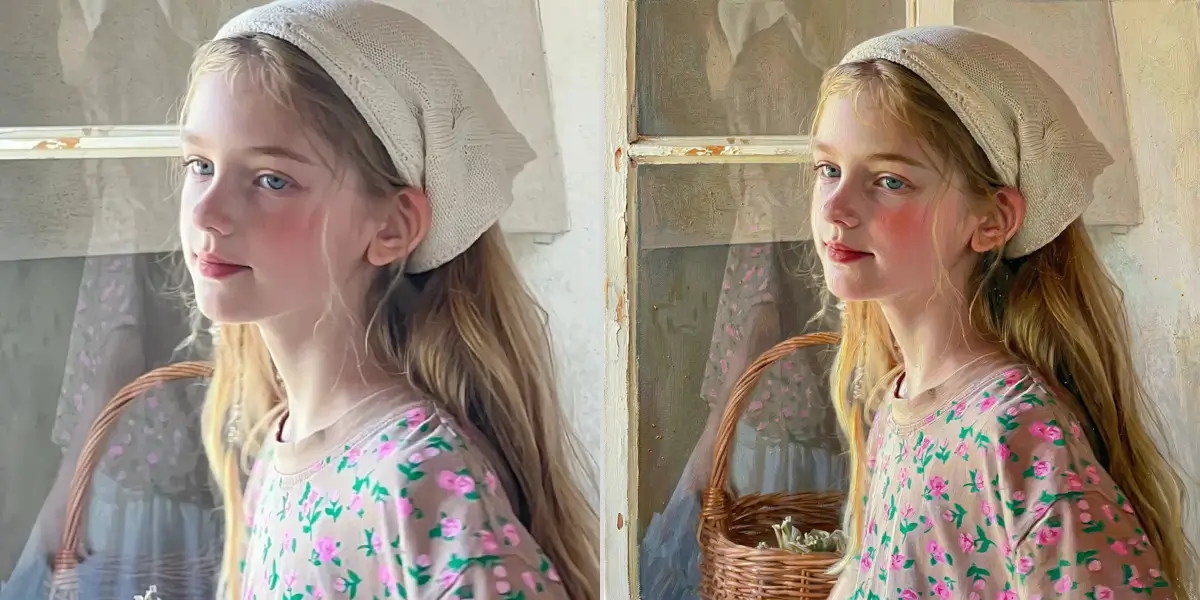
Classical oil painting has captivated audiences for centuries, and neural style transfer now makes this aesthetic accessible to anyone with a smartphone photo. Our AI uses VGG-19 feature extraction to separate content from style, then reconstructs your image through Gram matrix computation that matches the texture patterns found in masterworks by Rembrandt, Vermeer, and Monet.
According to a 2024 report by Art Market Monitor, AI-generated art accounted for over $150 million in sales across digital platforms, with oil-painting-style transfers ranking among the most commercially popular outputs. The technology faithfully reproduces impasto brushwork, glazing layers, and chiaroscuro lighting that once required years of studio training.
Whether you want a portrait rendered in the warm tones of the Dutch Golden Age or a landscape echoing the luminous palette of the Impressionists, the convolutional neural network adapts its feature maps to deliver results that hold up at print resolution.
Create an Oil Painting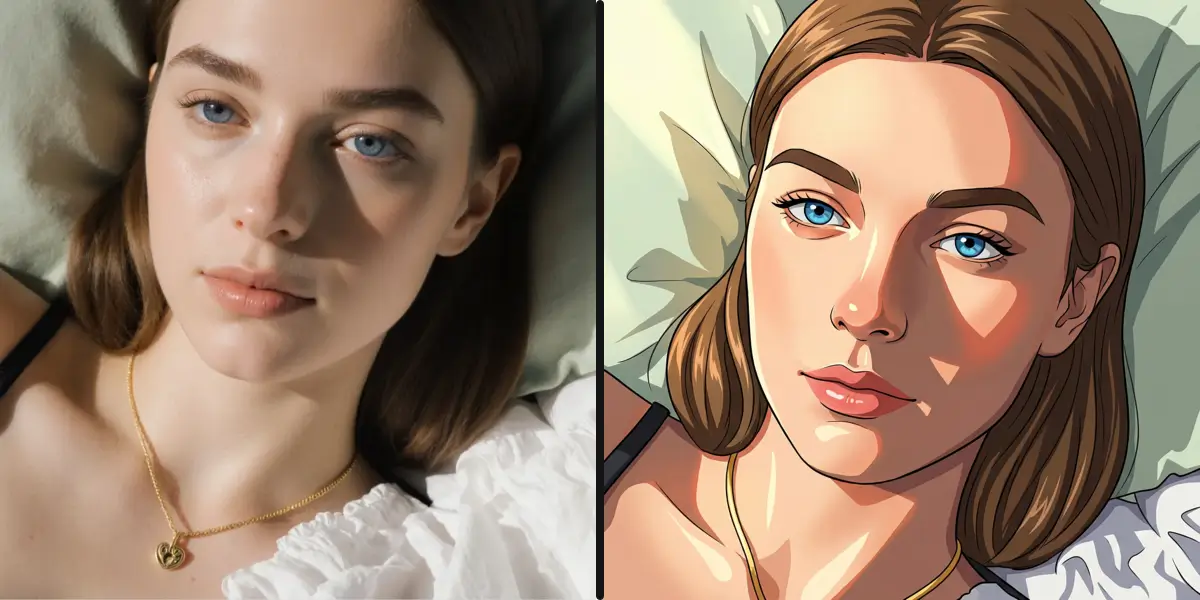
Anime-style filters generated over 2 billion images globally in 2024, making it the single most popular style transfer category according to data aggregated by Sensor Tower. The appeal is clear: anime’s distinctive large eyes, clean line work, and vibrant color palettes translate personal photos into something that feels both fantastical and deeply personal.
Under the hood, photo-to-anime conversion relies on face landmark detection to preserve facial proportions while a style-specific GAN model, trained on curated anime artwork datasets, handles the aesthetic transformation. The generator network learns the distribution of anime visual features — simplified shading, saturated hair colors, exaggerated expressions — and applies them while retaining the subject’s identity.
The result is an anime portrait that looks unmistakably like you, just rendered in the visual language of Japanese animation. Group photos, pet portraits, and even landscapes translate beautifully into this style.
Try Anime Style TransferThe only limit is your imagination. Here are some ideas to get you started.
Transform photos into classical oil paintings with rich textures, dramatic lighting, and museum-worthy aesthetics. Perfect for portraits and landscapes.
Turn yourself into an anime character. Big eyes, smooth lines, and that distinctive Japanese animation style. Hugely popular for profile pics.
Convert photos to detailed pencil drawings. Great for a classic, artistic look that works beautifully when printed in black and white.
Get that soft, dreamy watercolor effect with flowing colors and organic textures. Beautiful for nature photos and portraits.
Channel your inner Warhol. Bold colors, high contrast, and that iconic pop art vibe. Transform photos into statement pieces.
Neon lights, futuristic vibes, and that blade-runner aesthetic. Transform ordinary photos into scenes from tomorrow.
These are just starting points. Describe any style and our AI will interpret it.
Impressionist painting
Van Gogh starry night style
Vintage film noir
Comic book illustration
Pixel art retro
Fantasy art magical
3D cartoon render
Stained glass window
Art deco poster
Minimalist line art
Studio Ghibli style
Disney animation
Gothic dark art
Steampunk Victorian
Graffiti street art
Ukiyo-e Japanese print
Do not see what you want? Just describe it! Our photo transformation AI understands creative descriptions.
Your feed is full of regular photos. Transform photos into unique art styles and watch the likes roll in. Anime profile pics, artistic posts, and creative content that stops the scroll.
Unique profile pictures
Eye-catching posts
Viral-worthy content
A transformed photo makes an unforgettable gift. Turn a couples photo into a romantic painting, transform a pet into anime, or create custom art from favorite memories.
Custom anniversary gifts
Pet portraits as art
Unique birthday presents
Artists, designers, and creators use photo transformation as a starting point for projects. Generate reference images, create mood boards, or explore aesthetic directions.
Concept art creation
Style exploration
Creative inspiration
No art degree required. Just three simple steps.
Selfies, landscapes, pets, group shots - any photo works. The clearer the original, the better the transformation, but our AI handles most images well.
Tell us how you want to transform the photo. Be as simple or detailed as you like. "Make it anime" works, and so does "transform into a moody oil painting with dramatic shadows".
In seconds, your transformed photo is ready. Preview the result, try different styles if you want, then download in high resolution for sharing or printing.
AI style transfer — also called neural style transfer or image style transfer — is a technique where a neural network repaints the content of your photo in the visual style of an art form: anime, Studio Ghibli, oil painting, Van Gogh, watercolor, and more. Unlike a filter that only shifts colors, image style transfer AI re-renders shapes, brushwork, and texture, so the result looks genuinely painted rather than filtered. You describe the style in plain words and the style transfer AI regenerates the whole image in that look.
Yes! Our style transfer AI preserves your key features during style transfer. When style transfer converts your photo to anime, you still look like you — just rendered in a different artistic style transfer effect. Style transfer changes the art style, not your identity.
Our style transfer tool generates images at high resolution suitable for digital use and printing. Style transfer outputs are at least 1024x1024 pixels. For best style transfer results, start with a high-resolution source image — the better the input, the better the style transfer output quality.
Yes! Our style transfer AI understands a wide range of artistic styles. Tell the style transfer tool "Van Gogh style" or "cyberpunk neon" and style transfer interprets it perfectly. The more specific your style transfer description, the better the style transfer result. Style transfer supports 20+ preset art styles plus custom descriptions.
Several factors affect style transfer quality. Clear, well-lit photos produce better style transfer results than dark ones. Some style transfer effects work better with certain subjects — anime style transfer excels with portraits, while landscape style transfer shines with scenery. Try adjusting your style transfer description for better results.
Yes, style transfer is free to try! You get free credits to test style transfer on your photos. Each style transfer uses 5 credits. Our style transfer tool is priced affordably because we want everyone to explore style transfer creativity, not just people with big budgets.
Try our free style transfer tool and transform any photo into art. Style transfer turns ordinary photos into paintings, anime, sketches, and more. Start style transfer free today.
4.9/5 rating
Results in seconds
Free to try
One-click style transfer presets. Upload your photo and the style transfer AI delivers instant artistic style transfer results.
Japanese animation style
Studio Ghibli aesthetic
Animation style effect
Vibrant cartoon style
Classic oil paint style
Pencil drawing effect
Soft watercolor art
Japanese comic style
Disney character style
3D animation style
Warhol style art
Comic book style
Starry Night style
Impressionist style
Neon futuristic style
Retro film effect
8-bit retro style
3D avatar style
Outline drawing
Dramatic charcoal art
Funny portrait style
Instant camera style
AI anime generator
Convert to anime
sparkpix.ai is a free, browser-based AI style transfer tool that repaints your photo in an artistic style — anime, Studio Ghibli, oil painting, watercolor, pop art, Van Gogh, and more. You describe the style in plain words and the AI regenerates the whole image in that look, with results in about 10 seconds and no signup to start. Unlike a filter (which only shifts colors), it re-renders shapes, brushwork, and texture.
| Style | The look | Try this prompt |
|---|---|---|
| Anime | Clean cel-shaded lines, vivid color | “turn this photo into anime style” |
| Studio Ghibli | Soft painterly, warm light | “transform into Studio Ghibli style” |
| Oil painting | Textured visible brushstrokes | “repaint as a classical oil painting” |
| Watercolor | Soft washes, paper bleed | “convert to a watercolor painting” |
| Van Gogh | Swirling impasto strokes | “in the style of Van Gogh’s Starry Night” |
| Pop art | Bold flat color, halftone dots | “make it Warhol-style pop art” |
Turn photos into Ghibli, anime, oil painting, watercolor, vintage and dozens of other art styles.
Apply any artistic style to your photo.
Turn photos into anime, manga, or animated cartoons.
Convert photos to cartoon, 3D, comic, or caricature.
The dreamy Studio Ghibli look on any photo.
Oil, watercolor, sketch, charcoal, and famous artist styles.
Vintage, polaroid, cyberpunk, and pixel-art looks.